
Minecraft7tv
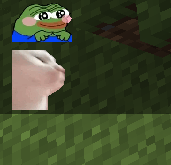
Minecraft 7tv is a fabric mod that brings to minecraft the extraordinary experience of using emotes while chatting. https://www.youtube.com/watch?v=f0kpISL69yk
截图
介绍
Minecraft 7tv is a fabric mod that brings to minecraft the extraordinary experience of using emotes while chatting.
This mod uses emotes from 7tv.
Features:
STBImage implementation to render images.
Infinite capacity of emotes.
Uses ImageMagick to convert image files to renderable gifs.
Server emote list to use with your friends.
Chat customization.
How to use it:
Open the menu with a custom keybind at Minecraft7tv, the menu has 5 sections:
Emotes:
All the emotes will be displayed here with their name, if you hover the top part you will be able to edit and remove the emote.
Add emote:
The emotes are added here, there are two text field widgets, the one at the top for the new emote name and at the other one you need to give the emote link obtained from here emotes, you can find more information clicking the guide button at the bottom part of the menu.
Emote settings:
All the emote related settings will be found here.
Server settings:
All the server related settings will be found here.
Settings:
All the mod related settings will be found here.
Once an emote has been added you will be able to us e it, just write it name at the chat!
Commands:
/client7tv serverEmotes -> requests server emote list, if the list has more than 10 emotes a file will be created at .minecraft/config/Minecraft7tv/server_emotes with all the emotes
/client7tv sync -> syncs all server emotes with your client.
Server:
Minecraft7tv has a server implementation. This one brings:
Server emote list: Every user in the server that has minecraft7tv mod (client) will be able to use server emotes. (Toggeable at the settings)
Server emote editors: People with Server Emote Editor role will be able to add and remove server emotes. (They are saved with uuid)
Commands:
/7tv emotes add-remove -> adds/removes a server emote, second parameter not necessary when removing.
/7tv editors add-remove -> adds/removes a server emote editor roles.
/7tv editors -> lists all emote editor roles in the server.
Future features:
Emote size fix, each emote has his dimensions, right now all emotes have predefined size that you can change at emote settings.
Stacking emotes, one of the last features of 7tv, stacking two emotes.
Sharing emotes.
常见问题
Minecraft7tv 支持哪些 Minecraft 版本?
Minecraft7tv 支持 Minecraft Java 版 1.17,可用的加载器:Fabric。下载时注意选择和你游戏版本一致的文件。
Minecraft7tv 怎么安装?
先用 PCL2 或 HMCL 启动器安装对应版本的 Fabric,再把下载的 .jar 文件放进游戏目录的 mods 文件夹,重新启动游戏即可。开启了版本隔离的,mods 文件夹在 versions/版本名 下面。运行环境:客户端 / 服务端。
评论
登录后评论和评分