
Soundtrack Controller
Take control of Minecraft’s soundtrack with track selection, favorites, shuffle, repeat, playback controls, and customizable music frequency.
截图
介绍
Take Control of Minecraft’s Soundtrack
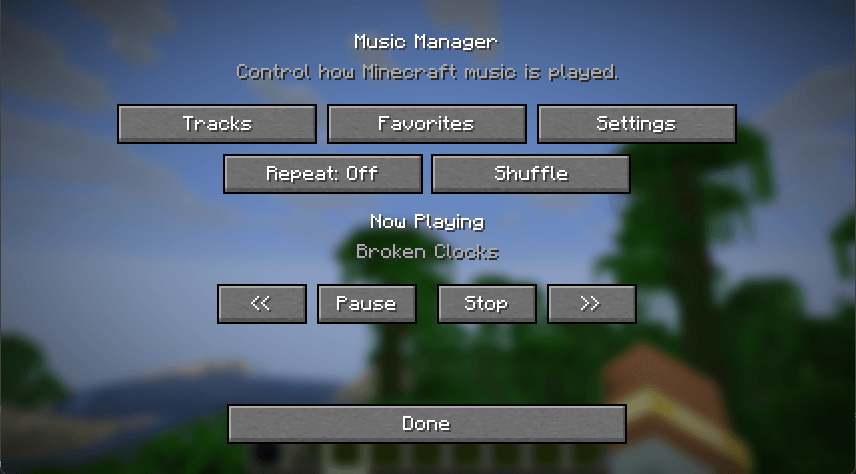
Music Manager gives you direct control over Minecraft’s background music through a simple in-game interface.
Instead of leaving Minecraft to decide everything about when and what music plays, you can choose the tracks you want to hear, create a rotation that fits your playstyle, and control playback without leaving the game.
Features
-
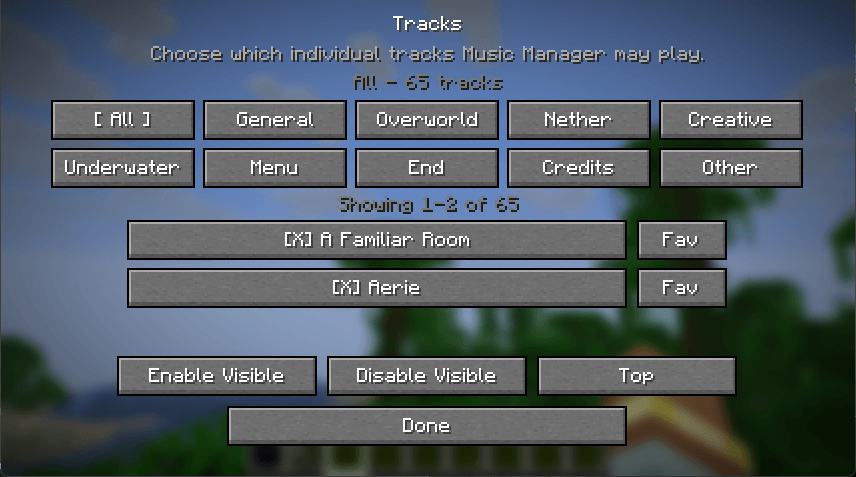
Enable or disable individual Minecraft music tracks
-
Browse tracks by category, including Overworld, Nether, End, Creative, Underwater, Menu, Credits, and more
-
Favorite individual tracks
-
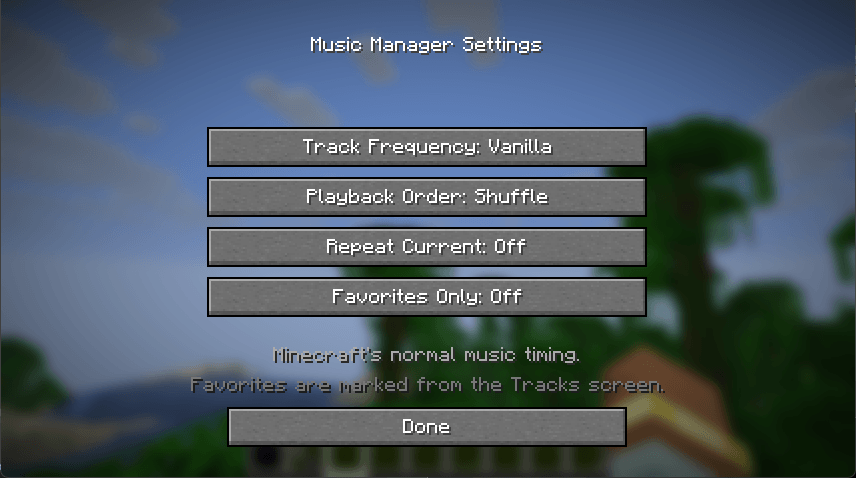
Play only your favorites
-
Shuffle or play tracks sequentially
-
Repeat the current track
-
Previous, Play, Pause, Resume, Stop, and Next controls
-
Choose between Vanilla, Frequent, and Continuous music frequency modes
-
Persistent settings between game sessions
-
Dimension-aware music selection
-
Seamless music playback while traveling between dimensions — the currently playing song continues through portals instead of restarting
-
Client-side operation
Version 1.0
Version 1.0 establishes the core Music Manager playback system and interface.
Future releases are planned to expand the system with playlists, custom music importing, volume controls, fades, and more advanced context-aware soundtrack controls.
Compatibility
Minecraft: 26.1.2
Mod Loader: NeoForge
Environment: Client
常见问题
Soundtrack Controller 支持哪些 Minecraft 版本?
Soundtrack Controller 支持 Minecraft Java 版 26.1.2,可用的加载器:NeoForge。下载时注意选择和你游戏版本一致的文件。
Soundtrack Controller 怎么安装?
先用 PCL2 或 HMCL 启动器安装对应版本的 NeoForge,再把下载的 .jar 文件放进游戏目录的 mods 文件夹,重新启动游戏即可。开启了版本隔离的,mods 文件夹在 versions/版本名 下面。
Nightcrawler222 的其他作品
查看全部 →
InstaCrop – Crop Farming Pots
Compact, tiered crop-growing pots with automatic harvesting, automation support, and compatibility with modded crops.

Tractor Beam Elevators
Build paired tractor beam elevators with upgradeable speed
Mob Mashing Cubes – Mod Grinder
Compact mob farms powered by voodoo dolls. Upgrade six cube tiers, farm five environments, and collect loot with animated mob previews and optional Apotheosis weapons, armor, and gems.
AE2 FE Bridge
Power FE machines through your AE2 cables, buses, interfaces and pattern providers, with configurable limits and optional ExtendedAE support.
评论
登录后评论和评分