MineColonies CustomRaids
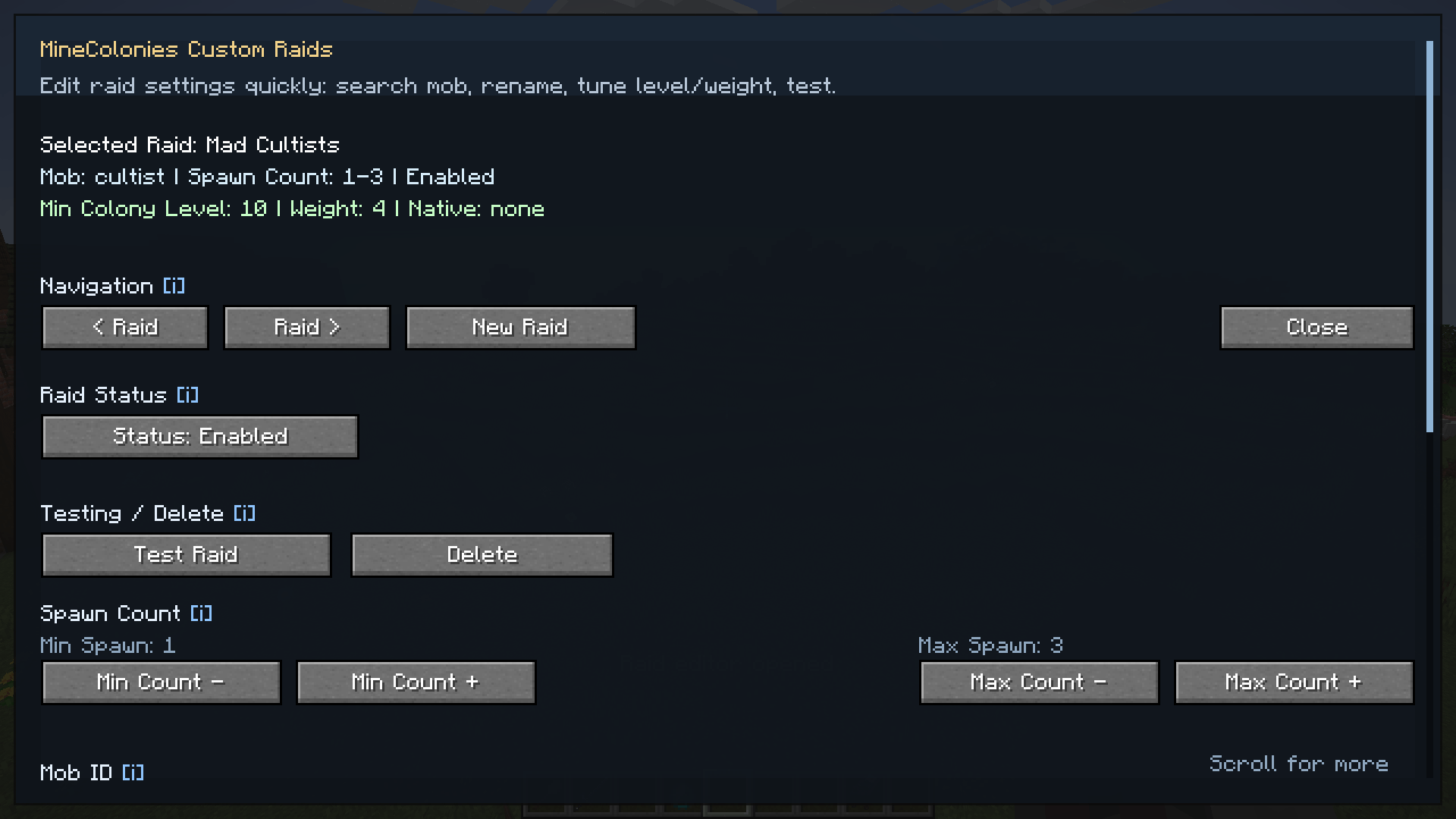
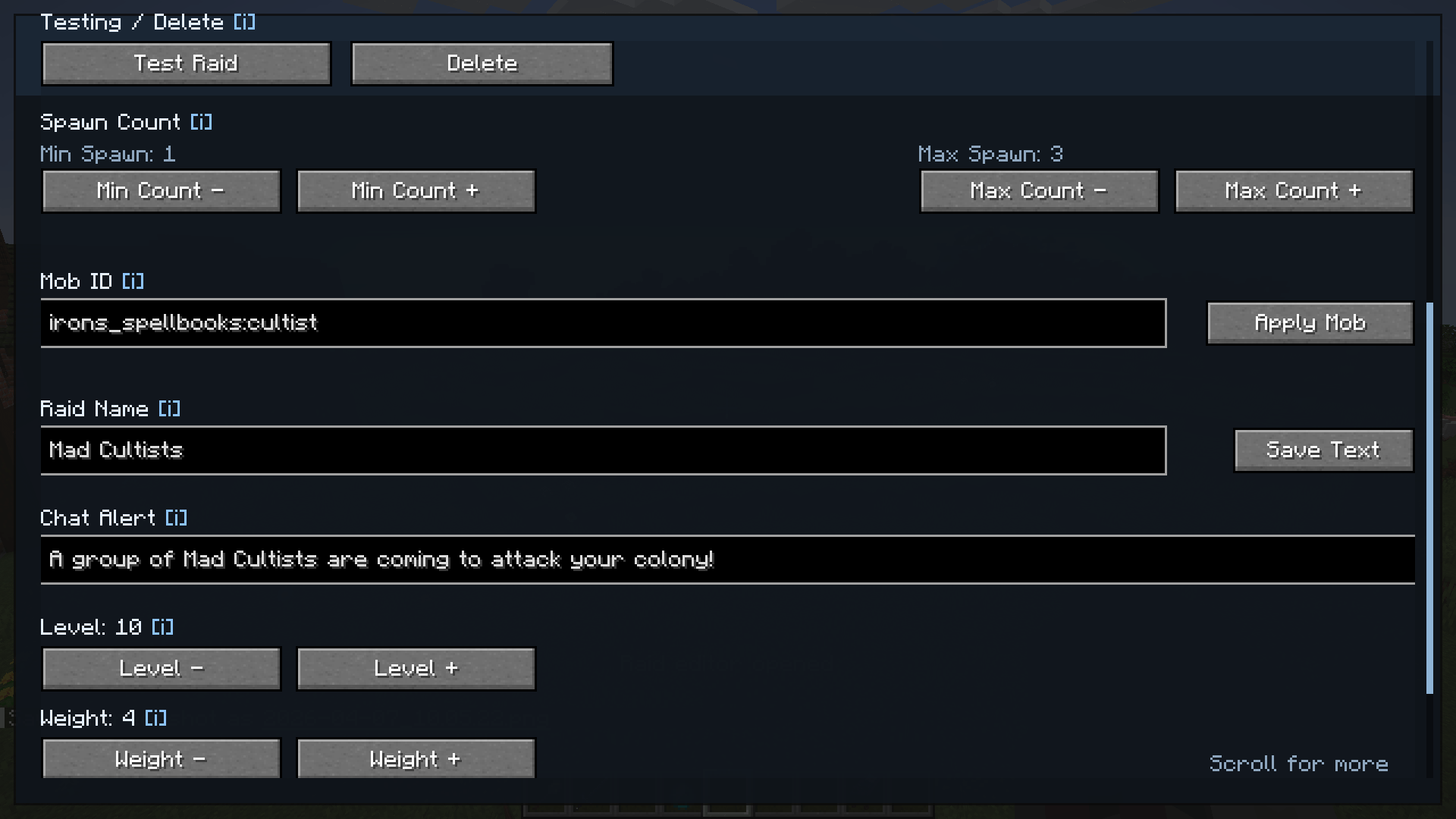
CustomRaids Integration adds configurable MineColonies raids supporting any mob, including modded creatures. Create raid types, choose entities, names, set count/level/weight, and manage all settings in-game via UI.
截图
介绍
MineColonies Custom Raids
Design colony invasions from scratch — multi-wave raids, custom messages, server commands, and mobs from any mod.
Custom Raids expands MineColonies with a full raid authoring toolkit. You are not limited to vanilla raid tables or a single spawn list: build phased invasions wave by wave, script what players see and what the server runs on victory or defeat, and scale difficulty to your colony’s progression.
Raid mobs use objective-based AI (guards → civilians → Town Hall), so every entity — vanilla or modded — behaves like part of a real assault. Perfect for survival colonies, modpacks, and servers that want structured, escalating combat.
Important: Colony Raid Level
Raid level is calculated by MineColonies, not by this mod. Custom Raids reads that value to enforce your minimum level rules. MineColonies uses its own formula (citizens, skills, buildings, research, population), so raids can trigger when players expect a lower level.
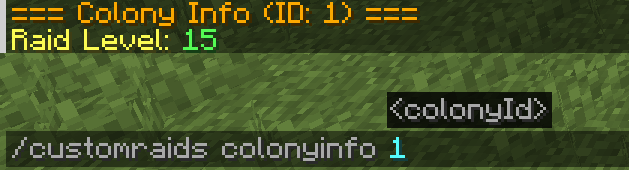
There is no vanilla command to inspect this value. Use:
/customraids colonyinfo
to see your colony’s current raid level in-game and tune requirements accurately.
Configurable Raid Waves (v2.3+)
- Multi-wave raids — each wave has its own mob list, rules, and optional end hooks
- Advance when: all defeated, % killed, timeout, or any (first condition wins)
- Inter-wave delay with boss bar countdown between phases
- Custom wave names on the boss bar and in message placeholders
- Despawn stragglers (per wave, optional) — remove leftover mobs when the next wave starts
- Legacy-friendly — old JSON without
waves[]auto-migrates to a single wave
Messages, Commands & Scripting
- Chat alert when a raid begins (per raid template)
- Victory / Defeat messages when the invasion ends
- Victory / Defeat command lists — one server command per line
- Per-wave end message + commands when a wave clears (not on final victory)
- Placeholders:
{raid},{title},{location},{entity},{count},{level},{wave},{wave_total},{wave_name},{wave_progress} - Toggle
enableRaidCommandsin mod config if you do not trust who can edit raid JSON
Fully Customizable Raid Types
- Create raids using entities from any mod
- Multiple mob lines per wave with independent min/max spawn counts (rolled when the wave starts)
- Set minimum colony raid level, spawn weight, and enabled/disabled per type
- Spawn time rules: night-only, day, always, or custom world-tick window
- Optional hook to trigger a native MineColonies raid type alongside custom spawns
- Weighted random selection from your eligible raid pool
Advanced Raid AI
- Objective-based behavior on any entity
- Targets guards first, then civilians, then the Town Hall
- Structured pressure that rewards real base design — not endless kiting
MineColonies Integration
- Spawns outside colony borders for smoother approach paths
- Night-based scheduling aligned with MineColonies defaults (min/average nights between raids)
- Optional legacy timing (per-second roll + cooldown) in general settings
- Works alongside native MC raid systems where configured
In-Game Editor (default key: H)
- Create, rename, enable/disable, and delete raid types
- Filter entities by mod for fast setup
- Edit Waves… — full wave editor: navigation, add/remove waves, mobs, advance mode, timing, end hooks
- Live min/max previews and wave composition summaries (e.g.
gorgon 1-3) - Auto-save on text fields — no manual Save buttons
- General settings screen for global mod behavior
Immersive Raid Experience
- Boss bar with raid name, direction label, and wave progress
- Directional spawn labels (North, South East, etc.)
- Victory/defeat chat messages and sounds
- Clear flow from first spawn through final wave
Admin & Data Control
- Commands: force, reload, list, colonyinfo, and more
- JSON raid definitions — easy to backup, share, and modpack
/customraids reloadafter hand-editing files
Getting Started
-
Install the correct jar for your loader and remove older Custom Raids jars
-
Press H (default) to open the raid editor
-
Create a raid type — name, chat alert, victory/defeat text
-
Open Edit Waves… — add waves, mobs, min/max counts, advance rules
-
Set colony level requirement, weight, and spawn time rules
-
Let your colony face the invasion (changes save automatically)
Test anytime with /customraids force .
How It Works
-
Roll from your weighted pool using colony raid level and world time rules
-
Spawn wave 1 outside the colony with per-mob min/max rolls
-
Track progress on the boss bar and apply raid AI to all spawned mobs
-
Advance waves by your chosen rules; run wave-end hooks between phases
-
Announce victory or defeat and optional commands when the event ends
Who This Mod Is For
- Players who want MineColonies raids that scale with creativity, not just vanilla tables
- Modpack authors building progression arcs (early skirmishes → multi-wave bosses)
- Server admins who need JSON + commands for events, rewards, and broadcasts
- Anyone tired of one flat spawn list and ready for phased invasions
Placeholder Quick Reference
{raid}— Display name of the raid{title}— Boss bar title (name + direction){location}— Spawn direction vs Town Hall{entity}— Mobs spawned (wave or full raid context){count}— Total mobs spawned so far{level}— Colony raid level when raid started{wave}— Current wave number (1-based){wave_total}— Total waves in this raid{wave_name}— Custom name of the current wave{wave_progress}— Percent of current wave mobs killed
常见问题
MineColonies CustomRaids 支持哪些 Minecraft 版本?
MineColonies CustomRaids 支持 Minecraft Java 版 1.20.1–1.21.1,共 2 个版本,可用的加载器:Forge / NeoForge。下载时注意选择和你游戏版本一致的文件。
MineColonies CustomRaids 怎么安装?
先用 PCL2 或 HMCL 启动器安装对应版本的 Forge / NeoForge,再把下载的 .jar 文件放进游戏目录的 mods 文件夹,重新启动游戏即可。开启了版本隔离的,mods 文件夹在 versions/版本名 下面。
评论
登录后评论和评分