
Mine Prevention
This is a simple client-side mod that gives you the ability to allow or disallow the mining of certain blocks.
截图


介绍
Mine Prevention


This is a simple client-side mod that gives you the ability to avoid mining certain blocks.
For example, block all ores while you’re mining without Silktouch or Fortune so you can save them for later! Or perhaps only allow yourself to mine large amethyst buds so that you don’t accidentally break the budding block!
Usage
Simply press ‘M’ to open the GUI and select the blocks you want to block or allow. The keybind can be changed in the controls menu, and you can also choose to remove it in favour of ModMenu.
The config file for this mod is located in the config folder of your Minecraft directory, and is called mineprevention.json. It only contains a deny list, to minimise the amount of data stored.
Images
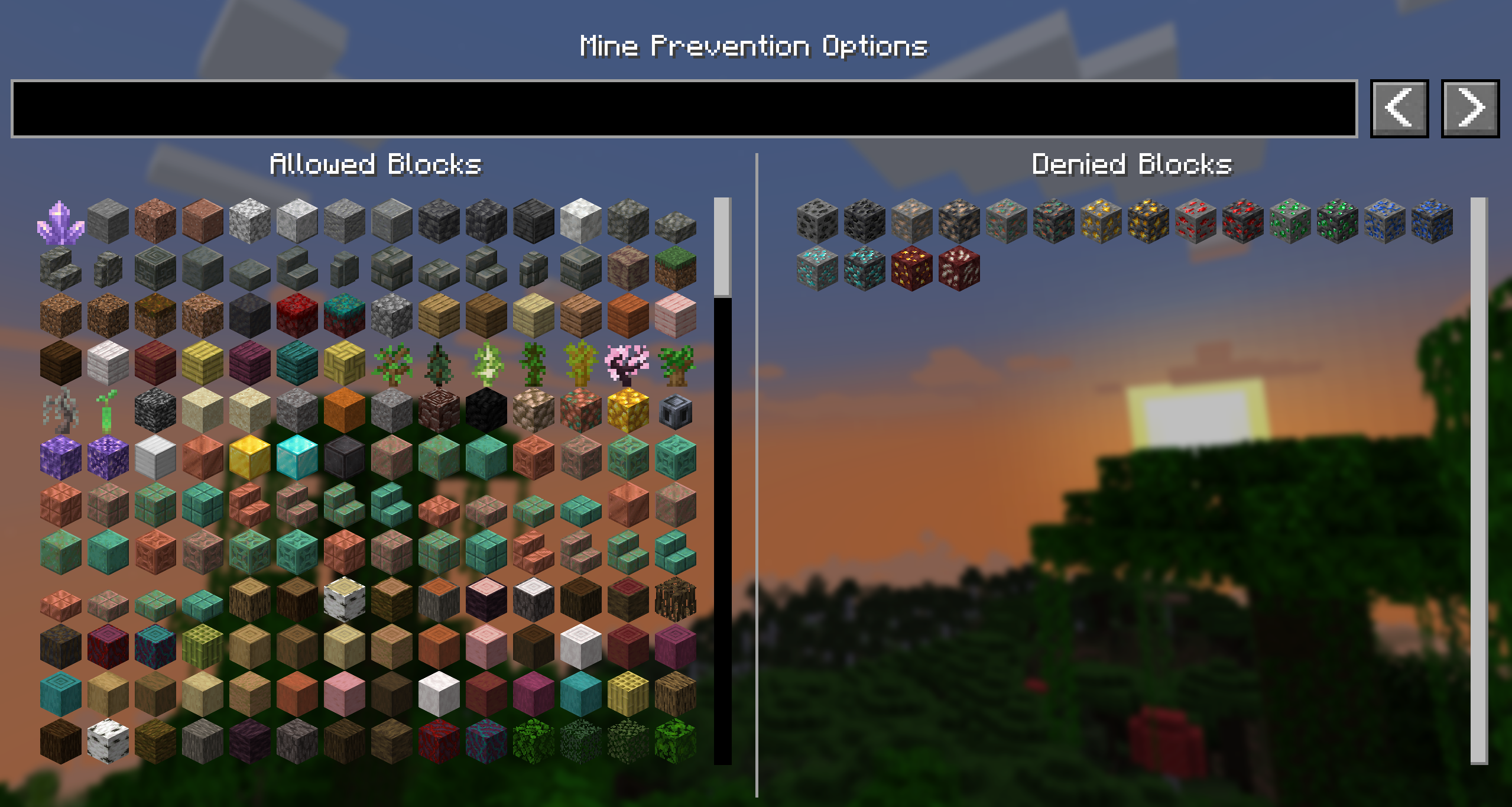
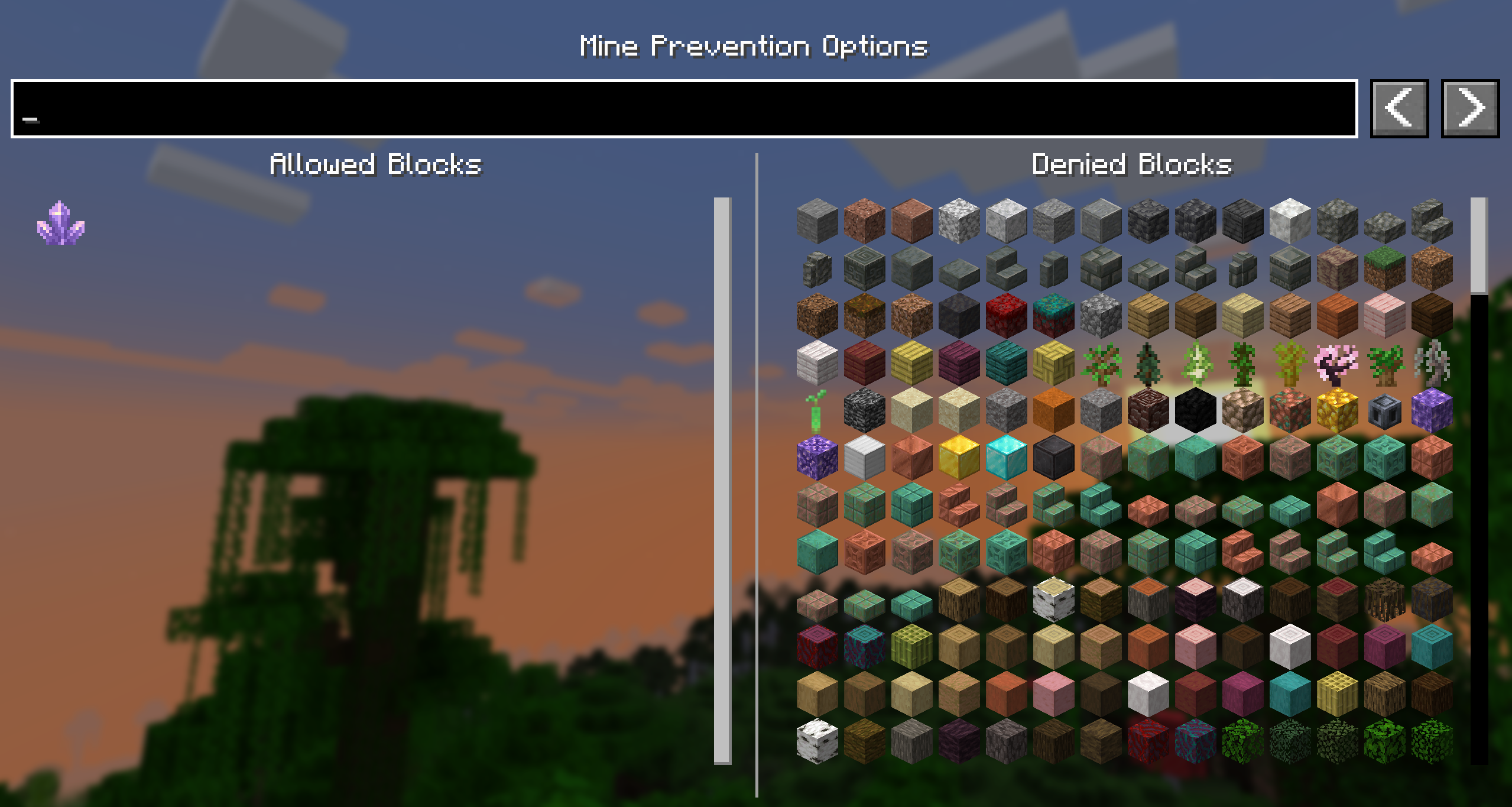
Contributing
Contributions and suggestions are always welcome! Please limit all issues to only one feature at a time – feel free to open multiple at once if you have many ideas. Similarly, please limit pull requests to a single feature at a time and try to follow the existing code style.
To further discuss or get notifications of new updates, check out my Discord. If you like what I do, consider supporting me on Ko-Fi! 
常见问题
Mine Prevention 支持哪些 Minecraft 版本?
Mine Prevention 支持 Minecraft Java 版 1.21.4–26.3,共 13 个版本,可用的加载器:Fabric。下载时注意选择和你游戏版本一致的文件。
Mine Prevention 怎么安装?
先用 PCL2 或 HMCL 启动器安装对应版本的 Fabric,再把下载的 .jar 文件放进游戏目录的 mods 文件夹,重新启动游戏即可。开启了版本隔离的,mods 文件夹在 versions/版本名 下面。运行环境:仅客户端。
BVengo 的其他作品
查看全部 →
Sound Controller
完全掌控游戏中的每一种声音音量,支持全局和区域音频控制。

Simple Shulker Preview
A minecraft fabric mod that displays a configurable icon indicating the contents of a shulker box, as well as a capacity bar.

Anti Entity Grief
Control the capabilities mobs have for destroying your world! Adds server commands to modify the behaviours of individual mobs.
Compass3D
A small fabric mod that displays an icon showing the y-axis direction of a compass in a slot.
评论
登录后评论和评分