
Mine Mode
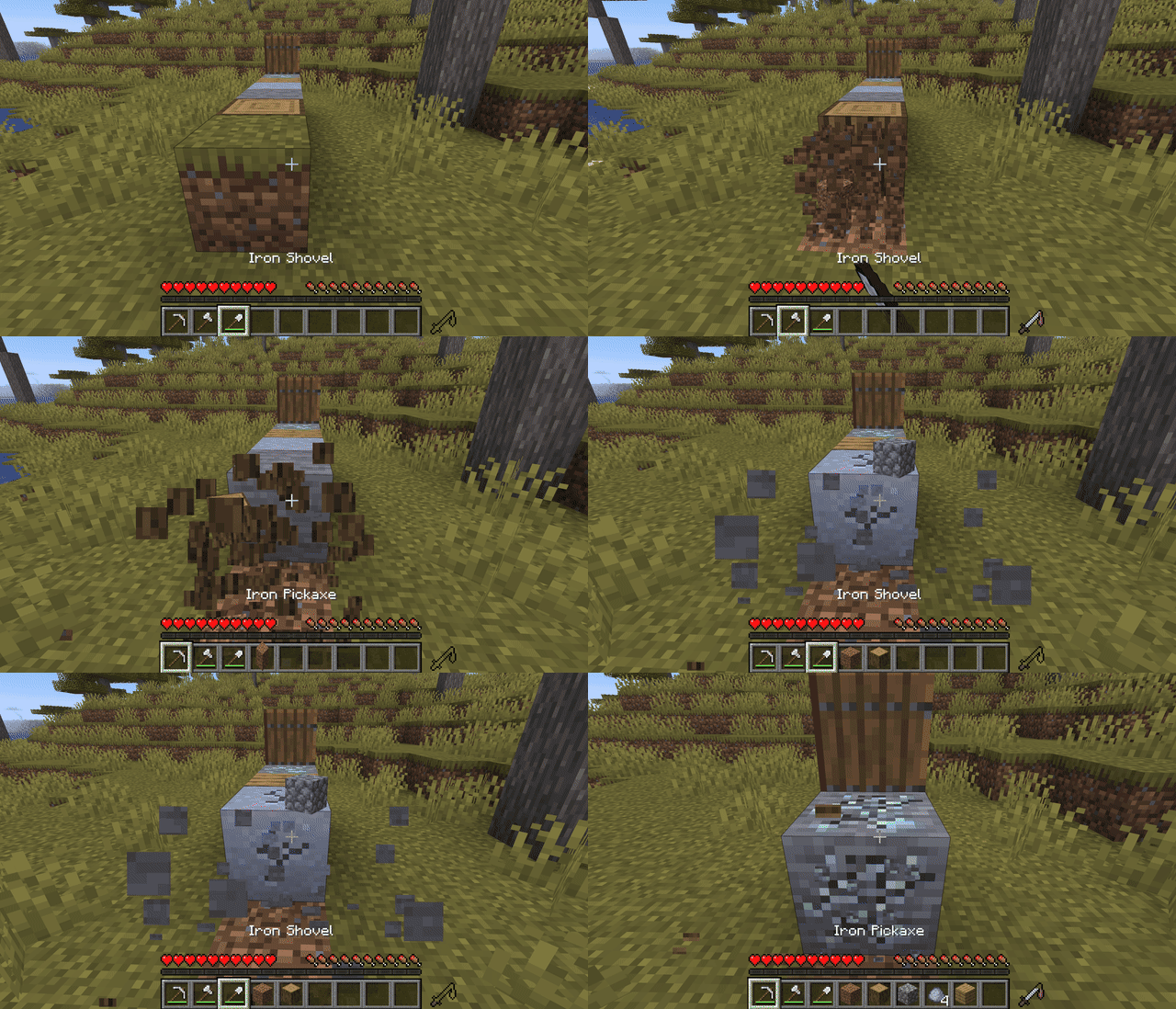
this mod adds a mode that automaticly changes the tool you are holding based on what you are looking at
截图
介绍
Mine Mode is a lightweight, client-side Fabric mod that automatically switches to the best tool on your hotbar based on the block you are looking at!
Automatic Tool Selection: Dynamically detects and equips the optimal tool (pickaxe, shovel, axe) for any targeted block.
Keybind Toggle: Easily enable or disable the auto-switching mode on the fly with a dedicated keybind.
ModMenu Integration: Built-in ModMenu support with a customizable configuration file.
100% Client-Side: Works seamlessly on multiplayer servers without requiring the mod to be installed server-side!
This project is licensed under CC0-1.0 Universal (Public Domain). You are free to modify, distribute, or include it in any modpack without restriction.
常见问题
Mine Mode 支持哪些 Minecraft 版本?
Mine Mode 支持 Minecraft Java 版 1.19.4–1.21.11,共 2 个版本,可用的加载器:Fabric。下载时注意选择和你游戏版本一致的文件。
Mine Mode 怎么安装?
先用 PCL2 或 HMCL 启动器安装对应版本的 Fabric,再把下载的 .jar 文件放进游戏目录的 mods 文件夹,重新启动游戏即可。开启了版本隔离的,mods 文件夹在 versions/版本名 下面。运行环境:仅客户端。

评论
登录后评论和评分