meoww-player
Ultra-sleek in-game music player with YouTube & Spotify playlist imports, live audio visualizers, Discord RPC, and zero-lag performance.
截图

介绍
# 🐾 Meoww Player — The Ultimate In-Game Music Experience
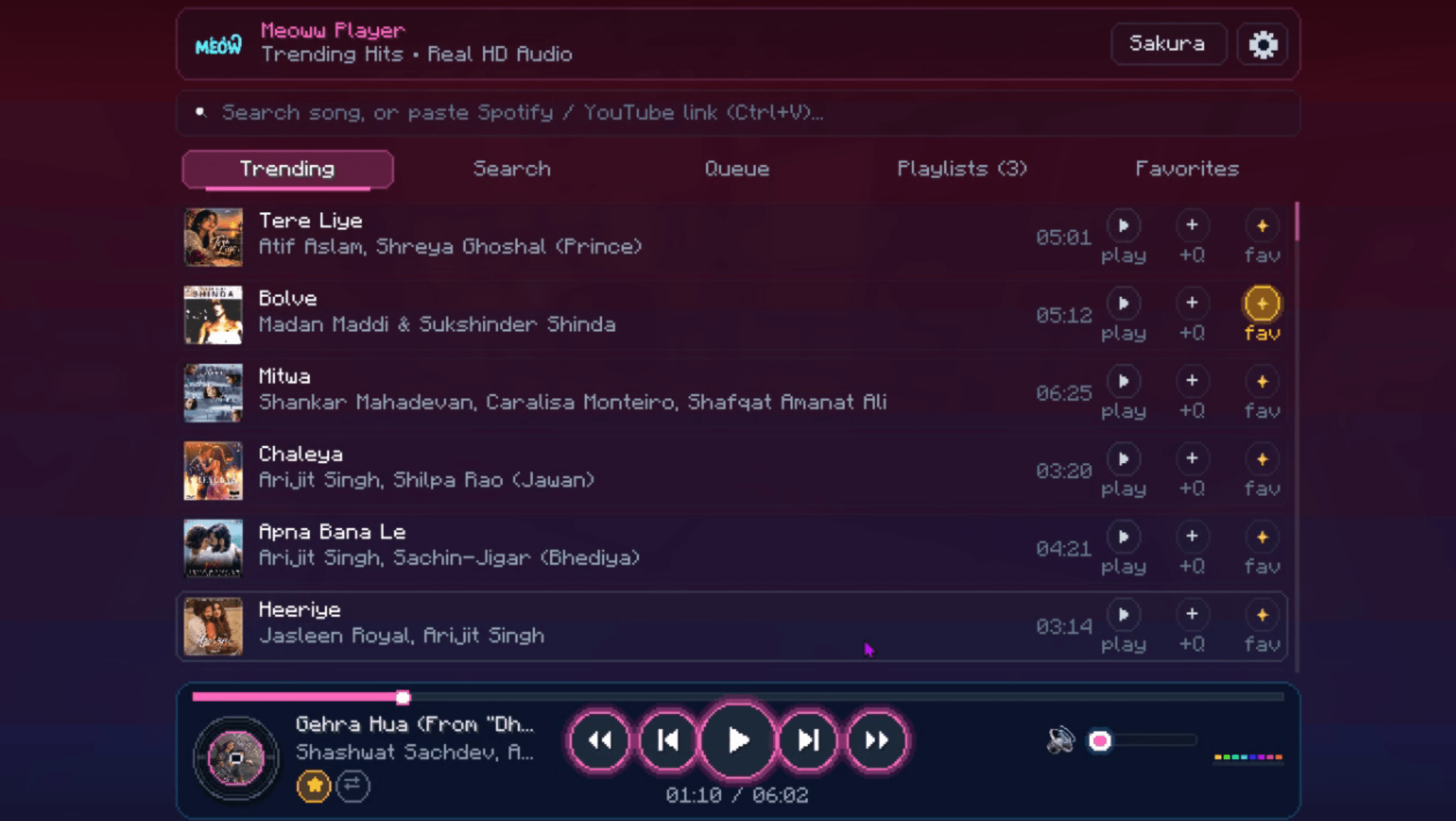
Meoww Player brings a modern, luxury music player directly inside Minecraft! Stream songs online, import YouTube & Spotify playlists with a single keypress, broadcast your playing music to Discord with real-time seek bars, and groove to dynamic audio visualizers on your HUD — all with zero FPS loss.
—
## ✨ Key Features
### 🔴 YouTube & YouTube Music Support
– **Playlist Imports:** Paste any playlist URL from YouTube or YouTube Music into the in-game search bar.
– **Fast Playlist Engine:** Automatically extracts tracks with real titles, artists, and HD album art.
– **Save Collections:** Save imported playlists into your in-game playlist collection for instant 1-click access.
### 💚 Spotify Playlist & Album Support
– Copy any track, album, or playlist link from Spotify and press **Ctrl + V** in the in-game search bar.
– Loads track information seamlessly with instant playback.
### 🎵 High-Quality Music Streaming
– **Global Search:** Search millions of tracks with high-definition artwork powered by top CDNs.
– **Built-in Procedural Synthesizer:** Even when offline or without an internet connection, enjoy built-in procedural electronic tracks!
– **Local Audio Files:** Drop your own .mp3, .wav, or .aac tracks into .minecraft/meoww/local/ for local listening.
### 🎮 Spotify-Style Discord Rich Presence (RPC)
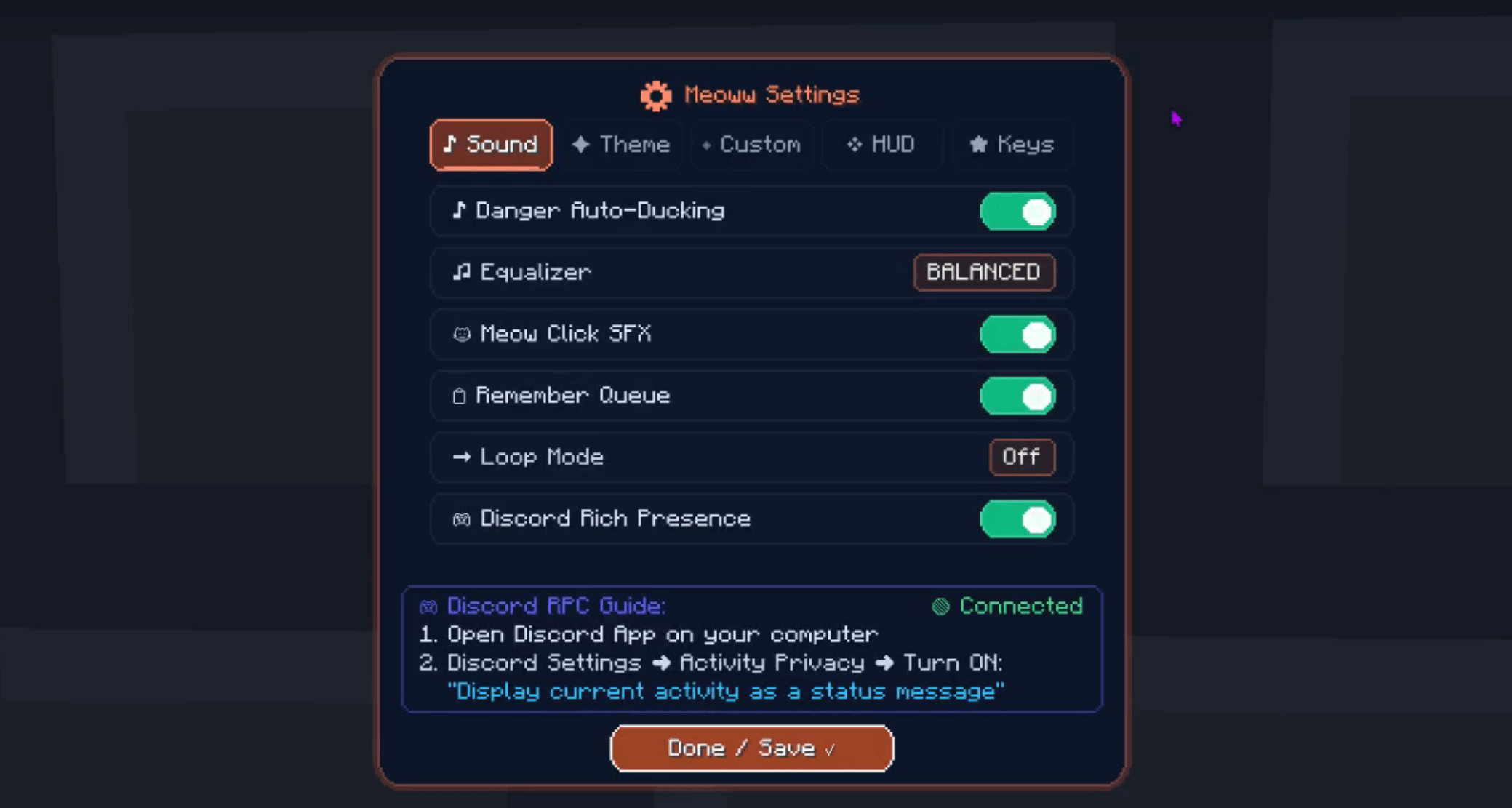
– Broadcasts your music status on Discord with an authentic seek bar, elapsed/remaining time, song title, artist, and album cover!
– Updates in real-time when you pause, play, or scrub forward/backward.
– Lightweight, zero-dependency background service with zero FPS drop.
### 📊 Real-Time Equalizer & Boss Bar HUD
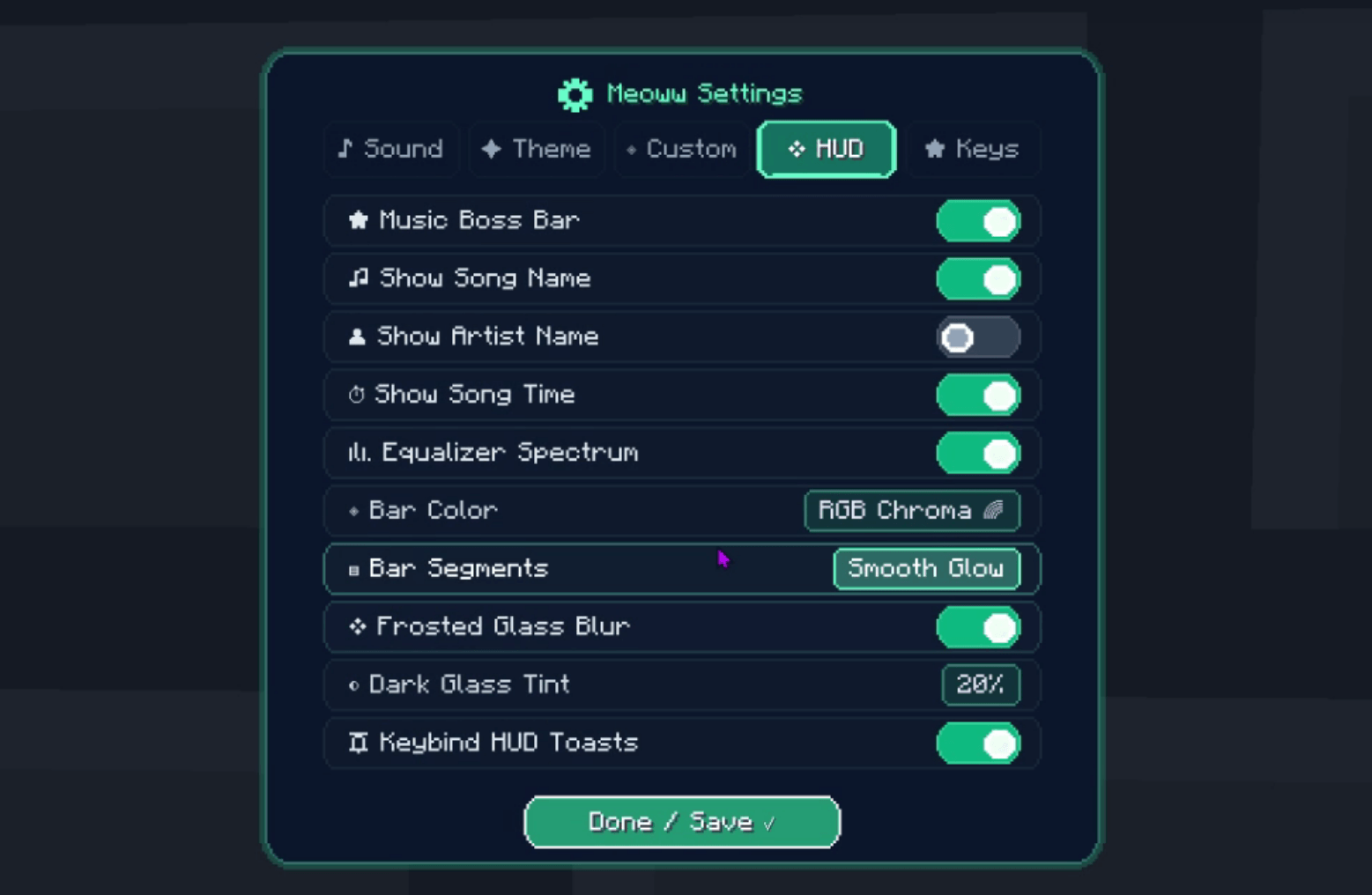
– **In-Game Boss Bar HUD:** Displays song title, artist, live playback progress, and mini visualizer bars at the top of your screen.
– **8-Band Dynamic Spectrum Visualizer:** Ultra-responsive dynamic frequency analyzer with smooth gravity decay.
– **Sleek HUD Toasts:** Clean notifications appear when skipping songs or adjusting volume.
### 🛡️ Smart Danger Ducking
– Automatically lowers music volume when Creepers hiss, Wardens are nearby, or when your health drops below 3 hearts.
– Automatically pauses when you die and resumes when you respawn.
### 🌸 5 Aesthetic Themes & Animated Vinyl
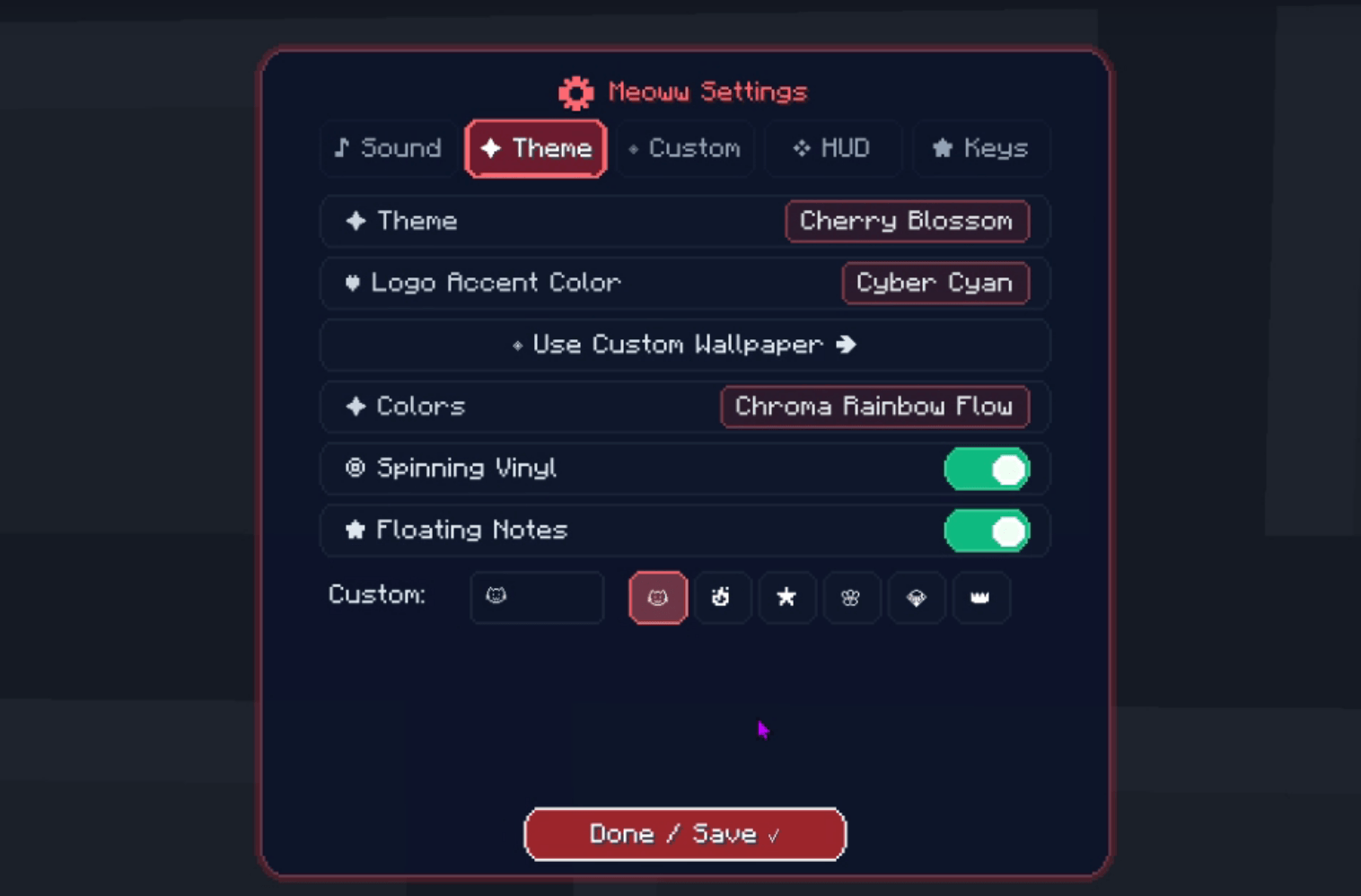
– Choose between Cosmic Nebula, Cyberpunk Night, Cherry Blossom, Lo-Fi Rain, and Deep Void.
– Interactive turntable with spinning album art labels and specular reflections.
### ⚡ Ultra-Optimized Performance (Zero-Lag)
– **Client-Side Only:** Works on any multiplayer server, Realms, and singleplayer worlds without needing server installation.
– **Async Decoding:** Album art decodes on background threads — zero stutter when scrolling song lists.
—
## ⌨️ Controls & Keybindings
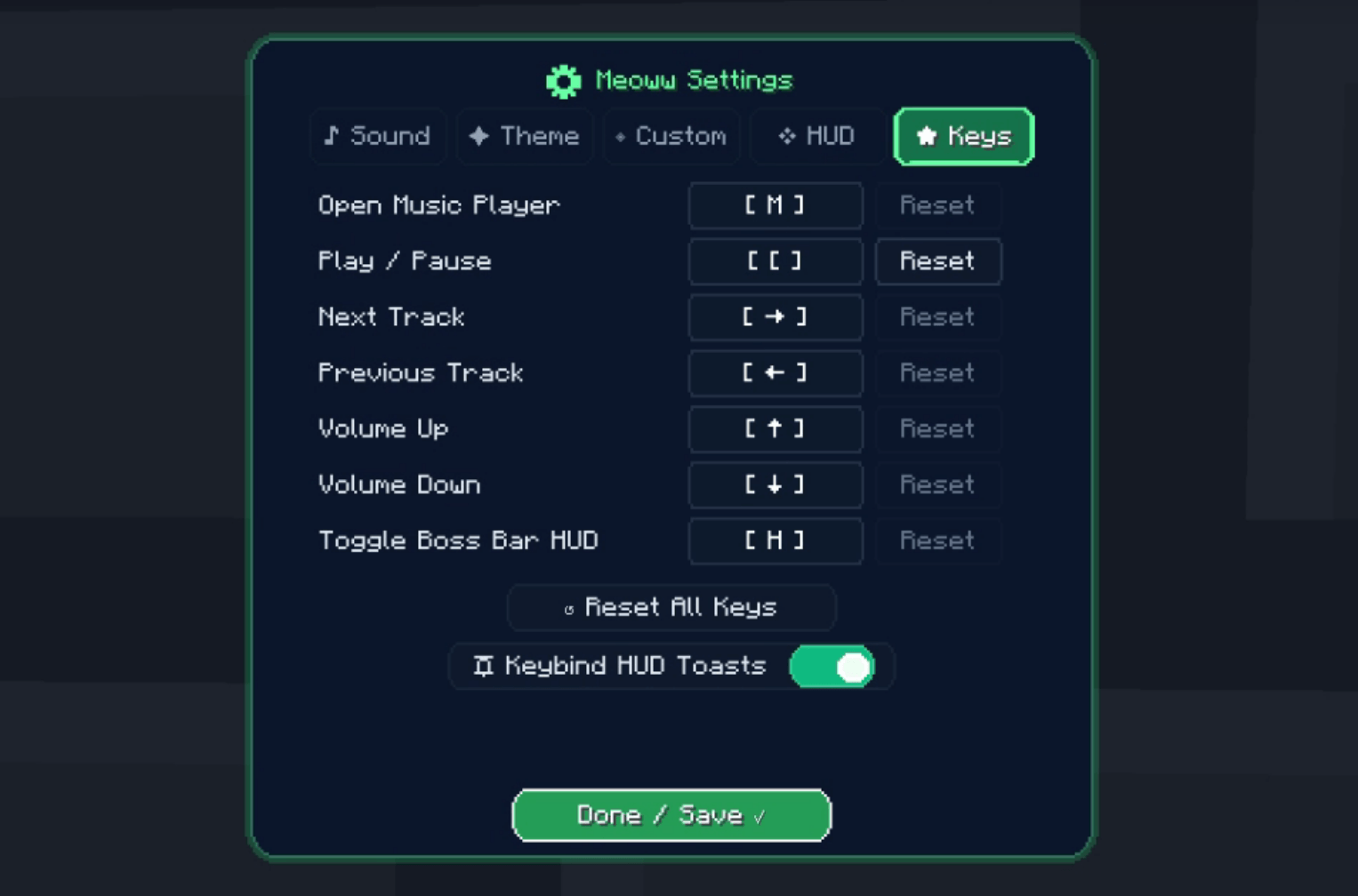
All shortcuts are fully customizable in Minecraft’s **Options ➜ Controls ➜ Key Binds ➜ Meoww Music Player**:
| Action | Default Key | Description |
| :— | :—: | :— |
| **Open Music Player** | `M` | Opens the full Meoww GUI |
| **Play / Pause** | `P` | Toggle playback instantly |
| **Next Track** | `Right Arrow` | Skip to the next track |
| **Previous Track** | `Left Arrow` | Go to the previous track |
| **Volume Up** | `Up Arrow` | Increase master volume |
| **Volume Down** | `Down Arrow` | Decrease master volume |
| **Toggle Boss Bar HUD** | `H` | Show/hide top music bar |
—
## 💡 How to Import Playlists
1. Open YouTube, YouTube Music, or Spotify.
2. Copy the URL of any playlist, album, or song.
3. Open Meoww Player in Minecraft (`M`).
4. Click the search bar and press **Ctrl + V**.
5. Your tracks will load instantly! Click **Save Playlist** to keep them in your Playlists tab.
—
## 📁 Custom Assets & Offline Music
Meoww Player automatically creates user folders in your `.minecraft` directory:
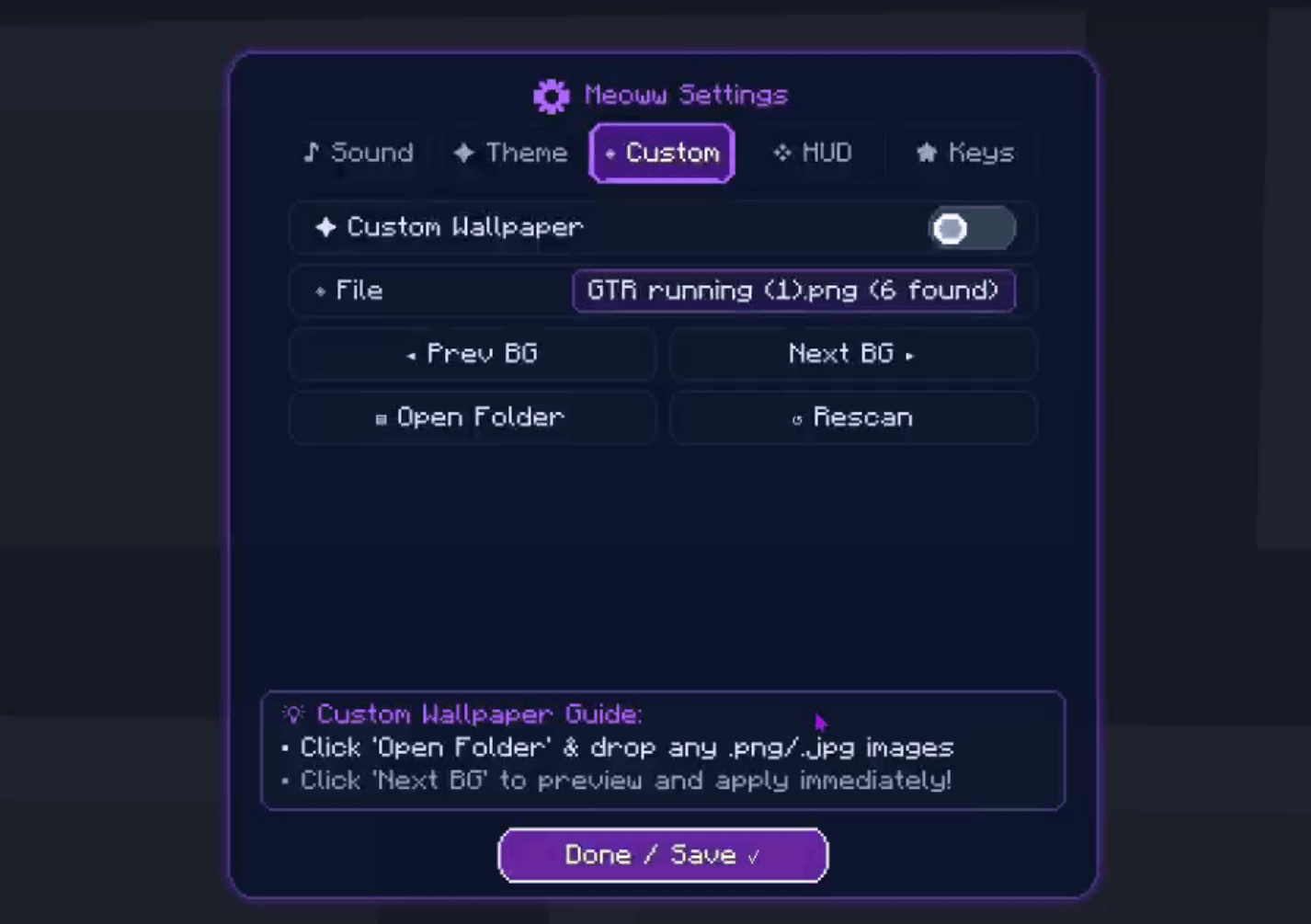
– `.minecraft/meoww/backgrounds/` — Drop custom .png or .jpg wallpapers for the player GUI.
– `.minecraft/meoww/playlists/` — Saved playlists stored in clean JSON format.
—
## ❓ Frequently Asked Questions (FAQ)
– **Does this mod require server installation?**
No! Meoww Player is 100% client-side. You can join vanilla servers, Hypixel, Realms, or modded servers without needing the server to install it.
– **Will this cause in-game lag?**
No. Audio processing, networking, and album art decompression run entirely on dedicated background daemon threads.
– **Does Discord RPC require extra software or DLLs?**
No! It uses a pure Java native IPC implementation over Discord’s local pipe (`discord-ipc-0`) with zero external DLLs.
—
## 📜 License
Distributed under the **MIT License**.
常见问题
meoww-player 支持哪些 Minecraft 版本?
meoww-player 支持 Minecraft Java 版 1.21–1.21.11,共 12 个版本,可用的加载器:Fabric / Quilt。下载时注意选择和你游戏版本一致的文件。
meoww-player 怎么安装?
先用 PCL2 或 HMCL 启动器安装对应版本的 Fabric / Quilt,再把下载的 .jar 文件放进游戏目录的 mods 文件夹,重新启动游戏即可。开启了版本隔离的,mods 文件夹在 versions/版本名 下面。
评论
登录后评论和评分