介绍
中文介绍正在准备中,下面暂时显示原文。

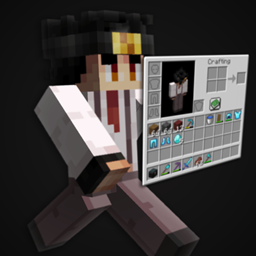
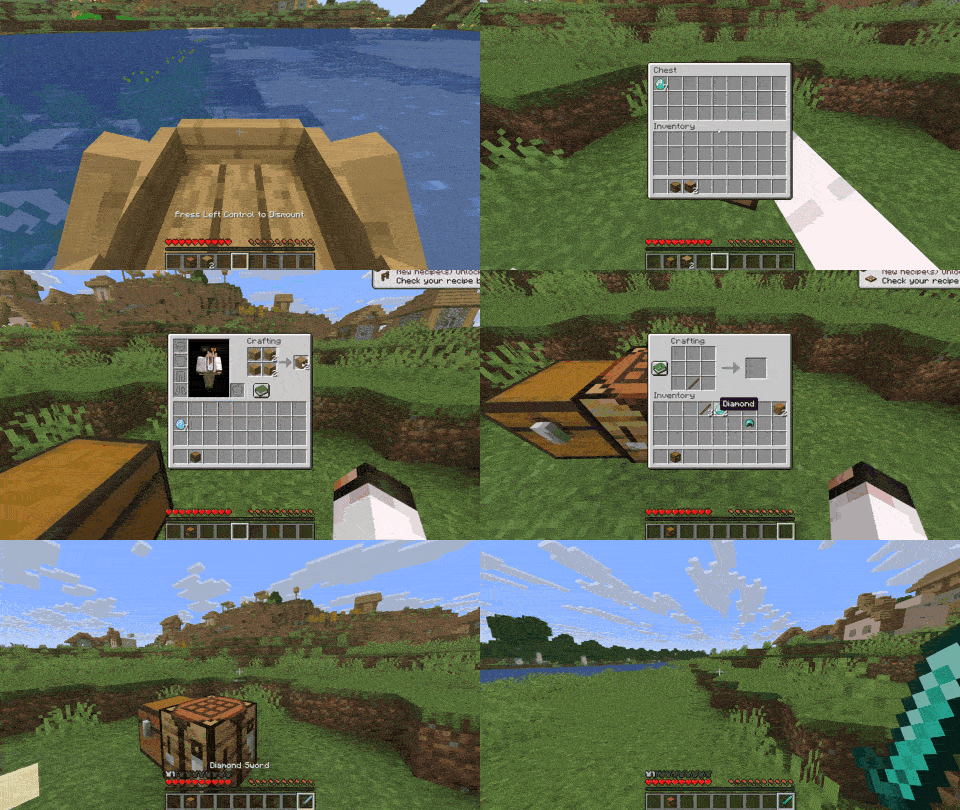
MenuMove is a client mod that lets you walk, jump, and sneak while inventories and other menus are open so you can keep moving instead of standing still!

What It Does
- Move around while in chests, crafting tables, inventory, and other non-pausing menus
- Per-menu control for vanilla screens (enable or disable movement per menu type)
- Mod menus are listed in settings for per-screen toggles
- Defaults for unknown screens so new mod GUIs behave how you want before you configure them
General
- Enable Mod master toggle for walking, turning, jumping, and sneaking while inventories and other menus are open
- Allow Dismounting while a menu is open
- Move While Chatting allows movement while chat, commands, or search fields are focused
- Default for Unknown Screens sets whether movement is enabled on mod menus you have not configured yet
- Managed Keybinds choose which keys MenuMove keeps in sync with the game while a GUI is open
- Vanilla Menus and Mod Menus enable or disable movement per screen type
Visuals
- Hide Menu Backgrounds removes the dark overlay behind inventories and other menus
- Vanilla Menus and Mod Menus sections to hide or show backgrounds per screen
- Default for unknown screens for background behavior on mod GUIs you have not opened yet
Keybinds
- Open Mod Settings:
F8 - Toggle Mod: unbound by default
Note: These are the default keybinds. You can change them in Options > Controls > Key Binds, or in the mod’s Key Binds settings page.
Dependencies
常见问题
MenuMove 支持哪些 Minecraft 版本?
MenuMove 支持 Minecraft Java 版 1.21.9–26.3,共 8 个版本,可用的加载器:Fabric / NeoForge。下载时注意选择和你游戏版本一致的文件。
MenuMove 怎么安装?
先用 PCL2 或 HMCL 启动器安装对应版本的 Fabric / NeoForge,再把下载的 .jar 文件放进游戏目录的 mods 文件夹,重新启动游戏即可。开启了版本隔离的,mods 文件夹在 versions/版本名 下面。
nomad_dev 的其他作品
查看全部 →
Health Indicator Simple
by nomad_dev
在实体上方显示简洁的生命值和护甲指示条!
1.3万
1 个月前
Modrinth · CurseForge

Health Indicator Next
by nomad_dev
在生物上方显示生命值和护甲指示器!
1.2万
6 天前
Modrinth · CurseForge

Light Level Simple
by nomad_dev
简单易用的光照等级显示模组!
7,196
1 个月前
Modrinth · CurseForge
Health Indicator Simple
by nomad_dev
Simple Health and Armor indicators above entities!
2,007
1 个月前
Modrinth
评论
登录后评论和评分