
MendingPriority
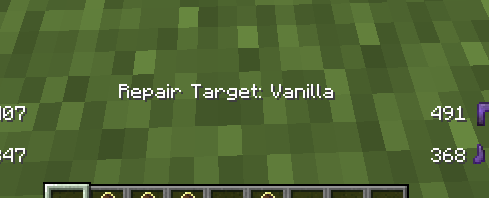
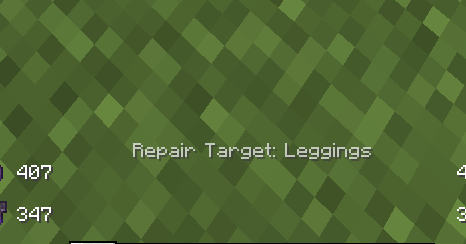
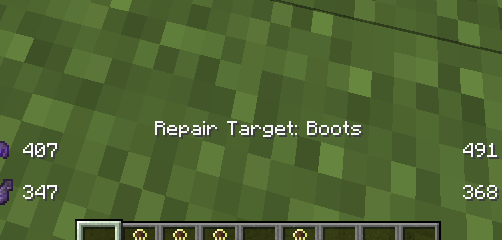
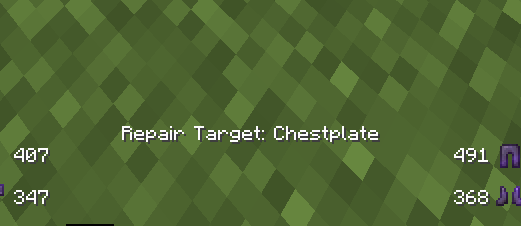
"Lets you choose which armor piece gets repaired by Mending enchantment. Press L to cycle between Helmet, Chestplate, Leggings, Boots, or Vanilla mode — actionbar shows your current target
截图

介绍
MendingPriority
Tired of Mending randomly repairing the wrong armor piece? This mod lets you set a priority target.
How It Works
Press L to cycle through repair modes. Your selected armor piece will receive Mending repair priority first — before any other piece gets repaired.
- Helmet — helmet gets priority for XP repair
- Chestplate — chestplate gets priority for XP repair
- Leggings — leggings get priority for XP repair
- Boots — boots get priority for XP repair
- Vanilla — normal random Minecraft behavior (default)
Each time you press L, a short message appears in your actionbar showing the current target, like Repair Target: Helmet.
Fallback
If the selected armor piece doesn’t have Mending or is already at full durability, the mod automatically falls back to vanilla behavior.
No Bloat
No config screen. No GUI. No menus. Just one keybind. The key can be rebound in Options → Controls → MendingPriority.
Requirements
- Minecraft 1.21
- Fabric Loader
- Fabric API
常见问题
MendingPriority 支持哪些 Minecraft 版本?
MendingPriority 支持 Minecraft Java 版 1.21,可用的加载器:Fabric。下载时注意选择和你游戏版本一致的文件。
MendingPriority 怎么安装?
先用 PCL2 或 HMCL 启动器安装对应版本的 Fabric,再把下载的 .jar 文件放进游戏目录的 mods 文件夹,重新启动游戏即可。开启了版本隔离的,mods 文件夹在 versions/版本名 下面。运行环境:仅服务端。
Zolloww 的其他作品
查看全部 →
Swap Helper
swap helper automatically performs breach swap making mace combat smoother and faster.

smokedrift
Adds a stylish purple smoke trail behind your player with customizable intensity and toggle controls.

SmartCords
Clean and useful coordinate overlay for Minecraft. Shows Nether ↔ Overworld converted coordinates and minimal HUD.

Junk Dropper
Best mod for cleaning for servers
评论
登录后评论和评分