
截图
介绍
🍉 Melon Loader
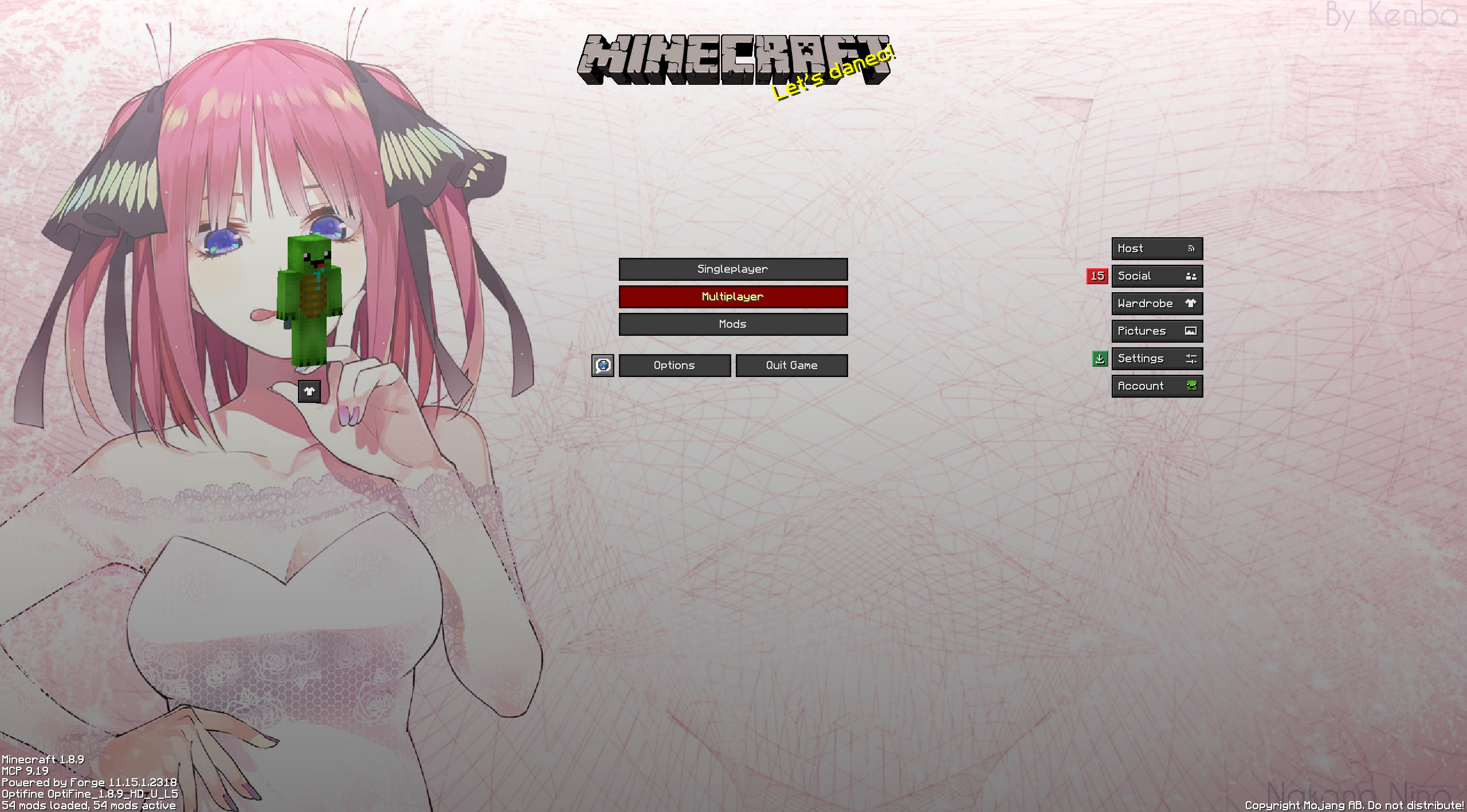
The ultimate, seamlessly integrated custom background mod for Minecraft 1.8.9.
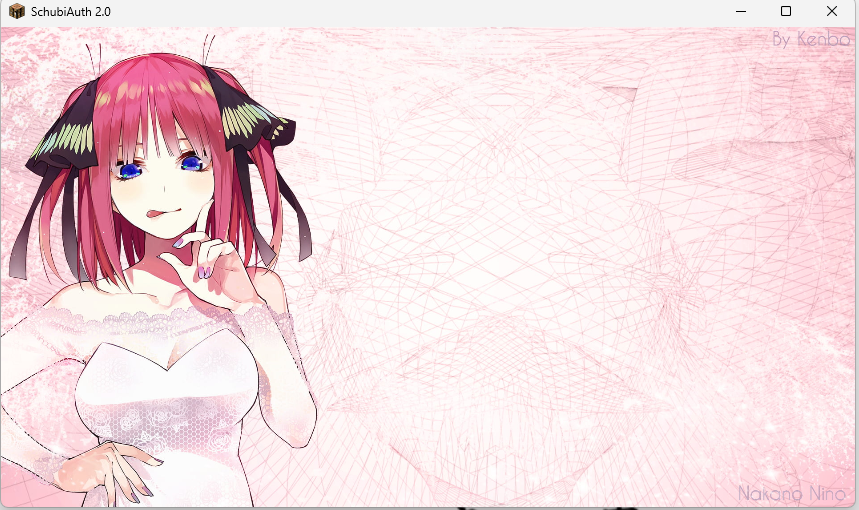
Melon Loader completely overhauls the vanilla Minecraft menus, allowing you to easily set your own gorgeous 16:9 wallpapers for the Loading Screen, Main Menu, Multiplayer/Singleplayer, and Settings menus.
Built with heavy modpacks in mind, Melon Loader is designed to be 100% compatible with Essential, Patcher, and PolishedGUI, seamlessly replacing their backgrounds without crashing or causing black screen glitches.
✨ Key Features
- Four Custom Background Slots: Set distinct images for your Forge Loading Screen, Home Page, Play Menus, and Settings Menus.
- Perfect 16:9 Smart Cropping: No more stretched or distorted images! Melon Loader uses dynamic UV math to act like a desktop wallpaper—smoothly zooming and cropping your image to perfectly fill the screen, no matter how you resize your window.
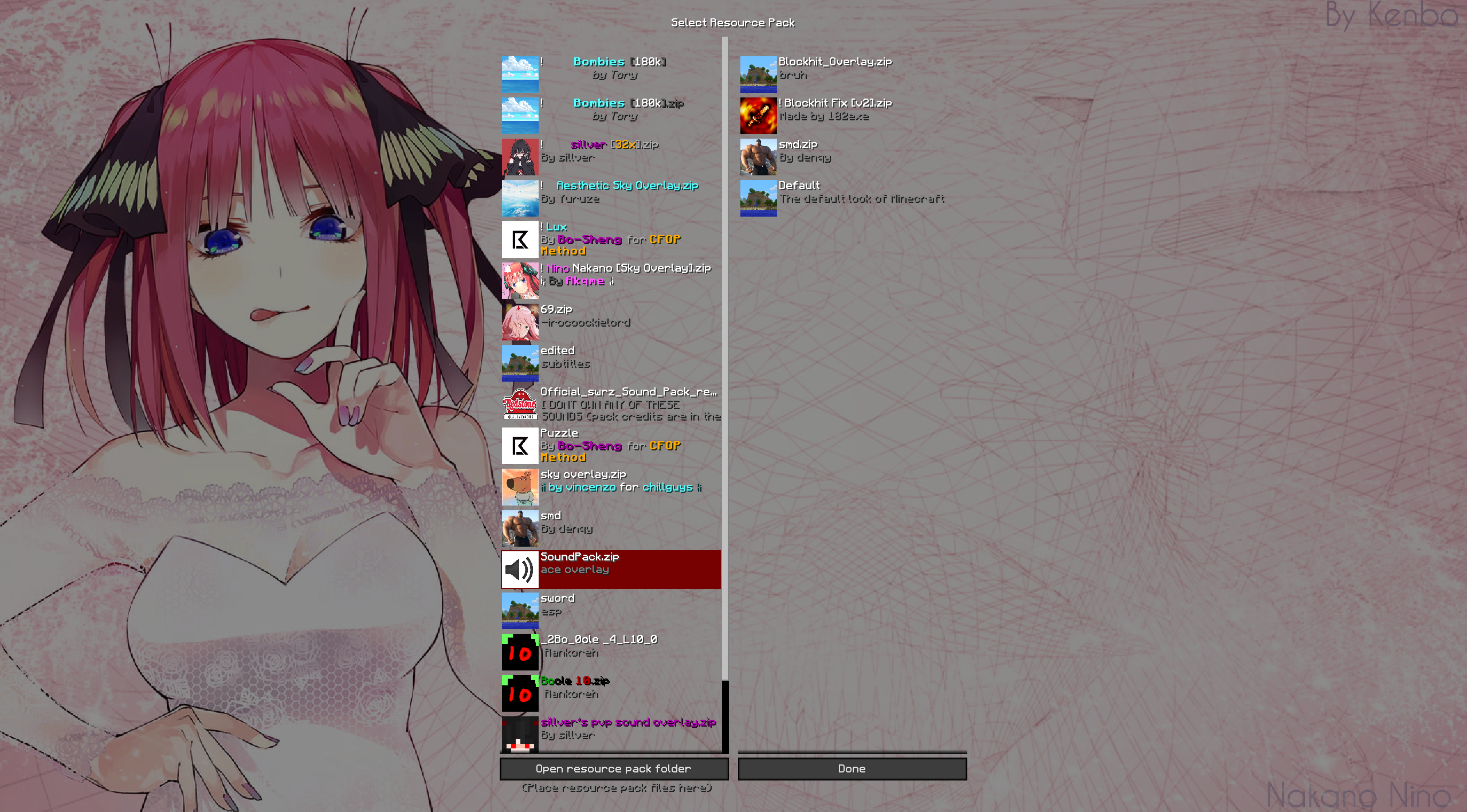
- In-Game Transparency: When you are actively playing in a world or on a server, Melon Loader gets out of your way. Opening your settings or resource packs in-game will beautifully blur your active gameplay in the background instead of covering it up.
- Smart Text Overlay: Menus with lots of text (like Multiplayer or Controls) automatically receive a sleek, 45% dark gradient overlay, ensuring white text remains perfectly readable without ruining the brightness of your Home Page.
- Native File Explorer: Powered by OneConfig, simply open the mod menu and click “Browse” to open a standard Windows/Mac file explorer. Select any
.pngor.jpgright from your computer—no need to type out complicated file paths!
🚀 Bulletproof Compatibility
Tired of UI mods breaking your background? Melon Loader uses advanced OpenGL rendering to bypass the hardcoded black boxes from UI mods and PvP Resource Packs (like Bombies).
- Compatible with Essential
- Compatible with Patcher
- Compatible with PolishedGUI
- Compatible with all PvP Resource Packs
⚙️ Getting Started
- Drop
MelonLoader-1.0.jarinto yourmodsfolder. - Launch Minecraft 1.8.9.
- Open your OneConfig menu (usually
RSHIFT). - Find Melon Loader and click the Browse… buttons to select your favorite 16:9 wallpapers.
- Click Save, and your game will instantly update!
Note on Forge Loading Screens: For the custom splash screen to work, Forge’s default loading UI must be disabled. Melon Loader includes a handy “Fix Loading Screen” button right inside the config menu that will automatically configure your splash.properties file for you with one click!
📥 Requirements
- Minecraft Forge 1.8.9
- OneConfig (Required for the settings menu)
常见问题
Melon Loader 支持哪些 Minecraft 版本?
Melon Loader 支持 Minecraft Java 版 1.8.9,可用的加载器:Forge。下载时注意选择和你游戏版本一致的文件。
Melon Loader 怎么安装?
先用 PCL2 或 HMCL 启动器安装对应版本的 Forge,再把下载的 .jar 文件放进游戏目录的 mods 文件夹,重新启动游戏即可。开启了版本隔离的,mods 文件夹在 versions/版本名 下面。运行环境:仅客户端。

评论
登录后评论和评分