
Maykesh’s Advanced Fabric Hub Management Mod
This mod, is designed to be a dedicated hub management solution, on a fabric server. This mod's current version is compiled for +1.21.x . If you need support for additional Minecraft versions, feel free to reach out at [email protected].
截图
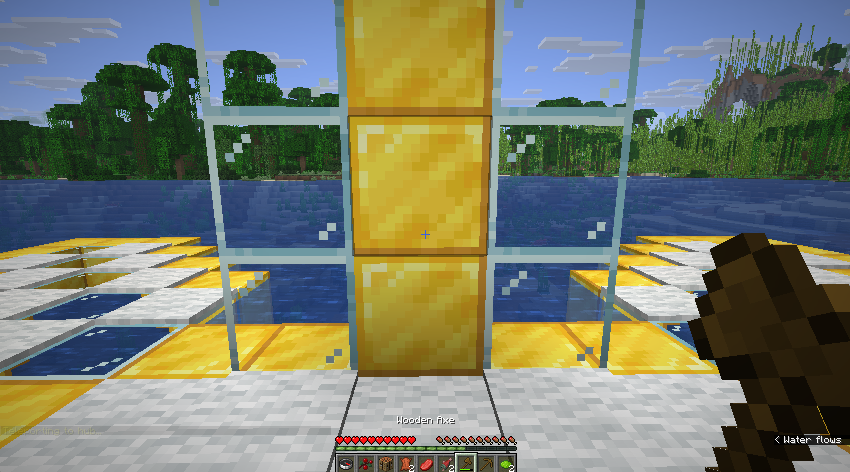
介绍
🏰 Advanced Fabric Hub



The all-in-one lobby and hub management solution for modern Fabric servers.
Advanced Fabric Hub transforms your spawn area into a fully functional, interactive lobby without needing a dozen separate plugins. From server navigation menus to double-jumping and player stackers, it includes everything you need to welcome players in style.
🚀 Why Use This Mod?
- 📦 All-in-One: Replaces separate mods for Hub Protection, Navigator, Auth, and Fun features.
- 🛠️ Fully Configurable: Every feature can be toggled or tweaked via
config/fabrichub.json. - ⚡ Lightweight: Built purely for Fabric 1.21+ with minimal performance impact.
- 🔌 Offline-Ready: Includes a built-in Authentication system (Login/Register) for offline-mode servers.
✨ Features
🛡️ Hub Protection & Management
- Protected Radius: Set a safe zone around spawn (
/sethubradius) where blocks cannot be broken and damage is disabled. - Void Teleport: Falling into the void automatically brings you back to spawn.
- Adventure Mode: Forces players into Adventure mode and prevents item drops/pickups.
- No Hunger/Damage: Keeps players fed and safe while in the hub.
🧭 Navigation & Tools
- Server Navigator: A configurable chest GUI menu for executing commands or switching servers.
- Player Hider: A tool (and command
/toggleplayers) to hide other players and reduce lag. - Hub Items: Automatically gives Navigator and Visibility tools on join.
- Smart Teleport:
/hubsaves your last location, and/backreturns you to your survival adventure.
🎡 Fun & Mechanics
- Double Jump: Launch yourself into the air with spacebar (configurable cooldown).
- Player Stacking: Right-click other players to ride them! Stack as high as you want.
- Silk Touch Spawners: Mine mob spawners to pick them up.
- Mob Heads: Mobs have a configurable chance to drop their heads on death.
🔐 Security & Auth
- Authentication System:
/registerand/logincommands for securing player accounts. - Session Management: Remembers logins for the session.
- Resource Pack Enforcer: Automatically prompts/sends a server resource pack on join.
📜 Commands
Player Commands
/hubor/lobby– Go to the hub./back– Return to your previous location./navigator– Open the server menu./toggleplayers– Hide/Show other players./register <pass> <pass>– Create an account./login <pass>– Login to your account.
Admin Commands
/sethub– Set the global spawn point./sethubradius <blocks>– Set the protection radius.
⚙️ Configuration
The configuration file config/fabrichub.json allows you to customize every aspect.
{
  "hub": {
    "radius": 150,
    "teleportOnJoin": true,
    "doubleJumpEnabled": true
  },
  "auth": {
    "enabled": true,
    "minPasswordLength": 5
  },
  "navigator": {
    "enabled": true,
    "items": [
      { "name": "Survival Server", "command": "server survival", "material": "grass_block" },
      { "name": "Creative Server", "command": "server creative", "material": "diamond_block" }
    ]
  }
}
For additional Minecraft version support, contact me at my discord server(link bellow):
https://discord.gg/BmUZ6jHcJz — our SMP with all my mods on it…test our server out will ya? thx!
[DISCLAIMER: Portions of this project were developed with AI‑assisted tools as part of PhaseZero Labs’ workflow.]
常见问题
Maykesh’s Advanced Fabric Hub Management Mod 支持哪些 Minecraft 版本?
Maykesh’s Advanced Fabric Hub Management Mod 支持 Minecraft Java 版 1.21–1.21.11,共 12 个版本,可用的加载器:Fabric。下载时注意选择和你游戏版本一致的文件。
Maykesh’s Advanced Fabric Hub Management Mod 怎么安装?
先用 PCL2 或 HMCL 启动器安装对应版本的 Fabric,再把下载的 .jar 文件放进游戏目录的 mods 文件夹,重新启动游戏即可。开启了版本隔离的,mods 文件夹在 versions/版本名 下面。运行环境:客户端 / 服务端。
pz.labs 的其他作品
查看全部 →
Maykesh’s Secure Server Mod
Stop Hackers. Protect Your Community. Zero Compromises. If you need support for additional Minecraft versions, feel free to reach out at [email protected].

Maykesh’s Fabric RapidWhitelist
A zero‑downtime whitelist system with instant updates, configurable command permissions, and full tracking of who added each player for clear staff accountability.

Maykesh’s Server Observability Framework
A comprehensive server observability framework for Minecraft 1.21. Monitor tick timings, entity updates, chunk loading, network packets, and more with minimal overhead. Perfect for debugging, optimization, and rate-limiting systems.
评论
登录后评论和评分