截图
介绍
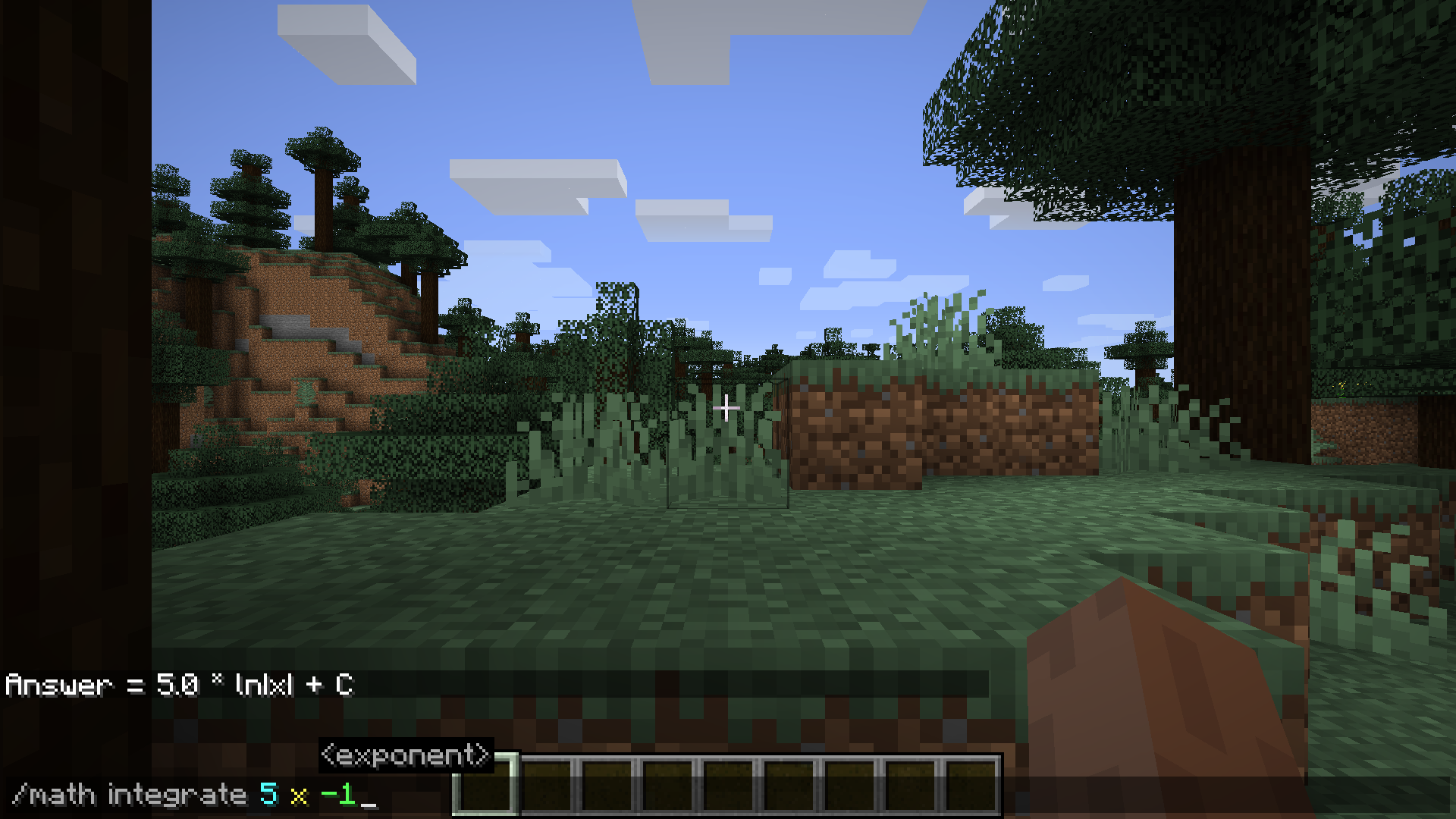
Math (/math) adds a simple command to the game that allows the user to do calculations in the chat. The computations range from basic arithmetic to differentiation and integration.
Supported commands:
Basic:
add(num1, num2) => Adds two doubles
subtract(num1, num2) => Subtracts two doubles
multiply(num1, num2) => Multiplies two doubles
divide(num1, num2) => Divides two doubles
remainder(num1, num2) => Finds the remainder when num1 is divided by num2
random(min, max) => Generates a random number between min and max
sqrt(num) => Finds the square root of a double
nthRt(num) => Finds the nth root of a double (i.e. 5th root)
pow(num1, num2) => Returns num1 raised to num2
log10(num) => Evaluates log10 of the specified double
ln(num) => Evaluates the natural log of the specified double
exp(num) => Raises num to Euler’s number (e)
zeros(a, b, c) => Shows the x-intercepts of a polynomial
Trigonometry:
sin(num) => Returns the trigonometric sin of a radian angle
cos(num) => Returns the trigonometric cosine of a radian angle
tan(num) => Returns the trigonometric tangent of a radian angle
asin(num) => Returns the arc sin of a double in radians
acos(num) => Returns the arc cosine of a double in radians
atan(num) => Returns the arc tangent of a double in radians
sind(num) => Returns the trigonometric sin of an angle in degrees
cosd(num) => Returns the trigonometric cosine of an angle in degrees
tand(num) => Returns the trigonometric tangent of an angle in degrees
asind(num) => Returns the arc sin of a double in degrees
acosd(num) => Returns the arc cosine of a double in degrees
atand(num) => Returns the arc tangent of a double in degrees
Calculus:
derive(coeff, var, pow) => Returns the derivative of a term
integrate(coeff, var, pow) => Returns the integral of a term
Vectors in 2D and 3D:
addVector3d(x1, y1, z1, x2, y2, z2) => Adds two 3D vectors
subtractVector3d(x1, y1, z1, x2, y2, z2) => Subtracts two 3D vectors
dotProduct3d(x1, y1, z1, x2, y2, z2) => Finds the dot product of two 3D vectors
crossProduct3d(x1, y1, z1, x2, y2, z2) => Finds the cross product of two 3D vectors
lengthVector3d(x, y, z) => Returns the length of a 3D vector
addVector2d(x1, y1, x2, y2) => Adds two 2D vectors
subtractVector2d(x1, y1, x2, y2) => Subtracts two 2D vectors
dotProduct2d(x1, y1, x2, y2) => Finds the dot product of two 2D vectors
crossProduct2d(x1, y1, x2, y2) => Finds the cross product of two 2D vectors
lengthVector2d(x, y) => Returns the length of a 2D vector
distance3d(x1, y1, z1, x2, y2, z2) => Returns the distance between two 3D coordinates
distance2d(x1, y1, x2, y2) => Returns the distance between two 2D coordinates
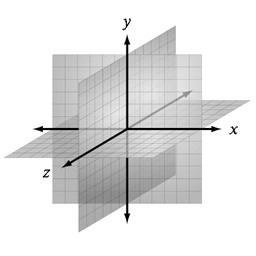
Important note: Minecraft’s coordinate system uses a typical coordinate system seen in 3D graphics where the y-axis represents the vertical height. In mathematics, it is common for the z-axis to be used instead to represent the vertical dimension.
常见问题
/math 支持哪些 Minecraft 版本?
/math 支持 Minecraft Java 版 1.14–1.15.2,共 4 个版本,可用的加载器:Forge。下载时注意选择和你游戏版本一致的文件。
/math 怎么安装?
先用 PCL2 或 HMCL 启动器安装对应版本的 Forge,再把下载的 .jar 文件放进游戏目录的 mods 文件夹,重新启动游戏即可。开启了版本隔离的,mods 文件夹在 versions/版本名 下面。


评论
登录后评论和评分