
Material Preparer
A Minecraft Fabric mod that helps you automatically collect and organize building materials.
截图
介绍
Material Preparer

A Minecraft Fabric mod that helps you automatically collect and organize materials.
[!WARNING]
This mod is a client-side mod and theoretically does not require server installation. However, due to its strong assistant nature, some servers may prohibit its use.
Before use, make sure that the server allows the use of such features to avoid being banned.
Any bans, losses, or legal disputes resulting from the use of this mod are not the responsibility of the mod author.
Features
📦 Smart Item Collection
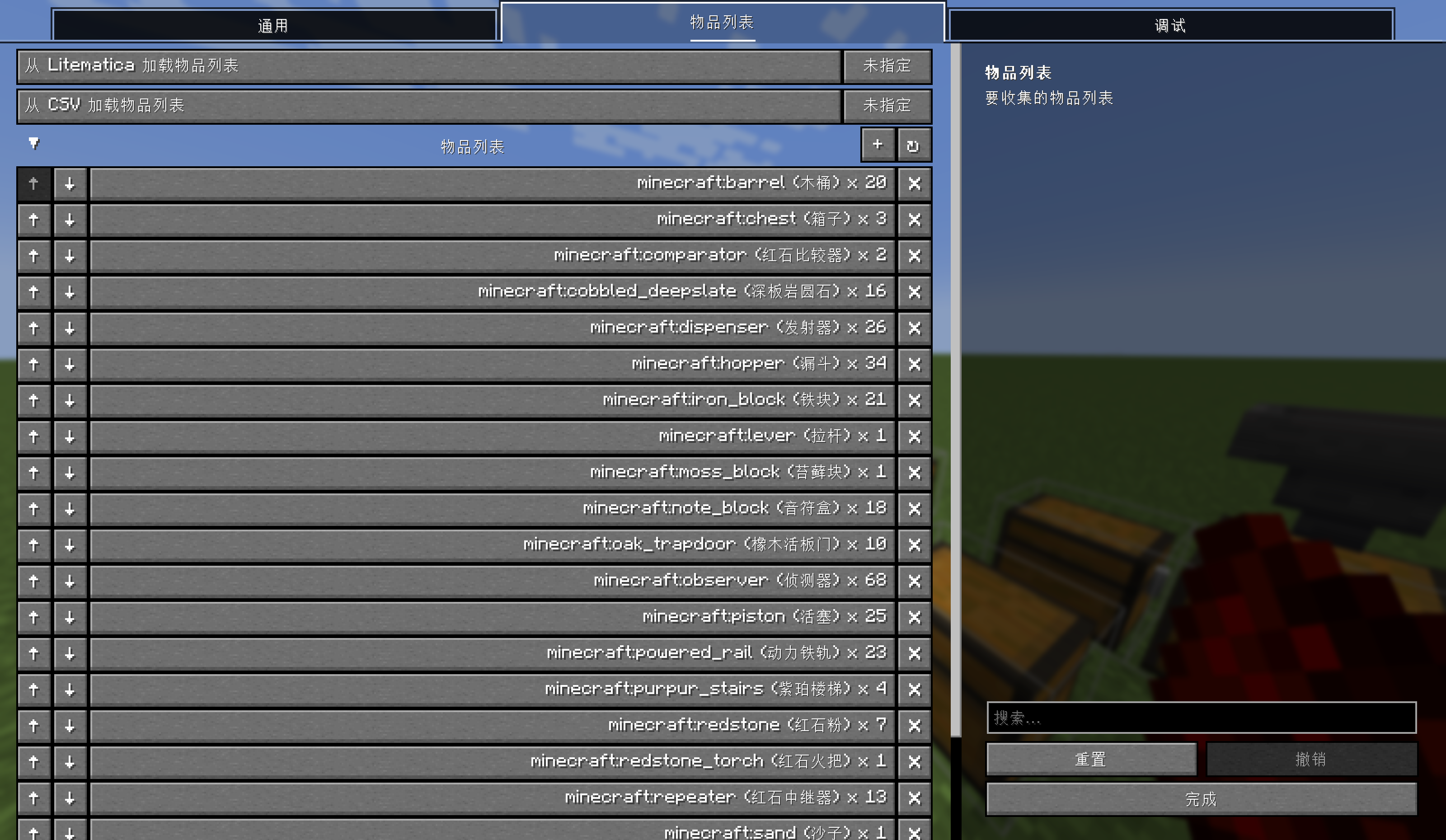
- Configure a list of required items and automatically collect them from nearby chests
- Supports precise movement, taking only the needed quantity
- Can ignore items already in your inventory, collecting only what’s missing
🗺️ Container Exploration
- Automatically explores nearby containers and caches item information
- Supports blacklist marking to skip unwanted containers
- Supports output container marking – automatically stores items when inventory is full
📋 Multiple Import Methods
- Import item lists from Litematica schematic files
- In-game file selection interface with subfolder browsing support
- CSV format storage for easy manual editing
⚡ Configurable Operation Speed
- Adjustable container click interval
- Prevents issues caused by clicking too quickly
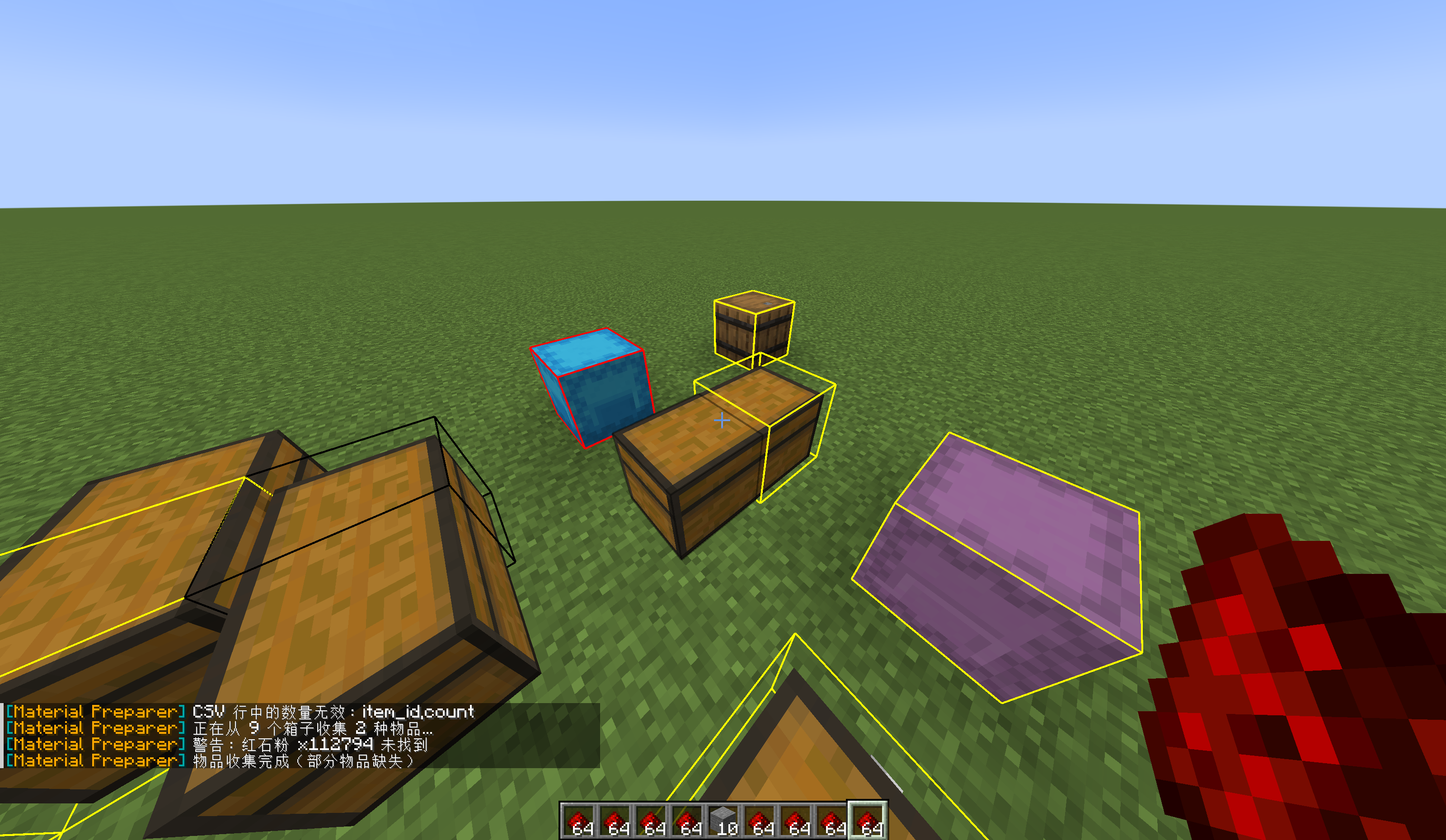
🎨 Debug Visualization
- Displays debug bounding boxes around containers
- Different colors distinguish different container types
- Makes it easy to see which containers have been explored
Installation
- Install Fabric Loader and Fabric API
- Install Mod Menu and YACL
- Place the mod’s
.jarfile into themodsfolder
Usage Guide
Configuring the Item List
- Open Mod Menu
- Find Material Preparer and click “Configure”
- Add the items and quantities you need in the “Item List” category
- Click Save
Collecting Items
- Set up your item list
- Ensure there are chests nearby containing the items you need
- Press “Collect Items”
- The mod will automatically open nearby chests and collect the items
Importing from Litematica
- Place your
.litematicschematic file into theschematicsfolder - Open the configuration interface
- In the “Item List” category, find “Load item list from Litematica”
- Select the schematic file you want to load from the file selection interface
- Click the “Load” button
Marking Containers
Blacklist:
- Aim your crosshair at the chest you want to mark
- Press “Toggle Blacklist”
- Press again to unmark it
Output Container:
- Aim your crosshair at the chest you want to use as output
- Press “Toggle Output Container”
- When your inventory is full, items will be automatically stored in the output container
Configuration
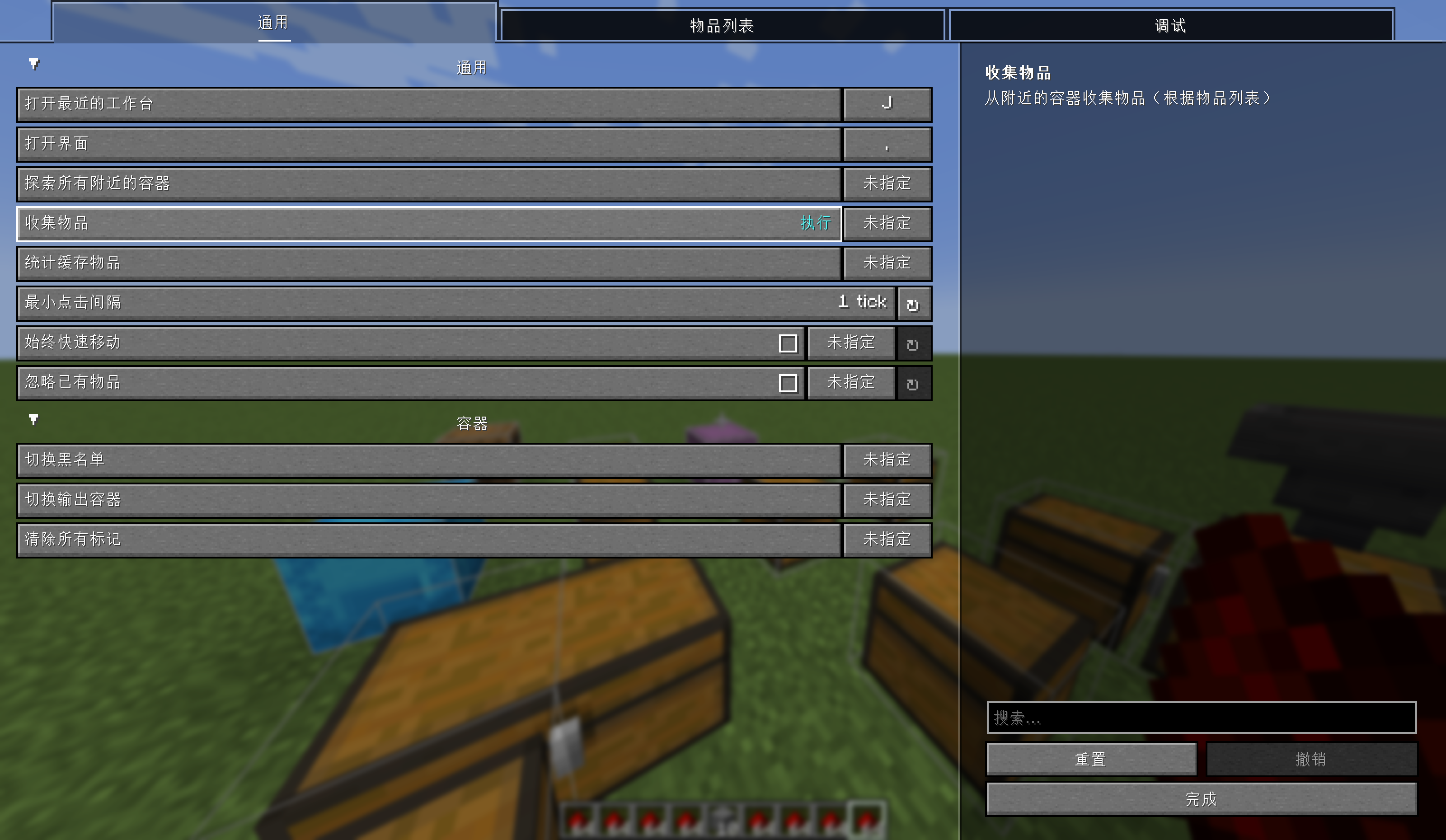
General Settings
| Option | Description | Default |
|——–|—————————————————————–|———-|
| Minimum Click Interval | Minimum interval between container clicks (ticks), 0 = no limit | 0 |
| Always Quick Move | Whether to always use Shift+click for quick movement | Disabled |
| Ignore Existing Items | Whether to collect only items missing from inventory | Disabled |
Container Management
| Action | Description |
|——–|————-|
| Toggle Blacklist | Add/remove the targeted block from the blacklist |
| Toggle Output Container | Set/unset the targeted block as output container |
| Clear All Marks | Clear all container marks |
Debug
| Option | Description | Default |
|——–|————-|———|
| Show Debug Borders | Whether to display debug borders around containers | Disabled |
Keybindings
All keybindings can be customized in the configuration interface.
| Function | Default Key |
|———-|————-|
| Open Configuration Interface | Unbound |
| Explore All Nearby Containers | Unbound |
| Collect Items | Unbound |
| Load Item List from Litematica | Unbound |
| Load Item List from CSV | Unbound |
| Open Recent Crafting Table | Unbound |
| Toggle Debug Borders | Unbound |
| Toggle Always Quick Move | Unbound |
| Toggle Ignore Existing Items | Unbound |
| Toggle Blacklist | Unbound |
| Toggle Output Container | Unbound |
| Clear All Marks | Unbound |
File Locations
- Configuration file:
config/material_preparer/config.json5 - Item list:
config/material_preparer/item_list.csv - Schematics directory:
schematics/
Project Documentation
Want to learn more about implementation details, architecture, and future plans? Check out the project documentation.
Supported Versions
- Minecraft 1.21.1, 26.2
- Fabric Loader
Dependencies
- Fabric API
- Mod Menu
- YACL (Yet Another Config Lib) v3
AI Disclosure
The icon, docs, part of the code and translation are generated by AI.
License
MIT License
常见问题
Material Preparer 支持哪些 Minecraft 版本?
Material Preparer 支持 Minecraft Java 版 1.21.1–26.2,共 2 个版本,可用的加载器:Fabric。下载时注意选择和你游戏版本一致的文件。
Material Preparer 怎么安装?
先用 PCL2 或 HMCL 启动器安装对应版本的 Fabric,再把下载的 .jar 文件放进游戏目录的 mods 文件夹,重新启动游戏即可。开启了版本隔离的,mods 文件夹在 versions/版本名 下面。运行环境:仅客户端。
myworldzycpc 的其他作品
查看全部 →
BlockHideAndSeek
A Minecraft 1.12.2 Forge mod that provides a complete engine for the "Block Hide and Seek" minigame. Hiders can transform into blocks to blend into the terrain, while Hunters must find and eliminate all Hiders within a time limit.

QuickPhrases
Press a key to send a chat (Both messages and commands are acceptable) instantly!
评论
登录后评论和评分