
截图
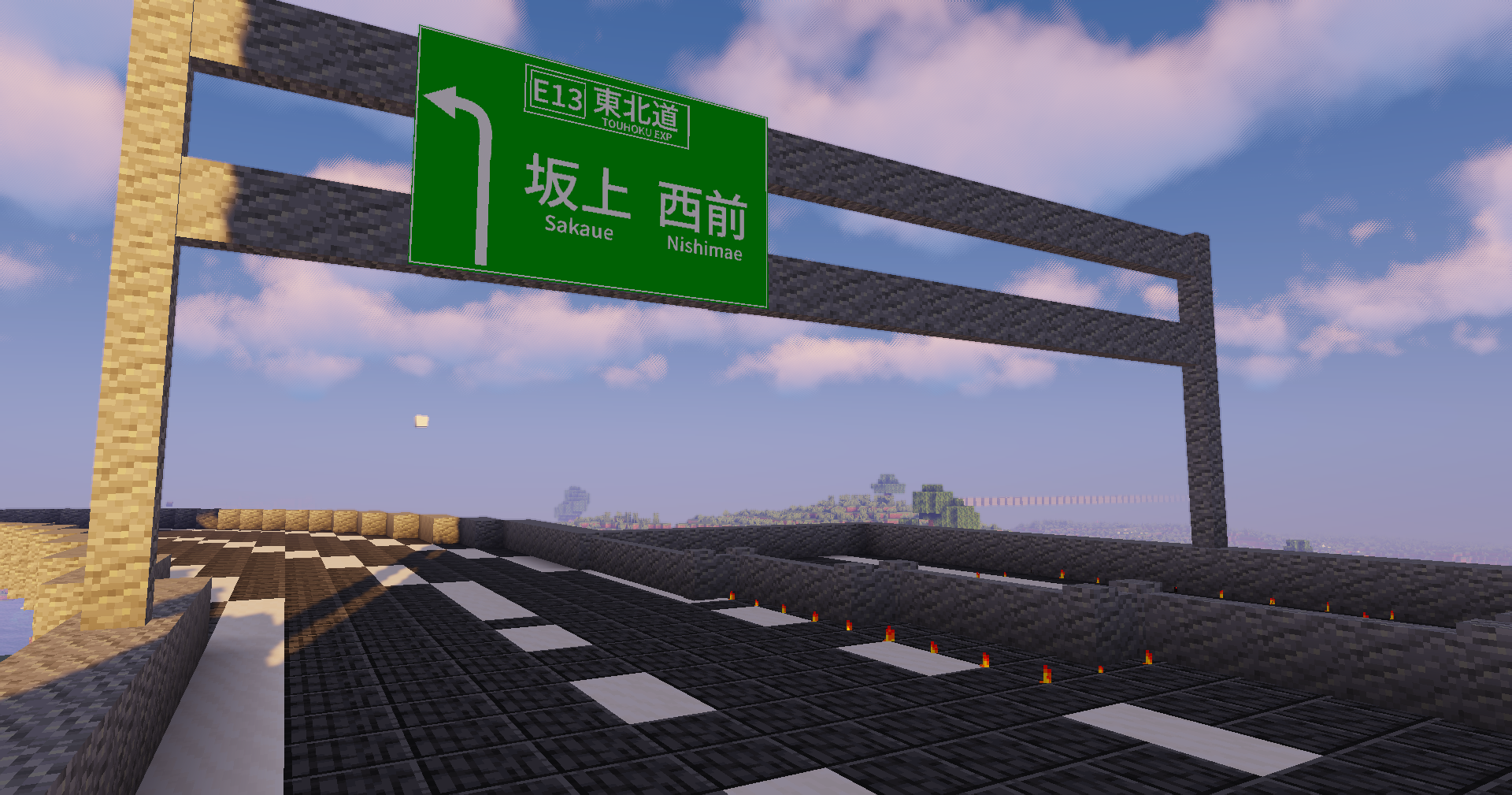

介绍
This is a Minecraft mod that displays images, videos, audio, and 3D models on signs.
Explanatory video:
https://www.youtube.com/watch?v=N-Q-Vtz7m-0
There is no need to install this mod on the server. Everything works on the client side. Works on vanilla servers and in survival mode.
Download & Mod Loaders
- Fabric / Forge / NeoForge: Download
MarumaSign-[version].jar. The same JAR file works on all supported Minecraft versions (1.7.10 through 26.3). - LiteLoader: Download
.litemodfiles matching your Minecraft version from GitHub Releases.
Works with the modloader alone. No prerequisite mods (such as Fabric API) are required.
How to use
- During the game, press the B key (configurable in Key Binds under "MarumaSign").
- In the opened in-game window, select a file or enter a URL:
- Click "Browse…" to choose a file.
- On Minecraft 1.14 and later, you can also drag and drop a file into the window.
- Configure the size, position, and rotation, then click the "Write to sign" button.
- Place a sign. The parameters are automatically written onto the placed sign.
Note: Selected files are uploaded to Catbox to generate accessible URLs. Please do not select private files.
Supported formats
File types are identified by content, not just extensions.
Images
.png(including animated PNG).gif.jpg/.jpeg.bmp
Videos & Audio
Plays formats supported by FFmpeg (.mp4, .webm, .mkv, .mov, .avi, .mp3, .ogg, .wav, .flac, etc.).
Audio volume attenuates with distance from the sign.
Other image formats such as WebP, AVIF, and TIFF are also displayed via FFmpeg.
FFmpeg setup:
Either install FFmpeg so ffmpeg and ffprobe are available in your system PATH, or place the ffmpeg and ffprobe executables inside the .minecraft/marumasign/ffmpeg folder.
3D Models
Supports glTF 2.0 (.glb and .gltf).
Features node hierarchy, meshes, skeletal animations, morph targets, and PBR materials (normal maps, roughness, metallic, emission, occlusion).
Sign Items in Inventory
Sign items with NBT data (e.g. cloned with Ctrl + Pick Block, or obtained via /give) render the corresponding image, video, or 3D model directly in inventory slots, in hand, dropped on the ground, and in item frames.
Shaders Compatibility
Compatible with shader mods such as Iris, Oculus, and OptiFine. Images and 3D models receive lighting and shadows from the active shader pack.
Sign format
[URL]|[X position]|[Y position]|[Z position]|[width]|[height]|[Z rotation]|[Y rotation]|[X rotation]
Connecting the lines of the sign into this format will display the media.
Notes
- URLs that exceed the sign line limits are automatically shortened.
- In Spectator mode, the wooden sign itself remains visible alongside the media.
- Max file sizes: 10 MB for images, 200 MB for videos/audio.
This mod was inspired by SignPicture.
Contributors
常见问题
MarumaSign 支持哪些 Minecraft 版本?
MarumaSign 支持 Minecraft Java 版 1.7.10–26.3,共 61 个版本,可用的加载器:Fabric / Forge / NeoForge。下载时注意选择和你游戏版本一致的文件。
MarumaSign 怎么安装?
先用 PCL2 或 HMCL 启动器安装对应版本的 Fabric / Forge / NeoForge,再把下载的 .jar 文件放进游戏目录的 mods 文件夹,重新启动游戏即可。开启了版本隔离的,mods 文件夹在 versions/版本名 下面。

评论
登录后评论和评分