MapSketch | Draw on Xaero’s Maps
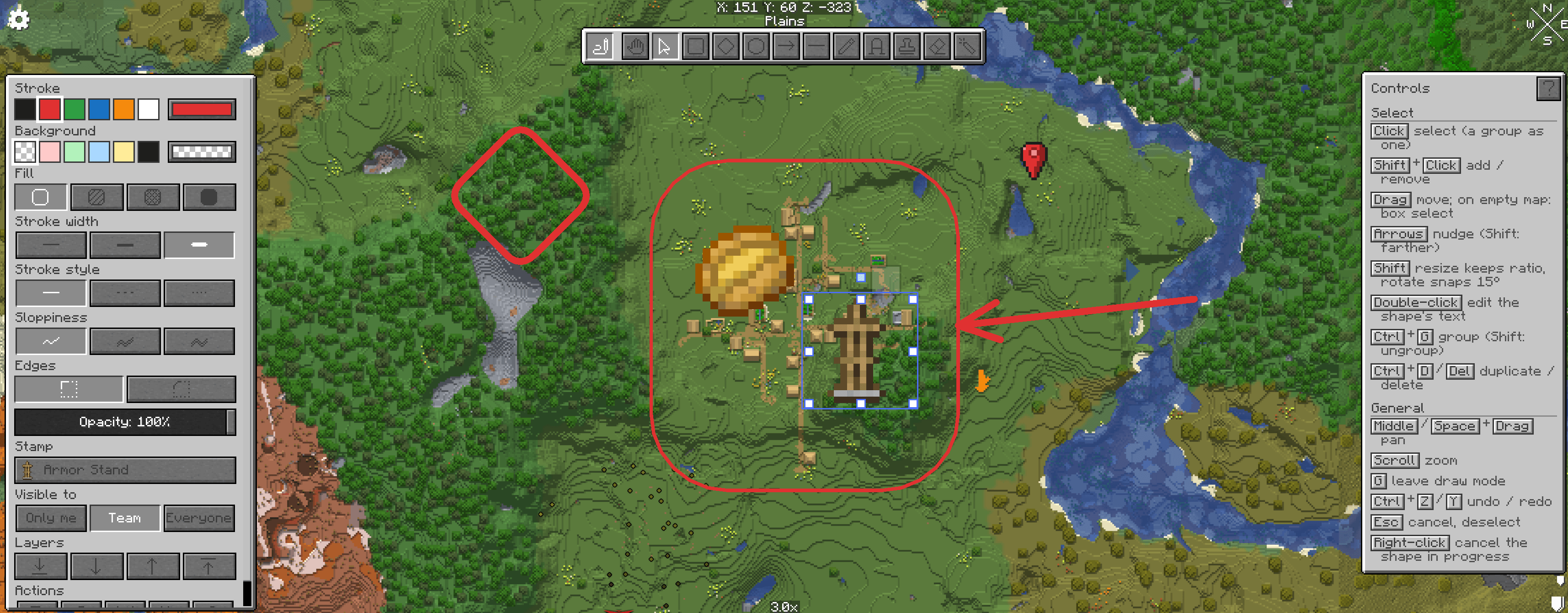
Excalidraw-style drawing on Xaero's World Map and Minimap: shapes, arrows that stick to shapes, text, freehand, stamps and Minecraft map icons, all synced live between players with FTB Teams visibility.
截图
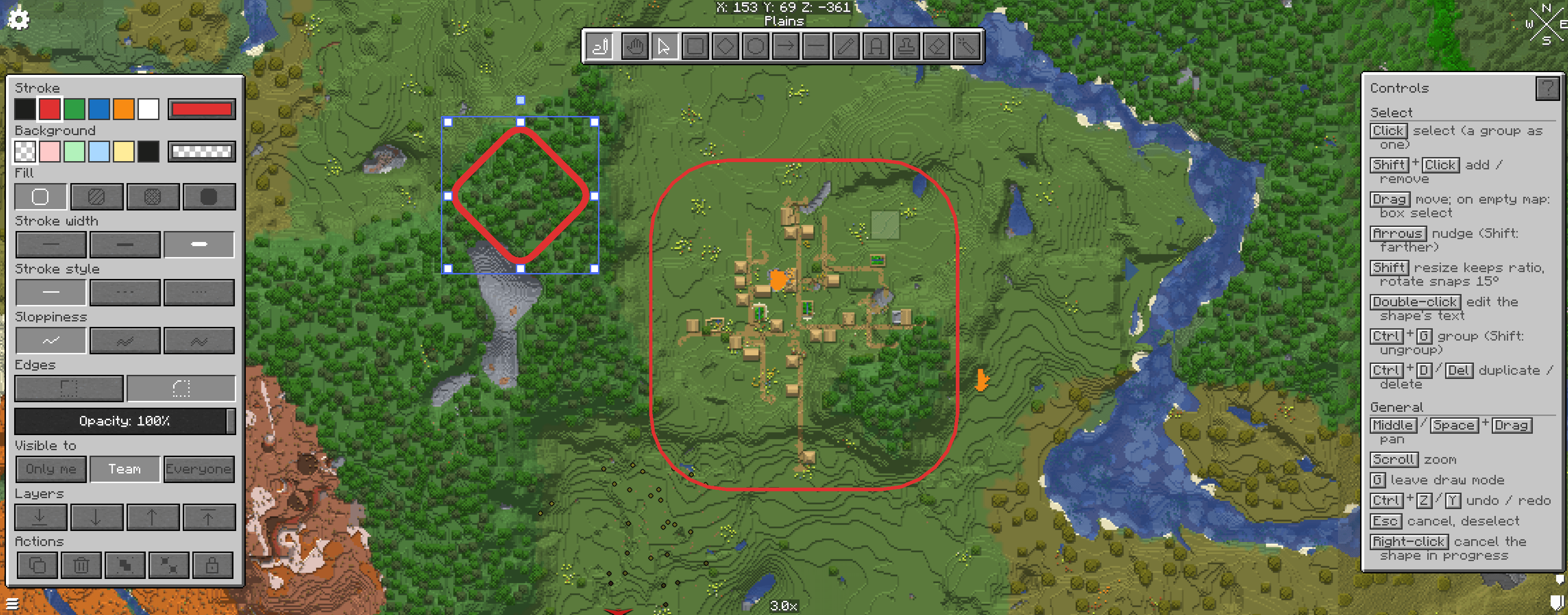
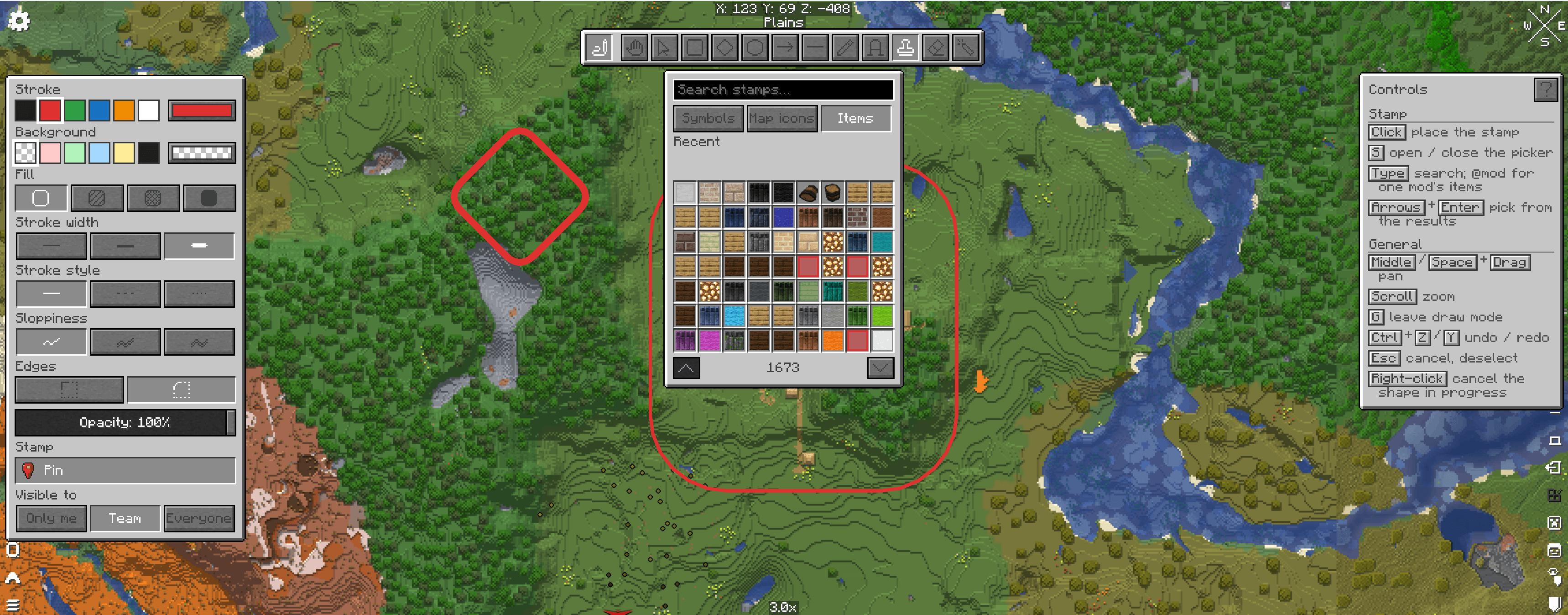
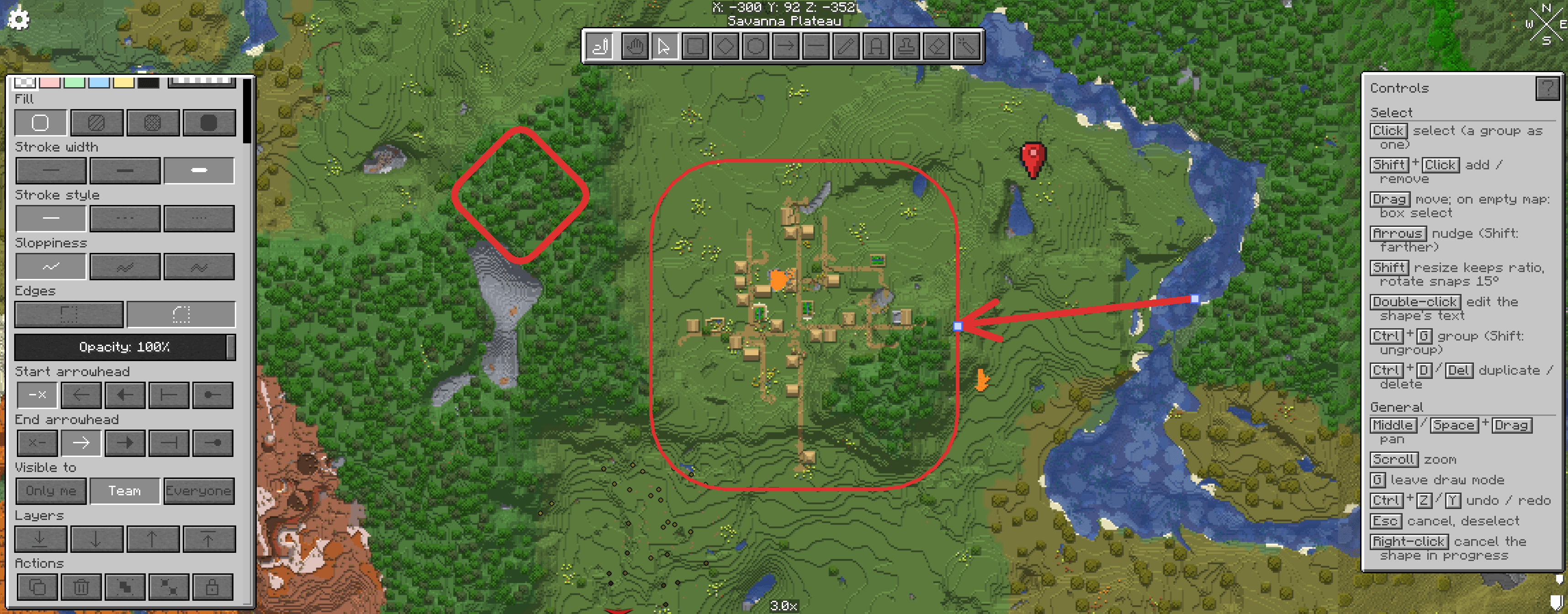
介绍
MapSketch turns Xaero’s World Map into a shared whiteboard. Plan bases, mark routes, label regions and leave notes for your friends, right on the map, and watch them draw with you in real time.
Press G on the world map to start drawing. Everything you draw is pinned to the world, shows on the minimap as you travel, and is saved with the world.
Tools
• Select, move, resize and rotate, with box select, groups, layers, copy/paste and undo/redo
• Rectangle, diamond, ellipse, line and arrow
• Arrows attach to shapes and follow them when moved: snap to an edge, a link node, or any point inside
• Freehand pen, text (with optional background), eraser and laser pointer
• Stamps: 24 pixel-art symbols, Minecraft’s own map icons (banners, villages, monuments…) and any item or block, with search.
Style
• Stroke and fill colours with a full colour picker
• Hachure, cross-hatch or solid fill; stroke width; solid, dashed or dotted lines
• Hand-drawn “sloppiness” (off by default), sharp or round corners, opacity, arrowheads
• Draw under or over map icons, per drawing
Multiplayer
• Live: see other players’ cursors, strokes and drags as they happen
• Built for groups: grabbing a shape someone else is editing shows who has it, so two people can’t fight over it
• Visibility per drawing: Only me, Team (FTB Teams) or Everyone
• The server checks every change, so modified clients can’t edit what they shouldn’t
• Admin commands: /mapsketch stats, release, clear
Feels like Minecraft
• Vanilla-style panels, buttons and pixel-art icons in the Minecraft font
• A built-in controls guide that shows the keys for the current tool
• Middle mouse or Space to pan, scroll to zoom
Settings: Mods > MapSketch > Config, or the MapSketch… button in Xaero’s World Map settings.
Requires: NeoForge 1.21.1, Xaero’s World Map
Optional: Xaero’s Minimap (drawings on the minimap), FTB Teams (team visibility)
Install on the client, and on the server for sharing.
Without the server mod, drawings are local to you.
常见问题
MapSketch | Draw on Xaero’s Maps 支持哪些 Minecraft 版本?
MapSketch | Draw on Xaero’s Maps 支持 Minecraft Java 版 1.21.1,可用的加载器:NeoForge。下载时注意选择和你游戏版本一致的文件。
MapSketch | Draw on Xaero’s Maps 怎么安装?
先用 PCL2 或 HMCL 启动器安装对应版本的 NeoForge,再把下载的 .jar 文件放进游戏目录的 mods 文件夹,重新启动游戏即可。开启了版本隔离的,mods 文件夹在 versions/版本名 下面。
Volcanic_Disruption 的其他作品
查看全部 →
MapColonies | Minecolonies Addon For Xaero’s Minimap
在 Xaero的小地图 和 Xaero的世界地图 上显示 MineColonies 殖民地边界和建筑。服务器同步,因此殖民地中的每个人都能看到相同的领地和小屋,带有名称和等级标签、团队颜色和完整配置。
MapHorizons | Distant Horizons on Xaero’s Maps
MapHorizons fills Xaero's World Map and Minimap with the terrain Distant Horizons has loaded, and syncs your team's exploration so everyone's map grows together. Bring LODs to your map!
评论
登录后评论和评分