ManyEyedMonsters
A Work in Progress Adventure and Horror mod adding new biomes, items and creatures
截图
介绍
Welcome To My Mod of Many Eyed Monsters!
This Mod requires Geckolib
This Mod is Currently Work in progress and is my First ever Minecraft mod created.
Currently this Mod Contains:
– 1 New Entity named SoulFayra
Soulfayra Is a more horror inspired Entity which never leaves your side and is constantly watching you. She is always present somewhere nearby and you never know where
Current Features on SoulFayra
– High detection range of 100 blocks
– Unable to be Boated
– Once she is hit by an attack, she will randomly teleport in a large area around you and aproach again from somewhere else
– Custom Potion effect Called “CantBreathe” which causes the player to be unable to sprint when afflicted along with increasing hunger drain drastically
– She will occasionaly wait and hide from you to try and ambush you either randomly, or to try and wait for you to get out of your hiding spot as she does not fit into 2 block spaces
– She has a Small chance to appear right infront of you when you break a block, once she is randomly triggered a soundcue will play a few moments before she spawns. when she spawns all players will be applied with the Darkness effect for 60 seconds.
Additional Secret Feature
There is A Misc Entity called Illusionory
They are always invisible and can only be heard by their footsteps. once they hit a player they afflict the CantBreathe effect and despawn.
Adventure Features:
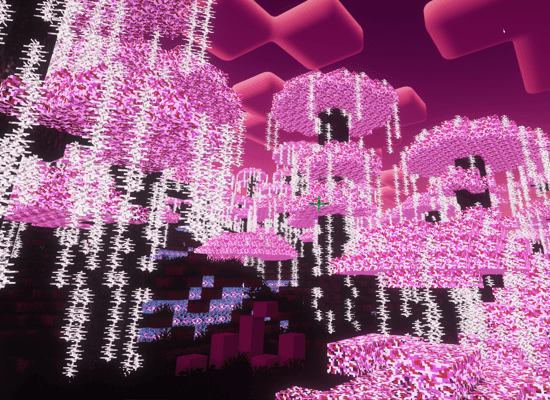
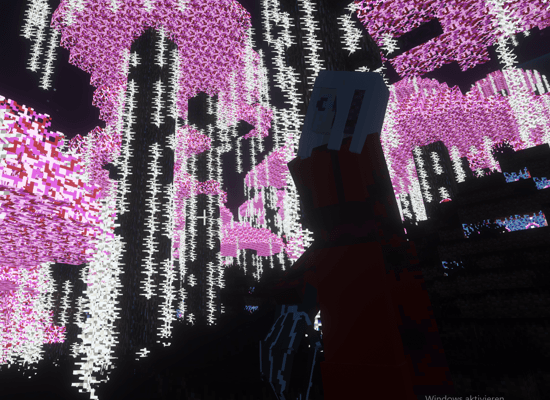
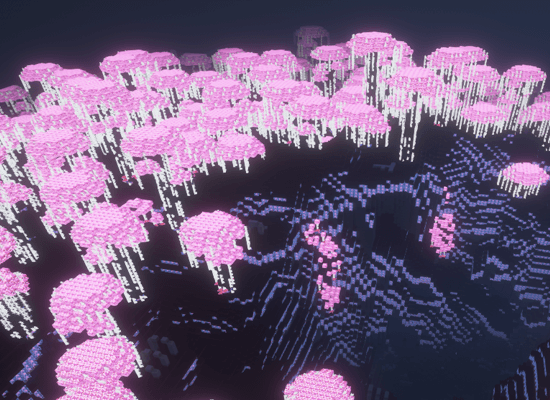
There is currently Two Custom Biomes within the Mod Called The Watchwoods and The Watchcaves
These two biomes are currently a heavy Work in progress and only deliver custom Blacklight Inspired building blocks along with some ambience.
Future Features will include New Biome specific Creatures and More additions to the main Entity SoulFayra
常见问题
ManyEyedMonsters 支持哪些 Minecraft 版本?
ManyEyedMonsters 支持 Minecraft Java 版 1.20.1,可用的加载器:Forge。下载时注意选择和你游戏版本一致的文件。
ManyEyedMonsters 怎么安装?
先用 PCL2 或 HMCL 启动器安装对应版本的 Forge,再把下载的 .jar 文件放进游戏目录的 mods 文件夹,重新启动游戏即可。开启了版本隔离的,mods 文件夹在 versions/版本名 下面。
评论
登录后评论和评分