
MakeMeVtuber
作者:taimleek
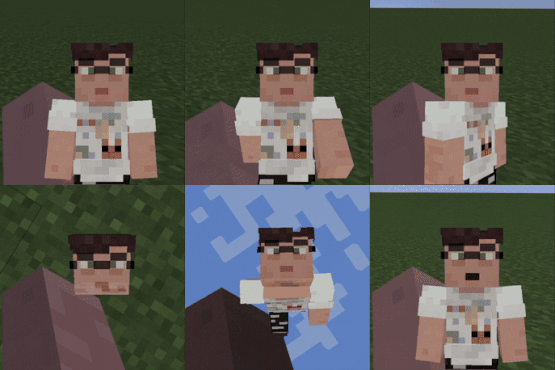
A lightweight client-side mod for Minecraft 1.21.1 Transform your player into a VTuber-style avatar with a single command.
截图
介绍
中文介绍正在准备中,下面暂时显示原文。
MakeMeVtuber
Transform your Minecraft player into a VTuber-style avatar with a single command.
What does it do?
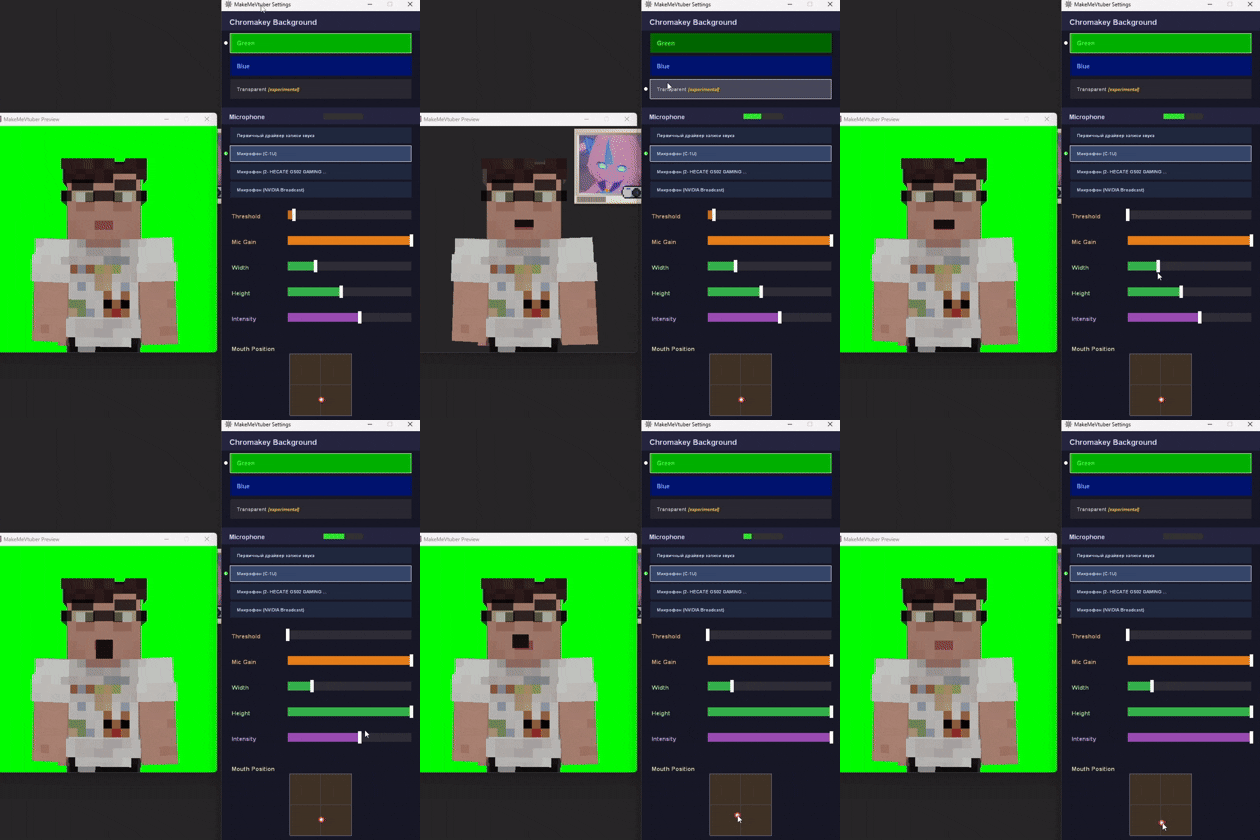
MakeMeVtuber opens a separate render window that displays your player model on a chromakey background — ready for OBS or any streaming software. The camera follows your head, the mouth moves with your microphone, and everything is customizable.
Features
- VTuber avatar window — renders your player model in a separate window with green/blue/transparent background
- Microphone lip-sync — mouth opens in real-time based on your mic volume
- Spring camera — smooth camera that follows your head rotation
- Chromakey backgrounds — green, blue, or transparent (experimental)
- Customizable mouth — adjust position, size, threshold, gain, and intensity
- Dither fade — body parts dissolve when looking down to keep focus on the face
- Lightweight — runs on a separate thread, minimal FPS impact
How to use
- Install the mod
- Join a world
- Type
/mmvin chat - Two windows open: Preview (your avatar) and Settings (configuration)
- Capture the Preview window in OBS with Window Capture
Settings
- Chromakey — choose green, blue, or transparent background
- Microphone — select your mic device from the list
- Threshold — minimum volume to open the mouth
- Mic Gain — amplify quiet microphones
- Width / Height — mouth size
- Intensity — how wide the mouth opens
- Mouth Position — drag to place the mouth anywhere on the face
Requirements
- Minecraft 1.21.1
- Fabric Loader ≥ 0.18.4
- Fabric API
Links
- Source: GitHub
常见问题
MakeMeVtuber 支持哪些 Minecraft 版本?
MakeMeVtuber 支持 Minecraft Java 版 1.21.1,可用的加载器:Fabric / NeoForge。下载时注意选择和你游戏版本一致的文件。
MakeMeVtuber 怎么安装?
先用 PCL2 或 HMCL 启动器安装对应版本的 Fabric / NeoForge,再把下载的 .jar 文件放进游戏目录的 mods 文件夹,重新启动游戏即可。开启了版本隔离的,mods 文件夹在 versions/版本名 下面。
评论
登录后评论和评分