
Luxium: Let there be light
作者:Vinlanx
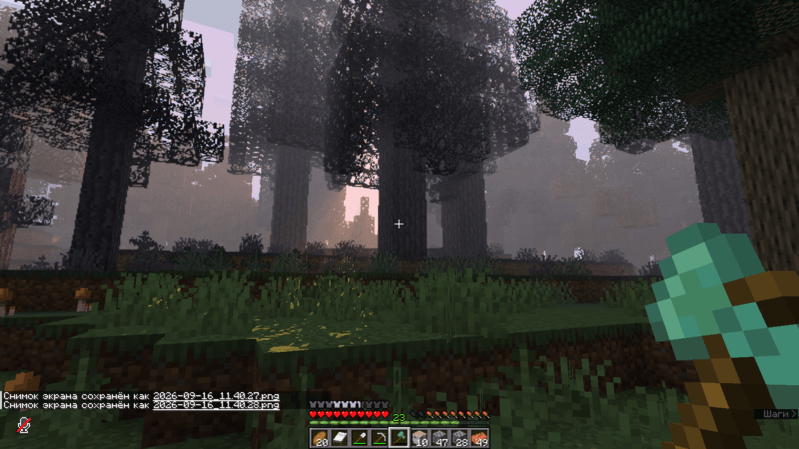
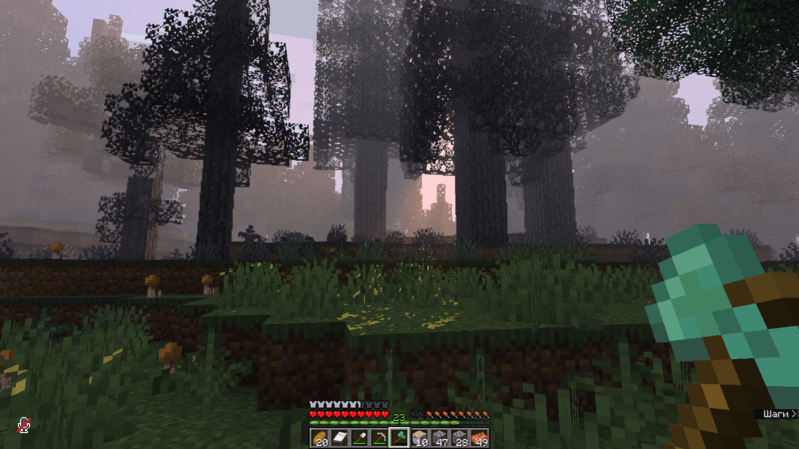
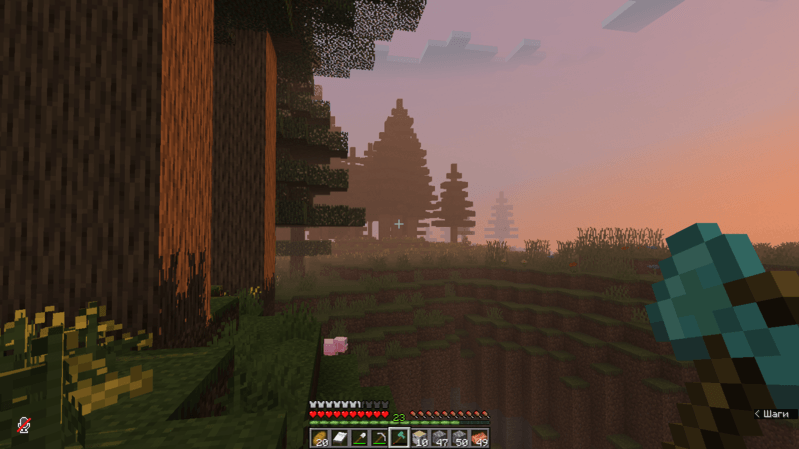
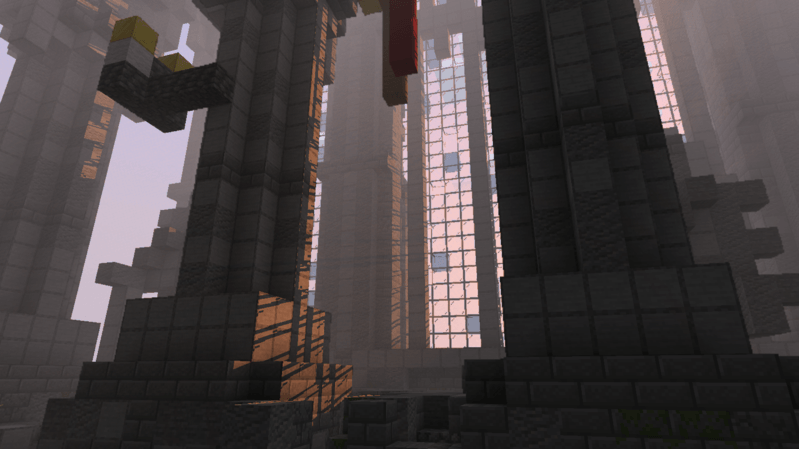
A performance-focused graphics mod that makes Minecraft look better without turning it into a slideshow.
截图
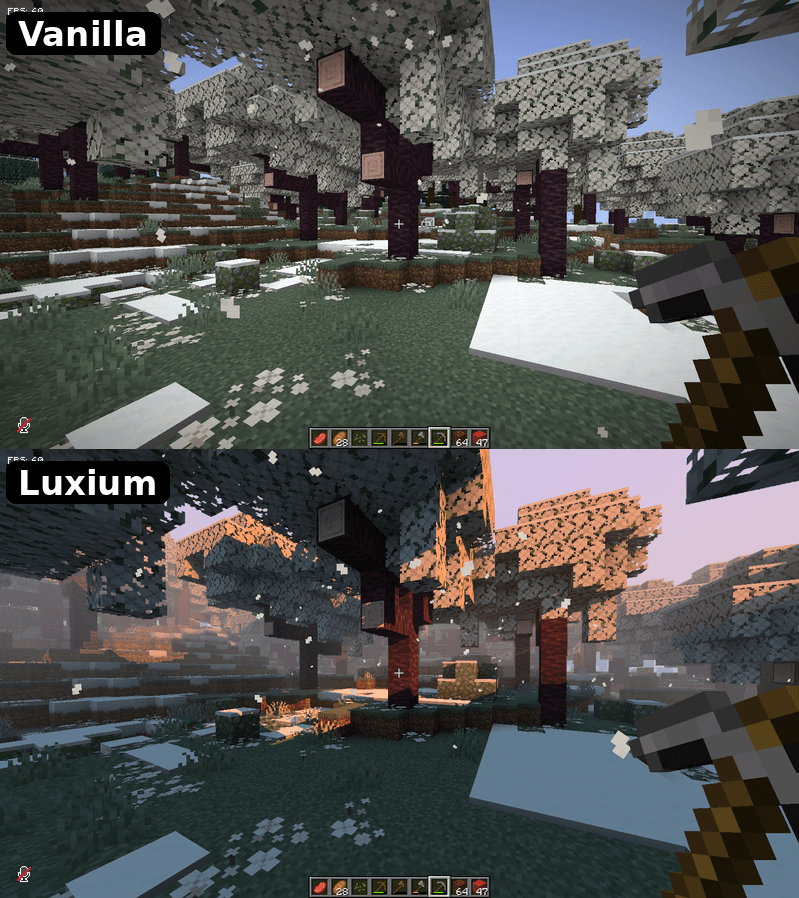
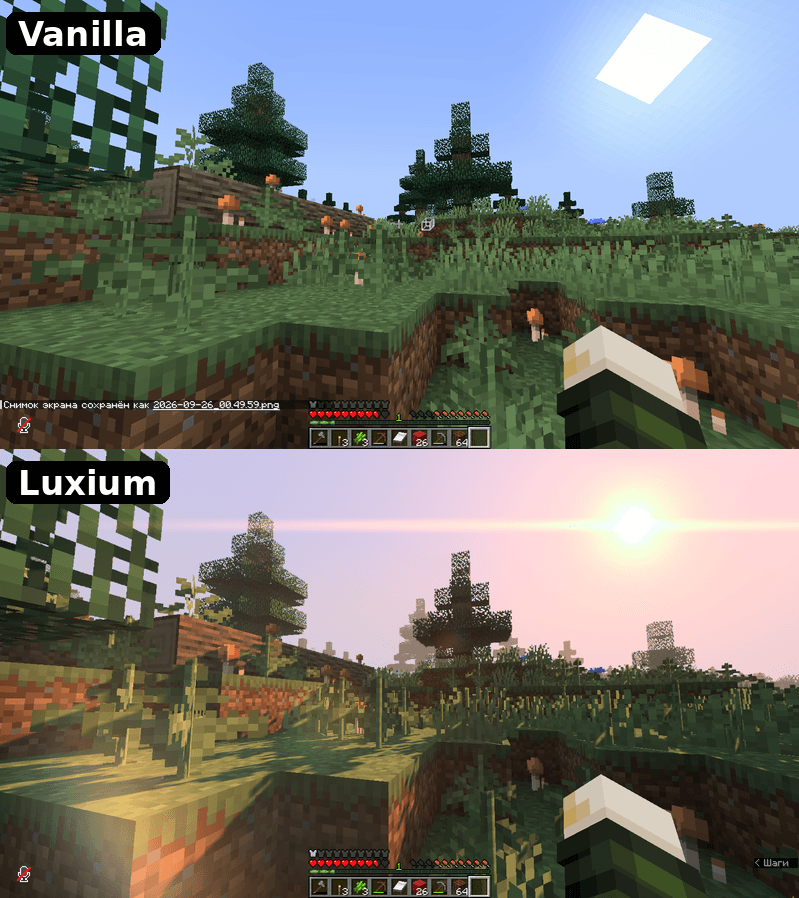
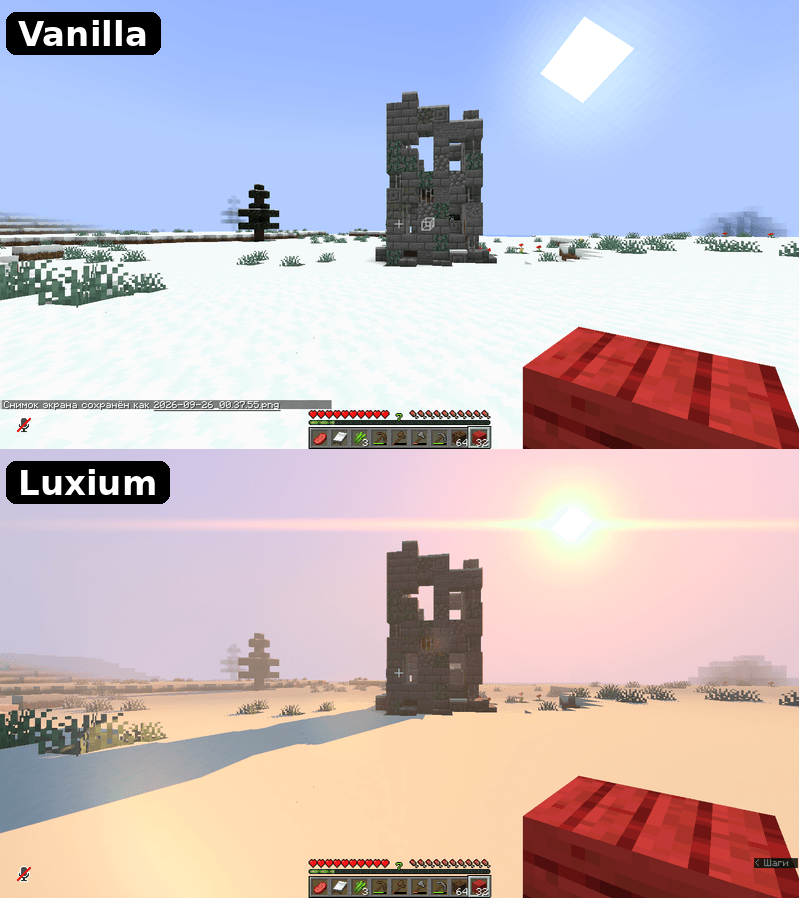
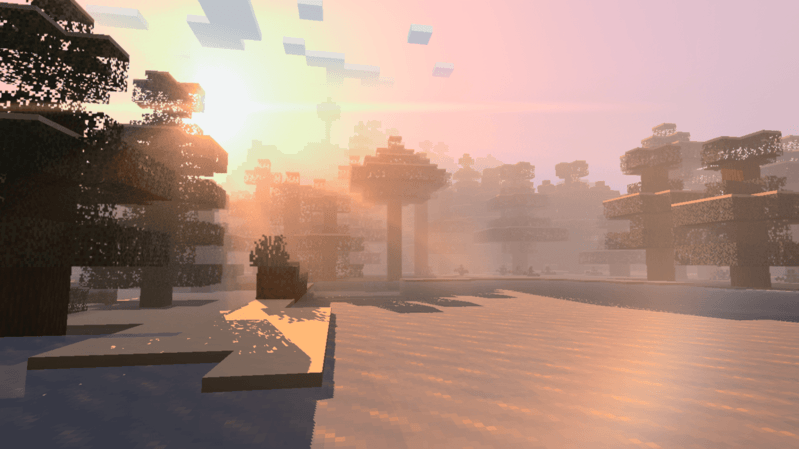
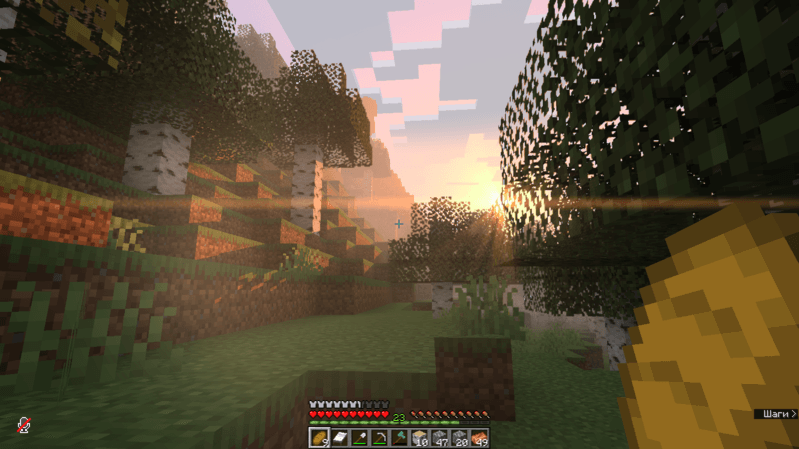
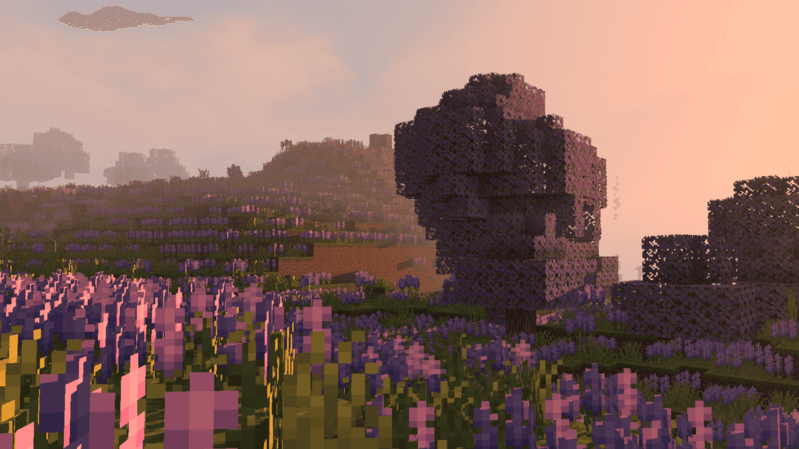
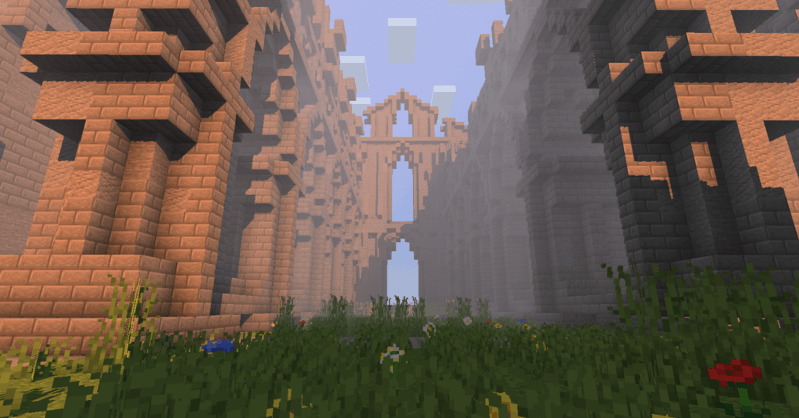
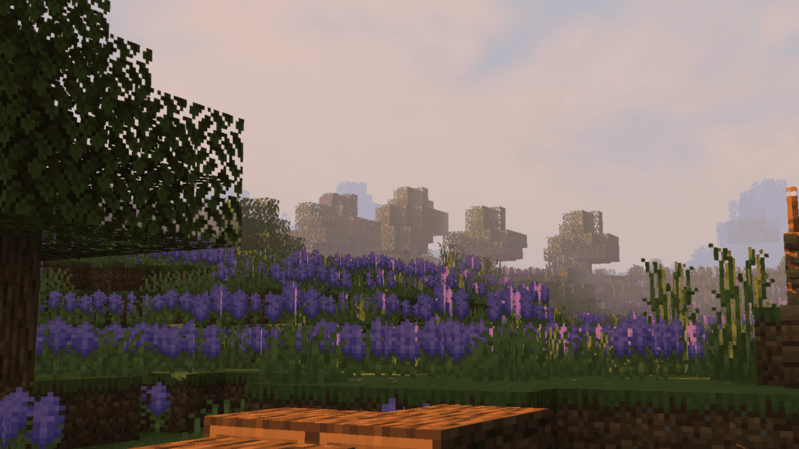
介绍
中文介绍正在准备中,下面暂时显示原文。
This is an early alpha. The mod is in active development – it will keep improving
NOT COMPATIBLE WITH OCULUS AND IRIS (IF YOU DON’T HAVE SUN SHADOWS, YOU DIDN’T REMOVE OCULUS)
IF IT CRASHES FOR YOU BECAUSE OF RAM MEMORY ISSUES. DOWNLOAD THE MODS ImmediatelyFast
ModernFix
SCROLL DOWN AND READ !!!!ATTENTION!!!! SO THAT LATER YOU DON’T BUG ME WITH “Why isn’t the weather working?!”
REQUIRES EMBEDDIUM for FORGE
REQUIRES SODIUM for FABRIC
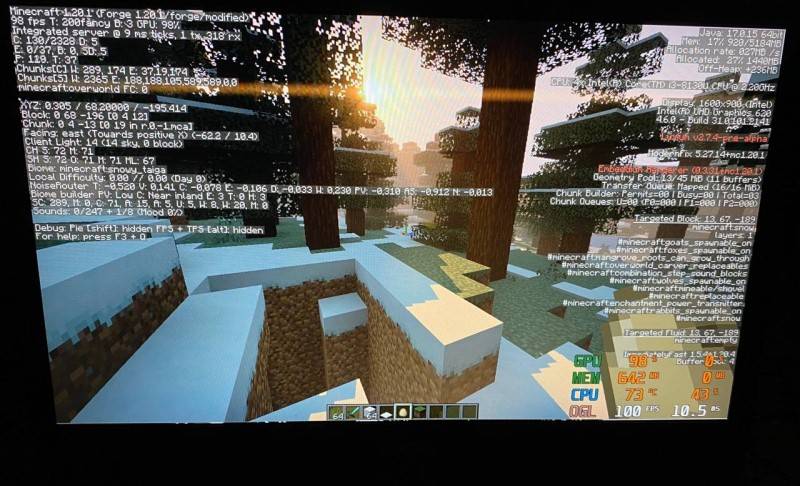
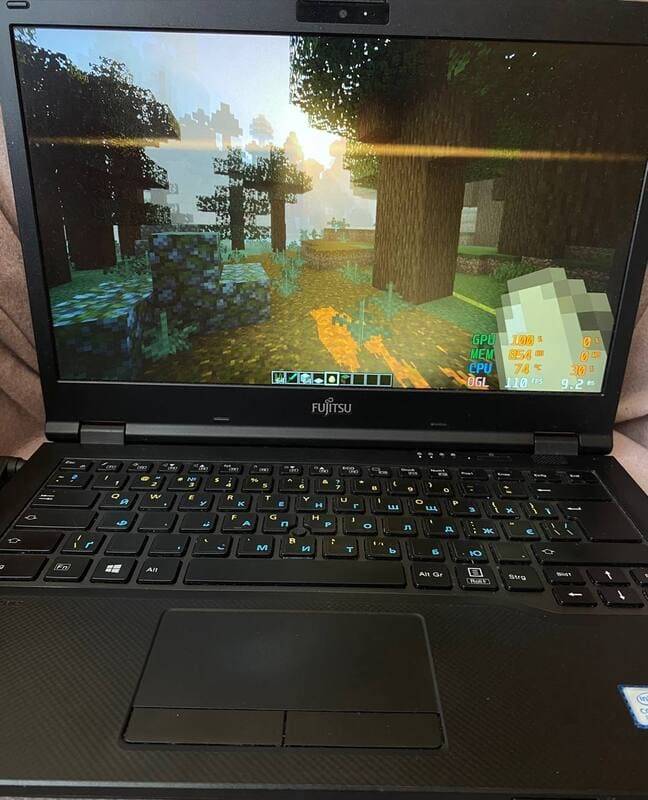
Luxium is a graphics (visual) mod developed for low-end computers. It doesn’t just add a couple of effects – it adds shadows, lighting, fog, and more. The mod was fully developed and tested on an Intel UHD 620. To be precise, it was tested on a Fujitsu E449 laptop with 12 GB of RAM, where it delivers an average of 60+ FPS using Luxium’s default graphics settings and 1600×900 resolution.

Why Luxium instead of shader packs for low-end pc?
Shader packs can be highly optimized, but their rendering pipeline is ultimately defined by the selected pack and executed through platforms such as Iris or Oculus. Luxium takes a different approach: it provides a purpose-built rendering pipeline integrated directly with Minecraft and Embeddium, allowing it to optimize not only individual shaders, but also how rendering work is scheduled, combined, cached, and reused across the graphics pipeline.
Luxium can avoid unnecessary rendering and updates, reuse previously calculated data, share information between different effects, combine compatible render passes, skip work that is not needed for the current frame, and run selected effects at a reduced internal resolution
What Luxium adds besides graphics:
These mechanics are designed to increase FPS without a noticeable loss in visual quality.
(IT IS OPTIONALLY)
LSR – Luxium Spatial Resolution. The entire world and effects are rendered at a lower resolution, after which they are upscaled to the screen resolution while also applying adaptive sharpening. The hand, HUD, and GUI are not rendered at a lower resolution.
(IT IS OPTIONALLY)
TFR – Temporal Frame Reprojection is a technology that generates a second frame using the first one. In other words: REAL → GEN → REAL → GEN. This mechanic can produce artifacts, but depending on the scene, it can add an extra 20-30 FPS on top.
Opaque Ice – moves regular ice from the transparent render layer to the opaque render layer. Since large amounts of opaque blocks can reduce FPS on weaker PCs, this setting is enabled by default.
!!!!ATTENTION!!!!
Since this is a pre-alpha version, there may be bugs, unfinished things, etc. In the Luxium settings there is a folder called NOT READY TO PLAY, DEV. It contains mechanics that you can try, but most of them are raw, laggy, etc. But the mechanics that are NOT in the NOT READY TO PLAY, DEV folder are 80% ready to play (this is what is enabled by default when you enter the game).
BUT the following is still NOT implemented:
The Nether, the End, and other dimensions besides the Overworld are not implemented yet. Block light lighting is not implemented in caves, etc. That means when you enter caves, the graphics will be vanilla. Proper visual changes for weather, rain, and thunderstorms are also not ready yet.
AND LUXIUM WAS TESTED ONLY ON UHD 620 AND 1080 TI, ON OTHER GRAPHICS CARDS AND DRIVERS THERE MAY BE CRASHES (NOT A FACT)
However, as I said, the Overworld is ready to play. You can play, good luck.
I strongly recommend using the following mods to improve performance while playing:
cullleaves
ImmediatelyFast
modernfix

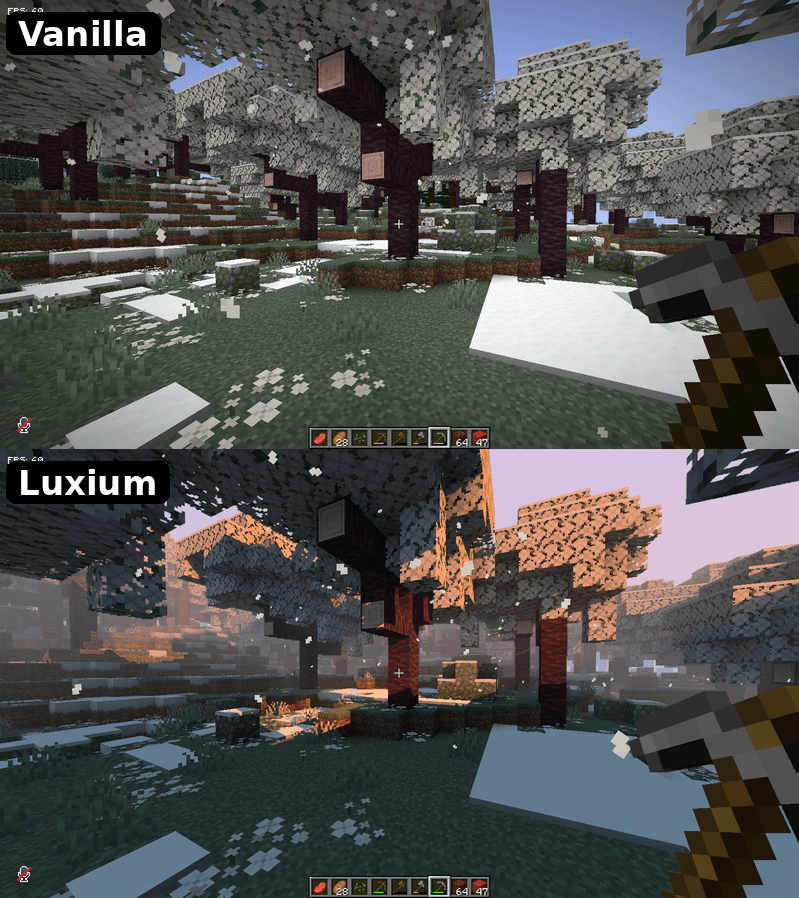
Screenshots
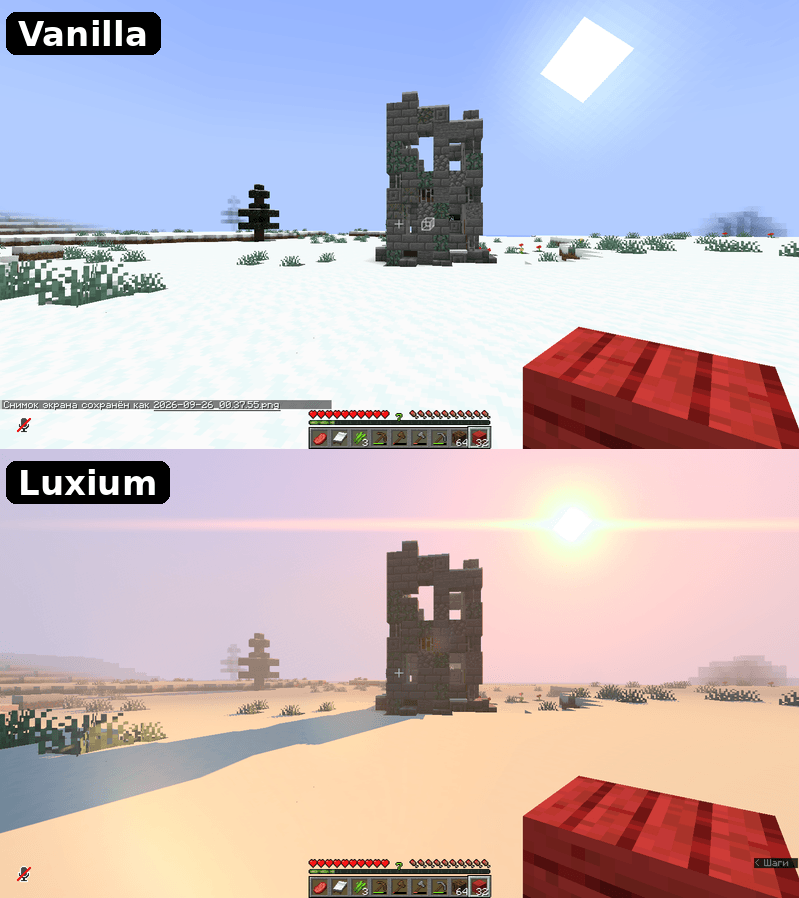
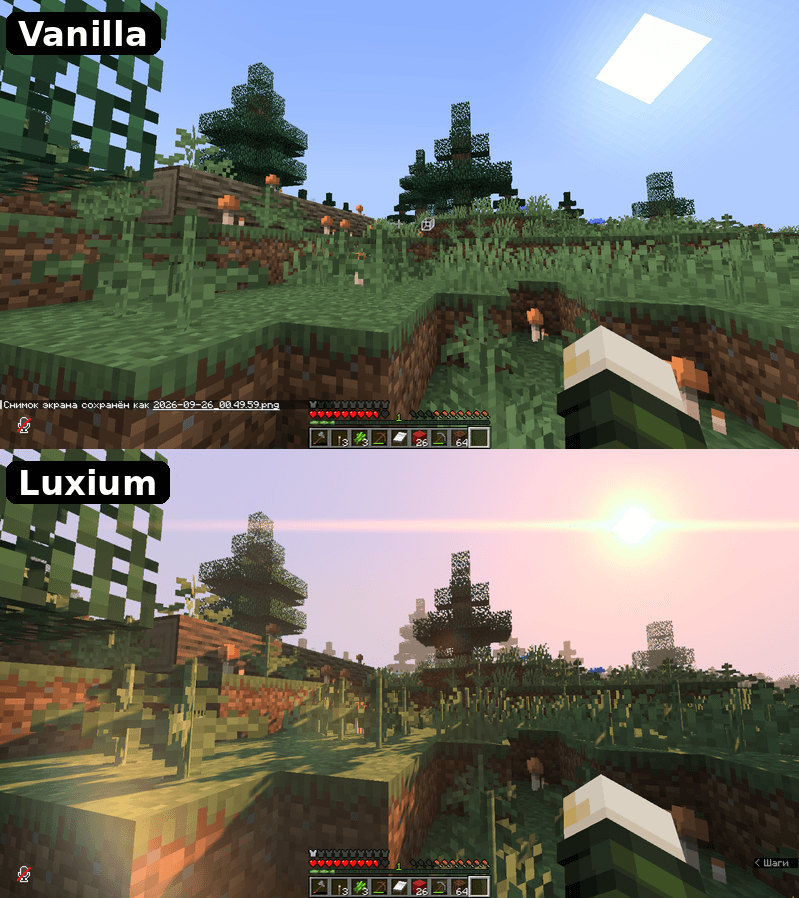
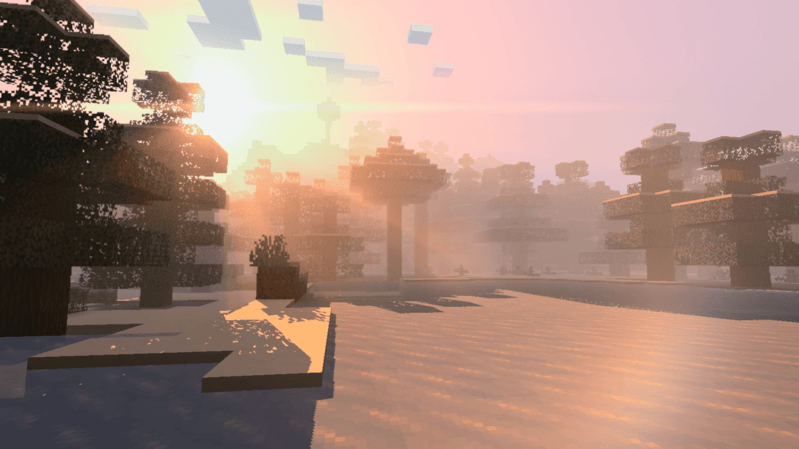
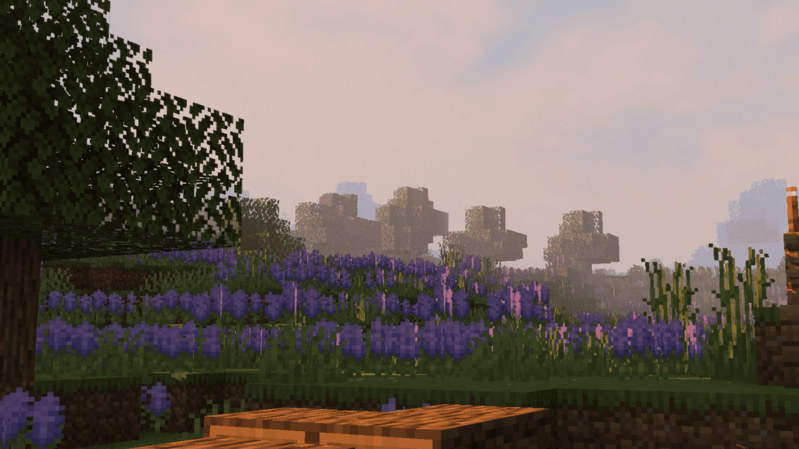
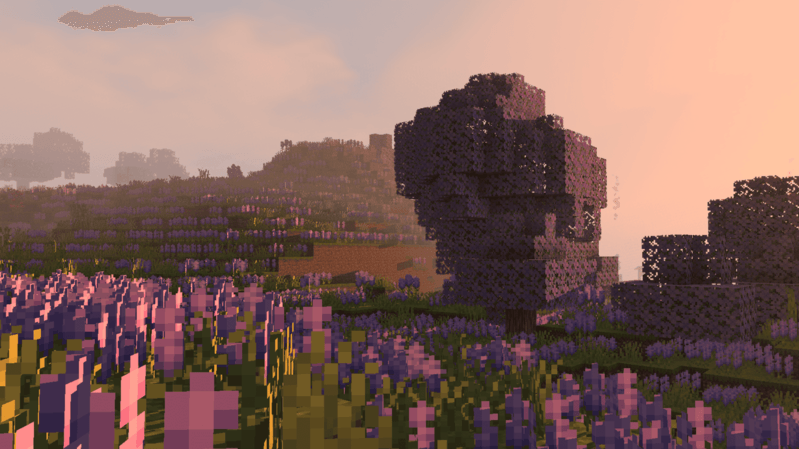
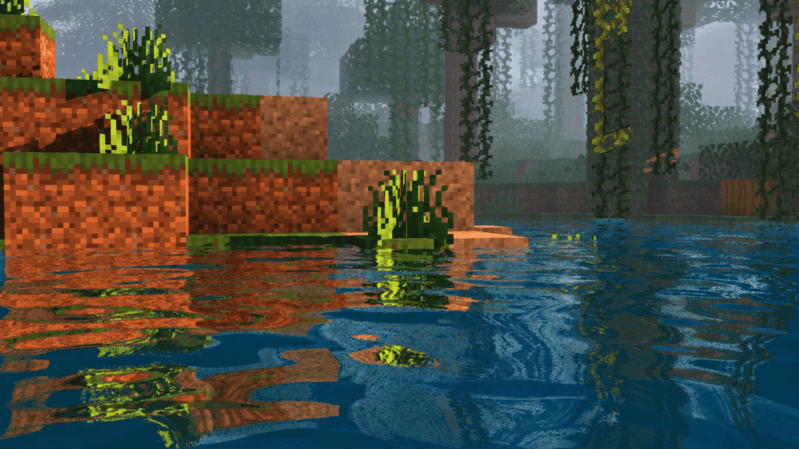
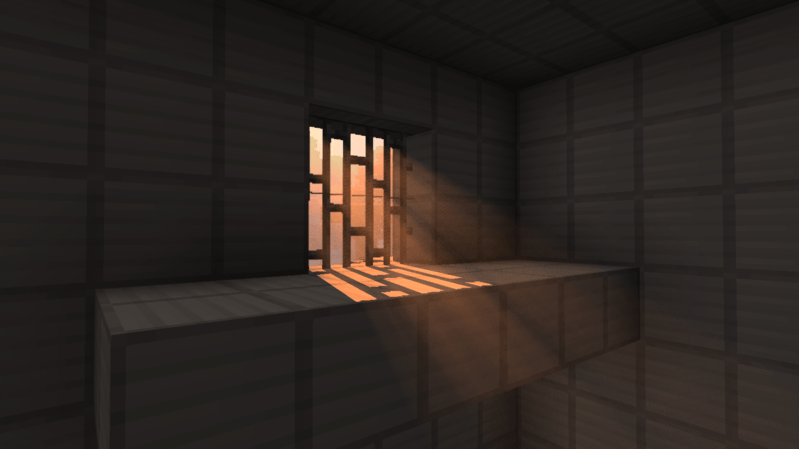
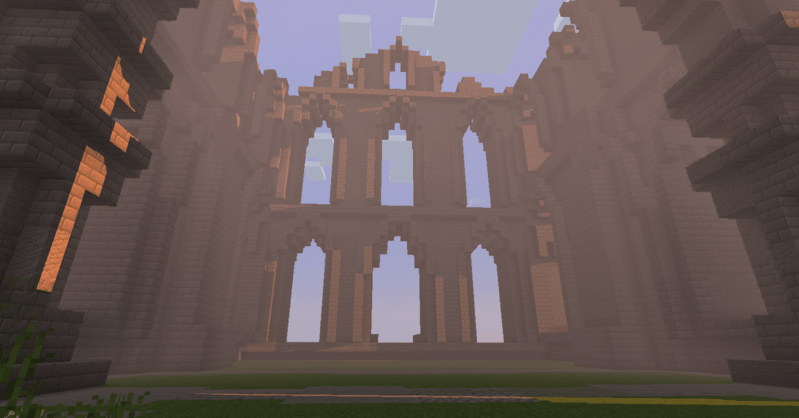
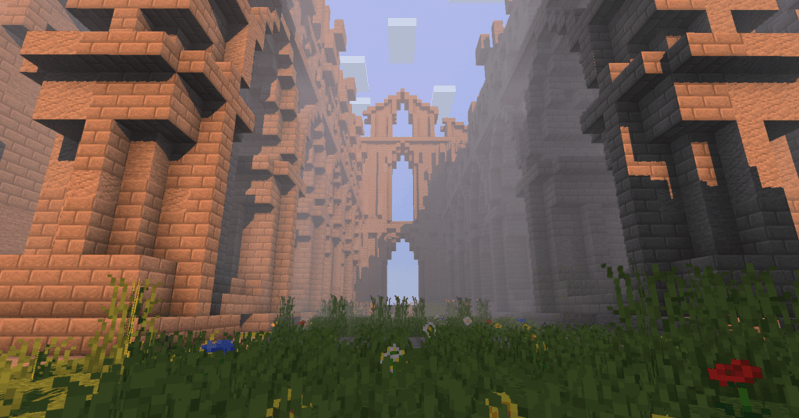
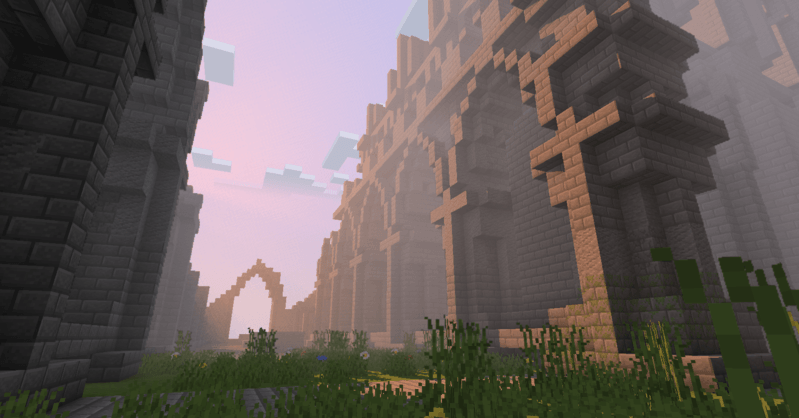
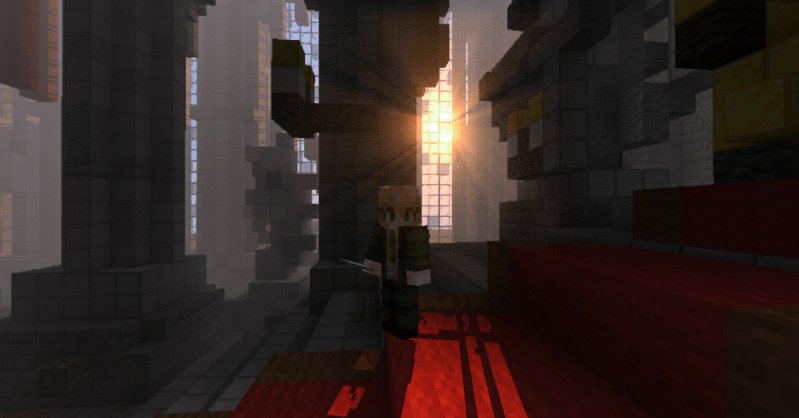
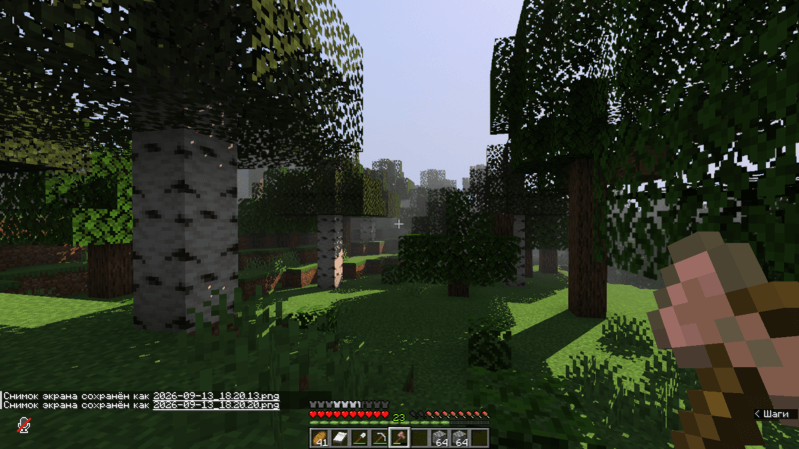
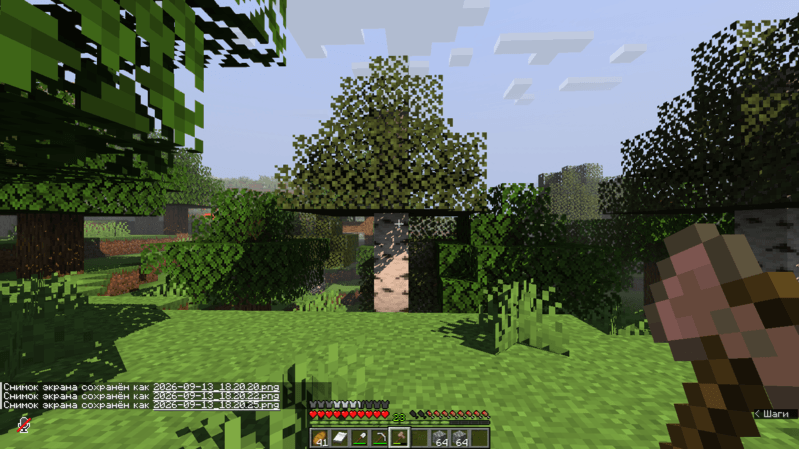
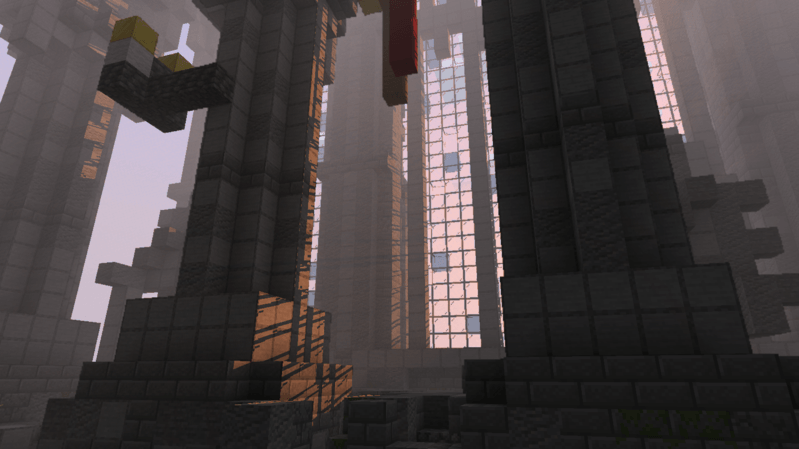
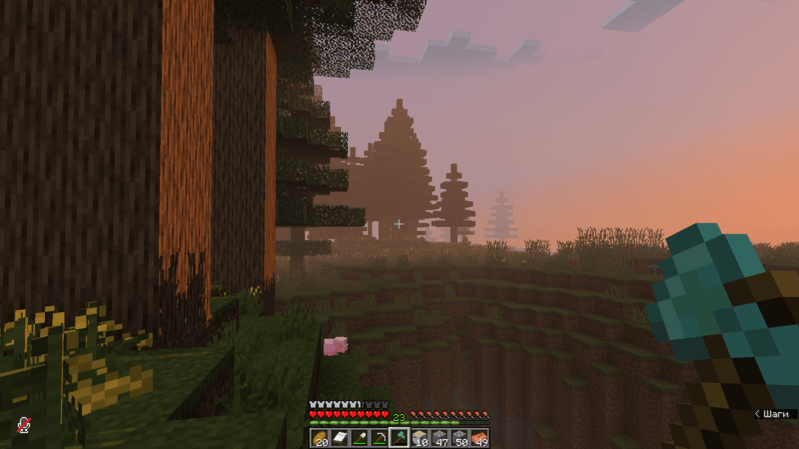
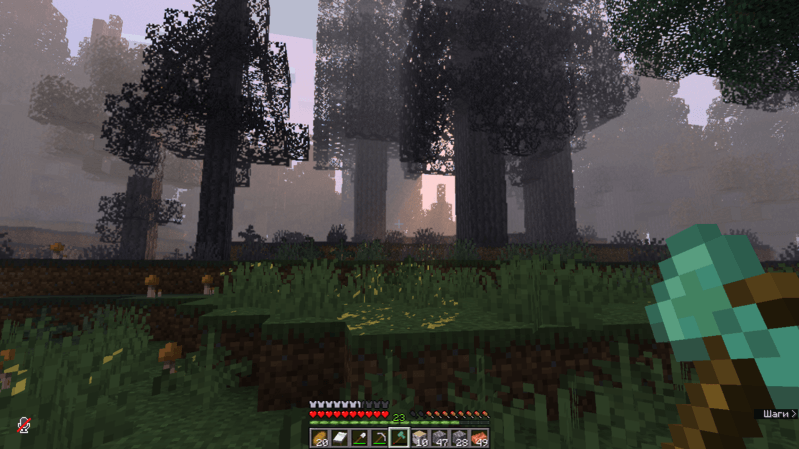
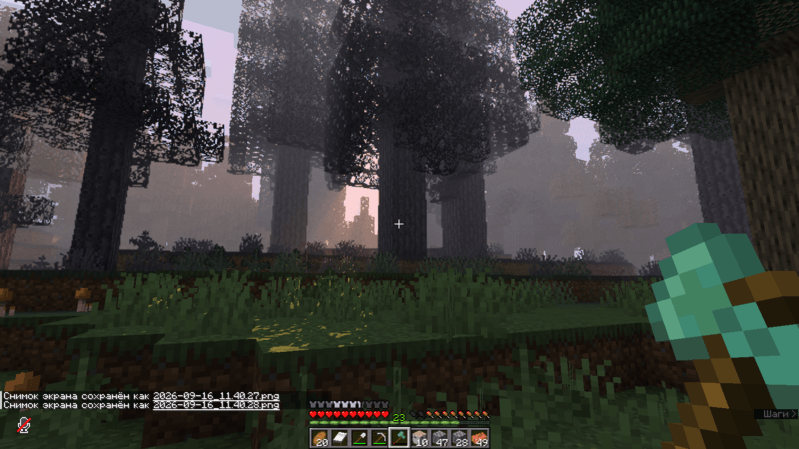
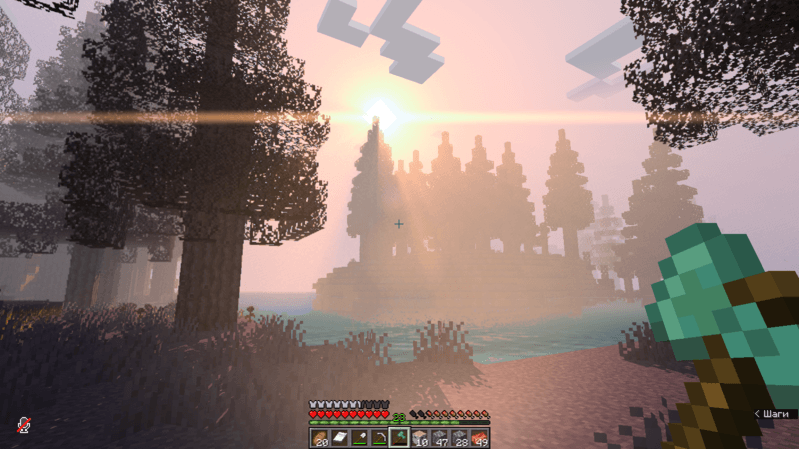
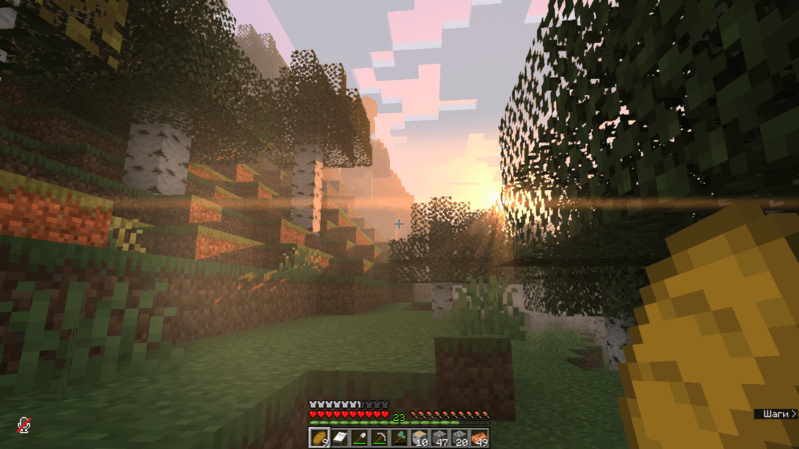
TESTS (YouTube video)
IF IT DOESN’T WORK OR CRASHES:
-
Double-check your Forge version. It should be 47.4.10 (it may also work on 47.4.20).
-
Embeddium should be version embeddium-0.3.31+mc1.20.1
常见问题
Luxium: Let there be light 支持哪些 Minecraft 版本?
Luxium: Let there be light 支持 Minecraft Java 版 1.20.1,可用的加载器:Fabric / Forge。下载时注意选择和你游戏版本一致的文件。
Luxium: Let there be light 怎么安装?
先用 PCL2 或 HMCL 启动器安装对应版本的 Fabric / Forge,再把下载的 .jar 文件放进游戏目录的 mods 文件夹,重新启动游戏即可。开启了版本隔离的,mods 文件夹在 versions/版本名 下面。
Vinlanx 的其他作品
查看全部 →
Explosion Overhaul: A new level of destruction
by Vinlanx
(模组仍在积极开发中,敬请期待)这款模组对 Minecraft 的爆炸效果进行了全面改造,带来更真实的体验:根据距离和环境变化的独特音效、切实可感的震动、逼真的视觉效果、等离子火花和火焰云。前所未有地感受爆炸的破坏力!
257.7万
3 个月前
Modrinth · CurseForge

Gunfire Overhaul: Echoes of the Battlefield
by Vinlanx
枪火大修:战场回响——一个为众多武器模组打造的附属,添加逼真的远处枪声与火炮声,营造回声效果与深度沉浸的战场氛围。
210.7万
5 个月前
Modrinth · CurseForge

Velocity Blur
by Vinlanx
Velocity Blur adds a speed-based motion blur effect while you move. Client-side only
4.4万
9 个月前
CurseForge
Capture of zones
by Vinlanx
This mod allows you to create points and capture them
1.9万
9 个月前
CurseForge
评论
登录后评论和评分