
Lux Comapnion
Customizable glowing companions that follow you and light your way. Choose fairies, drones, lanterns and more, recolor and resize them in-game, or add your own GeckoLib models — client-side dynamic lighting
截图
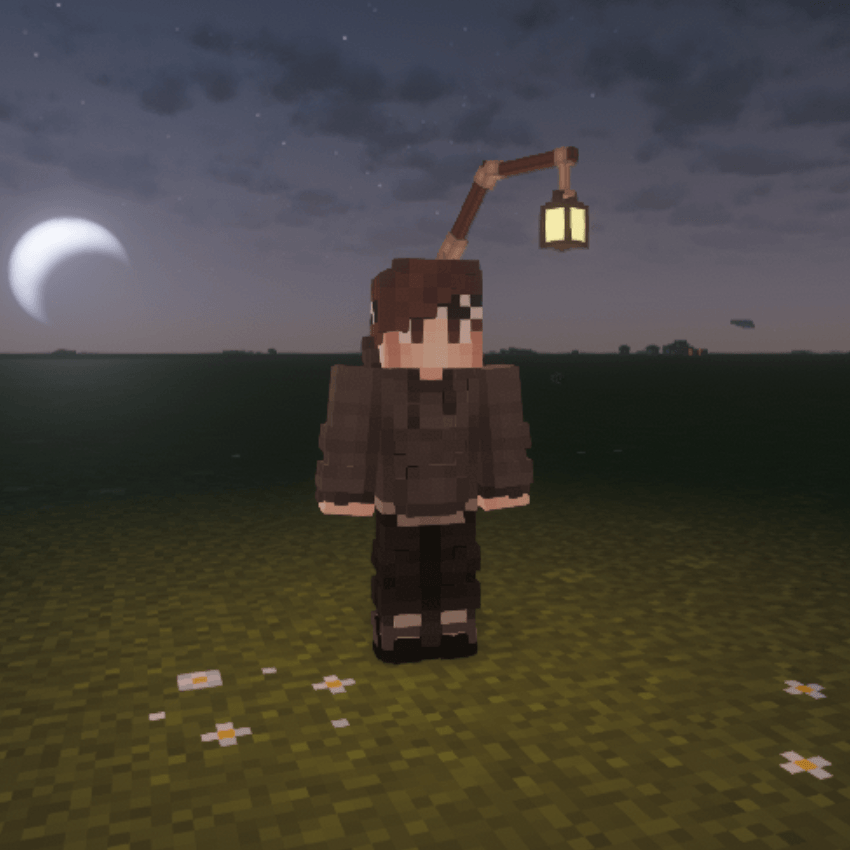
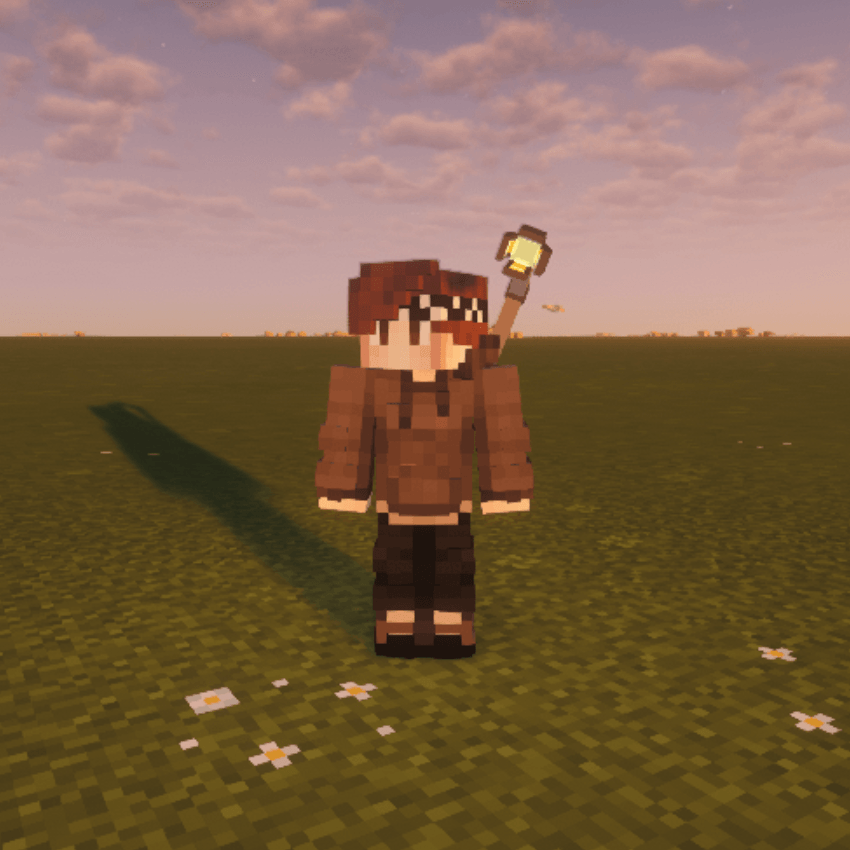
介绍
✨ LuxCompanion
A living light that follows you everywhere.
Never walk in the dark alone. LuxCompanion gives you a personal, glowing companion that trails you through the world — lighting your path, reacting to your every move, and looking exactly how you want it to. Pick an archetype, dial in a color, and carry a light source with personality. It’s fully client-side, so you can enjoy it on any server without asking an admin for anything.
🌟 Meet the companions
Seven built-in archetypes, each with its own idle animation and character:
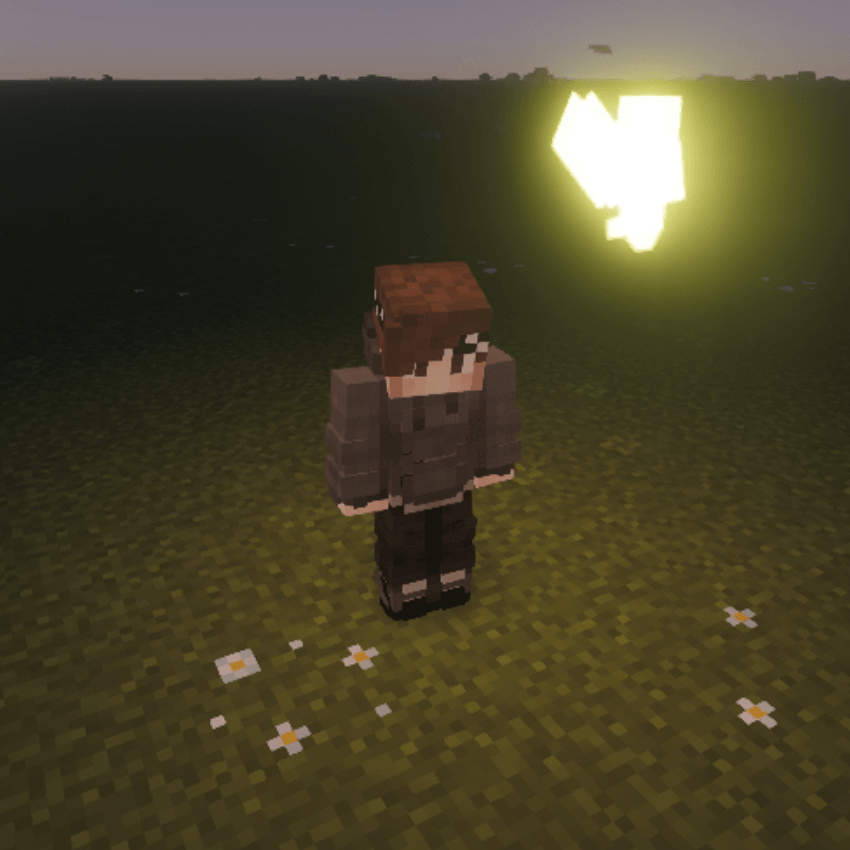
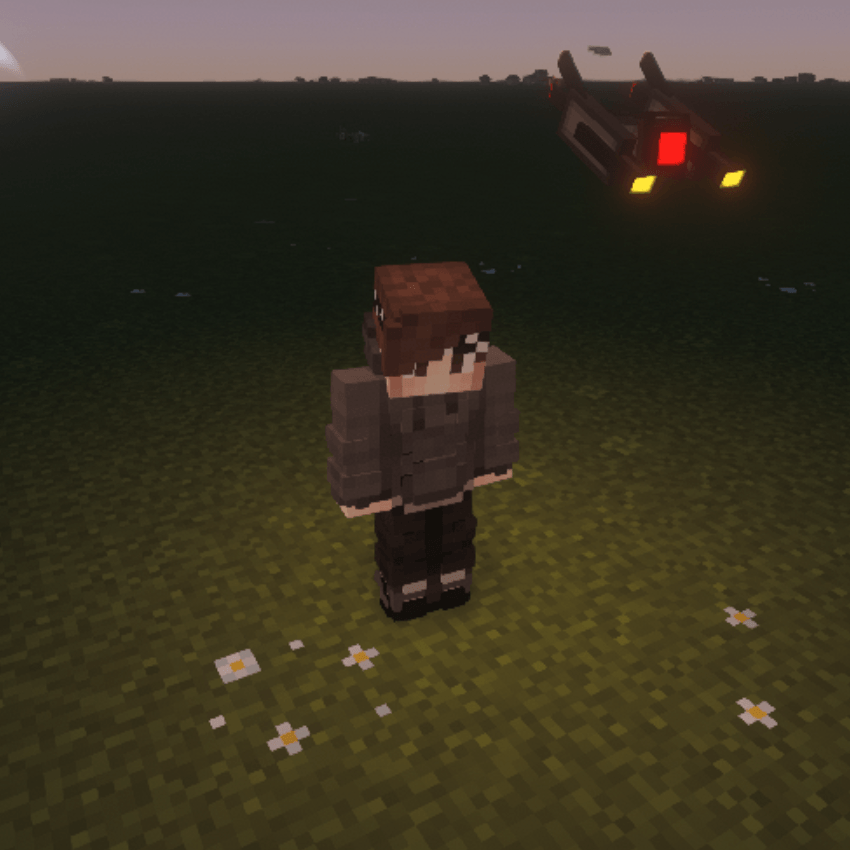
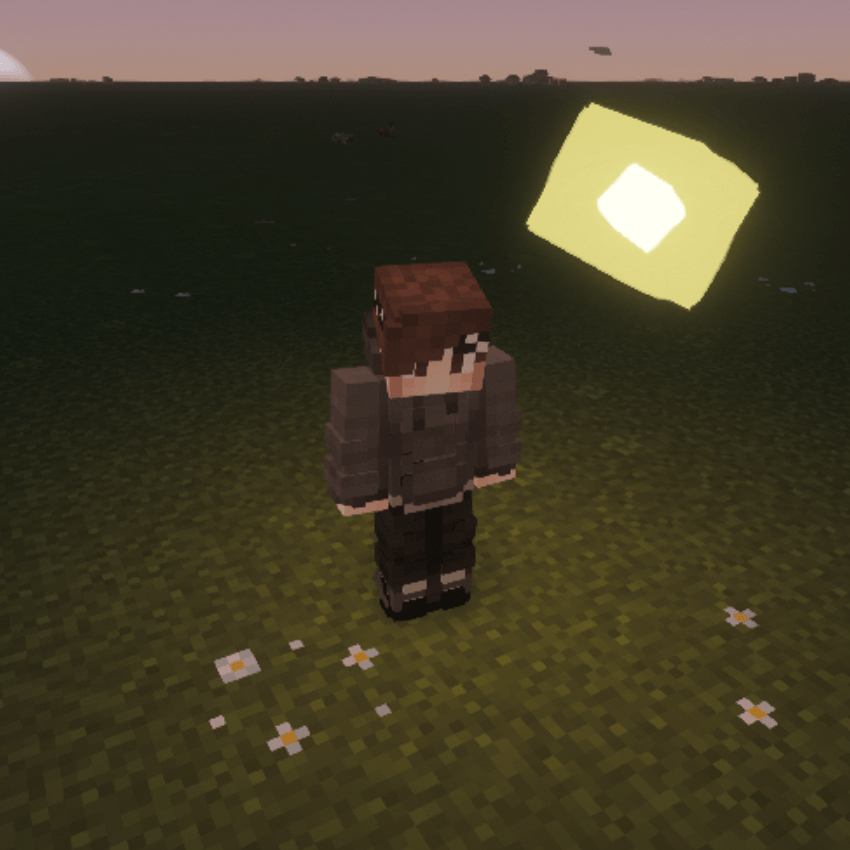
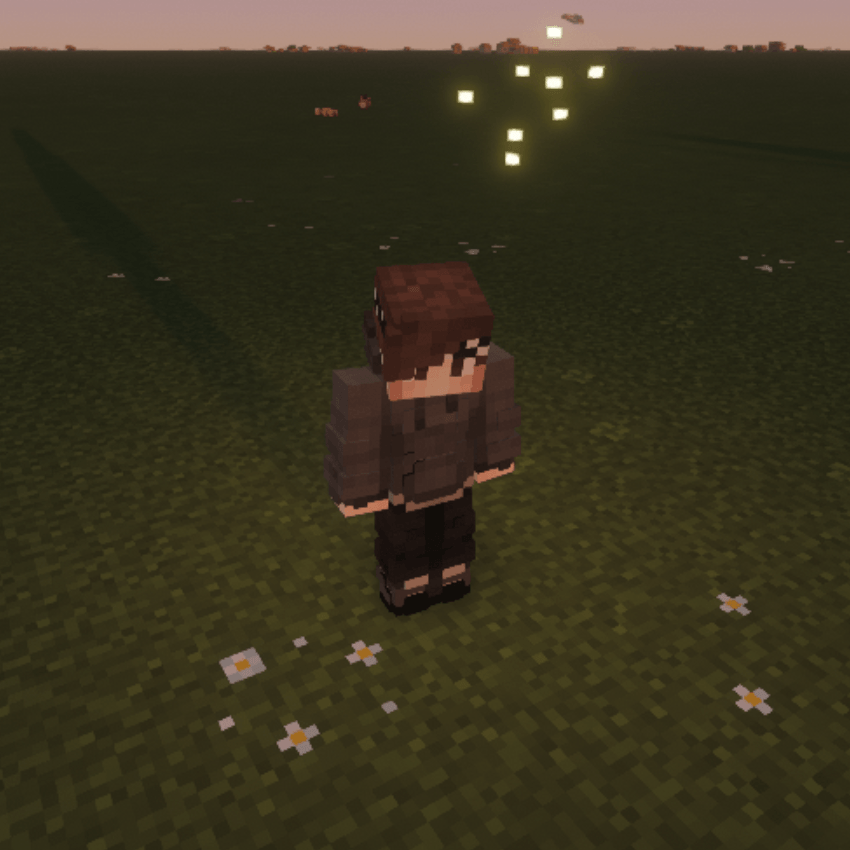
Floating — hover beside you with lifelike, physics-driven motion:
The Fairy — a small, glowing fairy

The Drone — a floating mechanical drone

The Wisp — wandering wisp, slowly spinning as it hovers

The Swarm — a tiny cluster of glowing motes drifting together

Worn — rigidly attached, moving as one with your body:
The Lantern — a lantern carried on your back

The Beacon — a back-mounted scanner

The Bulb — a glowing bulb perched on your head

🔦 A real light source
Companions emit dynamic light (powered by LambDynamicLights), so yours genuinely illuminates caves, ravines, and late-night builds. Optional automation keeps it effortless:
🎨 The Companion Workbench
Press O to open the Workbench and make your companion yours:
Archetype selector — swap between all seven freely
Color matrices — full RGB tint with quick-pick presets
Behavior profile — Steady (calm and close), Orbit (circles you), or Agile (snappy and reactive) (w.i.p)
Transform sliders — fine-tune size, position (X/Y/Z), and rotation (X/Y/Z)
Press L anytime to toggle your companion’s light on or off.
🛠️ Bring your own companion
Creators can add fully custom companions — no coding required. Drop a folder into .minecraft/luxcompanion/companions/ with a GeckoLib model, texture, animation, and an optional glow mask:
my_dragon/
companion.json { “id”: “my_dragon”, “name”: “My Dragon”, “mount”: “back” }
model/my_dragon.geo.json
textures/my_dragon.png
textures/my_dragon_glowmask.png (optional — the glowing parts)
animations/my_dragon.animation.json
Float beside the player or ride worn on the back
Jiggle physics — name any bone …_physics and it sways naturally as you move, start, stop, and turn (great for hanging lanterns, ropes, charms)
Emissive glow masks, colorable with the same tint controls
Two ready-to-edit example companions are generated on first launch to learn from
👥 Multiplayer
Your companion is client-side and yours to see by default. (Currently working on server sync to see each others companions)
📦 Requirements
GeckoLib
LambDynamicLights
常见问题
Lux Comapnion 支持哪些 Minecraft 版本?
Lux Comapnion 支持 Minecraft Java 版 1.21.1,可用的加载器:Fabric / NeoForge。下载时注意选择和你游戏版本一致的文件。
Lux Comapnion 怎么安装?
先用 PCL2 或 HMCL 启动器安装对应版本的 Fabric / NeoForge,再把下载的 .jar 文件放进游戏目录的 mods 文件夹,重新启动游戏即可。开启了版本隔离的,mods 文件夹在 versions/版本名 下面。运行环境:客户端 / 服务端。
SappyEddie 的其他作品
查看全部 →
Simply Tents
Simply Tents 让你在 Minecraft 的任何地方露营!制作帐篷,还能染成你喜欢的颜色!

Valkyrien Skies Eureka Integrated Ships
Ship structures with Eureka! Ships! for Valkyrien Skies integration

Cobblemon: Tents
Adds Tents to Cobblemon

Cobblemon: Tents
Adds Tents
评论
登录后评论和评分