
LT-BetterPVP
Simple modification to add better animations and features to pvp in minecraft
截图
介绍
LT-BetterPVP – Minecraft Mod
📌 Description
LT-BetterPVP is a mod dedicated to PvP gameplay that enhances your experience with custom animations, improved aiming, and additional informational features. The mod introduces, among other things:
- Custom Sword Animation – Unique sword animations in various styles that make your swings look impressive.
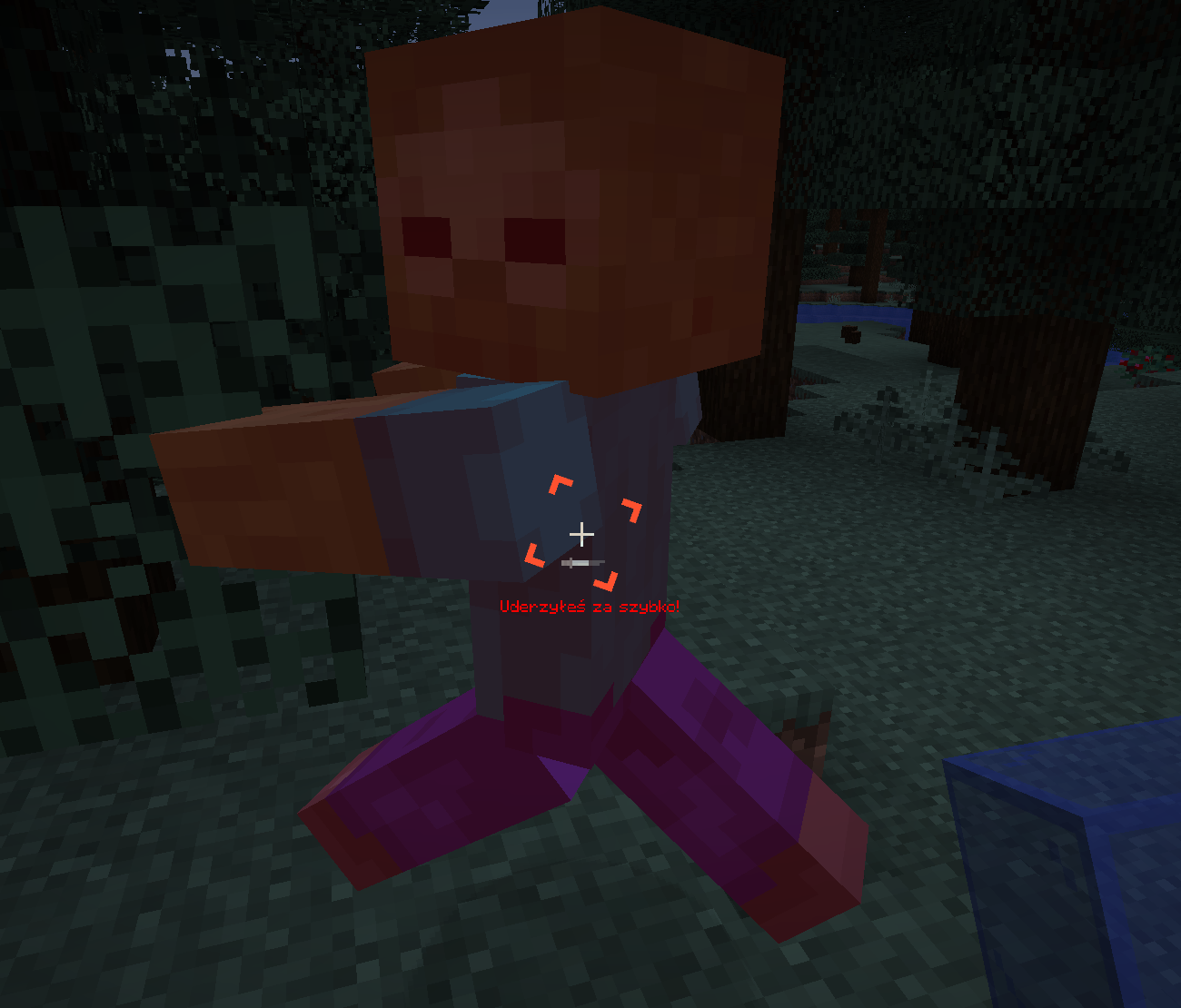
- Attack Delay Tutor – A system that warns you when an attack is executed too quickly (before the attack is fully charged). The warning is displayed under the crosshair as text (with the option to disable it) and a sound is played (also optionally).
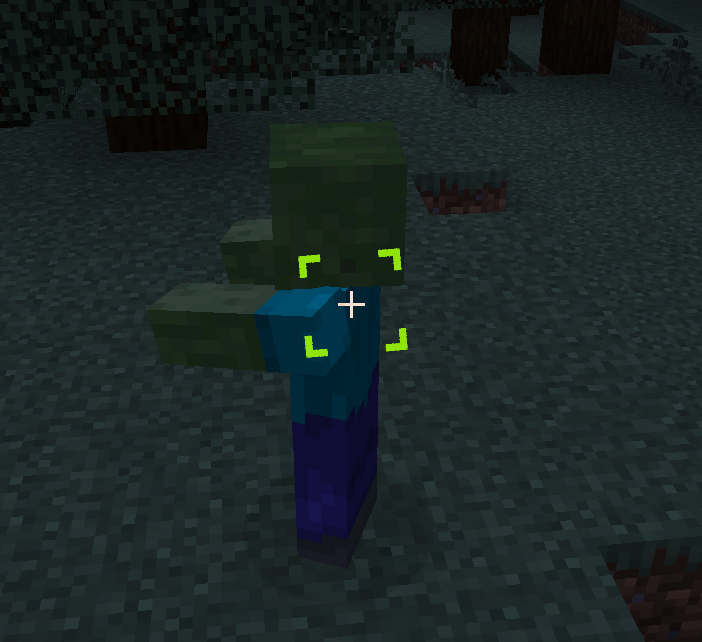
- Cursor ESP – Additional visual options to aid in aiming.
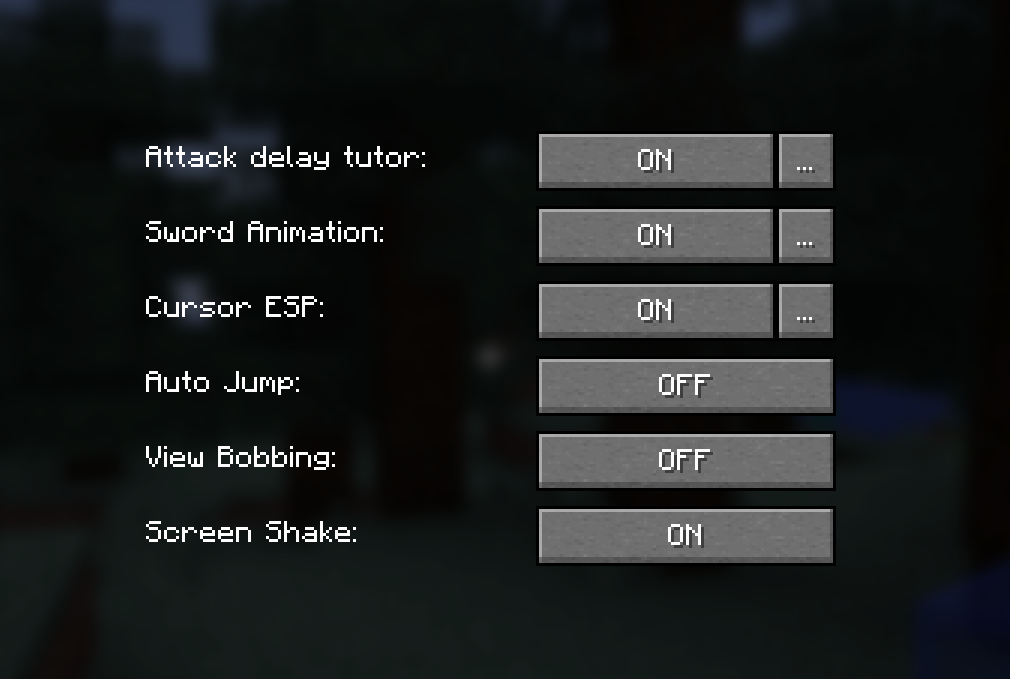
- Other Game Settings – Including Auto Jump, View Bobbing, Screen Shake, and Full Bright.
The mod automatically saves your settings to a configuration file, ensuring that your preferences persist between game sessions.
✨ Features
- Custom Sword Animation – Choose the animation style (BASIC_SWING, BASIC_CLAP, SWIPE_IN, SWIPE_OUT, NO_SWING).
- Attack Delay Tutor – Informs the player about attacking too quickly:
- Text: Displayed under the crosshair (can be enabled/disabled).
- Sound: Played when the attack is too fast (can be enabled/disabled).
- Cursor ESP – Visual options to improve aiming.
- Settings GUI – An intuitive graphical interface for editing all options.
- Command Support – Quick access to mod information and configuration through client-side commands.
- Automatic Saving – All changes are saved to a configuration file.
🛠️ Available Versions
Available releases:
- 🟢 1.18.2 – Download from GitHub
- 🟢 1.19.2 – Download from GitHub
- 🟢 1.19.4 – Download from GitHub
- 🔷 1.21.1 – Download from GitHub
- 🔷 1.21.3 – Download from GitHub
- 🔷 1.21.4 – Download from GitHub
- 🔴 1.21.5 – Coming soon
🔷 – Latest updates and fixes
📜 Commands
| Command | Description |
|———————-|————————————————————-|
| /ltb | Displays mod information and current settings |
| /ltb settings | Opens the mod settings GUI |
| /ltb pomoc | Displays a list of available commands |
| /ltb config save | Saves the current configuration |
| /ltb config reload | Loads the configuration from the file |
🔧 Installation
- Download the latest version of the mod from GitHub.
- Place the
.jarfile in themodsfolder in your Minecraft directory. - Launch the game and configure the mod according to your preferences!
🛠 Configuration
After the first launch, the mod generates a configuration file:
.minecraft/config/LT-Mods/LT-BetterPVP/ltbetterpvp-config.json
This file stores all the settings, including:
- Custom Sword Animation (style and offsets)
- Attack Delay Tutor (enabled/disabled, text and sound options)
- Cursor ESP
- Other game settings (Auto Jump, View Bobbing, Screen Shake, Full Bright)
👥 Authors
- LordTricker – Main mod creator
- Mr. GPT – Subject matter support 🤖
🎉 Thank you for using LT-BetterPVP!
“Bierzcie i korzystajcie z tego wszyscy – to jest bowiem praca moja, która dla was została wykonana”
~LordTricker
常见问题
LT-BetterPVP 支持哪些 Minecraft 版本?
LT-BetterPVP 支持 Minecraft Java 版 1.18.2–1.21.11,共 19 个版本,可用的加载器:Fabric。下载时注意选择和你游戏版本一致的文件。
LT-BetterPVP 怎么安装?
先用 PCL2 或 HMCL 启动器安装对应版本的 Fabric,再把下载的 .jar 文件放进游戏目录的 mods 文件夹,重新启动游戏即可。开启了版本隔离的,mods 文件夹在 versions/版本名 下面。运行环境:仅客户端。
LordTricker 的其他作品
查看全部 →
LT-Rynek
An amateur mod designed to simplify market operations on various Minecraft servers. It enables fast management of trading profiles, as well as adding and removing items, and browsing available offers.

LT-SlotLock
Modification for Minecraft that enables easy management of inventory slot locking and item frame locking. With its intuitive graphical user interface and convenient commands, you can quickly adjust the settings to suit your ne

LT-Hearts
LT-Hearts adds clear heart bars above players heads and optional damage animations, allowing you to quickly assess the state of a PvP fight. The mod works client-side and provides a simple GUI for configuration.
LT-Hearts
LT-Hearts adds clear heart bars above players heads and optional damage animations, allowing you to quickly assess the state of a PvP fight. The mod works client-side and provides a simple GUI for configuration.
评论
登录后评论和评分