
Loot Table Manager
LootTable Manager is a Minecraft mod that allows you to add, replace, or customize loot tables for any block that contains an inventory, including vanilla blocks and blocks added by other mods (furniture, cupboards, drawers, shelves, etc.).
截图

介绍
📦 LootTable Manager
LootTable Manager is a Minecraft mod that allows you to add, replace, or customize loot tables for any block that contains an inventory, including vanilla blocks and blocks added by other mods (furniture, cupboards, drawers, shelves, etc.).
The mod is designed to give server owners and modpack creators full control over loot generation using simple and clean JSON configuration files, without needing datapacks or code changes.
✨ Features
- ✔ Add or override loot tables for any inventory-based block
- ✔ Works with vanilla and modded blocks
- ✔ Fully configurable loot (items, weights, rolls, counts)
- ✔ Per-block loot respawn cooldown system
- ✔ Simple JSON-based configuration
- ✔ Ideal for RPG, survival, apocalypse, and roleplay servers
⚙️ How It Works
📁 Loot Tables
Each loot table is defined in a JSON file named exactly after the block ID.
Example file name:
This file controls the loot generated inside:
🧪 Example Loot Table
🔹 This loot table randomly generates books, paper, and rare items inside the block.
🔹 weight controls item probability.
🔹 rolls defines how many items are selected per interaction.
⏱ Loot Respawn Cooldown
Loot respawn is controlled by a dedicated JSON file.
Each block can have its own cooldown time (in seconds) before the loot can regenerate.
🧾 Example Cooldown File
(cooldown.json)
180= loot respawns after 3 minutes120= loot respawns after 2 minutes90= loot respawns after 1.5 minutes
This system prevents infinite farming and allows balanced, immersive gameplay.
🎯 Use Cases
- 🧟 Apocalypse / zombie survival servers
- 🏹 RPG and adventure maps
- 🏠 Furniture mods with functional storage loot
- 🌍 Custom survival experiences
- 🛠 Modpacks with controlled loot economy
🧠 Design Philosophy
Powerful customization with zero coding.
LootTable Manager focuses on flexibility, simplicity, and compatibility, making it easy to integrate into any modded Minecraft environment.
常见问题
Loot Table Manager 支持哪些 Minecraft 版本?
Loot Table Manager 支持 Minecraft Java 版 1.20.1–1.20.6,共 6 个版本,可用的加载器:Forge。下载时注意选择和你游戏版本一致的文件。
Loot Table Manager 怎么安装?
先用 PCL2 或 HMCL 启动器安装对应版本的 Forge,再把下载的 .jar 文件放进游戏目录的 mods 文件夹,重新启动游戏即可。开启了版本隔离的,mods 文件夹在 versions/版本名 下面。运行环境:客户端和服务端都要装。
luigipower5798 的其他作品
查看全部 →
Apocalypse food
这个 Minecraft 模组新增了多种食物,为饥饿值管理和增益效果提供丰富选择。
NeonLight
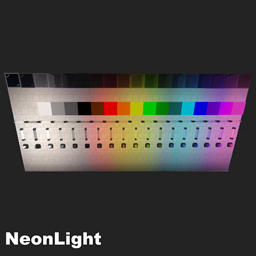
NeonLight is a Minecraft Forge mod for version 1.20.1 that adds colorful neon lights to illuminate your creations and decorate your builds. Version 1.1
Loot Table Manager
LootTable Manager is a Minecraft mod that allows you to add, replace, or customize loot tables for any block that contains an inventory, including vanilla blocks and blocks added by other mods (furniture, cupboards, drawers, shelves, etc.).

Better Compass Azimut
🧭 Better Compass Better Compass is a lightweight and fully configurable Minecraft mod that adds a modern compass HUD at the top of the screen. It displays the cardinal directions (N • E • S • W) along with the exact facing angle in degrees
评论
登录后评论和评分