Loot Table & Item Tag Editor GUI
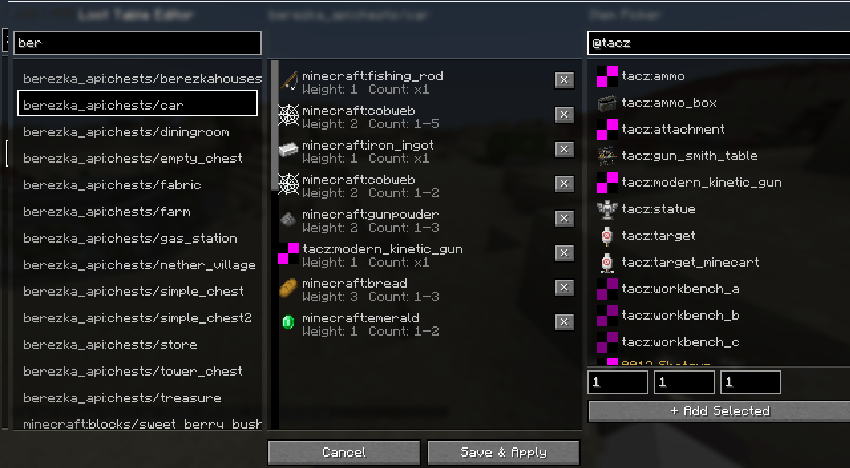
An in-game editor for changing item tags and loot tables on the fly, all managed through datapacks created by the mod.
截图
介绍
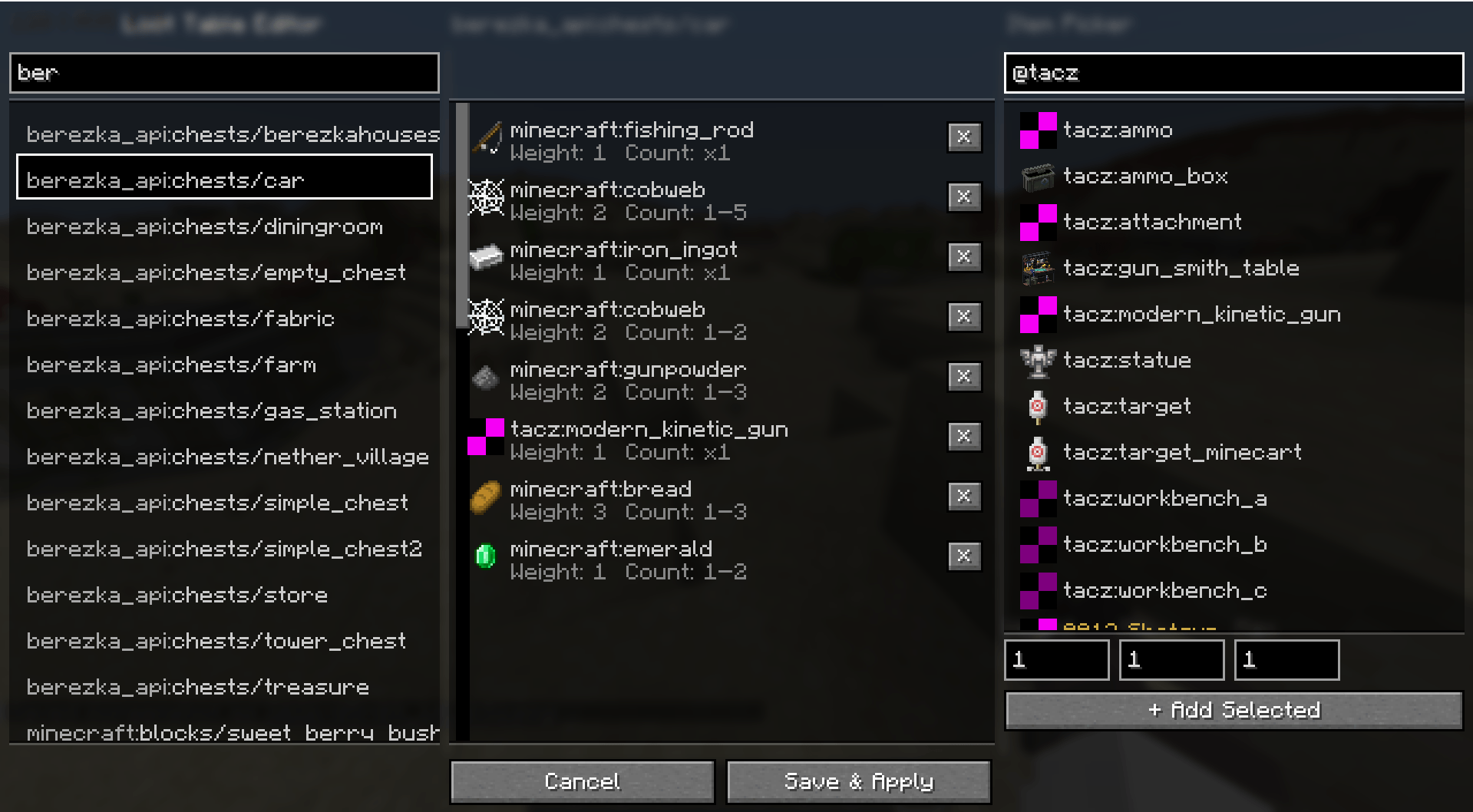
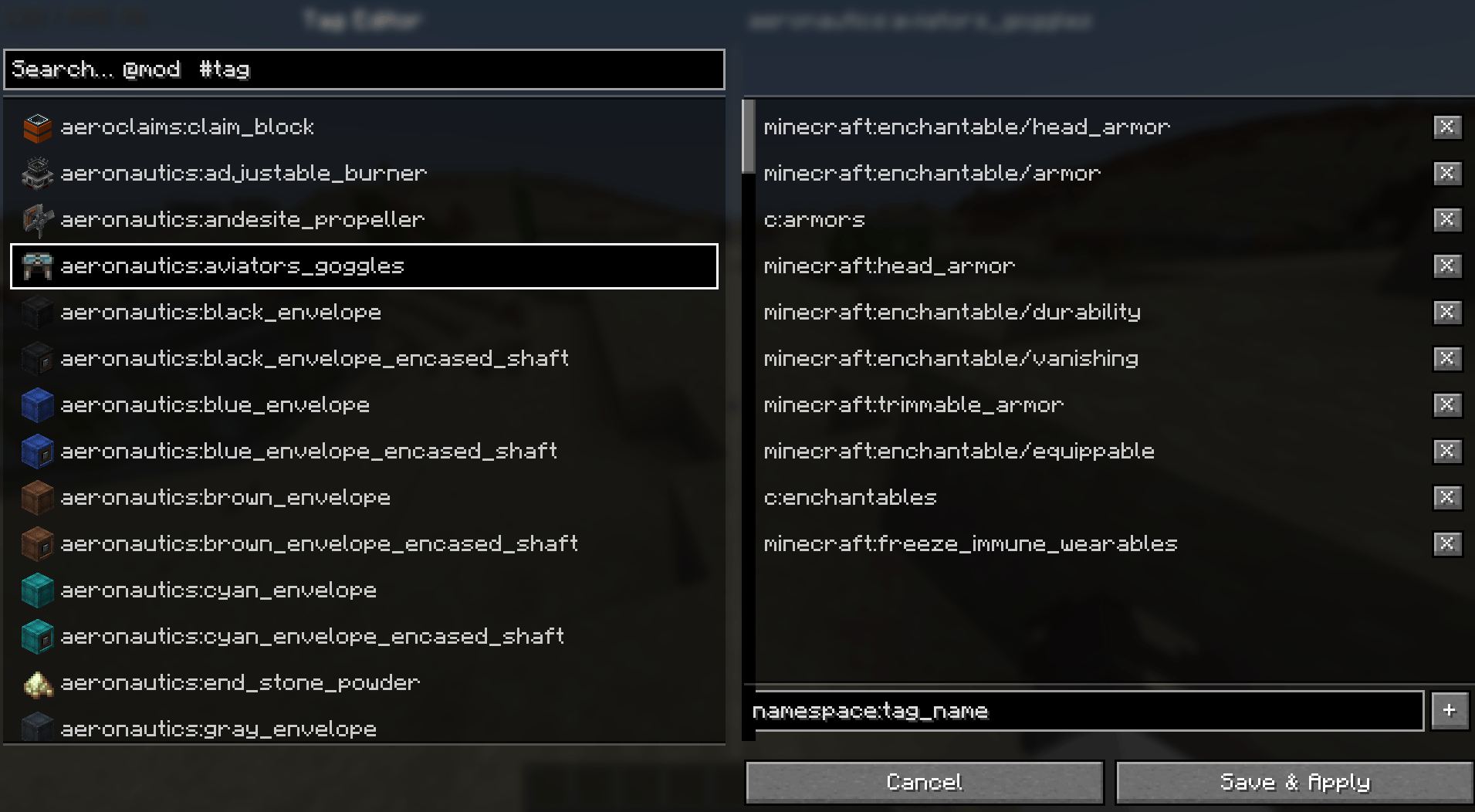
LOOT TABLE & ITEM TAG GUI EDITOR
FEATURES:
*Keybinds to open both the Item Tag Editor & the Loot Table Editor
*Search functions for both screens to make finding items easier
*Support for Custom Data items (specifically TacZ weapons, but should allegedly work with other items that follow the custom data workflow)
*Non-destructive workflow – Changes are made and saved via datapacks, so if you accidentally removed every item from a loot table, you just have to locate your created datapack in your world/datapacks folder.
Known Bugs/Incompatability:
None currently, but I’ll be tracking and watching to add here.
常见问题
Loot Table & Item Tag Editor GUI 支持哪些 Minecraft 版本?
Loot Table & Item Tag Editor GUI 支持 Minecraft Java 版 1.21.1,可用的加载器:NeoForge。下载时注意选择和你游戏版本一致的文件。
Loot Table & Item Tag Editor GUI 怎么安装?
先用 PCL2 或 HMCL 启动器安装对应版本的 NeoForge,再把下载的 .jar 文件放进游戏目录的 mods 文件夹,重新启动游戏即可。开启了版本隔离的,mods 文件夹在 versions/版本名 下面。
评论
登录后评论和评分