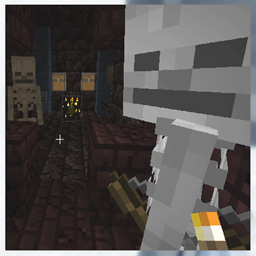
截图
介绍
This mod will allow a modpack builder or server operator to control loot in their world. The major features are
* Ability to specify a bonus loot table based on difficulty. The default difficulty is distance from worldspawn.
* Integration with Harder Farther Core will allow more complex difficulty types based on distance from grim areas or life areas.
* This can optionally add extra loot to mobs.
* This can optionally add extra loot to containers with desired looting tables.
This code was originally part of the Harder Farther Mod. That mod became too large so I’m breaking it into several smaller mods.
Configuration
Here are the default configuration values. I’ll add more documentation as I answer questions.
[“Looting Control Values”]
#Generate LootingTableReport.txt
generateReports = true
#Generate Ogre and Life Saving Potions.txt
generatePotions = true
[“Looting Control Values”.”Debug Settings”]
#Debug Level: 0 = Off, 1 = Log, 2 = Chat+Log #Range: 0 ~ 2
debugLevel = 0
[“Looting Control Values”.”Loot Settings”]
#loot boost distance: Meters before 100% loot boost
#Range: 1000 ~ 60000000
lootBoostDistance = 30000
#Use enhanced harder farther loot?
useLootDrops = true
#oddsDropExperienceBottle: Chance to drop 1 experience bottle.
#Range: 0 ~ 100
oddsDropExperienceBottle = 33
#Loot Items List
lootItemsList =
[“r,23,minecraft:netherite_scrap,1,1”, “r,1,minecraft:nether_wart,1,2”, “r,1,minecraft:music_disc_far,1,1”, “u,2,minecraft:nether_wart,1,1”, “u,3,minecraft:golden_carrot,1,1”, “u,12,minecraft:diamond,1,1”, “u,5,minecraft:emerald,1,3”, “u,3,minecraft:oak_planks,1,5”, “u,1,minecraft:book,1,1”, “u,1,minecraft:gold_ingot,1,1”, “u,2,minecraft:chicken,1,2”, “u,5,minecraft:glowstone_dust,1,2”, “u,1,minecraft:lead,1,1”, “u,5,minecraft:stone_axe,1,2”, “u,3,minecraft:stone_pickaxe,1,1”, “u,1,minecraft:iron_axe,1,1”, “u,1,minecraft:beetroot_seeds,1,1”, “c,3,minecraft:leather_boots,1,1”, “c,2,minecraft:gold_nugget,1,3”, “c,2,minecraft:candle,1,2”, “c,5,minecraft:baked_potato,1,2”, “c,2,minecraft:fishing_rod,1,1”, “c,5,minecraft:cooked_cod,1,3”, “c,3,minecraft:string,1,2”, “c,3,minecraft:iron_nugget,1,3”, “c,3,minecraft:honey_bottle,1,2”, “c,3,minecraft:stick,1,3”, “c,1,minecraft:emerald,1,1”, “c,1,minecraft:paper,1,2”]
#Loot Items List
“bonusChestLootList ” =
[“01,minecraft:stone_pickaxe,1,1”, “02,minecraft:stone_axe,1,1”, “03,minecraft:leather_helmet,1,1”, “04,minecraft:leather_chestplate,1,1”, “05,minecraft:leather_leggings,1,1”, “06,minecraft:leather_boots,1,1”, “07,minecraft:tipped_arrow,12,18”, “08,minecraft:emerald,2,5”, “09,minecraft:iron_pickaxe,1,1”, “10,minecraft:chainmail_helmet,1,1”, “11,minecraft:chainmail_chestplate,1,1”, “12,minecraft:chainmail_leggings,1,1”, “13,minecraft:chainmail_boots,1,1”, “14,minecraft:lapis_lazuli,7,11”, “15,minecraft:honey_bottle,1,2”, “16,minecraft:glowstone,7,9”, “17,minecraft:iron_shovel,1,1”, “18,minecraft:iron_axe,1,1”, “19,minecraft:cooked_beef,1,5”, “20,harderfarther:burnishing_stone,1,1”, “21,minecraft:obsidian,1,3”, “22,minecraft:emerald,1,6”, “23,minecraft:diamond,1,1”, “24,minecraft:iron_helmet,1,1”, “25,minecraft:iron_chestplate,1,1”, “26,minecraft:iron_leggings,1,1”, “27,minecraft:iron_boots,1,1”, “28,minecraft:iron_axe,1,1”, “29,minecraft:glowstone_dust,11,23”, “30,minecraft:moss_block,1,1”, “31,minecraft:nautilus_shell,1,1”, “32,minecraft:cooked_mutton,1,1”, “33,minecraft:amethyst_block,13,18”, “34,minecraft:budding_amethyst,1,1”, “35,minecraft:potion,1,1”, “36,minecraft:glow_squid_spawn_egg,1,1”, “37,minecraft:golden_apple,1,1”, “38,minecraft:jack_o_lantern,1,6”, “39,minecraft:end_rod,1,3”, “40,harderfarther:burnishing_stone,1,2”, “41,minecraft:end_stone_bricks,11,20”, “42,minecraft:amethyst_shard,11,17”, “43,minecraft:diamond_helmet,1,1”, “44,minecraft:diamond_chestplate,1,1”, “45,minecraft:diamond_leggings,1,1”, “46,minecraft:diamond_boots,1,1”, “47,minecraft:glow_lichen,1,7”, “48,minecraft:tnt,2,5”, “49,minecraft:ice,31,37”, “50,minecraft:infested_cobblestone,31,64”, “51,minecraft:red_mushroom_block,31,64”, “52,minecraft:mushroom_stem,31,64”, “53,minecraft:brown_mushroom_block,31,64”, “54,minecraft:chipped_anvil,1,1”, “55,minecraft:turtle_egg,1,2”, “56,minecraft:blaze_spawn_egg,1,2”, “57,minecraft:llama_spawn_egg,1,2”, “58,minecraft:evoker_spawn_egg,1,1”, “59,minecraft:zombie_spawn_egg,1,3”, “60,minecraft:drowned_spawn_egg,3,5”, “61,minecraft:strider_spawn_egg,1,2”, “62,minecraft:fox_spawn_egg,1,3”, “63,minecraft:ocelot_spawn_egg,1,3”, “64,minecraft:parrot_spawn_egg,1,2”, “65,minecraft:terracotta,31,64”, “66,minecraft:coal_block,11,16”, “67,minecraft:packed_ice,24,48”, “68,minecraft:green_stained_glass,49,64”, “69,minecraft:sea_lantern,11,16”, “70,minecraft:piston,9,16”, “71,minecraft:bone_block,31,64”, “72,minecraft:diamond,3,7”, “73,minecraft:gold_nugget,33,64”, “74,minecraft:iron_nugget,33,64”, “75,minecraft:gunpowder,24,48”, “76,minecraft:powder_snow_bucket,1,1”, “77,minecraft:green_concrete_powder,56,64”, “78,minecraft:brain_coral_fan,1,1”, “79,minecraft:creeper_head,1,1”, “80,minecraft:zombie_head,1,1”, “81,minecraft:wither_skeleton_skull,1,1”, “82,minecraft:skeleton_skull,1,1”, “83,minecraft:firework_rocket,31,60”, “84,minecraft:netherite_helmet,1,1”, “85,minecraft:netherite_boots,1,1”, “86,minecraft:endermite_spawn_egg,1,5”, “87,minecraft:elder_guardian_spawn_egg,1,1”, “88,minecraft:mooshroom_spawn_egg,1,1”, “89,minecraft:ghast_spawn_egg,1,1”, “90,minecraft:beacon,1,1”, “91,minecraft:ender_chest,1,1”, “92,minecraft:dragon_breath,11,15”, “93,minecraft:dragon_head,1,1”, “94,minecraft:diamond_pickaxe,1,1”, “95,minecraft:diamond_axe,1,1”, “96,minecraft:diamond_shovel,1,1”, “97,minecraft:dragon_egg,1,1”, “98,minecraft:elytra,1,1”, “99,minecraft:end_portal_frame,1,1”]
#List of Loot Tables (usually containers) that will get bonus loot. (See the LootTables.rpt for a complete list of chest loot tables available to choose) but you can use any loot table.
“bonusLootTableList ” =
[“minecraft:chests/end_city_treasure”, “minecraft:chests/simple_dungeon”, “minecraft:chests/village/village_weaponsmith”, “minecraft:chests/abandoned_mineshaft”, “minecraft:chests/nether_bridge”, “minecraft:chests/stronghold_crossing”, “minecraft:chests/stronghold_corridor”, “minecraft:chests/desert_pyramid”, “minecraft:chests/jungle_temple”, “minecraft:chests/igloo_chest”, “minecraft:chests/woodland_mansion”, “minecraft:chests/underwater_ruin_small”, “minecraft:chests/underwater_ruin_big”, “minecraft:chests/buried_treasure”, “minecraft:chests/shipwreck_treasure”, “minecraft:chests/pillager_outpost”, “minecraft:chests/bastion_treasure”, “minecraft:chests/ancient_city”, “minecraft:chests/ruined_portal”]
#Bonus Loot Enchantment Level Modifier
#Range: 0 ~ 19
bonusLootEnchantmentLevelModifier = 1
#List of Biomes which do not get bonus loot.
omitLootBiomesList = [“minecraft:plains”, “birch_forest”]
Reports
Looting Control Utility creates several utility reports in the directory /config/lootingcontrolutility.
Biomes.rpt contains a list of all biomes in a modpack.
minecraft:badlands
minecraft:bamboo_jungle
minecraft:basalt_deltas
minecraft:beach
minecraft:birch_forest
etc…
BiomeTags.rpt contains a list of all biometags in a modpack. It has no current use but will in the future.
TagKey[minecraft:worldgen/biome / minecraft:has_structure/village_savanna]
TagKey[minecraft:worldgen/biome / minecraft:is_beach]
TagKey[minecraft:worldgen/biome / minecraft:has_structure/ruined_portal_ocean]
TagKey[minecraft:worldgen/biome / forge:is_cold/overworld]
TagKey[minecraft:worldgen/biome / forge:is_hot]
etc…
LootingTables.rpt contains a list of all chest looting tables. This is to make it easier to specify which chests to add bonus loot too.
minecraft:chests/abandoned_mineshaft
minecraft:chests/ancient_city
minecraft:chests/ancient_city_ice_box
minecraft:chests/bastion_bridge
minecraft:chests/bastion_hoglin_stable
etc…
常见问题
Loot Control Utility 支持哪些 Minecraft 版本?
Loot Control Utility 支持 Minecraft Java 版 1.20.2–1.20.4,共 3 个版本,可用的加载器:Forge。下载时注意选择和你游戏版本一致的文件。
Loot Control Utility 怎么安装?
先用 PCL2 或 HMCL 启动器安装对应版本的 Forge,再把下载的 .jar 文件放进游戏目录的 mods 文件夹,重新启动游戏即可。开启了版本隔离的,mods 文件夹在 versions/版本名 下面。
MacTso 的其他作品
查看全部 →
Bee Fix
修复蜜蜂相关漏洞
Fix Experience Bug (now with FABRIC and FORGE versions)
修复切换维度时经验值消失的问题。

Spawner Bug Fix
修复了末影人刷怪笼因 MC-189565 漏洞导致的卡顿问题。
Spawn Balance Utility
允许你按生物群系和结构控制生物的生成权重与群组大小。此模组控制的是生成生物的种类构成,不会像我们的另一个模组“Spawncap Control Utility”那样修改生成上限。
评论
登录后评论和评分