
Loot Aura
"Make your loot impossible to miss with customizable glowing auras for dropped items."
截图

介绍
Loot Aura
Stop losing your stuff.
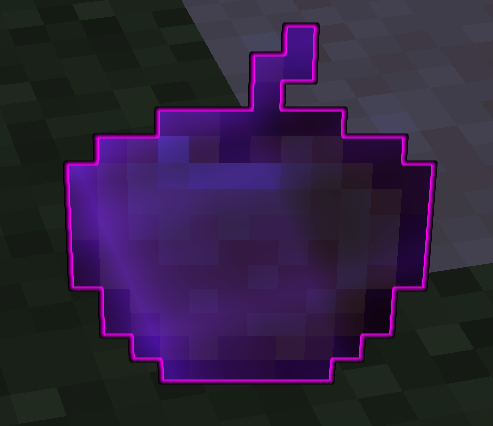
Loot Aura is a simple client-side mod that outlines dropped items so you can actually see them. Useful for finding Totems, Pearls, or that one piece of gear you dropped in the tall grass.

Features
- Custom Colors: Set any color for any item.
- In-Game Config: Press H to open the menu. No need to restart the game.
- Defaults: Comes set up for Totems (Gold), Golden Apples (Yellow), and Ender Pearls (Cyan).
- Lightweight: It’s just a renderer tweak, so it won’t lag your game.
Installation
- Drop the
.jarinto yourmodsfolder. - Make sure you have Fabric API.
- (Optional) Install Mod Menu if you want to access the settings from the pause screen.
Config
Default keybind is H. You can change the highlighted items and their colors directly in the menu.
Author: Samuzx
常见问题
Loot Aura 支持哪些 Minecraft 版本?
Loot Aura 支持 Minecraft Java 版 1.21.8–1.21.11,共 4 个版本,可用的加载器:Fabric。下载时注意选择和你游戏版本一致的文件。
Loot Aura 怎么安装?
先用 PCL2 或 HMCL 启动器安装对应版本的 Fabric,再把下载的 .jar 文件放进游戏目录的 mods 文件夹,重新启动游戏即可。开启了版本隔离的,mods 文件夹在 versions/版本名 下面。运行环境:仅客户端。
samuzxmax 的其他作品
查看全部 →
Crosshair Attack Indicator
"A highly responsive indicator that tints the crosshair red when aiming at a living entity within reach. Optimized for PvP with frame-perfect hitbox interpolation and zero delay.

JumpReset Timing
Master your PvP timing with JumpReset Timing, A clean, color-coded HUD for Minecraft 1.21.8 that tracks your Jump Reset accuracy in milliseconds.
JumpReset Timing
Master your PvP timing with JumpReset Timing, A clean, color-coded HUD for Minecraft 1.21.8 that tracks your Jump Reset accuracy in milliseconds.

EnderTracker
Visualize where your pearls and arrows trayectory! A helpful tool for learning and practicing projectile paths.
评论
登录后评论和评分