
Loomed Cushions
Decorate Minecraft cushions in the loom using layered vanilla banner patterns. Designs render across every face and can be removed one layer at a time using a water cauldron.
截图
介绍
Loomed Cushions
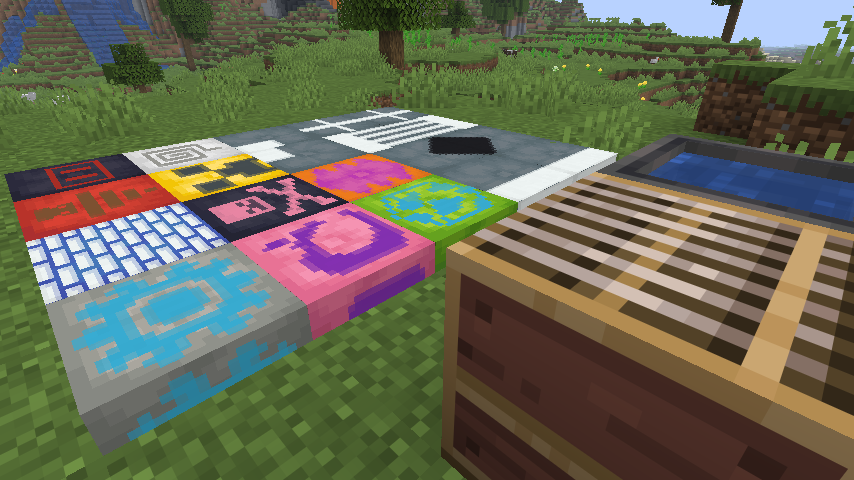
Cushions already have a lot of building potential, but they felt like they were missing one very obvious interaction: if banners can go into a loom, why not cushions?
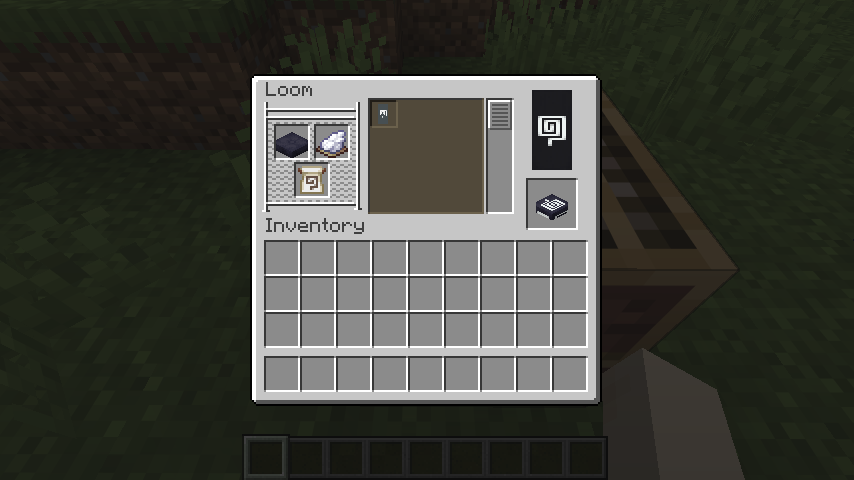
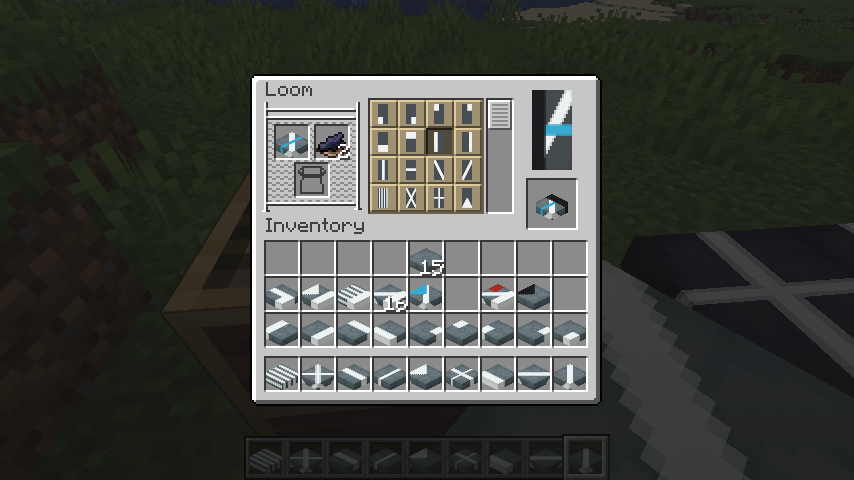
That is the whole idea behind Loomed Cushions. Put a cushion into the vanilla loom, add dye, choose a pattern, and take out a decorated cushion. There are no new crafting stations or complicated systems to learn. The mod simply makes the loom work with all 16 vanilla cushion colors.
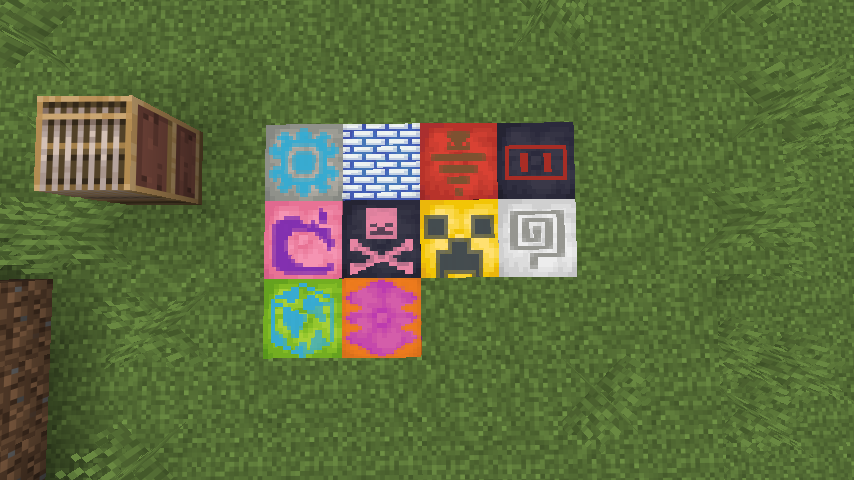
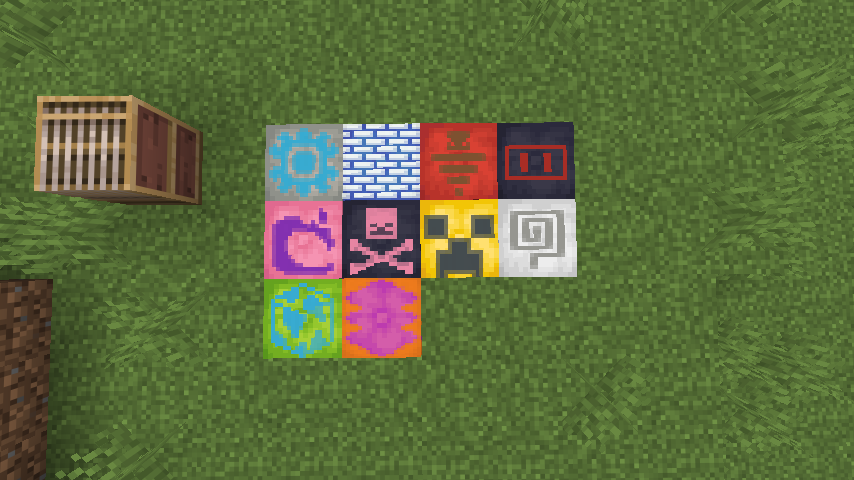
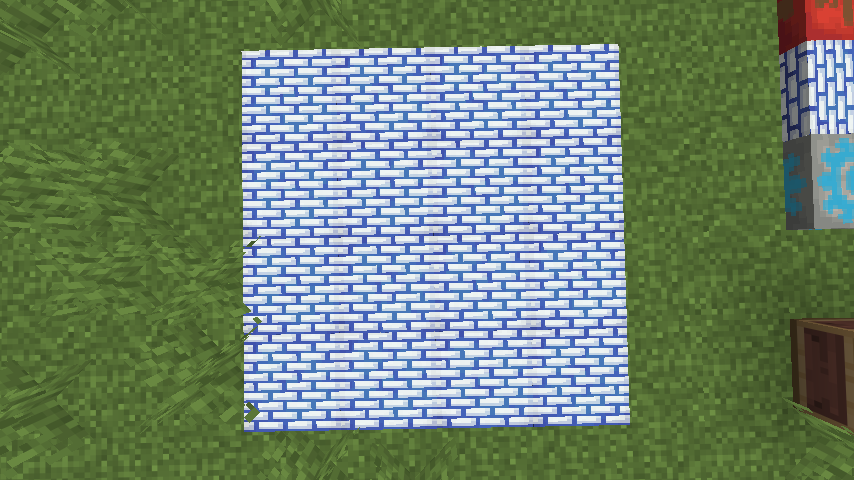
You can use ordinary loom designs as well as banner pattern items, then layer them just as you would on a banner. Creeper faces, skulls, globes, flowers, spirals, bricks, borders, stripes, gradients, and the rest of the vanilla pattern set can all become cushion designs.
Using a cushion in the loom
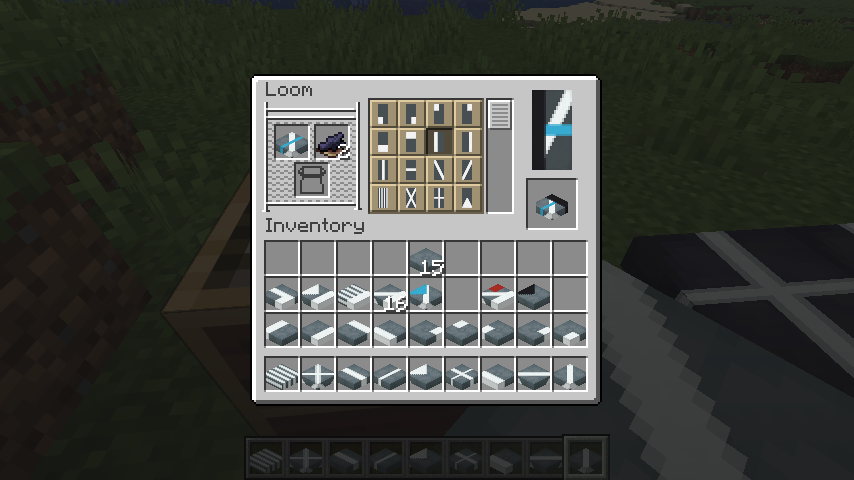
The process is intentionally familiar:
- Put any colored cushion into the loom.
- Add a dye.
- Choose one of the available patterns.
- Add a banner pattern item when the design requires one.
- Take the patterned cushion and put it back into the loom to add another layer.
You can build designs with up to six layers, following the same limit and basic rules as vanilla banners.
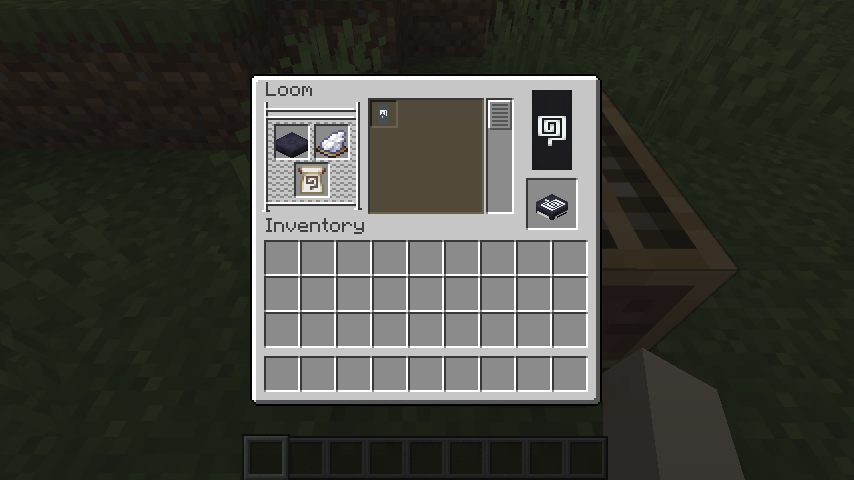
The output preview and inventory icon show the actual result before you take it. Designs also stay attached when a cushion is held, dropped, placed, picked up, broken, saved, loaded, or synchronized in multiplayer.
Banner patterns, rebuilt for a square surface
Banners are tall rectangles. Cushions are squares. Simply squeezing the original banner rendering onto a cushion made symbols look flattened and made borders and stripes stop awkwardly at the edge.
Loomed Cushions adjusts the patterns for the cushion’s shape. Symbols such as the Creeper, Skull, Flower, Globe, Flow, Guster, and Snout keep sensible proportions, while geometric designs are fitted to the square surface.
The pattern is not painted only on top, either. It continues over all four sides and onto the underside, so a cushion still looks finished when viewed from an angle or used as part of a larger build.
Build with more than one cushion
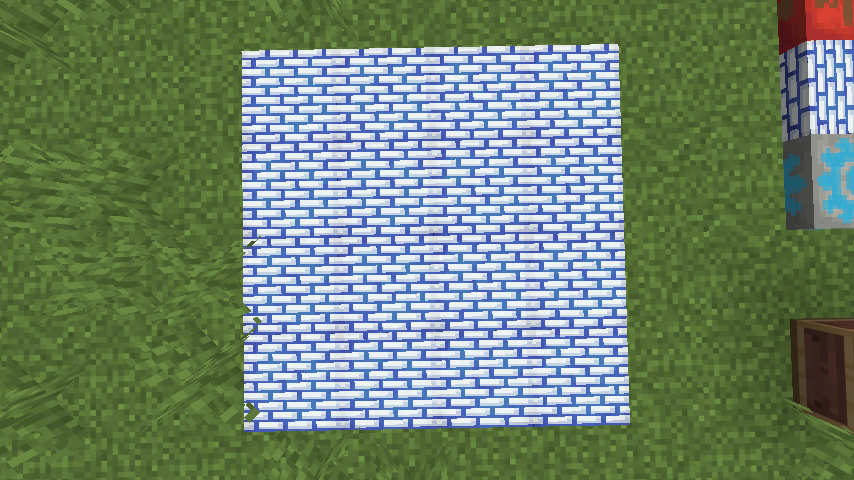
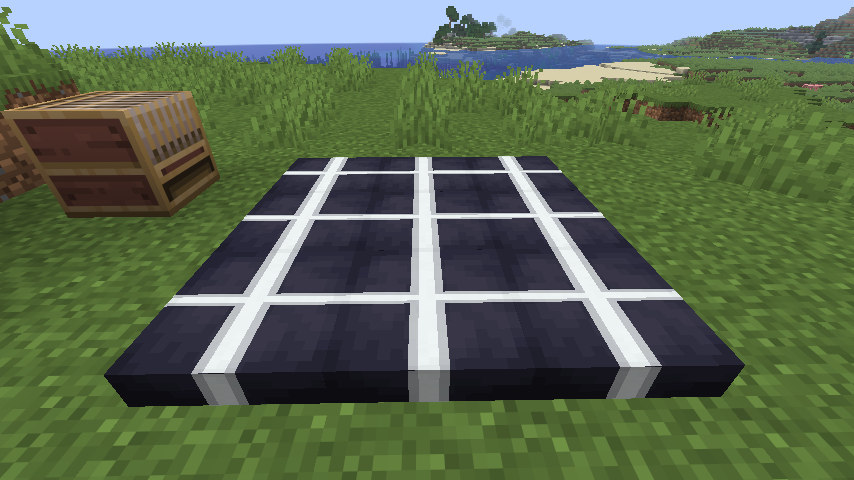
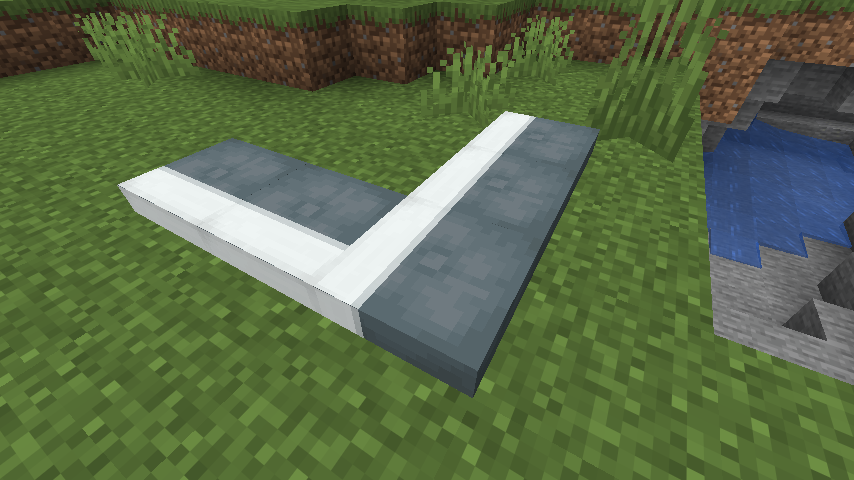
Repeated patterns can line up across neighboring cushions. A group of individually placed cushions can read as one larger textile instead of a collection of unrelated tiles.
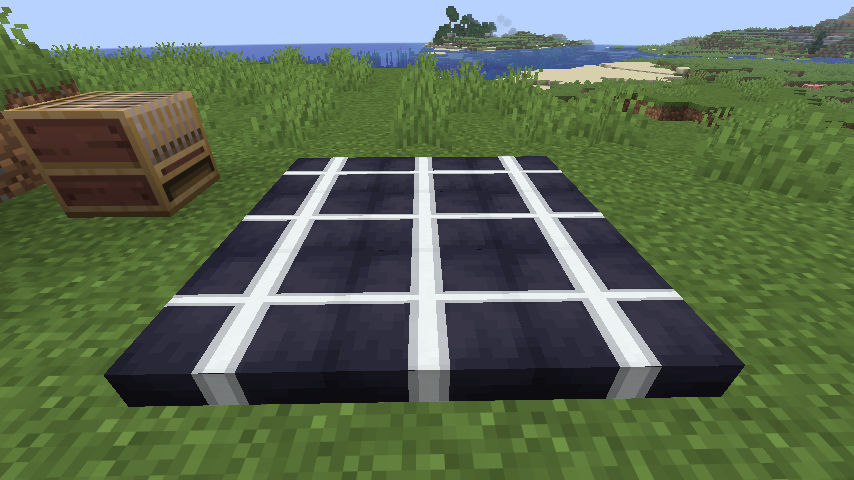
This works especially well for floors, rugs, seating areas, tent interiors, wall decorations, and any build where a single cushion is too small for the design you have in mind.
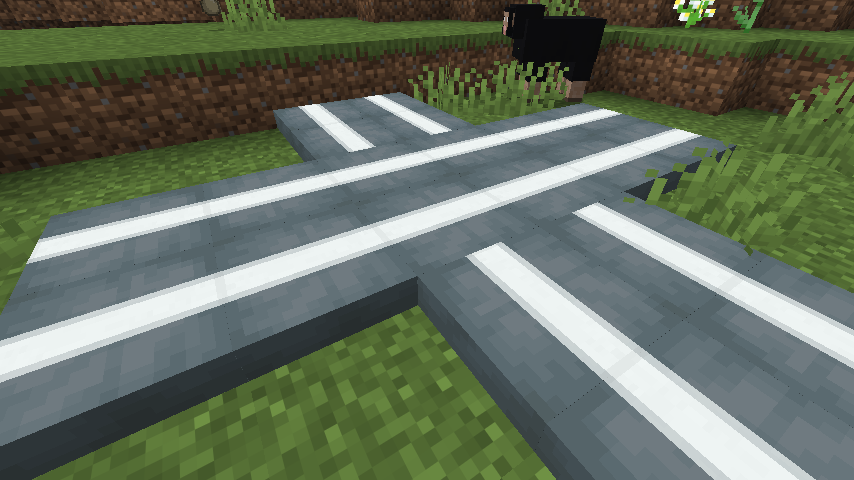
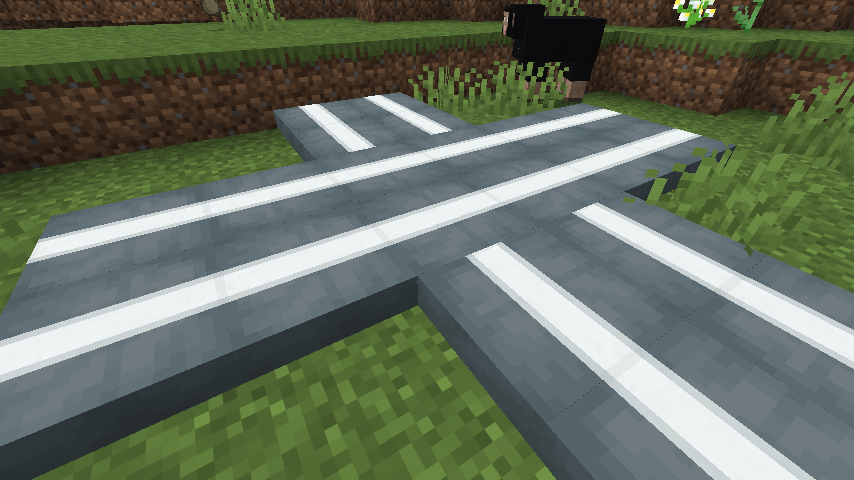
Straight lines can continue through intersections, and the same idea can be used to draw paths, frames, crosses, or larger geometric shapes.
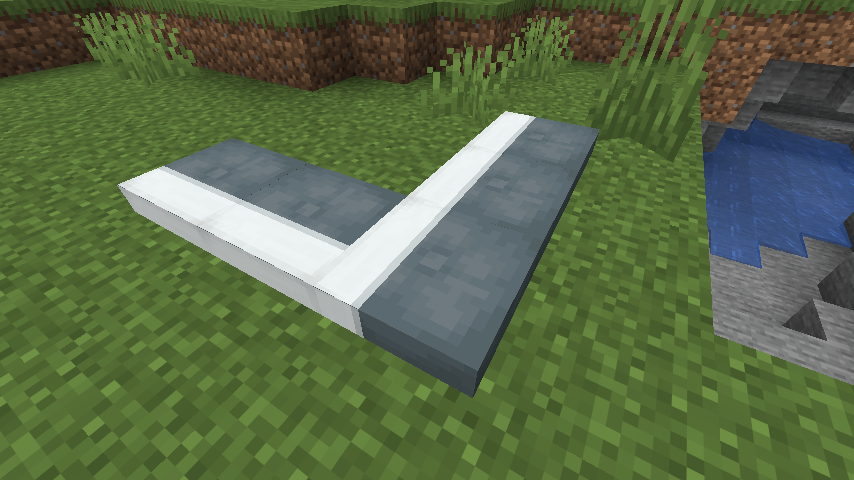
Corners stay clean as well, which makes it possible to turn a pattern through an L-shaped arrangement without the design suddenly looking cut off.
Made a mistake? Wash one layer away
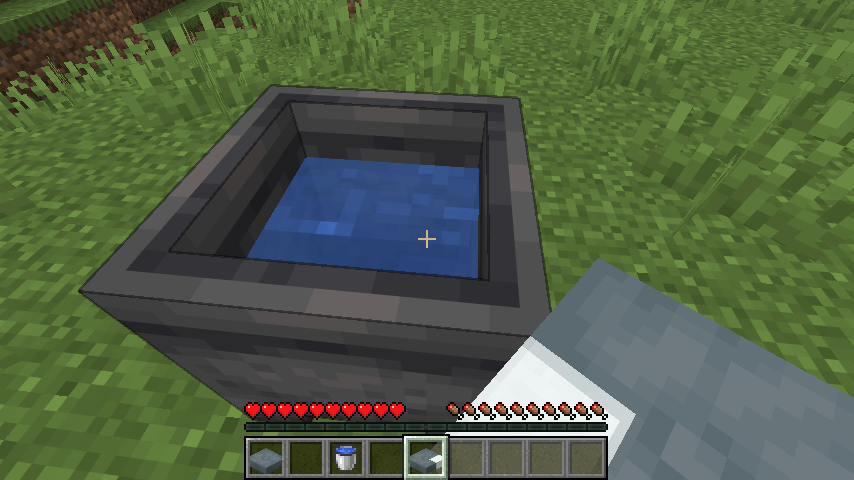
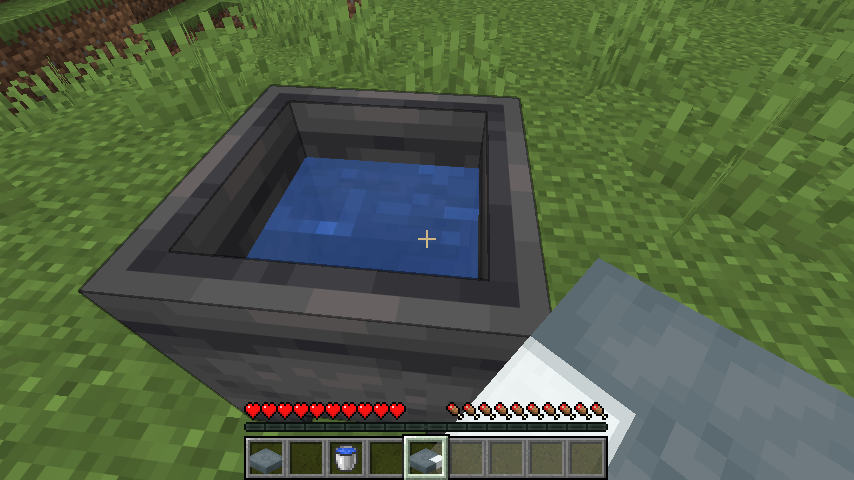
Use a patterned cushion on a water-filled cauldron to remove its most recently applied layer. Each wash removes one layer and consumes one level of water. This makes it possible to undo the last step without throwing away the entire cushion and starting again.
Exact requirements
- Minecraft Java: 26.3 Snapshot 5 (
26.3-snapshot-5/26.3-alpha.5) - Mod loader: Fabric Loader 0.19.3 or newer
- Dependency: Fabric API 0.155.3+26.3 or newer for this snapshot
- Java: 25
For multiplayer, install Loomed Cushions and Fabric API on both the server and every connecting client. The server handles the patterned cushion data and behavior; clients need the mod to render those patterns correctly.
Compatibility notes
Loomed Cushions replaces the item-model definitions of the 16 vanilla cushions so their pattern layers can appear in inventories. A resource pack or another mod that replaces those same cushion definitions may cause visual conflicts.
This is an alpha build for an active Minecraft snapshot. Mojang may still change cushions, rendering, loom behavior, or item data before the stable 26.3 release, so use a test world or keep a backup of any world you care about.
常见问题
Loomed Cushions 支持哪些 Minecraft 版本?
Loomed Cushions 支持 Minecraft Java 版 26.2–26.3,共 2 个版本,可用的加载器:Fabric / Forge / NeoForge。下载时注意选择和你游戏版本一致的文件。
Loomed Cushions 怎么安装?
先用 PCL2 或 HMCL 启动器安装对应版本的 Fabric / Forge / NeoForge,再把下载的 .jar 文件放进游戏目录的 mods 文件夹,重新启动游戏即可。开启了版本隔离的,mods 文件夹在 versions/版本名 下面。运行环境:客户端和服务端都要装。
Fatin 的其他作品
查看全部 →
Threateningly Mobs Continued
这是 Threateningly Mobs 的社区续作,为 Fabric 和 NeoForge 带来危险生物、Boss、建筑和装备。

LeadPhysics Reforged
非官方 NeoForge 版 Manukq 的 LeadPhysics。

Recovery Chest
Recovery Chest is a Fabric inventory-recovery mod that securely stores a player’s items when they die. Instead of scattering drops, it deploys a durable recovery case at a safe nearby location.
评论
登录后评论和评分