
LogUtils
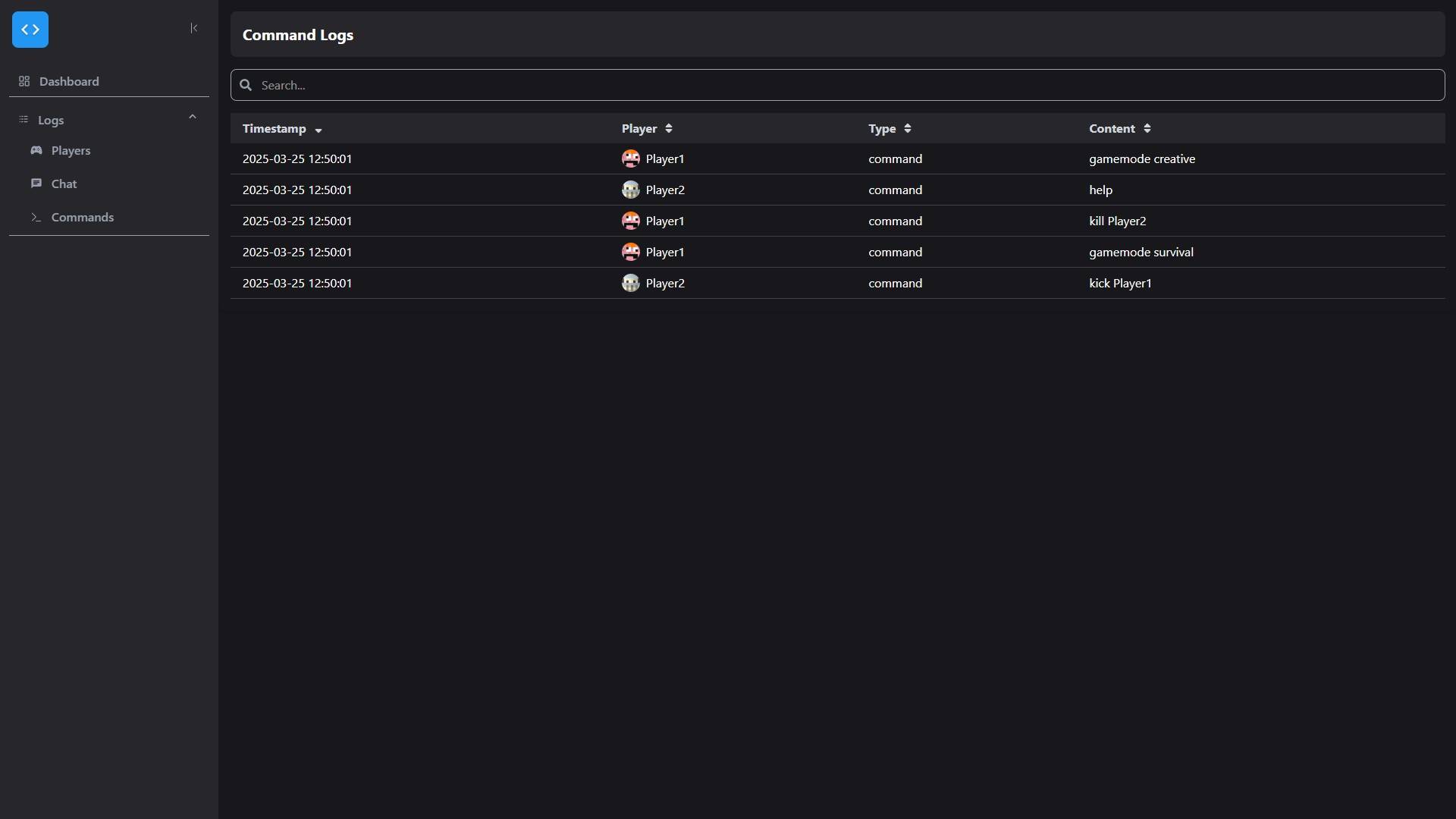
This Mod enables simple text-based logging for usage on a private server. It also provides a modern web interface.
截图

介绍
LogUtils – Simple and Efficient Logging
⚠ Warning: This mod is not intended for use on public servers with potential exploiters.
🔹 Overview
Are you running a modded Minecraft server with friends and need an easy way to log player logins, logouts, chat messages, and commands? LogUtils has you covered!
Designed primarily for server administrators, this mod provides detailed logging while also offering an optional web interface for easier access. If enabled, the web interface runs on a separate port, allowing you and your friends to view logs effortlessly.
📌 Basic Usage
If you just need simple event logging, installation is straightforward:
- Copy LogUtils into your server’s
modsdirectory. - Do not install it on the client side.
- Restart your server.
Configuration files will be generated in:
/config/logutils/Modify the settings to fit your needs. The options are intuitive and easy to configure.
By default, logs are stored in:
/logs/static/Log files are only created when needed. For example, commands.log will only appear after a command has been executed.
🚫 Not using the web server? Simply disable it in the config file to avoid unnecessary resource usage.
🌐 Web Server & API
If you want to enable the web interface, you’ll need an additional open port.
✅ Setup:
- Request a free port from your server provider.
- Open the config file:
/config/logutils/webserver.toml- Set the port in the configuration.
- Restart the server.
- Access the web interface at:
http://<IP/Domain>:<Port>🔧 API Access
LogUtils also includes a simple API! You can interact with:
http://<IP/Domain>:<Port>/api/📝 Feedback & Feature Requests
Your feedback is invaluable! If you find bugs, have feature suggestions, or need additional API endpoints, let us know. We’d love to improve LogUtils based on your input.
常见问题
LogUtils 支持哪些 Minecraft 版本?
LogUtils 支持 Minecraft Java 版 1.20.1,可用的加载器:Forge。下载时注意选择和你游戏版本一致的文件。
LogUtils 怎么安装?
先用 PCL2 或 HMCL 启动器安装对应版本的 Forge,再把下载的 .jar 文件放进游戏目录的 mods 文件夹,重新启动游戏即可。开启了版本隔离的,mods 文件夹在 versions/版本名 下面。
评论
登录后评论和评分