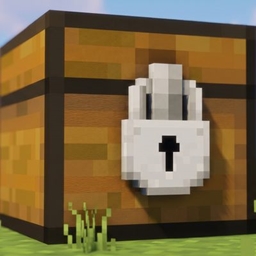
Locked Chest
A Fabric mod for Minecraft 26.2. Lock a chest, barrel, or shulker box to only accept specific items.
介绍
# Locked Chest
A Fabric mod for Minecraft 26.2. Lock a chest, barrel, or shulker box to
only accept specific items.
## How it works
Every chest, barrel, and shulker box gets a small button in the top-right
corner of its screen, showing “All” by default. Click it to open a search
list and pick one or more items – the button then shows how many items
are locked in.
Once locked:
– Only the selected item(s) can be placed into that container, whether by
hand or pushed in by a hopper (or hopper minecart, dispenser, etc.)
– Anything already inside, or the locked item(s) themselves, can still be
taken out freely – locking only restricts what goes *in*.
– Click “Unlock (accept all)” in the picker to return it to normal.
Each container remembers its own lock independently and persists it to
disk.
## Requirements
| Requirement | Version |
|—————-|———–|
| Minecraft | 26.2 |
| Fabric Loader | 0.19.3+ |
| Fabric API | 0.160.0+26.2 |
| Java | 25+ |
## Installation
1. Install [Fabric Loader](https://fabricmc.net/use/) for Minecraft 26.2.
2. Download [Fabric API](https://modrinth.com/mod/fabric-api) matching 26.2.
3. Download the latest release of this mod.
4. Place both `.jar` files in your `mods` folder.
常见问题
Locked Chest 支持哪些 Minecraft 版本?
Locked Chest 支持 Minecraft Java 版 26.2,可用的加载器:Fabric。下载时注意选择和你游戏版本一致的文件。
Locked Chest 怎么安装?
先用 PCL2 或 HMCL 启动器安装对应版本的 Fabric,再把下载的 .jar 文件放进游戏目录的 mods 文件夹,重新启动游戏即可。开启了版本隔离的,mods 文件夹在 versions/版本名 下面。

评论
登录后评论和评分