Locator Pins
Use Minecraft’s vanilla locator bar as a lightweight waypoint system for bases, death locations, and custom locations.
截图

介绍
Adds private custom pins to the vanilla locator bar, Needs to be on the server to work.
Features
Custom waypoint pins
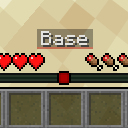
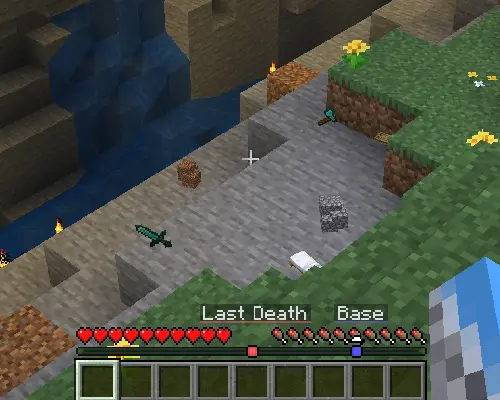
Create a pin at your current location with a simple command, and it will appear on the locator bar.
/pin add Base blue

Last Death waypoint
When you die, your last death location is marked with a pin. The pin clears automatically once you get close to it, or you can remove it manually.
Commands
| Command | What it does |
| — | — |
| /pin add <name> [color] | Adds a pin at your current location. |
| /pin remove <name> | Removes selected pin. |
| /pin list | Shows your pins. |
| /pin refresh | Reloads your saved pins. |
| /pin death clear | Removes your Last Death pin. |
Examples
/pin add Base blue
/pin remove Base
/pin death clear
/pin list
Automatic pins
Bed updates when you set your spawn.
Last Death is created when you die and clears when you return to it, or with /pin death clear.
常见问题
Locator Pins 支持哪些 Minecraft 版本?
Locator Pins 支持 Minecraft Java 版 26.1.1–26.2,共 3 个版本,可用的加载器:Fabric。下载时注意选择和你游戏版本一致的文件。
Locator Pins 怎么安装?
先用 PCL2 或 HMCL 启动器安装对应版本的 Fabric,再把下载的 .jar 文件放进游戏目录的 mods 文件夹,重新启动游戏即可。开启了版本隔离的,mods 文件夹在 versions/版本名 下面。运行环境:客户端和服务端都要装。


评论
登录后评论和评分