
Locator Display
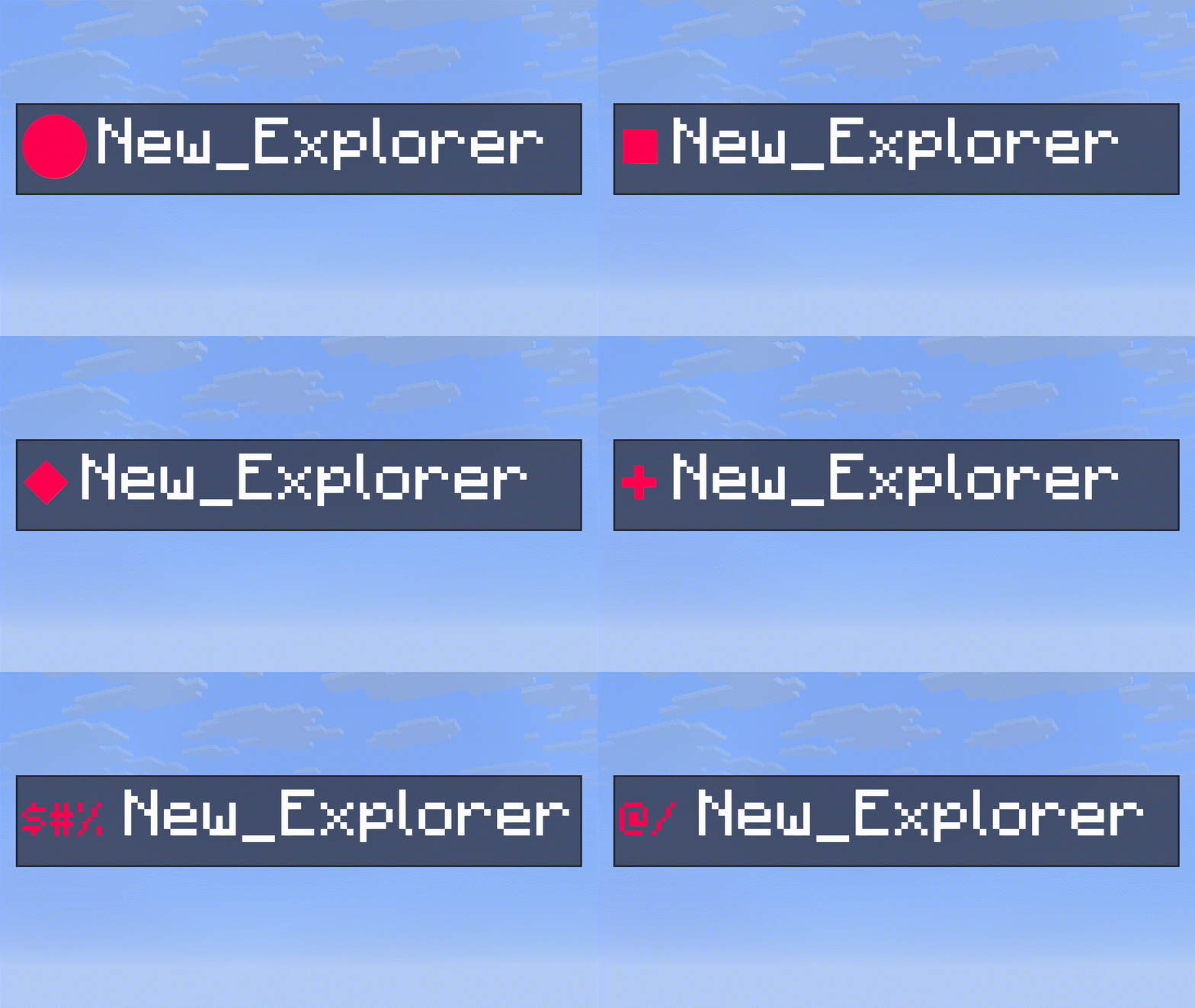
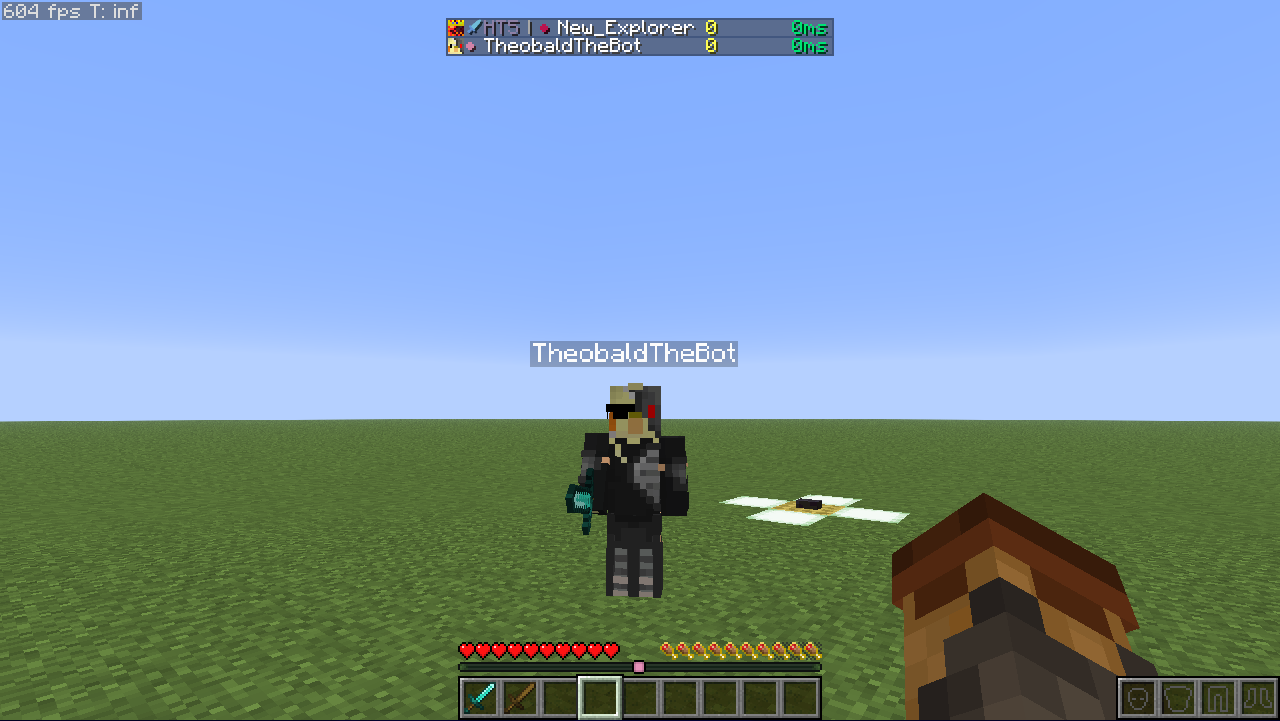
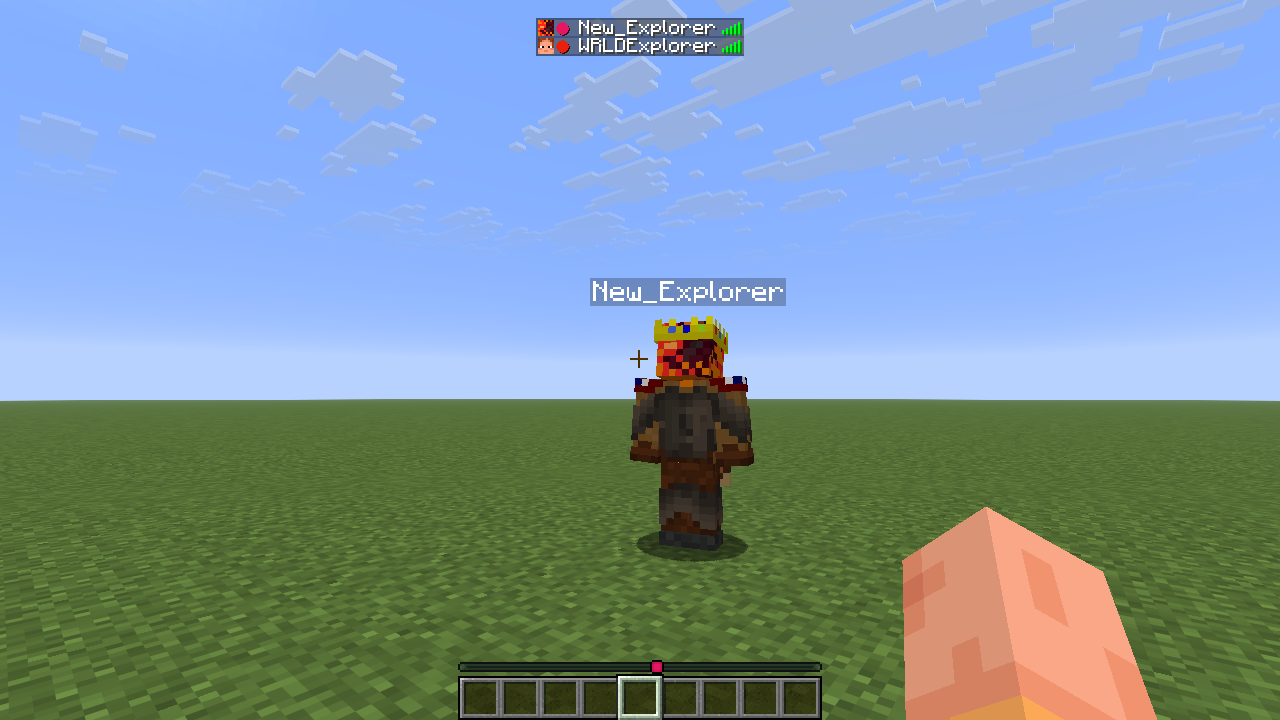
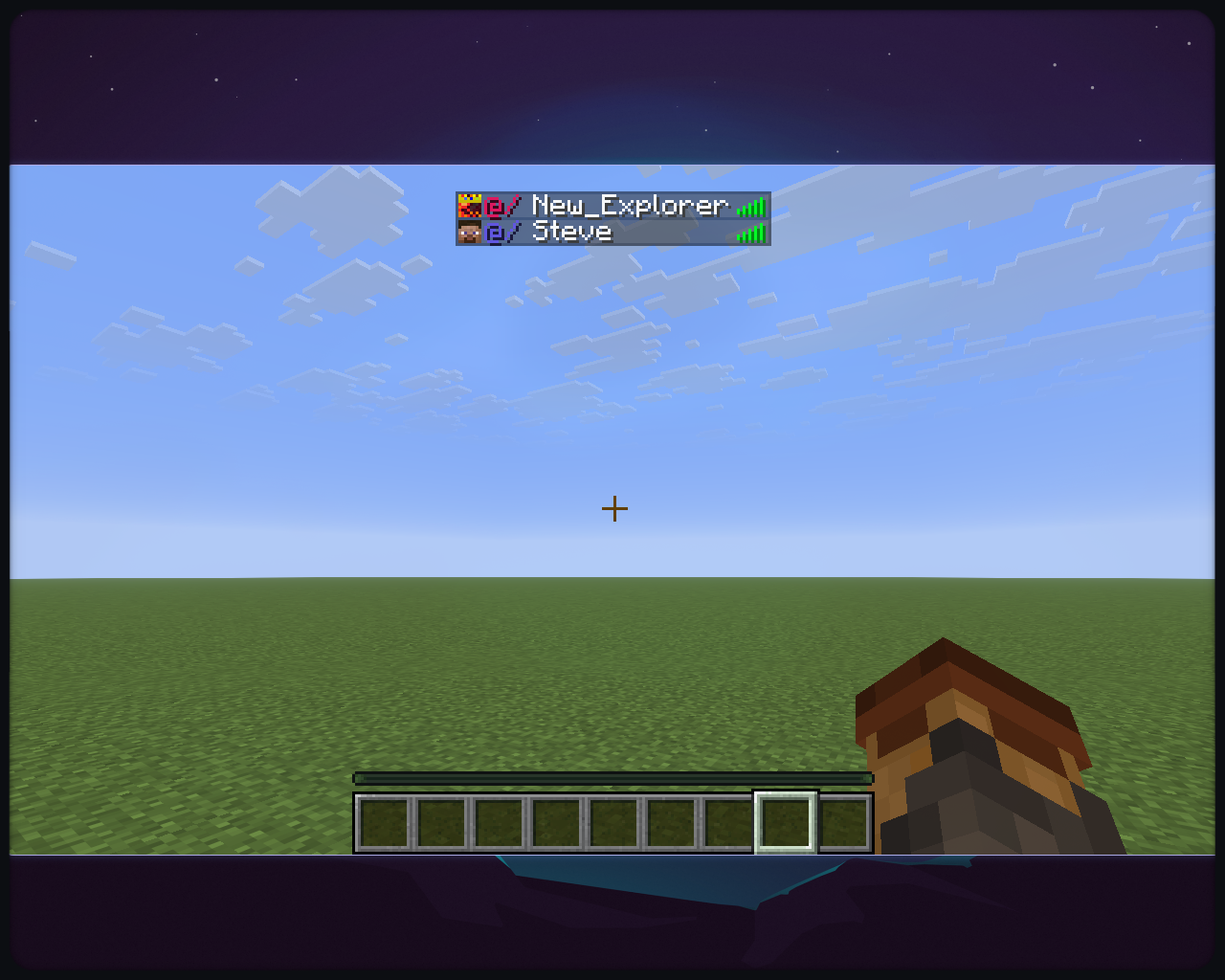
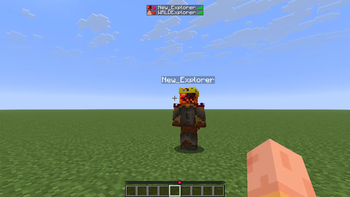
Locator Display is a client-side Minecraft mod that adds a customizable symbol next to player names in the tab list, colored exactly like their locator bar color.
截图




介绍

Locator Display
Just a Client-Side Locator Bar Color Display Mod
Locator Display is a client-side Minecraft mod that adds a customizable symbol
next to player names in the tab list, colored exactly like their locator bar color.
Features
- Displays a customizable colored symbol before each player’s name in the tab list.
- Customize the symbol by choosing one of the characters in the preset or by specifying a custom one:
⬤, ▌, ⬛, ★, ◆, ▶, ✚, ✖ - Display an icon or a texture instead of a symbol.
- Choose to color player names.
- Proximity Detection shows how far or near a player is from you.
- Allows disabling the locator bar and only displaying the experience bar.
- Choose to use the Server-Provided or the official Mojang UUID for accurate colors.
- Falls back to a deterministic offline UUID for players not registered with Mojang.
- Fully client-side; works on any SMP.
- Turns off in servers with thousands of players in the tab list(minigames, pvp servers)
Requirements
- Minecraft 1.21.6+
- Fabric Loader 0.19.3+
- Java 21+
- ModMenu (recommended)
Installation
- Download the appropriate
.jar - Place the file into your
.minecraft/modsfolder - Launch Minecraft with Fabric Loader
How It Works
- The mod fetches the player’s UUID either from the client or from the public Mojang API.
- It computes a color from the UUID using the same algorithm as the locator bar.
- The specified symbol is prepended to the player’s name in the tab list.
Configuration
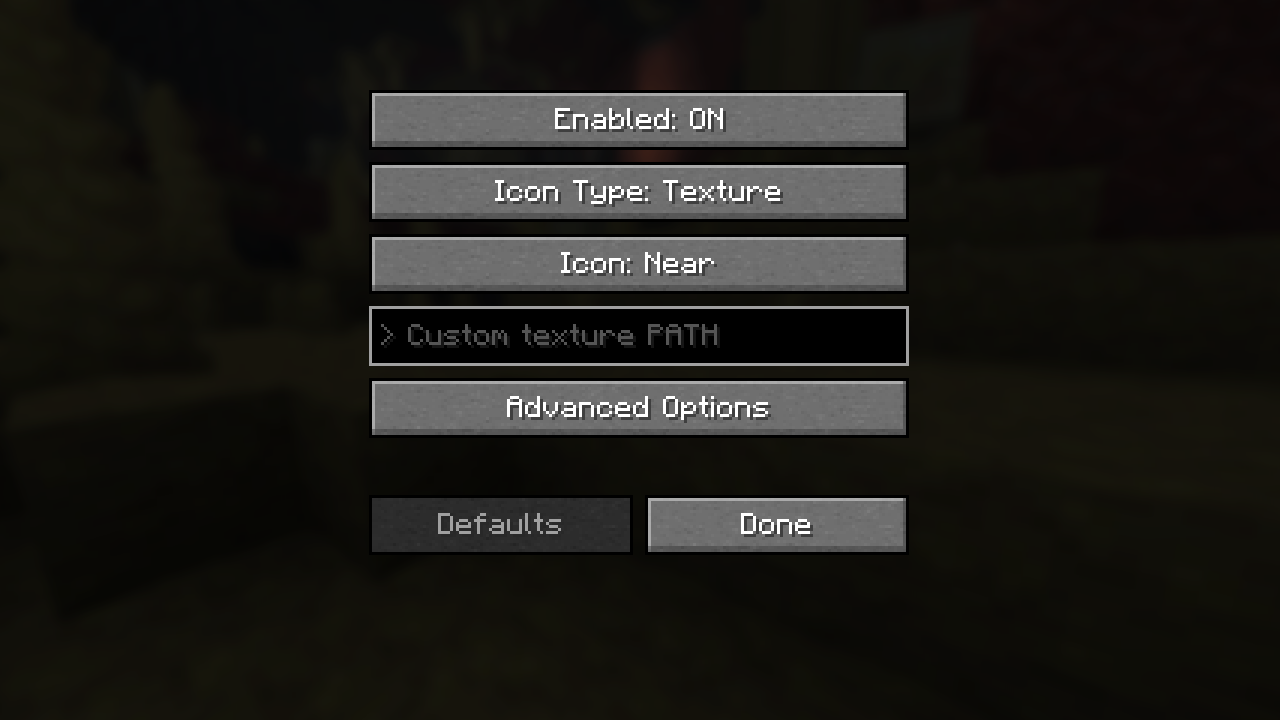
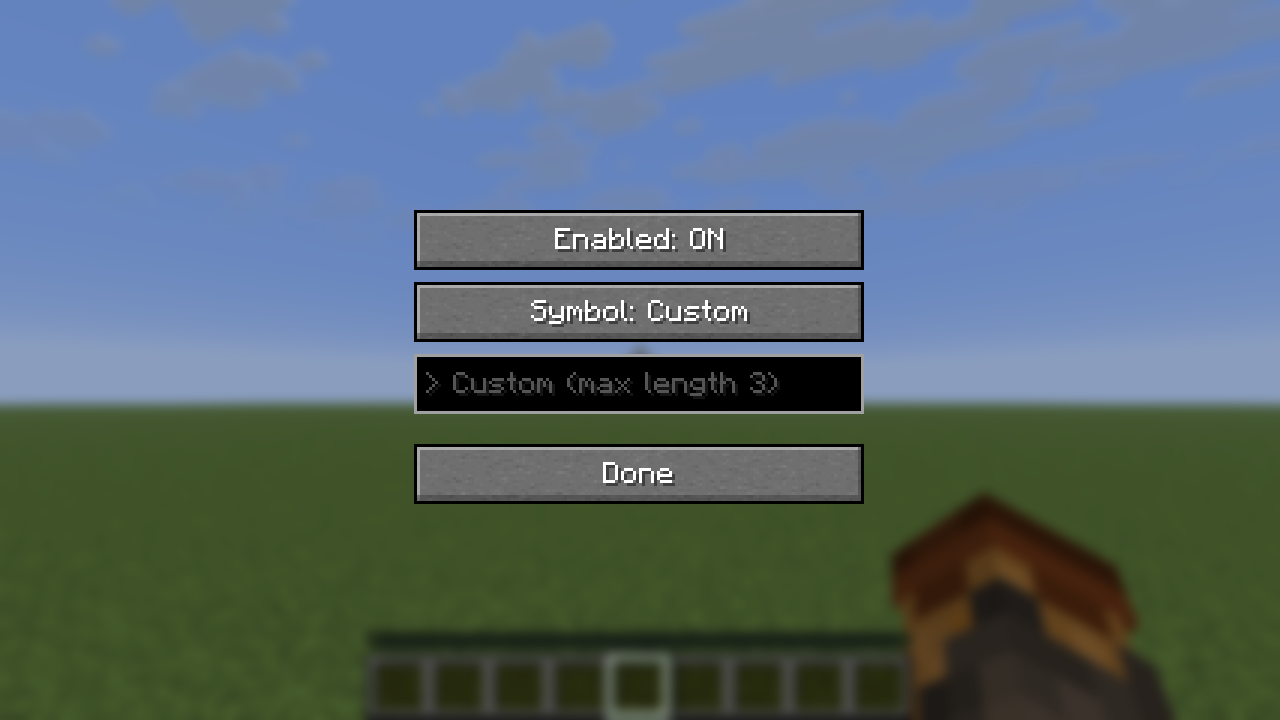
The mod is configurable with ModMenu:
Options:
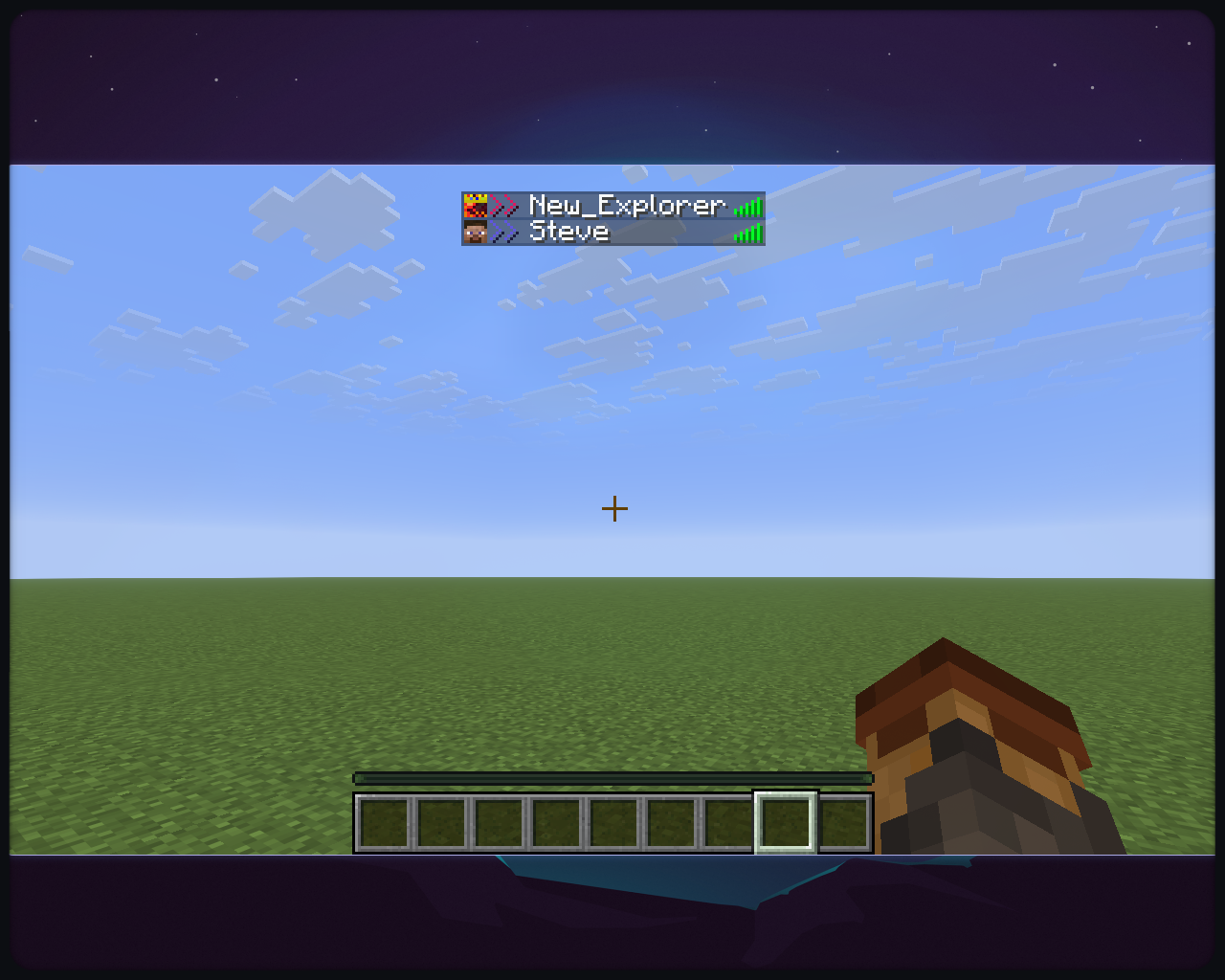
Enabled→ to turn the mod on and offIcon Type→ Select eitherTextureorSymbolIcon→Near,Nearby,Far,Distant,Bowtie> Custom (max length 3)or> Custom texture PATH→ IfCustomwas specified in the previous selection, put your custom configuration here- Custom Symbol:
- input at most 3 characters
- those characters will be prepended to the player name
- the character must be renderable by Minecraft
- Example:
>> Player_Name - Custom Icon:
- Allows instance-loaded textures to be used
modid:block/custom_block- accepts only directories inside the
textures/directory of any instance - for Minecraft, any texture inside:
block,colormap,effect,entity,environment,font,gui,item,map,misc,mob_effect,painting,particle,trims - Example input:
block/dirtminecraft:item/iron_swordhud/heart/full.pngminecraft:textures/block/glowstone.png→ the correct input, the mod formats everything into this- Recommended: Use light textures(ones that do not contain a lot of dark pixels)
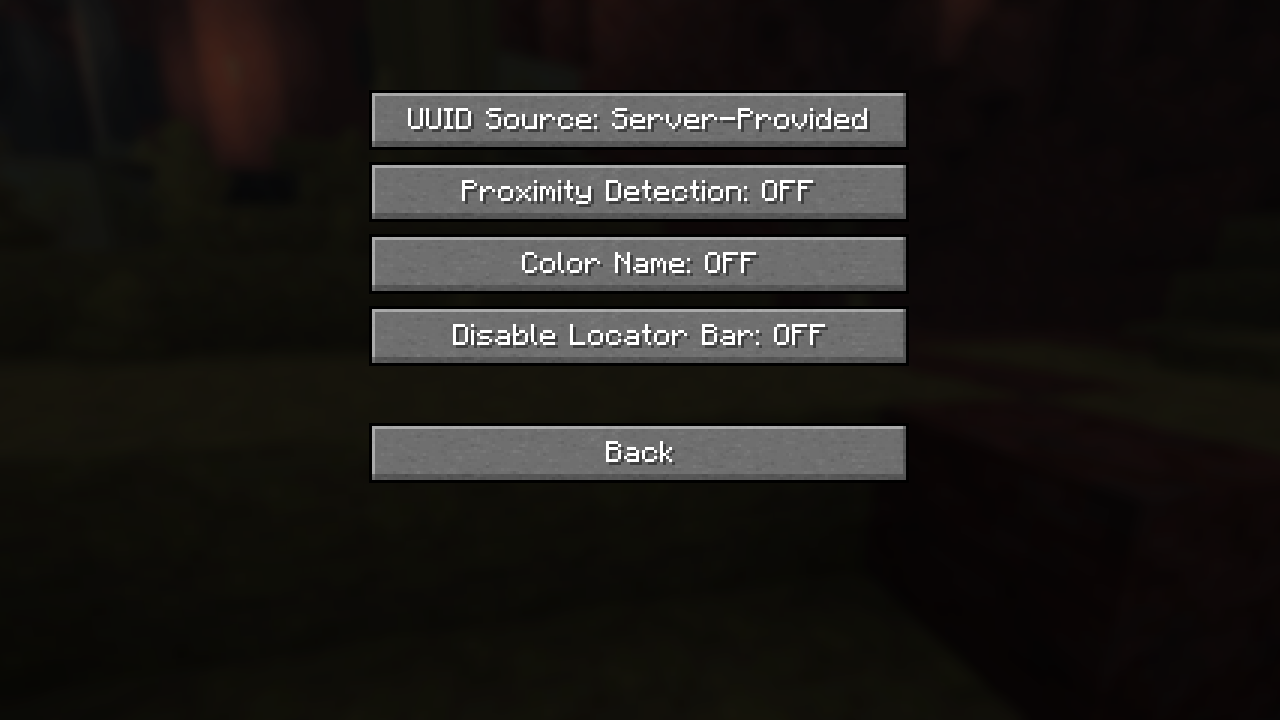
Advanced Options:UUID Source→ can either beServer-ProvidedorOfficial Mojang(from the Mojang API)Proximity Detection→ Disables icon customization, makes the icon smaller or bigger like the locator bar. For players in a different dimension, a bowtie will be displayed.Color Name→ change the color of the player names into their locator bar colorDisable Locator Bar→ as the name suggests, forces only the Experience Bar to appearDefaults→ sets all options to the defaultsDone→ Saves the configuration and exits
Disclaimer
This is free software: you are free to change and redistribute it.
There is NO WARRANTY, to the extent permitted by law.
License
Code: GPL-3.0-only
Assets (logo/icon): CC BY-NC-ND 4.0 (see LICENSE-ASSETS)
Contributing
Open an issue if you find a bug or have a feature request.
If you want to contribute code-wise, make sure to check the TODO file and opened issues.
By contributing to this repository you agree that all additions/modifications will be licensed
under GPLv3-only and you agree to allow distribution in compiled form.
Credits
Based on the Fabric example mod template (CC0).
常见问题
Locator Display 支持哪些 Minecraft 版本?
Locator Display 支持 Minecraft Java 版 1.21.6–26.3,共 11 个版本,可用的加载器:Fabric。下载时注意选择和你游戏版本一致的文件。
Locator Display 怎么安装?
先用 PCL2 或 HMCL 启动器安装对应版本的 Fabric,再把下载的 .jar 文件放进游戏目录的 mods 文件夹,重新启动游戏即可。开启了版本隔离的,mods 文件夹在 versions/版本名 下面。运行环境:仅客户端。

评论
登录后评论和评分