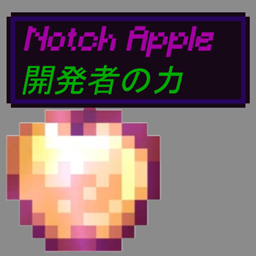
截图


介绍
This mod was just the 1st step to my final goal: Localizator.
Therefore, this mod won’t get updates, bug fixes or anything.
Instead of downloading this mod, download Localizator. It does what this mod does, even better and much much more!

This is a Client-side mod, powered by Mixin which adds “LocLore” NBT tag support.
The feature language-aware modpack creators need!
(You are free to include this in your modpack)
You’ll need to add the Mixin Bootstrap into your mods folder (only if your modpack doesn’t already have it) so Mixins can load up!
You ever wanted to add a special loot, based on a vanilla/modded item with custom, translatable name and lore?
Either using commands or mod’s config files (like Bountiful‘s rewards, DoomLike Dungeons‘ loot, Dregora‘s loot, etc.)
Normally, modpack creators use the “Name” tag to rename an item, but it’s a hardcoded text.
and the “Lore” tag to add a lore to it.
This means that if a player uses minecraft in a language different than your hardcoded text, they may not understand it.
To solve part of this problem, Minecraft 1.12.2 supports the “LocName” tag, which allows you to replace an item’s name with a custom, translatable one. (it takes a lang key)
And the better part is, that name isn’t hard-italic formatted!
But Vanilla doesn’t have that support for the “Lore” tag. That’s where the “LocLore” tag comes in!
Example:
/give @p stone 1 0 {display:{LocName:”tile.stone.andesiteSmooth.name”,LocLore:[“tile.shulkerBoxGray.name”]}}
And same as “LocName”, I made it so it doesn’t forcedly apply italic format.
Tested with RLCraft, a heavily customized modpack that includes tons of mods and Mixins.
Remember to add your custom lang file with your lang keys inside the resources folder or Resource Pack!
Example:
example.redtext=§cThis is a red text
For a text formatting guide, check this article.
常见问题
[DISCONTINUED] Localized Lore 支持哪些 Minecraft 版本?
[DISCONTINUED] Localized Lore 支持 Minecraft Java 版 1.12.2,可用的加载器:Forge。下载时注意选择和你游戏版本一致的文件。
[DISCONTINUED] Localized Lore 怎么安装?
先用 PCL2 或 HMCL 启动器安装对应版本的 Forge,再把下载的 .jar 文件放进游戏目录的 mods 文件夹,重新启动游戏即可。开启了版本隔离的,mods 文件夹在 versions/版本名 下面。
KameiB 的其他作品
查看全部 →
CIT for Doomlike Dungeons
DLD Novelty物品自定义材质

CIT for Roguelike Dungeons
RLD 趣味物品与交易卡牌自定义材质

CIT for Fishing Made Better
钓鱼增强的自定义物品纹理

Localizator
不再有硬编码文本!将它们本地化!
评论
登录后评论和评分