
截图
介绍
Loadout Keybinds
Bind SkyBlock loadout slots to your keyboard or mouse for instant loadout swapping — no more clicking through the menu.
Referenced Mod
Features
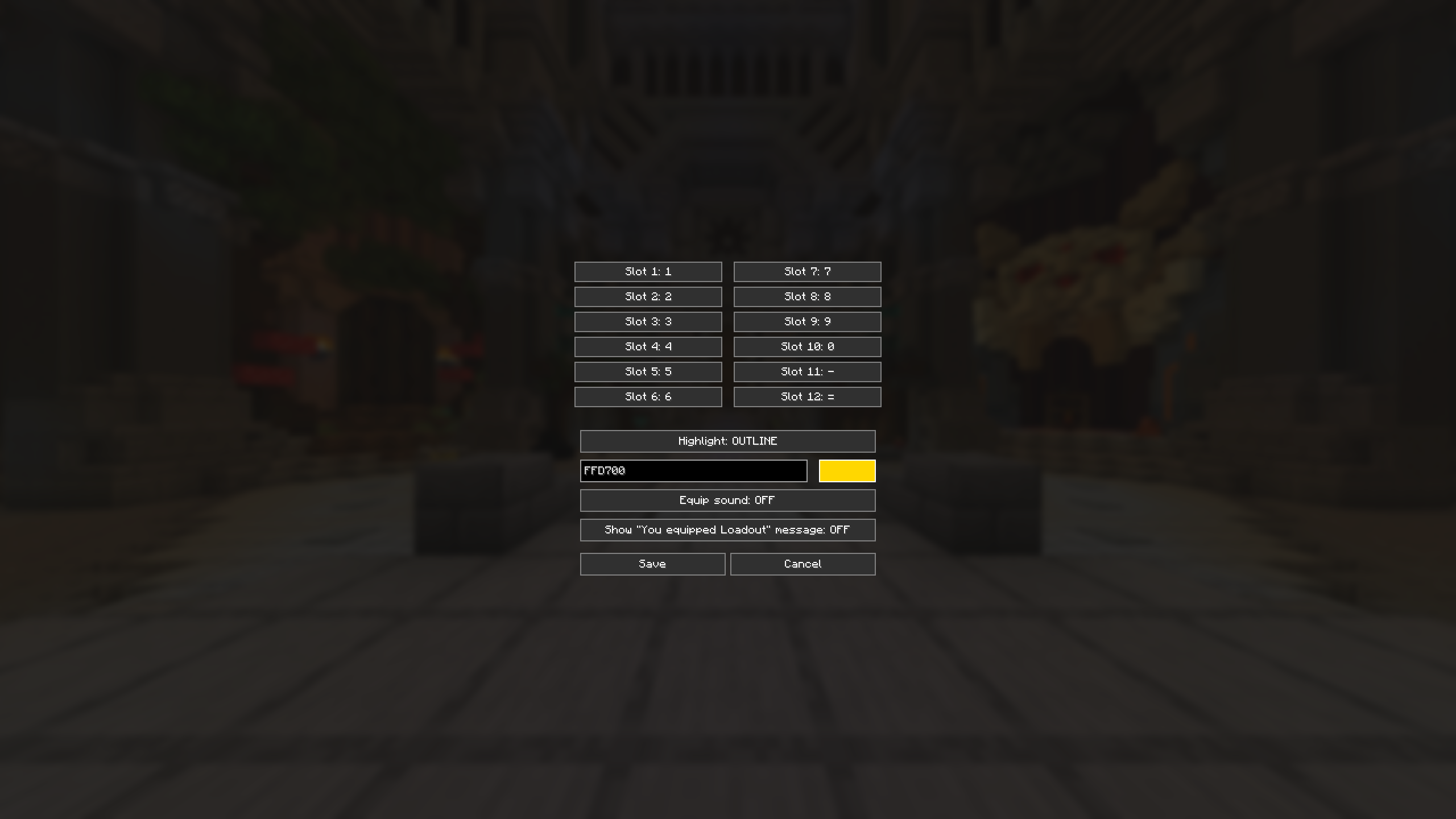
- Keybind slots 1–12 in the Loadouts menu, bindable to keyboard keys or mouse buttons
- In-game config screen — run
/loadoutconfigor/ldconfigto: - Rebind any slot to a key or mouse button
- Choose a highlight style: Outline, Fill, or Both
- Pick your own highlight color with a full saturation/value + hue color picker
- Toggle the equip sound
- Toggle the “You equipped Loadout X!” chat message
- Last-used slot highlight — always see which loadout you’re currently on, whether you switch it with a bound key, a bound mouse button, or just a normal click. Tracks per-page, so it won’t show the wrong slot after using “Next Page”. Right-click (Edit) is correctly ignored.
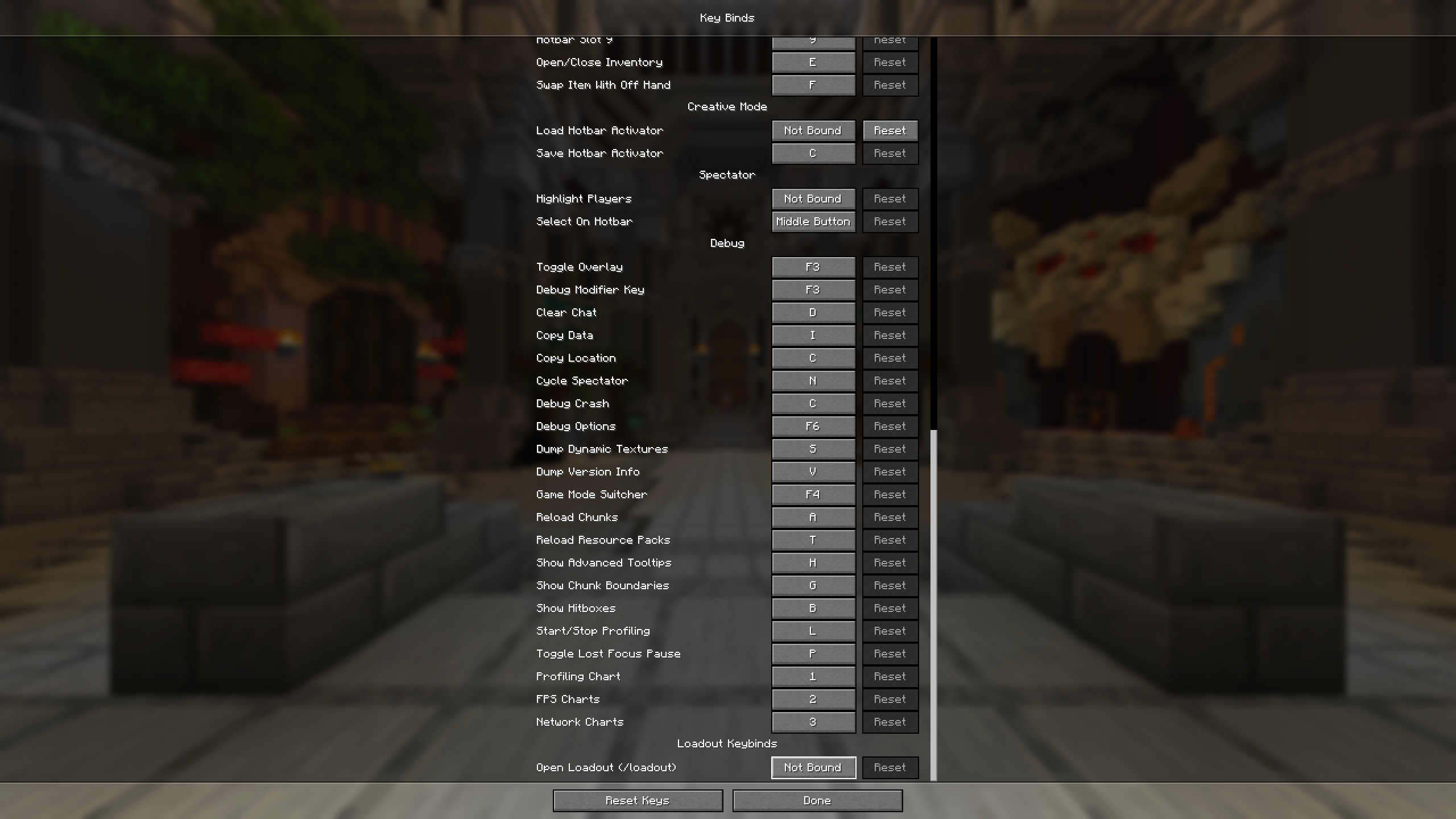
/loadoutquick-open keybind — bind a key (Controls → Loadout Keybinds) to instantly send/loadout- Settings persist across restarts (
config/loadoutkeybinds.json)
Default Keybinds
Slots 1–12 default to 1 2 3 4 5 6 7 8 9 0 - =. Change any of them anytime with /ldconfig.
Versions
| Minecraft | Fabric API | Notes |
|—|—|—|
| 1.21.11 | 0.141.4+1.21.11 | |
| 26.1.2 | 0.150.0+26.1.2 | |
| 26.2 | 0.154.2+26.2 | |
Download the file matching your Minecraft version.
Requirements
- Fabric Loader 0.18.4+ (0.19.3+ for 26.x)
- Fabric API matching your Minecraft version
No other dependencies — pure Java, no Kotlin required.
Commands
| Command | Description |
|—|—|
| /loadoutconfig, /ldconfig | Opens the settings screen |
| /loadout (via keybind) | Instantly sends /loadout |
常见问题
Loadout Keybinds – Hypixel Skyblock 支持哪些 Minecraft 版本?
Loadout Keybinds – Hypixel Skyblock 支持 Minecraft Java 版 1.21.11–26.2,共 3 个版本,可用的加载器:Fabric。下载时注意选择和你游戏版本一致的文件。
Loadout Keybinds – Hypixel Skyblock 怎么安装?
先用 PCL2 或 HMCL 启动器安装对应版本的 Fabric,再把下载的 .jar 文件放进游戏目录的 mods 文件夹,重新启动游戏即可。开启了版本隔离的,mods 文件夹在 versions/版本名 下面。运行环境:仅客户端。
评论
登录后评论和评分