
Loadstone – Chunk Loader
Turn vanilla Lodestones into reliable, persistent, tiered chunk loaders.
截图
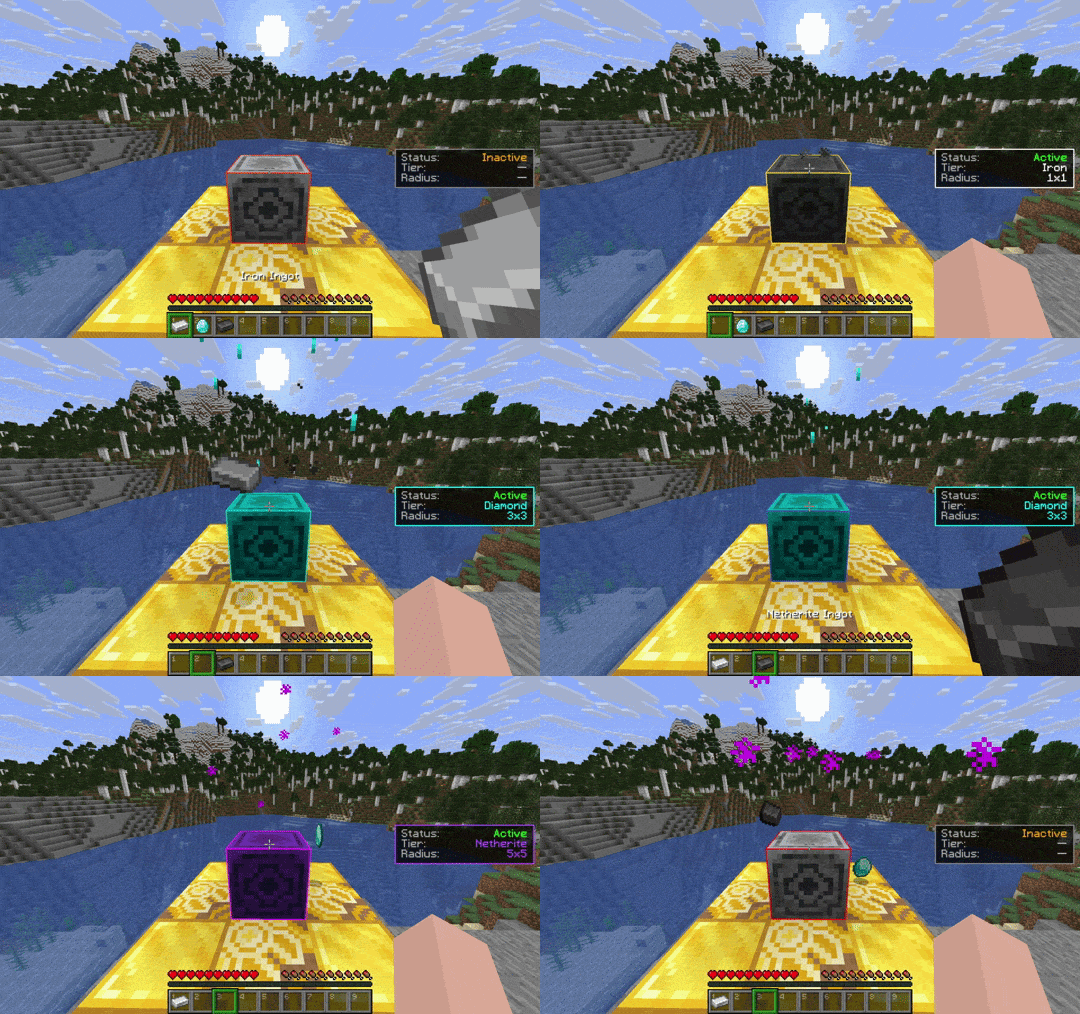


介绍


🧭 Loadstone – Chunk Loader (v3.0)
Tired of automation, machinery, or redstone contraptions stopping when you walk away?
Loadstone turns vanilla Lodestones into simple, reliable chunk loaders. By activating a Lodestone with a specific material, the targeted chunks remain continuously active so everything in range keeps running
✨ Features
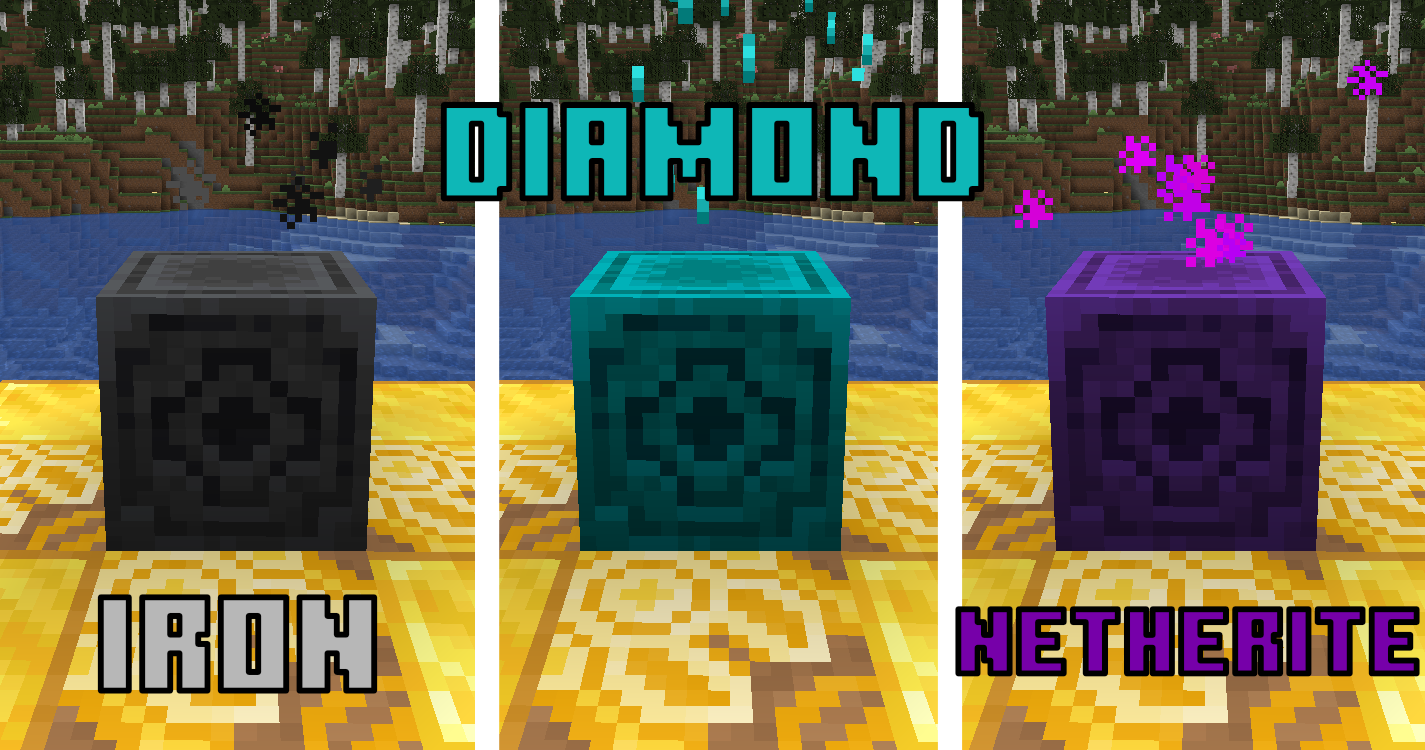
- Tiered Chunk Loading: Switch tiers anytime by using different materials.
- ⚒️ Iron → 1×1 chunk
- 💎 Diamond → 3×3 chunks
- 🔥 Netherite → 5×5 chunks
- Persistent Loader State: Loaders are saved securely to disk and manage chunk ticketing flawlessly across server restarts.
- Smart Material System: Items are consumed on activation and safely returned on deactivation or tier swap.
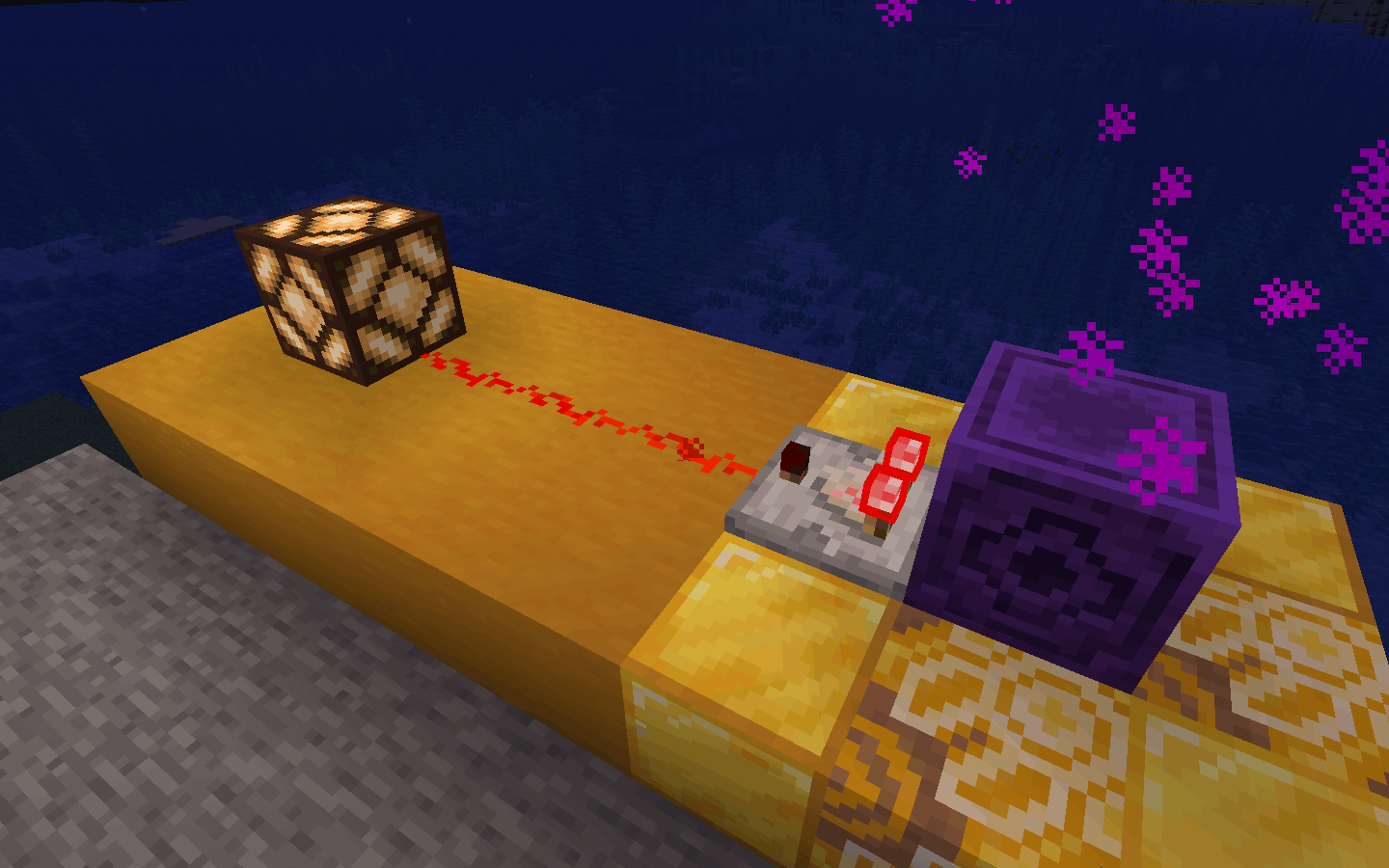
- Redstone Integration: Active loaders can be read by Comparators, making it easy to wire them into Redstone systems.
- Visual Feedback: Unique particle effects and color tints per tier.
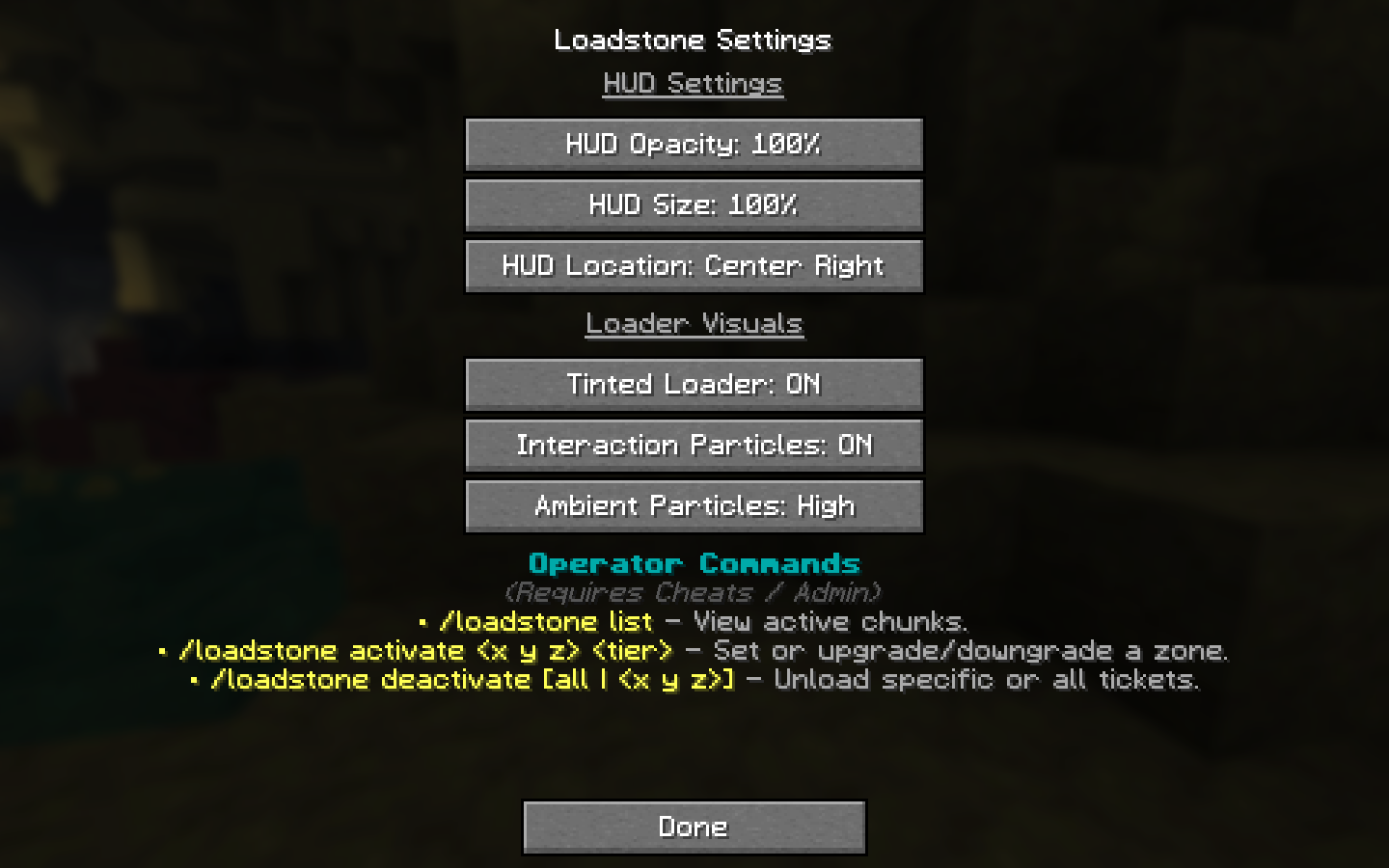
- Real-Time HUD: Compact, configurable overlay showing loader status, tier, and chunk coverage.
- Operator Commands: Powerful server administration tools to manage, audit, and force-toggle loaders instantly via commands.
🎮 How to Use & Commands
Survival Activation
- Place a Lodestone anywhere in your world.
- Hold the material for the tier:
- ⚒️ Iron Ingot → 1×1
- 💎 Diamond → 3×3
- 🔥 Netherite Ingot → 5×5
- Right-click the Lodestone to activate.
Deactivation / Change Tier
- Right-click an active Lodestone with an empty hand to deactivate — the activation item is safely dropped.
- Right-click with a different valid material to change tier seamlessly (the old material is returned).
Redstone Output
- Placing a Redstone Comparator facing away from a Lodestone will output a signal strength based on its running status and tier.
Admin / Operator Commands (Cheats On)
Server admins can manage active loaders globally using the following commands:
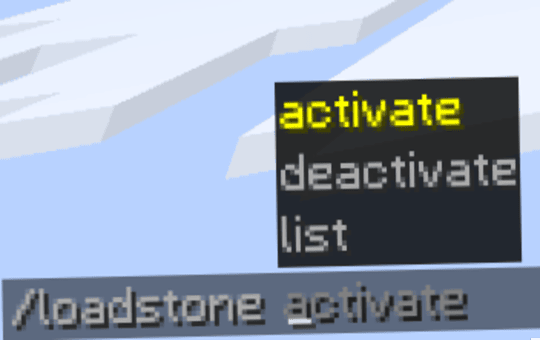
/loadstone list— View all active chunks globally with click-to-teleport shortcuts./loadstone activate <x y z> <tier>— Remotely activate or upgrade/downgrade a vanilla Lodestone block./loadstone deactivate <x y z>— Turn off a specific loader remotely./loadstone deactivate all— Clear every active loader ticket on the server instantly.
🖼️ Gallery
📌 Notes
- ⚠️ Performance: Loaders keep areas continuously active as long as the world is running. Use them responsibly to avoid performance lag.
- ⚠️ Loading Behavior: Loaders force chunks to stay active at the “entity processing” level. This keeps standard mechanics like automation, redstone, and entity processing running continuously. However, any gameplay mechanics that inherently require player proximity to function will not trigger.
- ⚠️ External Chunks: Lodestones only manage chunks they are explicitly attached to. Chunks already loaded by external means (vanilla
/forceload, server utilities) are not automatically owned. Activating a Lodestone inside those chunks overrides and attaches them to the Loadstone tracking map. - ⚠️ Resource Packs: Using a custom resource pack that modifies the vanilla Lodestone model may override or break the tier-based block tinting feature.
- ⚠️ Legacy Warning: The old
v1.0release is highly unstable and can cause serious issues, including performance lag and “ghost-loaded” chunks. It is strongly recommended to avoid using it. If you have previously used v1.0 in your worlds, refreshing your loaded chunks is recommended.
常见问题
Loadstone – Chunk Loader 支持哪些 Minecraft 版本?
Loadstone – Chunk Loader 支持 Minecraft Java 版 1.21.10–26.3,共 7 个版本,可用的加载器:Fabric。下载时注意选择和你游戏版本一致的文件。
Loadstone – Chunk Loader 怎么安装?
先用 PCL2 或 HMCL 启动器安装对应版本的 Fabric,再把下载的 .jar 文件放进游戏目录的 mods 文件夹,重新启动游戏即可。开启了版本隔离的,mods 文件夹在 versions/版本名 下面。运行环境:客户端和服务端都要装。
IlyRac 的其他作品
查看全部 →
Far Block Entity Rendering
Extends block entity render distance beyond the default 64-block limit

Terracarts: Vanilla-Friendly Cars
Vanilla-friendly vehicles with smooth movement and physics, colors and model variants, loot tables and randomized stats, refuel and repair systems, collision and damage mechanics, custom HUD, sounds, and particle effects.

Pebbles & Twigs
Adds stackable pebbles and tree twigs to turn empty terrain into a detailed and lively environment.

TrueSnow
An immersive vanilla-plus mod that finally makes cold biomes make sense.
评论
登录后评论和评分