
Living Camera
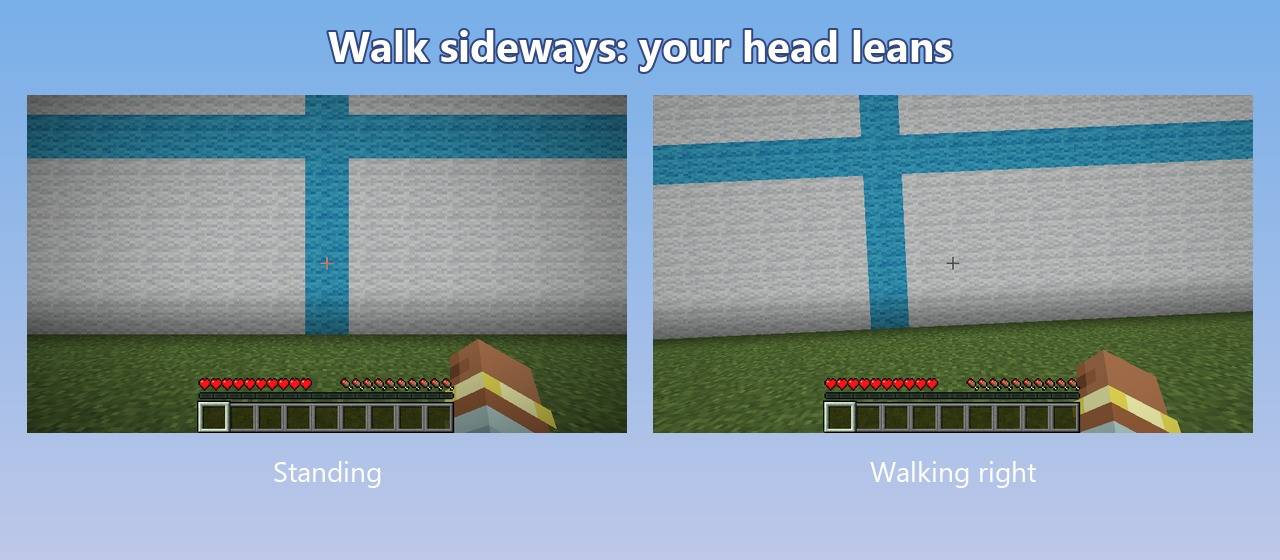
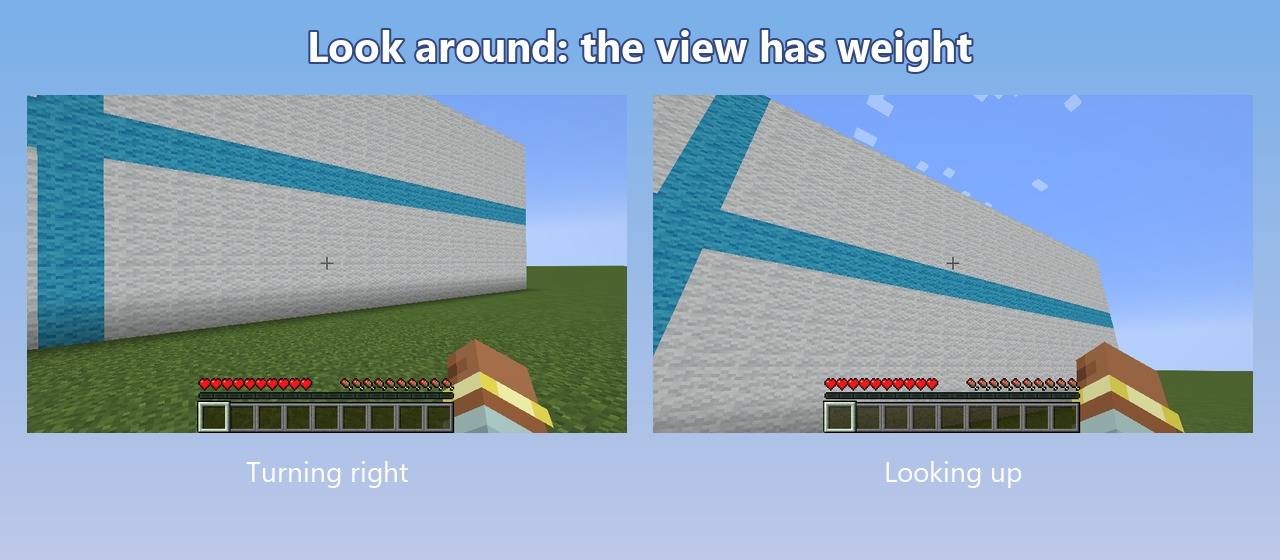
The camera sways as you walk, leans when you strafe or turn, has weight when you look around and bounces softly when you land.
截图
介绍
English
Living Camera brings the first-person camera to life. You feel every step, turn and landing, while the movement stays gentle enough to play for hours.
What it does
- Steps: the view sways with every step, a little more when you sprint.
- Strafing: walk sideways and your head leans that way.
- Turning: the view tilts slightly into the turn.
- Weight when looking around: look up, down or to the sides and the view trails a tiny bit behind, then settles.
- Jump and land: the view dips depending on how far you fell, then bounces back softly.
- Breathing: a very light sway while you stand still.
It only works in first person and only changes what you see, so it works on any server without installing anything there.
Settings
Edit config/livingcamera.properties (created the first time you start the game):
enabled: turn the mod on or offintensity: strength of every effect (0 = none, 1 = normal, 2 = double, max 3)walk_bob,strafe_tilt,turn_sway,jump_land,look_sway: each effect on its own (0 turns it off)
Compatibility
- 1.20.1: Fabric and Forge (also with OptiFine)
- 1.21.1: Fabric and NeoForge
- 26.3: Fabric
- The Fabric version needs Fabric API.
- Client side only: it is not needed on the server.
FAQ
Can I use it in videos or modpacks? Yes. Credit with a link to this page is appreciated.
Does it change my aim? No. You hit the same blocks and mobs as without the mod; only the view sways a little around them. If you want less movement for fighting, lower intensity or turn single effects off.
Credits
Made by ccrccne. Source code on GitHub (MIT): https://github.com/ccrccne/living-camera
NOT AN OFFICIAL MINECRAFT PRODUCT. NOT APPROVED BY OR ASSOCIATED WITH MOJANG OR MICROSOFT.
Español
Living Camera le da vida a la cámara en primera persona. Sientes cada paso, giro y aterrizaje, y el movimiento es suave para jugar horas.
Qué hace
- Pasos: la vista se balancea con cada paso, un poco más al correr.
- De lado: si caminas a un lado, la cabeza se inclina hacia ese lado.
- Al girar: la vista se inclina un poco hacia donde giras.
- Peso al mirar: al mirar arriba, abajo o a los lados, la vista se queda un pelín atrás y luego se acomoda.
- Salto y aterrizaje: la vista baja según la altura de la caída y rebota suave.
- Respiración: un movimiento muy leve cuando estás quieto.
Solo actúa en primera persona y solo cambia lo que ves tú, así que funciona en cualquier servidor sin instalar nada en él.
常见问题
Living Camera 支持哪些 Minecraft 版本?
Living Camera 支持 Minecraft Java 版 1.20.1–26.3,共 4 个版本,可用的加载器:Fabric / Forge / NeoForge。下载时注意选择和你游戏版本一致的文件。
Living Camera 怎么安装?
先用 PCL2 或 HMCL 启动器安装对应版本的 Fabric / Forge / NeoForge,再把下载的 .jar 文件放进游戏目录的 mods 文件夹,重新启动游戏即可。开启了版本隔离的,mods 文件夹在 versions/版本名 下面。

评论
登录后评论和评分