
截图

介绍
🛠️ LiveModel: Real-Time In-Game Modeling
LiveModel is a revolutionary creative tool that allows you to design, texture, and animate 3D models directly inside Minecraft. No need to export or reload—see your creations come to life in real-time.
🔳 Advanced Cube Editor
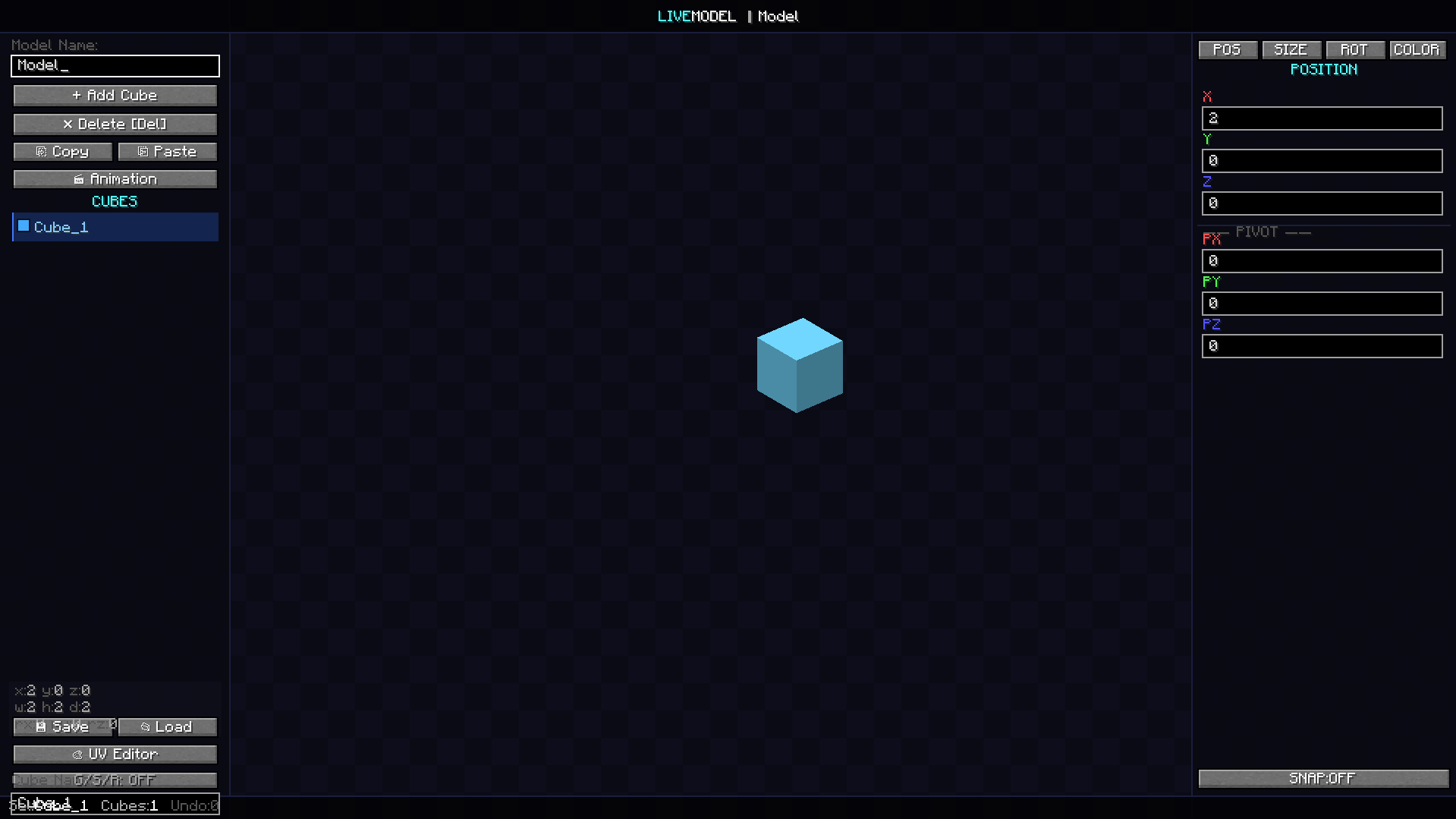
The core of LiveModel provides a familiar yet powerful modeling environment.
- Precision Controls: Fine-tune Position, Size, and Rotation with decimal accuracy.
- Pivot Point Management: Set custom pivot points for complex animations and mechanical parts.
- Layered Workflow: Easily manage, copy, paste, and delete multiple cubes from a clean sidebar list.
🎨 Integrated UV & Color Editor
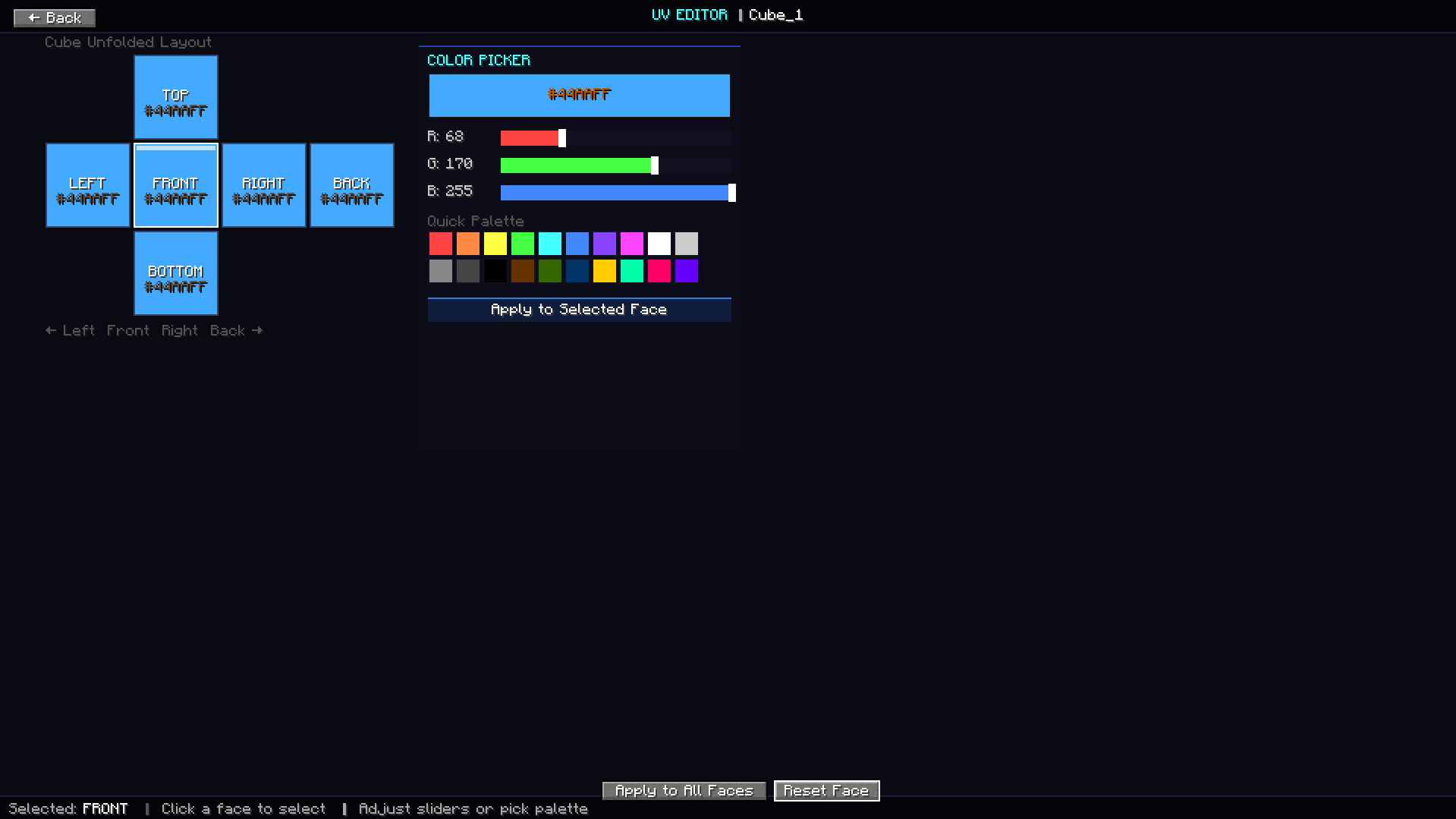
Give your models life with the built-in texturing suite.
- Per-Face Coloring: Apply specific colors to individual faces (Top, Bottom, Front, Back, Left, Right).
- Color Picker & Palette: Use the visual RGB sliders or select from a quick-access palette to find the perfect shade.
- Visual Layout: A clear “Unfolded Cube” map to see exactly where your colors are being applied.
🎬 Professional Animation Timeline
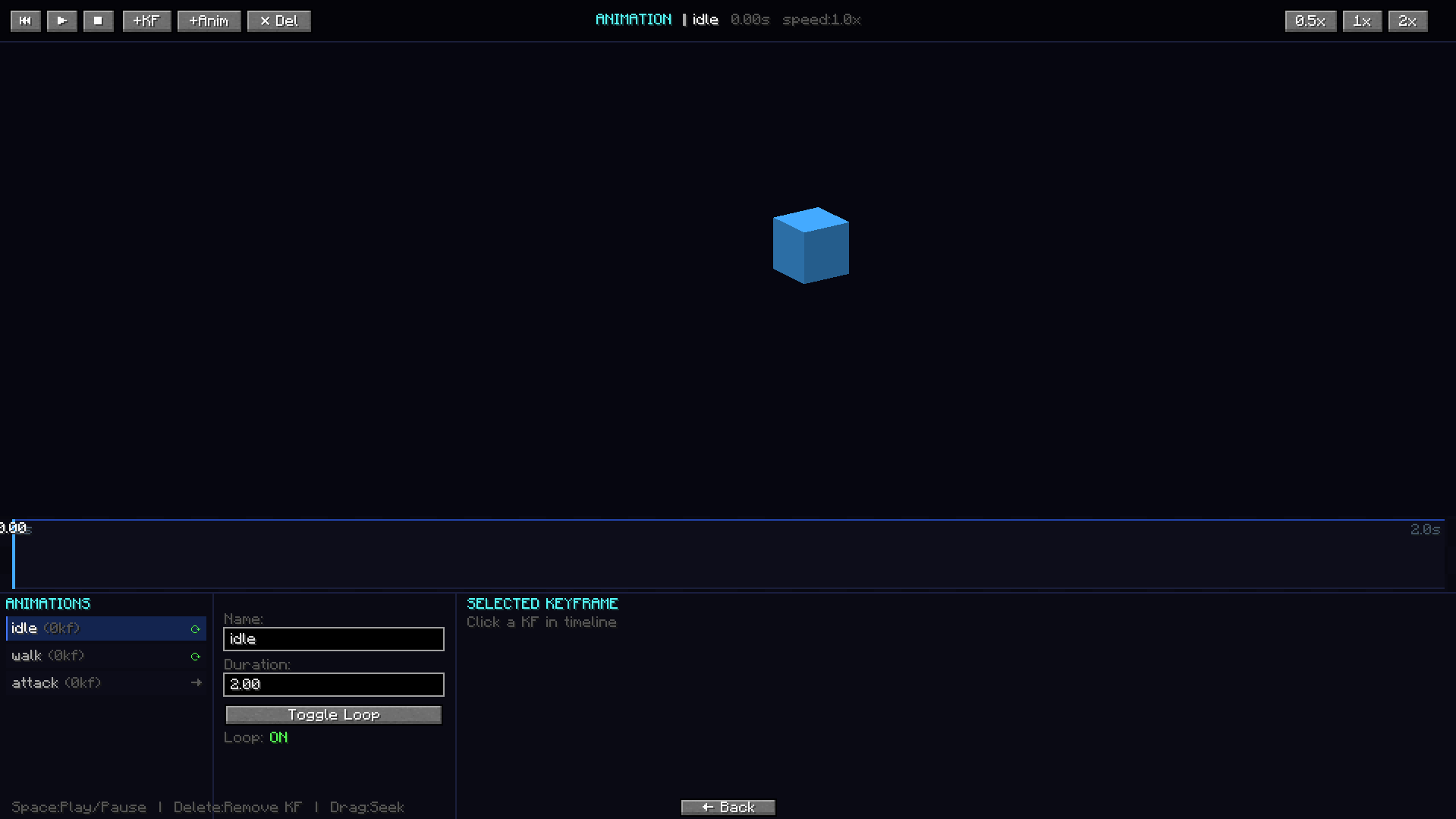
Bring your static models to life with a keyframe-based animation system.
- Keyframe Management: Add, delete, and adjust keyframes along a visual timeline.
- Preset Slots: Create multiple animation states like
idle,walk, andattack. - Playback Control: Test your animations at different speeds (0.5x, 1x, 2x) and toggle loops to perfect the movement.
📂 Model Gallery
Keep your projects organized with the built-in storage system.
- Visual Previews: See a thumbnail of your models before loading.
- Project Management: Search through your local library and load projects instantly.
📜 Controls & Usage
| Feature | Key / Action |
| :— | :— |
| Open Menu | Press “M” |
| Delete Cube | Del Key |
| Play/Pause Anim | Space |
| Quick Save | Click Save in Editor |
📥 Installation
- Install Fabric Loader.
- Install Fabric API.
- Place the
LiveModel.jarfile into yourmodsfolder. - Launch Minecraft and press M to start modeling.
Lead Developer: Shady1545
常见问题
LiveModel 支持哪些 Minecraft 版本?
LiveModel 支持 Minecraft Java 版 1.20.1,可用的加载器:Fabric。下载时注意选择和你游戏版本一致的文件。
LiveModel 怎么安装?
先用 PCL2 或 HMCL 启动器安装对应版本的 Fabric,再把下载的 .jar 文件放进游戏目录的 mods 文件夹,重新启动游戏即可。开启了版本隔离的,mods 文件夹在 versions/版本名 下面。运行环境:仅客户端。
Shady1545 的其他作品
查看全部 →
Age of Compound V
A The Boys-inspired Minecraft Palladium addon with playable Supes, unique powers, Compound V progression, custom effects, animations, and more.

Shrapnel Shard
Shrapnel Shard adds shrapnel to the Satsu Iron Man Addon. Surving a nearby TNT blast grants you the Arc Reactor.
Shrapnel Shard
Shrapnel Shard adds shrapnel to the Satsu Iron Man Addon. Surving a nearby TNT blast grants you the Arc Reactor.

Shady’s Heropack
A modern, optimized superhero experience for 1.20.1 built on Palladium. No bloatware—focused strictly on core hero abilities and high performance.
评论
登录后评论和评分