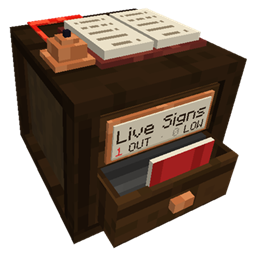
Live Signs
Live labels for your chests: see what’s inside, get warned when something runs out.
介绍
Live Signs
Chest labels that actually keep up with what’s inside.
You need iron, so you open one chest, then another, then five more, and it turns out you ran out yesterday. I got tired of that, so I made labels that count for you. Look at the wall and you know what you’ve got.
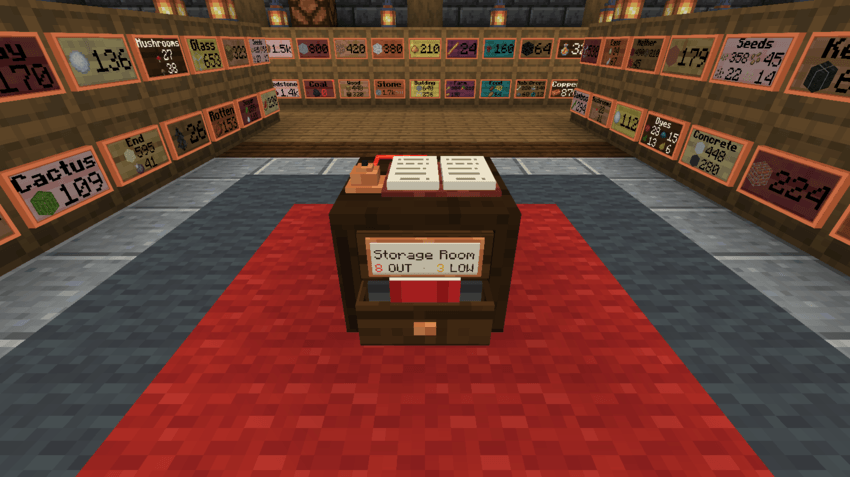
Craft a Label, stick it on a chest, and that’s it. The count updates on its own, goes yellow when you’re running low and red when it hits zero.
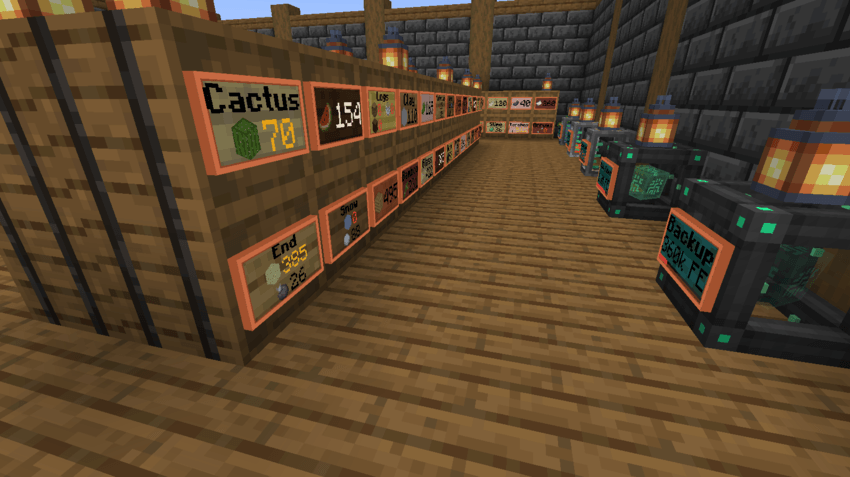
Yellow means grab more soon. Red means you’re out.
If you’ve got a big base, build a Supply Scribe. It lists every label nearby, so you can see what ran out, check your tanks and power, and total up any item across all your chests. When something empties, its drawer pops open and the bell dings, so you’ll actually notice.
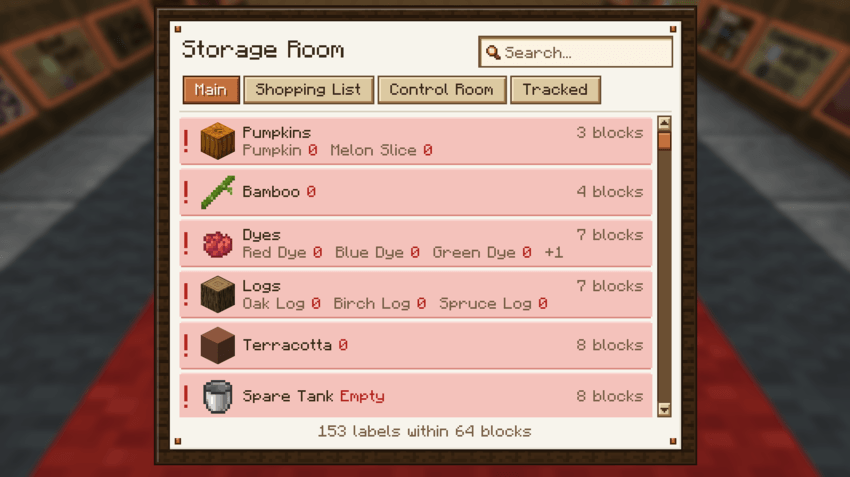
The Supply Scribe keeps an eye on everything for you.
A few other things it does: click a label to open the chest behind it, show tank and energy levels, write a shopping list into a book, and remember a label’s setup if you break it. There’s also a sign editor with colors and bold text, because why not.
Playing on a server? Claimed chests stay private with FTB Chunks, Open Parties and Claims, and Flan.
- Works with: JEI, Jade, Carry On, Tom’s Simple Storage, Handcrafted, FTB Chunks, Open Parties and Claims, Flan
- Versions: NeoForge 1.21.1, Forge 1.20.1, NeoForge 26.1.2. Install it on the server and every player’s client.
- Modpacks: Go for it, no need to ask.
All rights reserved. You’re welcome to include Live Signs in modpacks.
Found a bug or have an idea? Drop a comment. I read them all.
常见问题
Live Signs 支持哪些 Minecraft 版本?
Live Signs 支持 Minecraft Java 版 1.20.1–26.1.2,共 3 个版本,可用的加载器:Forge / NeoForge。下载时注意选择和你游戏版本一致的文件。
Live Signs 怎么安装?
先用 PCL2 或 HMCL 启动器安装对应版本的 Forge / NeoForge,再把下载的 .jar 文件放进游戏目录的 mods 文件夹,重新启动游戏即可。开启了版本隔离的,mods 文件夹在 versions/版本名 下面。
Uanme 的其他作品
查看全部 →
Check Engine
你整合包的故障指示灯。崩溃、模组缺失、配方损坏或“无效玩家数据”踢出?它会用通俗易懂的语言告诉你哪里坏了以及如何修复。撤销糟糕的更新,找出有问题的模组,备份并拯救你的世界。绝不触碰游戏玩法。
Beyond The Crank
一个以终局为目标的机械动力整合包:通过九个幕次建造工厂,从最初的手摇曲柄一直到创造马达。包含96个机械动力附属模组、850+个任务,以及需要真正工厂才能通过的关卡。

Whyzard
Look at a block and see why it isn't working, and how to fix it
评论
登录后评论和评分