Litematica-Printer-Easyplace-Extension
This is Litematica Printer, but it tweaks easyPlaceMode instead of offering separate printing mode options. The main purpose of this printer is building most of the redstone contraption safely, without activating it.
介绍
This is litematica printer (easyPlace extension), which tweaks EasyPlace behavior!
Printer requires Litematica, Malilib, Fabric API to operate.
Printer tries to follow the most recent version of each releases.
Basically, printer will only work when you see the placement, and uses EasyPlace.
You can use easyPlaceToggle and easyPlaceUseKey to use litematica’s EasyPlace feature.
If you want hand-free activation, you can set easyPlaceUseKey to None, and enable Allow Empty Keybinds by advanced setting.
This printer offers several complicated macro actions, such as Bedrock Breaking, Inventory Matching, Clearing Fluids / Snow, etc, but its not guaranteed to work!
The main feature is ‘Accurate Redstone Contraption Placement’. This means, printer will avoid placing block that will activate redstone contraptions.
Sample gif
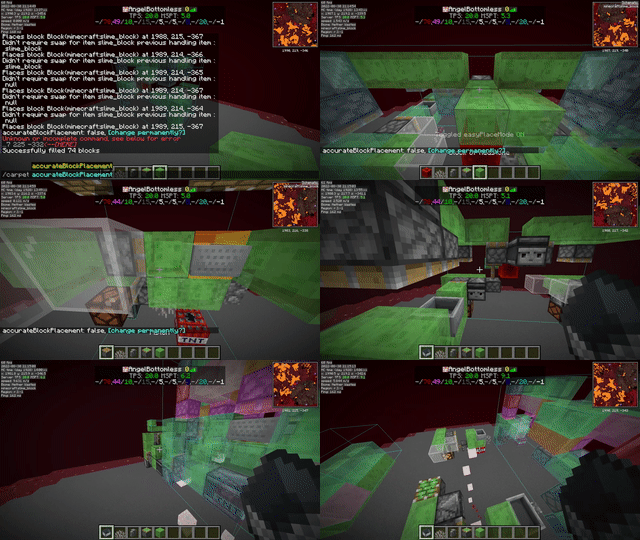
Most of the features are documented in ReadMe.
printerOff – Disables Extension and use normal EasyPlace feature instead.
easyPlaceMode++ – Disables Area Printing option and use Fake Rotation instead.
printerModeFakeRotation – Uses Fake Rotation to place block correctly.
printerAccurateBlockPlacement – If Carpet Extra’s AccurateBlockPlacement is enabled, you can try this.
常见问题
Litematica-Printer-Easyplace-Extension 支持哪些 Minecraft 版本?
Litematica-Printer-Easyplace-Extension 支持 Minecraft Java 版 1.16–1.21.1,共 24 个版本,可用的加载器:Fabric。下载时注意选择和你游戏版本一致的文件。
Litematica-Printer-Easyplace-Extension 怎么安装?
先用 PCL2 或 HMCL 启动器安装对应版本的 Fabric,再把下载的 .jar 文件放进游戏目录的 mods 文件夹,重新启动游戏即可。开启了版本隔离的,mods 文件夹在 versions/版本名 下面。运行环境:仅客户端。
评论
登录后评论和评分