
Linked Chests
Effortless linked storage — access the same inventory from any chest, any place, any time!
介绍




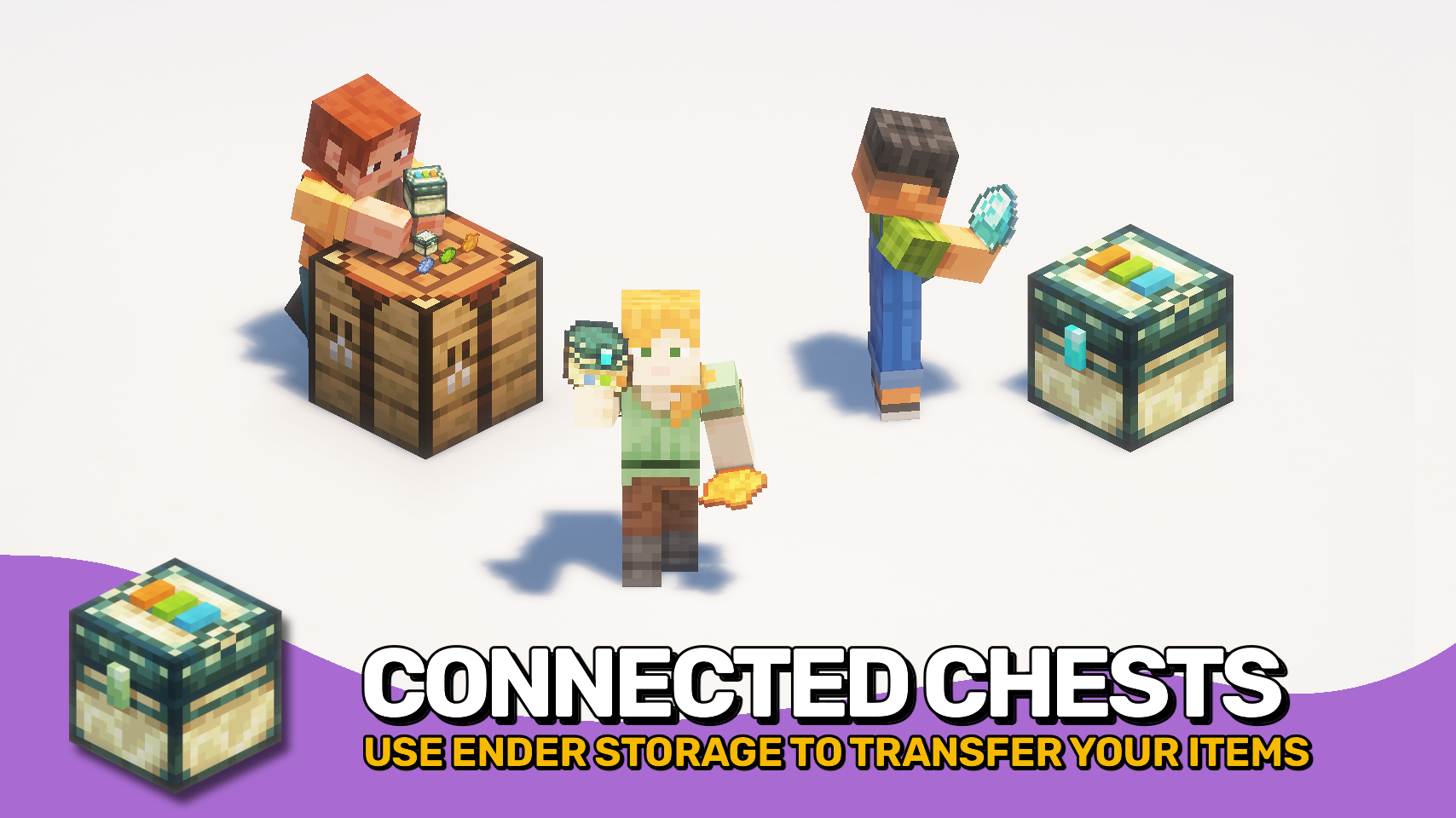
Linked Chests adds shared storage channels that can be accessed from matching chests placed anywhere in the world. Set a chest’s channel with three dye colours, then open any chest using the same combination to reach the same inventory. 🎨
The mod is useful for bases, outposts, mines, farms, and multiplayer storage networks where travelling back to one storage room slows everything down. For private storage, channels can also be locked to a player, giving you a larger personal inventory space that only follows you. 🔒
A linked pouch lets you access a chosen channel directly from your inventory, making the system practical while exploring, building, or moving items between locations. 🎒

- 🎨 Dye-Based Channels: Create unique linked storage networks using three dye colours. Configure channels directly on the chest or craft dyes into linked chests and pouches.
- 📦 Shared Remote Storage: Any linked chest with the same channel opens the same inventory, no matter where it is placed.
- 🔒 Personal Channels: Convert a channel into player-specific storage for private access with double the inventory space.
- 🎒 Linked Pouch: Carry portable access to a selected linked chest channel from anywhere.
- 🧭 Easy Channel Copying: Sneak-use a linked pouch on a linked chest to bind it to that chest’s channel.
- ⚙️ Hopper Compatible: Fully supports hoppers and other automation for easy item transport and storage systems.
- ✨ Visual Channel Feedback: Chests and pouches display their selected dye colours, making channels easy to identify at a glance.


⏩ INSTALLATION REQUIRED ON CLIENT & REQUIRED ON SERVER
⏩ REQUIRES PUZZLES LIB TO BE INSTALLED (FABRIC & NEOFORGE)
⏩ REQUIRES FABRIC API TO BE INSTALLED (FABRIC)
⏩ REQUIRES FORGE CONFIG API PORT TO BE INSTALLED (FABRIC)

If available for a mod, configuration is possible directly from in-game using the mod menu (requires Mod Menu by Prospector to be installed on Fabric).
For manual configuration using an external text editor all files are found at .minecraft/config, named as MOD_ID-client.toml, MOD_ID-common.toml, or MOD_ID-server.toml, depending on the type of config. Not all types might exist for a mod, if any at all.

🌟 Thanks to Kyrptonaught and their Linked Storage mod for serving as a founding for this project. Linked Chests originally started out as a port, but has since turned into a complete standalone rewrite.
🌟 Thanks to Chicken_Bones for inspiring this project with their Ender Storage mod.
🌟 Thanks to the incredibly talended Mim1q for creating all those amazing textures.
 |
 |
|
 |
 |
|
 |
 |
|
 |
 |
|
 |
 |
|

© 2026 @heyitsfuzs. All rights reserved. This page was last edited on 11 September 2026, at 06:44 (UTC).
常见问题
Linked Chests 支持哪些 Minecraft 版本?
Linked Chests 支持 Minecraft Java 版 1.21.1–26.3,共 15 个版本,可用的加载器:Fabric / NeoForge。下载时注意选择和你游戏版本一致的文件。
Linked Chests 怎么安装?
先用 PCL2 或 HMCL 启动器安装对应版本的 Fabric / NeoForge,再把下载的 .jar 文件放进游戏目录的 mods 文件夹,重新启动游戏即可。开启了版本隔离的,mods 文件夹在 versions/版本名 下面。
Fuzs 的其他作品
查看全部 →
Puzzles Lib
为什么叫谜题?这就是谜题所在。

Forge Config API Port
为其他模组生态提供 NeoForge 和 Forge 的配置系统。专为多加载器架构设计。

Visual Workbench
物品会留在工作台内,并且会渲染在上方。真的很精致!

Pick Up Notifier
收集到的所有物品都会通知你。
评论
登录后评论和评分