Lightning Vector & Bounding Box Visualizations
Minecraft Debug Mod that adds commands to render boxes and vectors.
截图


介绍
Minecraft Debug Mod that adds commands to render boxes and vectors.
Commands
/renderbox <string> - Renders a box with the parameters parsed from a string in the format of examples below
/rendervector <string> - Renders a vector with the parameters parsed from a string in the format of examples below
/listboxes - Lists all boxes and their indexes
/listvectors - Lists all vectors and their indexes
/removebox <index> - Removes box at index
/removevector <index> - Removes vector at index
/clearboxes - Removes all boxes
/clearvectors - Clears all vectors
Examples
Rendering a box
/renderbox "SimpleCollisionBox{minX=0.0, minY=5.0, minZ=0.0, maxX=16, maxY=21, maxZ=16, isFullBlock=false}"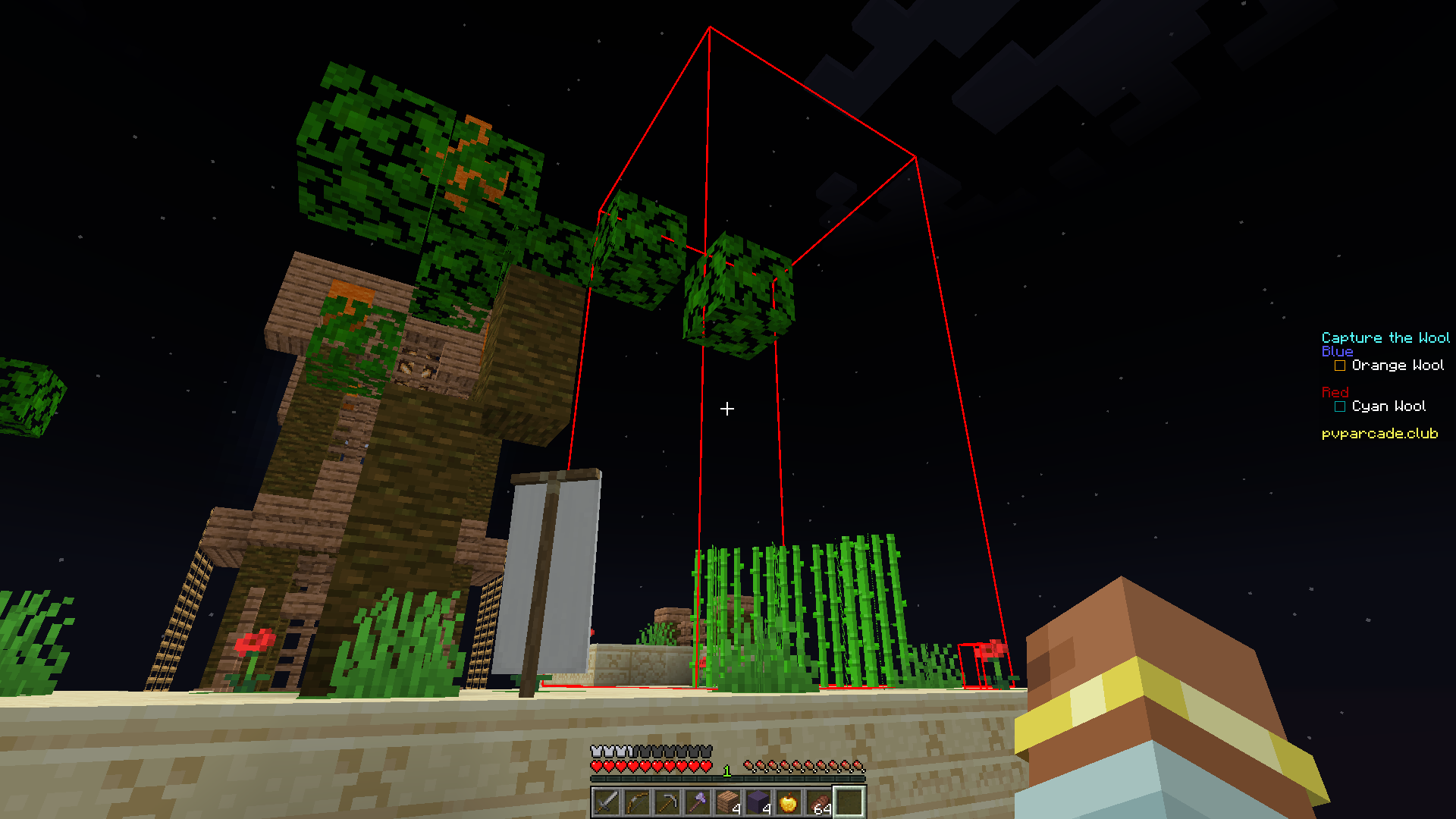
Rendering a vector and a box
/renderbox SimpleCollisionBox{minX=-229.75, minY=6.0, minZ=-127.6875, maxX=-229.25, maxY=6.375, maxZ=-127.3125, isFullBlock=false}
/rendervector origin: -229.71166162514788,6.4,-125.36631179014836 direction: 0.0980876340918071,-0.5511781573295593,-0.8286021167303872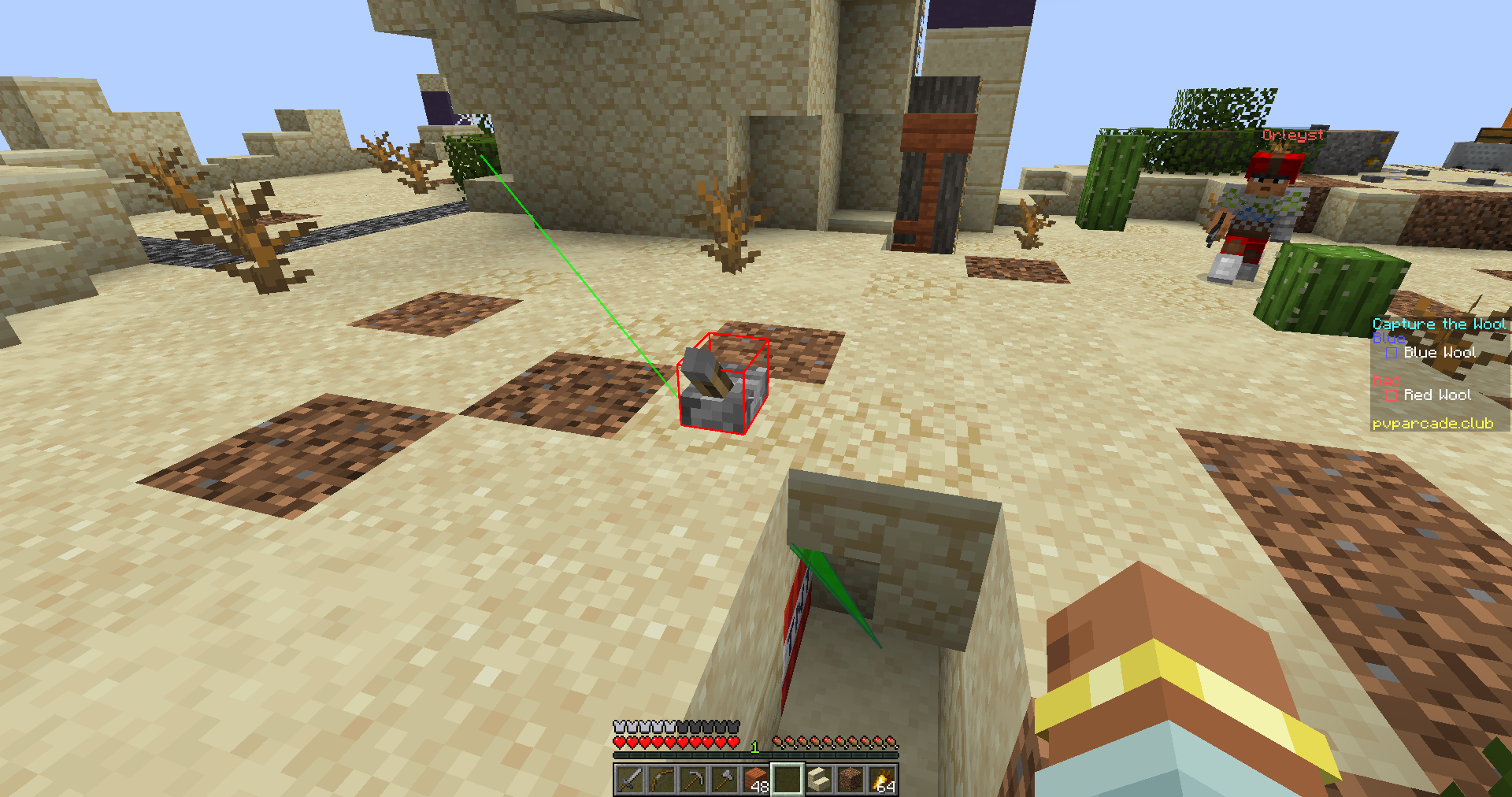
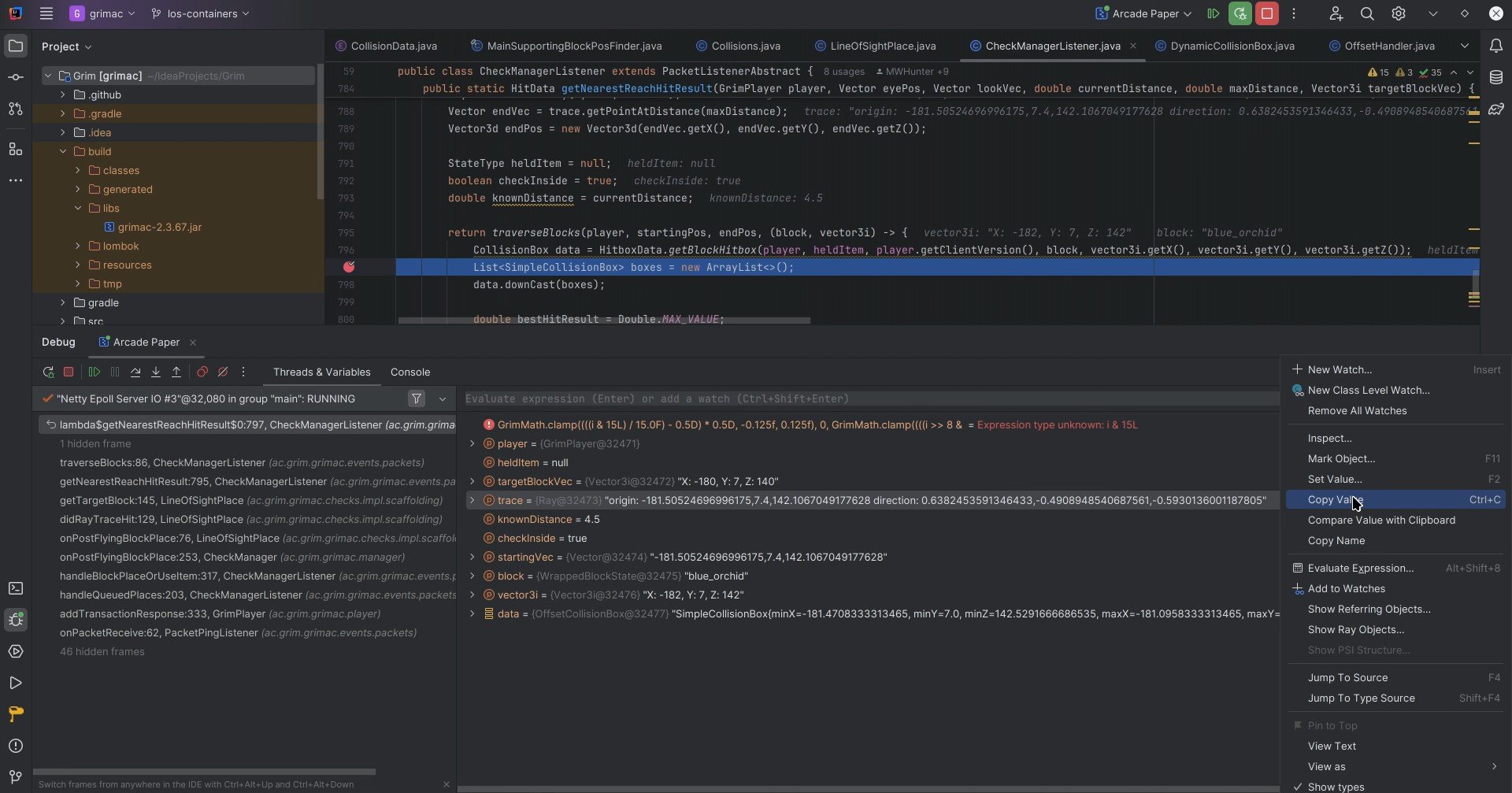
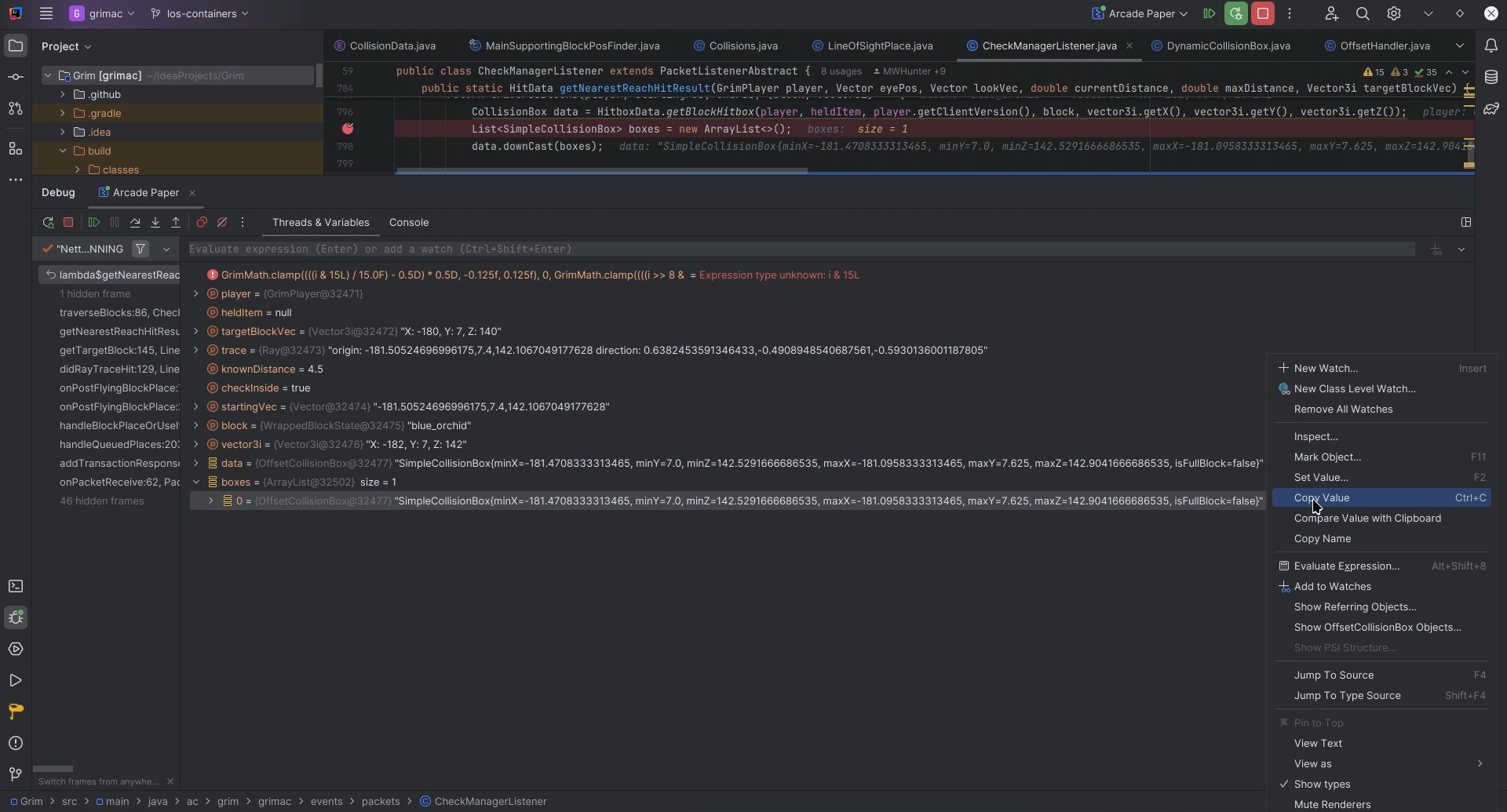
Generating Render Strings
The odd input format is because this mod is currently built for a very specific purpose. To quickly render hitboxes and vectors for GrimAC from values copied through the Intellij debugger, as shown below.
More Debug features coming soon!
常见问题
Lightning Vector & Bounding Box Visualizations 支持哪些 Minecraft 版本?
Lightning Vector & Bounding Box Visualizations 支持 Minecraft Java 版 1.18–1.21.8,共 9 个版本,可用的加载器:Fabric。下载时注意选择和你游戏版本一致的文件。
Lightning Vector & Bounding Box Visualizations 怎么安装?
先用 PCL2 或 HMCL 启动器安装对应版本的 Fabric,再把下载的 .jar 文件放进游戏目录的 mods 文件夹,重新启动游戏即可。开启了版本隔离的,mods 文件夹在 versions/版本名 下面。运行环境:仅服务端。
Axionize 的其他作品
查看全部 →
Grim Anticheat
Fully async, multithreaded, predictive, open source, 3.01 reach, 1.005 timer, 0.01% speed, 99.99% antikb, "bypassable" 1.8-1.21 anticheat

Lightning Grim Anticheat
Anticheat Perfected | 3.0005 reach | 99.999% antikb. Fork of GrimAC that's faster, with better reach checks, interact checks, and numerous bug fixes.
KnockbackSync
Say goodbye to lag-induced knockback woes, delivering fair and consistent PvP battles for all players, no matter their ping!

Minecraft SQLite JDBC
Up-to-date SQLite JDBC driver wrapped as a universal Forge/Fabric/Bukkit library for plugins like Dynmap and Grim.
评论
登录后评论和评分