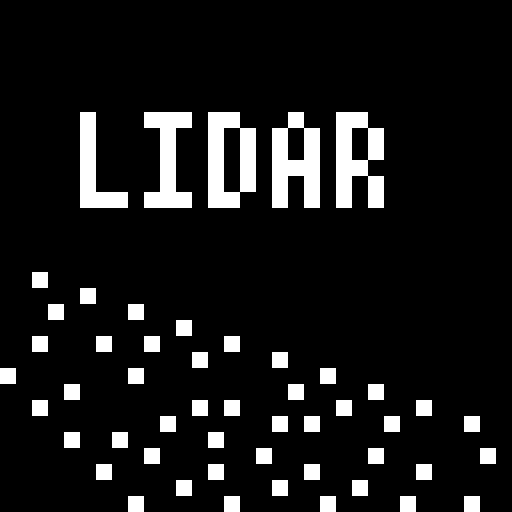
Lidar
Replaces the game renderer with projected particles that are cast onto surfaces from the player's line of sight.
截图

介绍

LIDAR is a mod that dramatically transforms Minecraft’s visibility into an environment of dots and particles projected from the player onto surfaces around them. This makes the game super difficult to play! And also pretty spooky.
This mod is inspired from the game “Lidar.exe” by KenForest – if you enjoy this mod, be sure to check out the original game!
Music
This mod additionally customizes the in-game music – most of the included tracks can be found at soundcloud.com/fennifith or fennifith.bandcamp.com 🙂
Configuration
For now, the mod’s configuration can be edited manually in config/lidar-lidarconfig.json. Be aware that invalid values in this file can crash the game. An in-game config menu should be added to address this in a future update.
{
    // whether the mod rendering is enabled
    "isActive": true,
    // a mapping of block identifier -> particle color
    "blockColorMap": {
        "default": "#FFFFFF",
        "minecraft:water": "#0000FF",
        "minecraft:seagrass": "#0000FF"
    },
    // a mapping of entity identifier -> particle color
    "entityColorMap": {
        "default": "#ff7e7e",
        "peaceful": "#61cf66",
        "hostile": "#ff7e7e",
        "minecraft:enderman": "#7e009e",
        "minecraft:creeper": "#008f07"
    },
    // entities that are excluded from the particle system, and should be rendered normally
    "entityRender": [
        "minecraft:item",
        "minecraft:item_frame",
        "minecraft:glow_item_frame",
        // if you remove the ender dragon from this list, it will actually crash the game when it renders - so don't do this :)
        "minecraft:ender_dragon"
    ],
    // whether particles should follow entities as they move (looks super cheesy, turned off by default)
    "entityParticleFollow": false,
    // if enabled, particles project onto entity models more accurately, at the cost of performance
    "entityParticleModel": true,
    // if enabled, particles from other entities will render on the current player (blocks the player's view, turned off by default)
    "entityParticlesOnSelf": false,
    // amount of lidar projections created by non-player entities, per tick
    "entityLidarCount": 20,
    // distance (blocks) that lidar particles should be cast
    "lidarDistance": 10.0,
    // radius/spread of particles, in degrees
    "lidarSpread": 30.0,
    // amount of lidar projections created for player entities, per tick
    "lidarCount": 100,
    // amount of ticks that particles cast onto blocks should remain
    "lidarDurationBlock": 100,
    // amount of ticks that particles cast onto entities should remain
    "lidarDurationEntity": 20,
    // whether a bloom effect should be rendered for the lidar particles
    "lidarBloom": true
}
Keybinds
This mod has one keybind to toggle between particle/normal rendering modes, which is bound to K by default. You can change this in “options > controls > key binds”.
Mod Compatibility
This mod is likely incompatible with most other fabric mods due to how it modifies the rendering logic. It is known to be incompatible with Sodium/Iris/etc. Use at your own risk.
License
Copyright (c) 2023 James Fenn

This Source Code Form is subject to the terms of the Mozilla Public
License, v. 2.0. If a copy of the MPL was not distributed with this
file, You can obtain one at https://mozilla.org/MPL/2.0/.
常见问题
Lidar 支持哪些 Minecraft 版本?
Lidar 支持 Minecraft Java 版 1.19,可用的加载器:Fabric。下载时注意选择和你游戏版本一致的文件。
Lidar 怎么安装?
先用 PCL2 或 HMCL 启动器安装对应版本的 Fabric,再把下载的 .jar 文件放进游戏目录的 mods 文件夹,重新启动游戏即可。开启了版本隔离的,mods 文件夹在 versions/版本名 下面。运行环境:仅客户端。
fennifith 的其他作品
查看全部 →
Scoreboard Overhaul
更美观、更可爱且无侵入性的计分板侧边栏界面重设计!

Yet Another Bingo
一个多人Bingo/Lockout模组+大厅,兼容原版客户端
Coords HUD
一个高效且可自定义的服务器动作栏HUD!

Yet Another Bingo: Ultimate
一个专注于原版体验的 Minecraft BINGO 整合包——包含便利性功能和性能优化模组。
评论
登录后评论和评分