
介绍
概述
这是一个配置 API,旨在为多个不同的配置前置库提供兼容性,同时便于在多加载器项目环境中使用,主要用于我的模组。
它采用简单易用的基于注解的语法,让创建新的配置文件变得尽可能简单。
如果你只是模组用户,那么这些信息可能对你没什么用。不过,如果你是模组开发者,并且希望在自己的项目中使用 Lexiconfig,请继续查看“开发”部分。
目前它还不支持其他配置前置库,但随着我持续更新,我会逐步为每个配置前置库添加更多兼容性支持,以确保它不会与其他前置库发生冲突,而是能够在它们之间无缝集成。
以下是当前已经集成以及计划集成的不同配置前置库/API:
❌ – 未集成
✅ – 已集成
❓ – 进行中
| 状态 | 模组 |
| ————- | ————- |
| ❌ | Cloth Config |
| ❌ | oωo config |
| ✅ | Configured |
| ❌ | Forge Config Screens |
开发
此模组包含一个 API,可用于收纳新的词典、监听事件等。
依赖
build.gradle
repositories {
  maven { url 'https://maven.codinglitch.com/repository/releases' }
}

dependencies {
  implementation "com.codinglitch.lexiconfig:lexiconfig-api:API_VERSION_HERE"
}
你可以前往 https://versions.codinglitch.com 查看最新的 API 版本。
用法
要收纳你自己的词典,首先需要创建自己的 Library。只需创建一个继承自 Library 类的新类,并使用 LexiconLibrary 注解进行标注即可。
@LexiconLibrary
public class MyNewLibrary extends Library {
  @Override
  public void shelveLexicons() {

  }
}
在 Forge 环境中,不需要进行其他更改。不过,如果你是为 Fabric 开发,则需要将此类作为入口点添加到你的 fabric.mod.json 中。
fabric.mod.json
//...
"entrypoints": {
  "lexiconfig": [
    "com.path.to.MyNewLibrary"
  ]
}
//...
下一步就是创建并收纳你的词典。你只需为词典创建另一个类,并为其提供适当的注解,如下所示:
@Lexicon(name = MY_LEXICON_TITLE) // preferably use your mod id as a name
public class MyLexicon extends LexiconData {
  @LexiconEntry(comment = "This is a comment for a simple field!")
  public String mySimpleField = "content";

  @LexiconPage(comment = "This is a fancy new comment on the fancy new category!")
  public MyNewPage myNewPage = new MyNewPage();

  public static class MyNewPage extends LexiconPageData {
    @LexiconEntry(comment = "This field is inside a lexicon page!")
    public Boolean myPageField = true;
  }
}
最后一步是收纳词典,只需将其实例作为字段添加到 Library 中,并在指定的方法里将其收纳即可。
@LexiconLibrary
public class MyNewLibrary extends Library {
  public static MyLexicon MY_LEXICON = new MyLexicon();

  @Override
  public void shelveLexicons() {
    LexiconfigApi.shelveLexicon(MY_LEXICON);
  }
}
常见问题
Lexiconfig 支持哪些 Minecraft 版本?
Lexiconfig 支持 Minecraft Java 版 1.18–1.21.11,共 27 个版本,可用的加载器:Fabric / Forge / NeoForge。下载时注意选择和你游戏版本一致的文件。
Lexiconfig 怎么安装?
先用 PCL2 或 HMCL 启动器安装对应版本的 Fabric / Forge / NeoForge,再把下载的 .jar 文件放进游戏目录的 mods 文件夹,重新启动游戏即可。开启了版本隔离的,mods 文件夹在 versions/版本名 下面。运行环境:客户端和服务端都要装。
CodinGlitch 的其他作品
查看全部 →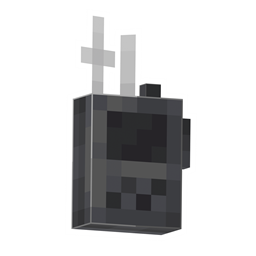
Simple Voice Radio
Adds a simple radio to be used alongside Simple Voice Chat.

Simple Radio
这个模组添加了一台简单的无线电,即使相隔很远,也能用它和朋友交流!

Vibrative Voice
This is an addon for Simple Voice Chat that lets your voice interact with vibrations!

Vibrative Voice
This is an addon for Simple Voice Chat that lets your voice interact with vibrations!
评论
登录后评论和评分