LetsMines HUD
LetsMine HUD adds clean, vanilla-style displays that show you useful information as you play.
截图
介绍
LetsMine HUD
See the numbers Minecraft already knows but doesn’t show you: mob health, exact tool durability and crop growth. Client-side, so it works on any server.
LetsMine Vanilla HUD adds small bars and counters to the game. Look at a cow to see that it has 6 of 10 health, see that your pickaxe has exactly 31 uses left, or find out why your wheat isn’t growing. Every meter uses data the game already sends to your client, so nothing needs installing on the server and it works on vanilla servers too.
This is just the start
I intend to keep expanding this mod, adding more to it and improving what’s already here. Mob health, durability and crops are only the first three meters, and more will follow. The Planned section below lists what I have in mind.
Features
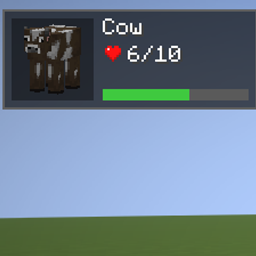
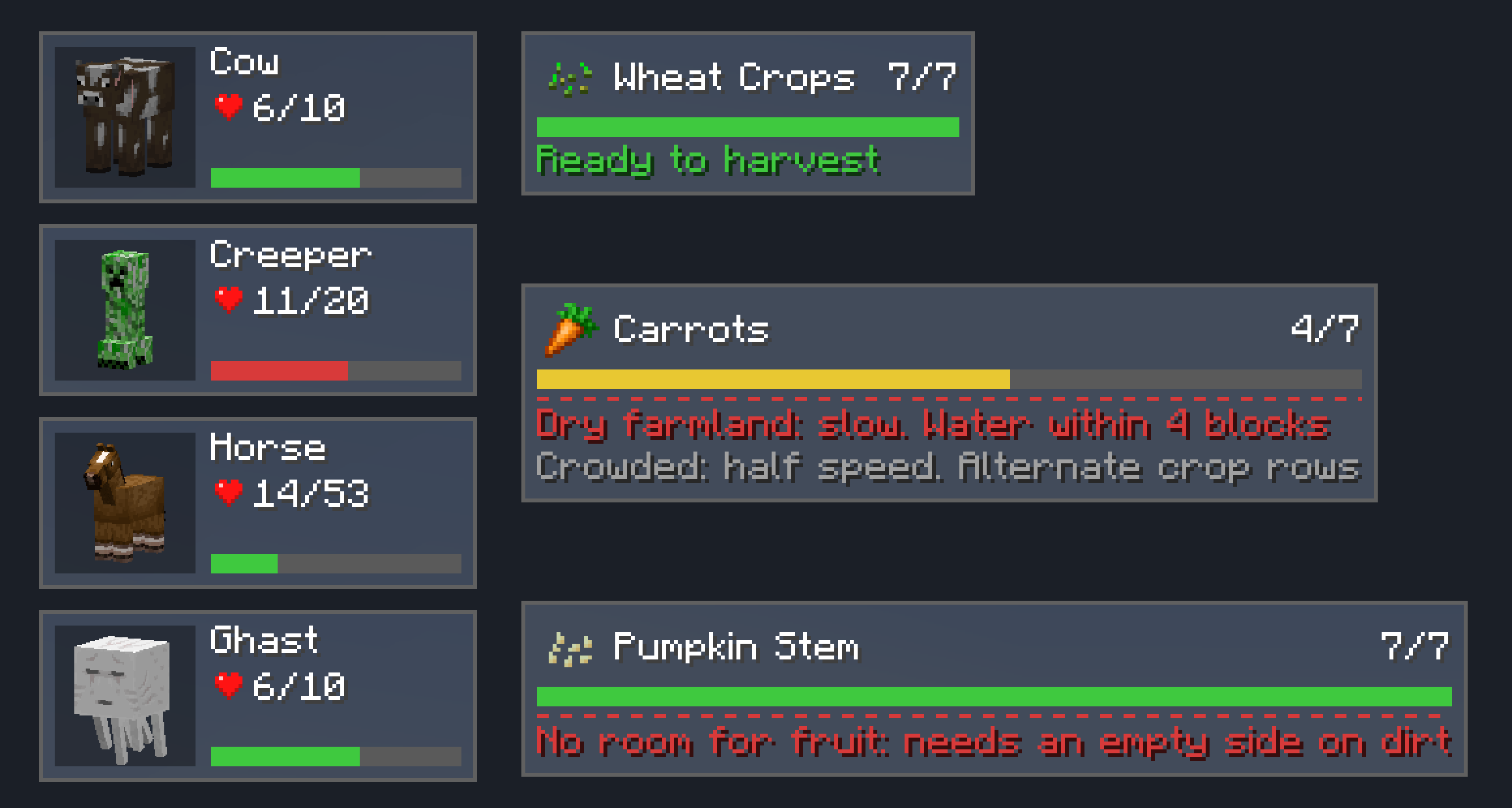
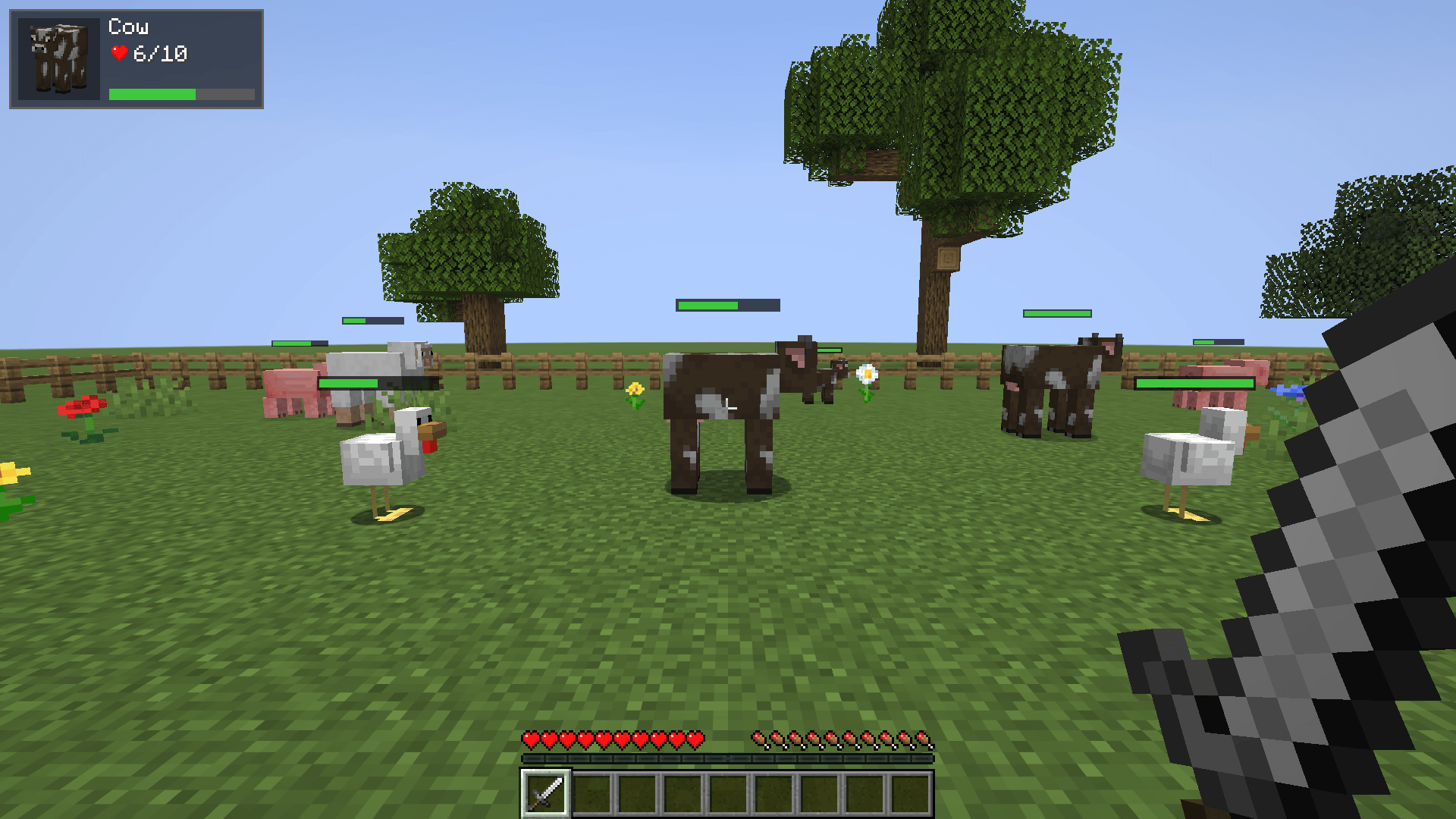
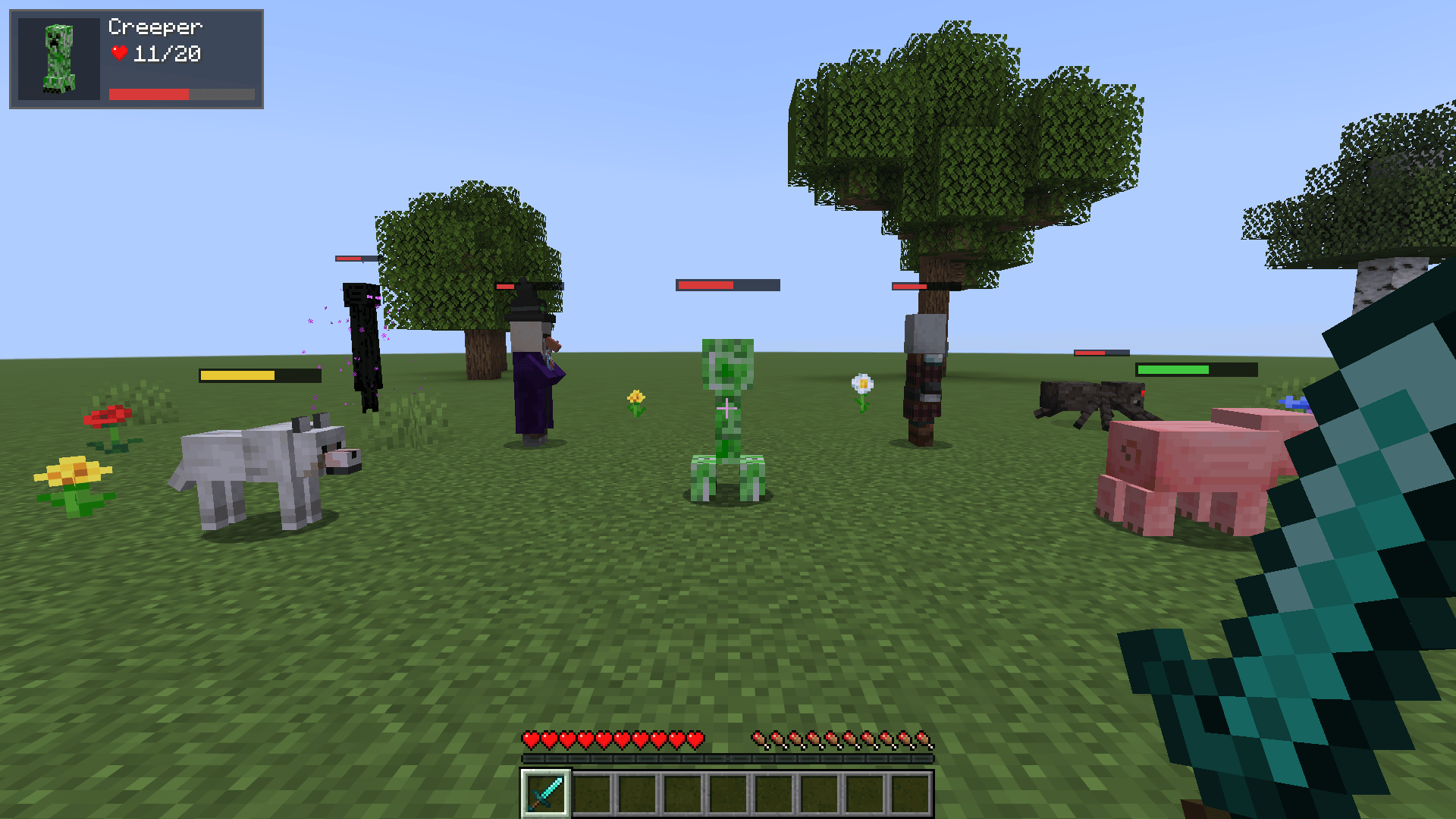
- Mob health: a floating health bar above nearby mobs, and a panel with a live portrait of the mob you’re looking at.
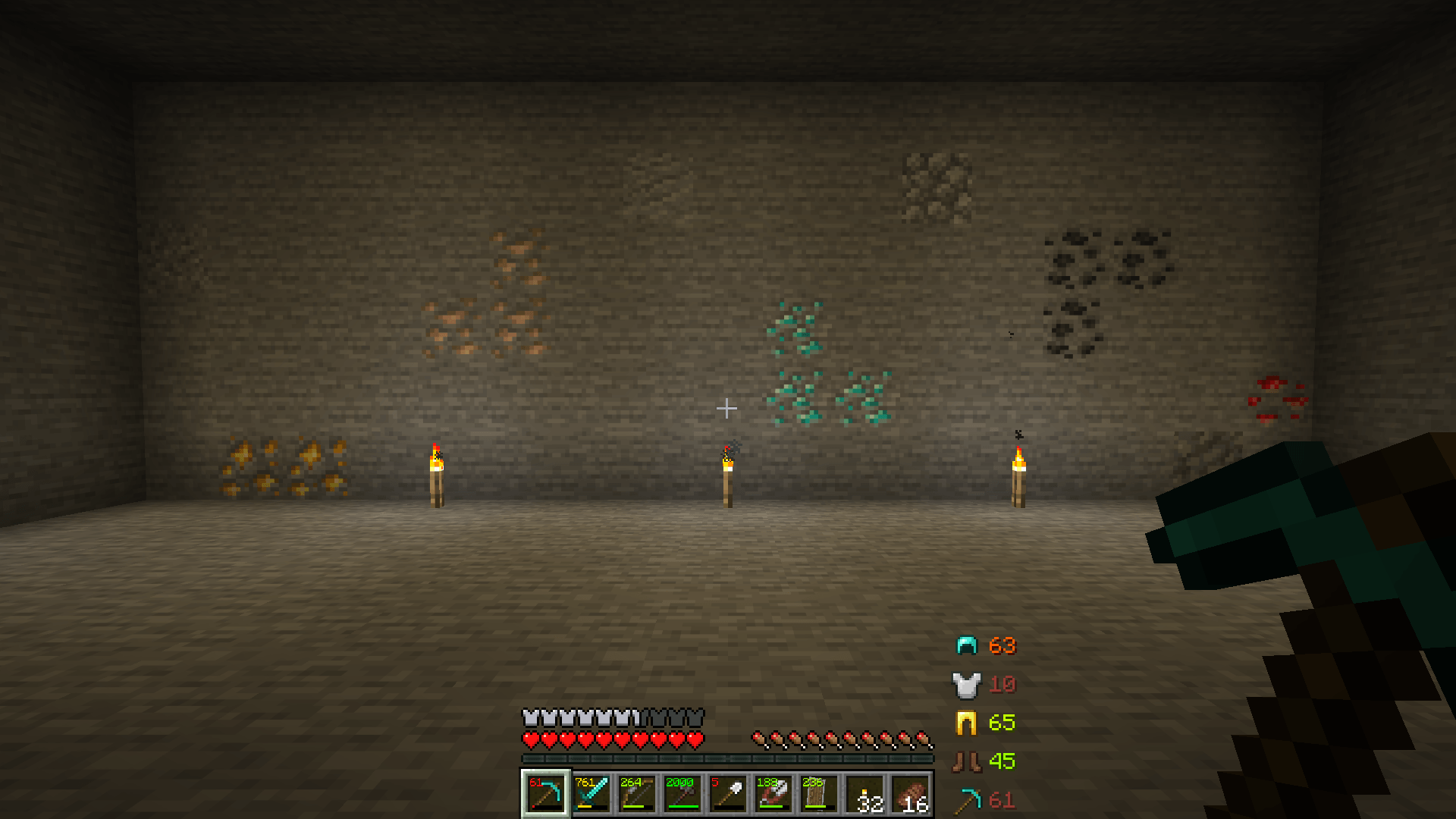
- Exact durability: uses left on every worn-down item, plus a column showing what you wear and hold, with a warning when something is about to break.
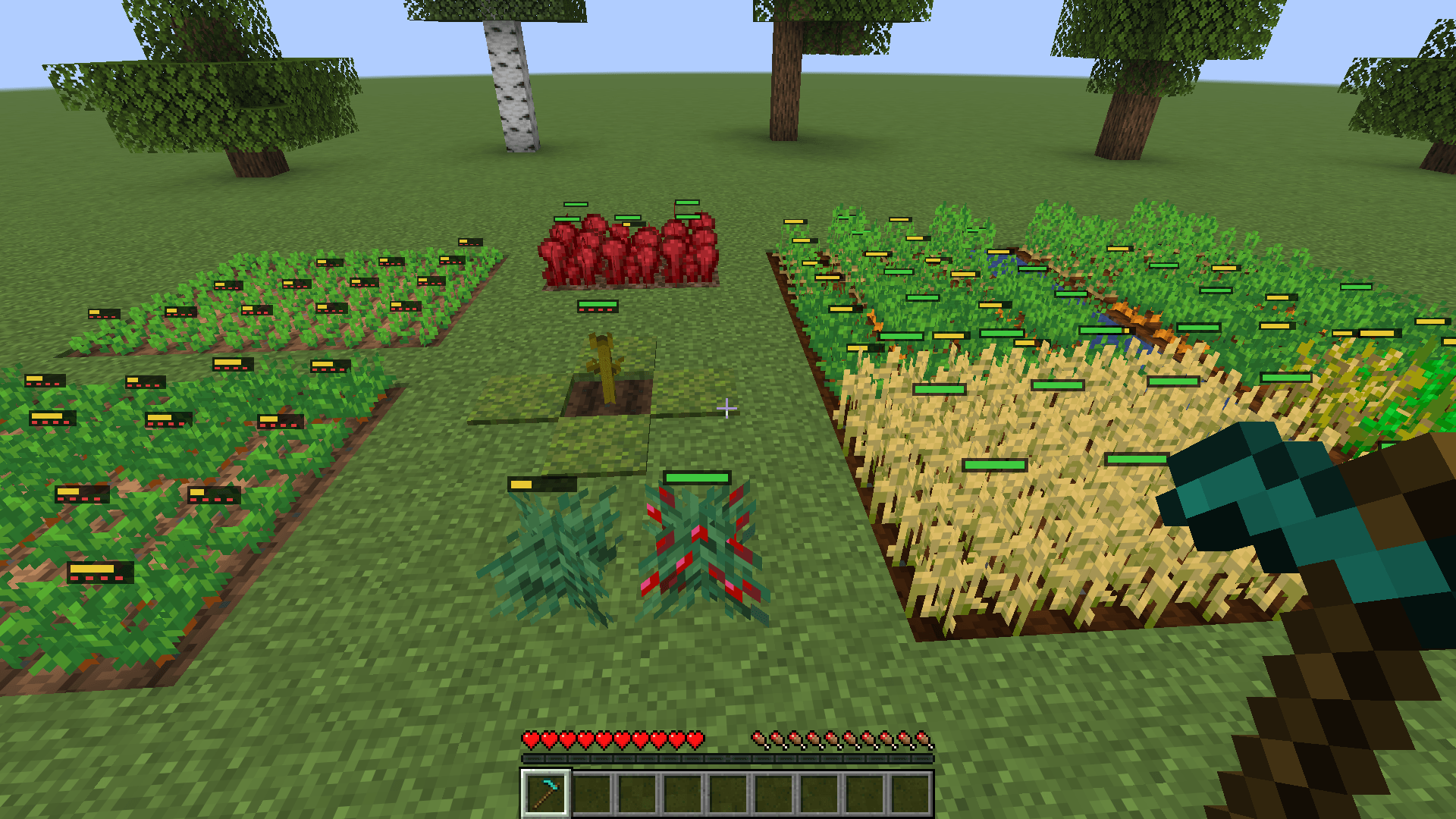
- Crop growth: a small bar on every nearby crop, a clear signal when it’s ready to harvest, and a plain explanation of what’s slowing it down.
- Client-side only: works in singleplayer and on any server.
- Toggle keys and a config file: turn each kind of meter on or off in game, and change the details in the config.
Mob health
- Target panel: look at a mob up to 32 blocks away to see its live portrait, name, health (such as
6/10) and a health bar. The panel stays for 2 seconds after you look away. - Floating bars: a small health bar above every living mob within 24 blocks, facing you like a name tag.
- Press H to turn the floating bars on or off.
Durability
Vanilla’s durability bar tells you “about half”. This tells you the number.
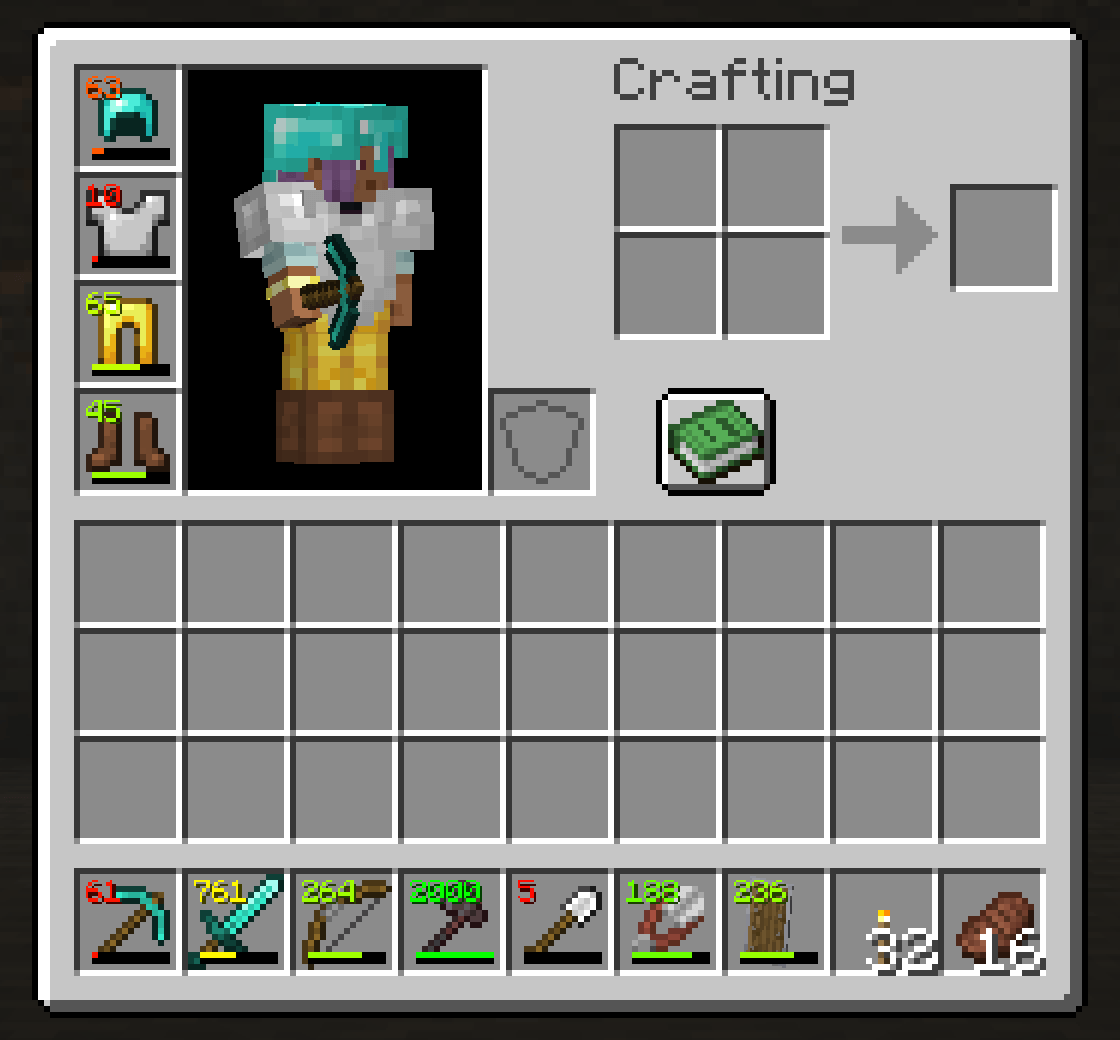
- Slot counter: uses left, shown as a small number on every worn-down tool, weapon and piece of armor, in the hotbar and every inventory screen.
- Equipment column: a list to the right of the hotbar showing what you wear and hold, with uses left.
- Low warning: at 10% durability or less, an item turns red and a bell plays once.
- Press J to hide or show all durability numbers.
Crops
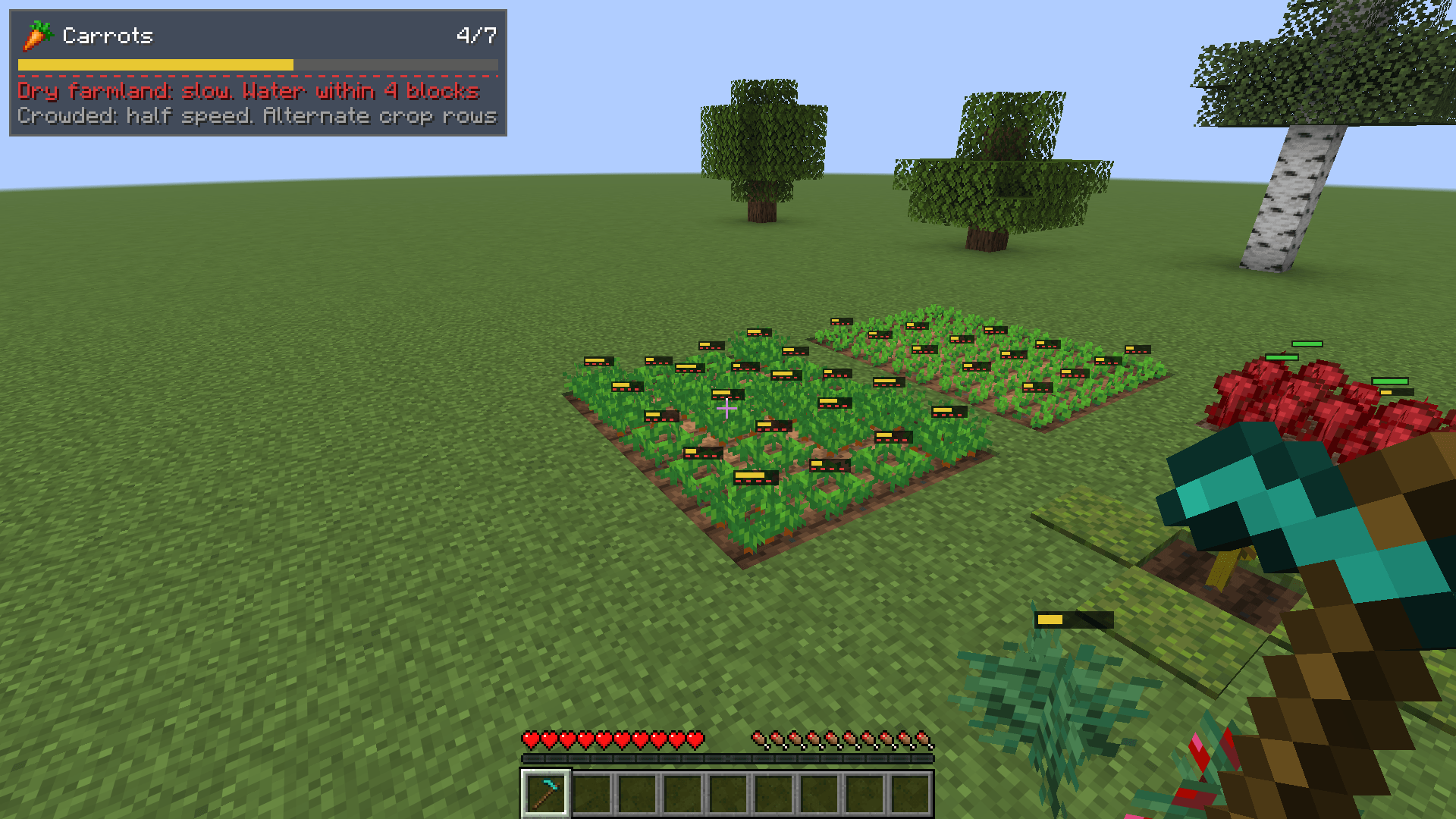
- Growth bars: a small bar on top of every crop within 12 blocks. It’s yellow while the crop grows and green when it’s ready to harvest.
- Red dotted line: appears under the bar when a crop isn’t growing as fast as it could. The rules are vanilla’s own.
- Crop panel: look at a crop up to 16 blocks away to see its name, growth stage (such as
4/7), bar and anything slowing it down. - Press K to turn the crop bars on or off.
The crop panel can tell you that a crop is:
- too dark to grow, with its current light level and the level it needs
- on dry farmland
- crowded, which halves its growth speed
- a pitcher plant with no room for its top
- a grown stem with no room for its pumpkin or melon
Crowding only shows in the panel by default, because most farms are planted that way. Turn on crops.warnCrowded to add the dotted line for it too.
Supported crops: wheat, carrots, potatoes, beetroots, melon and pumpkin stems, sweet berries, nether wart and cocoa, plus torchflowers and pitcher plants on Minecraft versions that have them.
Controls
| Key | Action |
|---|---|
| H | Toggle floating health bars |
| J | Toggle durability numbers |
| K | Toggle crop bars |
You can rebind all three in Minecraft’s Controls menu, under LetsMine Vanilla HUD.
Configuration
Settings are in config/indicatorbars.json, which is created the first time you launch the game. Edit it and restart. There’s no in-game config screen yet.
The most useful options:
| Option | Default | Other values |
|---|---|---|
health.barMode |
all |
damaged (below full health only), target (only the mob in the panel) |
health.barColor |
green |
gradient (red to green by health), hostility (red hostile, yellow neutral, green passive) |
health.barDistance |
24 |
Any distance in blocks |
health.seeThrough |
false |
true shows bars through walls |
health.healthText |
fraction |
percent, hearts, off |
health.showPanel |
true |
false hides the target panel |
health.panelAnchor |
top_left |
top_center, top_right, bottom_left, bottom_right, hotbar_left, hotbar_right |
health.blacklist |
["minecraft:armor_stand"] |
Any entity type IDs that should have no bar or panel |
durability.slotCounter |
damaged |
always, off |
durability.equipmentHud |
damaged |
always, off |
durability.hudText |
uses |
fraction, percent |
durability.warnPercent |
10 |
Any percentage |
durability.warnSound |
true |
false turns off the bell |
crops.barMode |
all |
growing (not yet ripe), target (only the crop in the panel) |
crops.stageText |
fraction |
percent, off |
Planned
These are the ideas I most want to add. Nothing here is promised yet, and the order may change.
- More in the mob panel, such as a mob’s armor points and horse speed and jump stats
- Floating damage numbers when a mob is hit
- An arrow and rocket counter for the held bow or crossbow
- A meter for hidden food saturation
- An in-game config screen
- A key to cycle through the health bar modes
- Colour-blind palettes
Ideas and bug reports are welcome.
Installation
- Install it on your client. The server doesn’t need it.
- Fabric: needs Fabric Loader 0.19.5 or newer and Fabric API.
- Forge / NeoForge: no other mods needed.
Supported versions
- Fabric: 1.16.5, 1.18.2, 1.19.2, 1.20.1, 1.21.1, 1.21.4, 1.21.11, 26.1.2, 26.2, 26.3
- NeoForge: 1.21.1, 1.21.4, 1.21.11, 26.1.2, 26.2, 26.3
- Forge: 1.16.5, 1.18.2, 1.19.2, 1.20.1
The features are the same on every version and loader, with two exceptions: torchflowers and pitcher plants only exist from Minecraft 1.20, and on 1.16.5 the portrait is fitted to the mob’s hitbox instead of its model, so it can be a looser fit.
FAQ
Does it need to be on the server? No. It only uses what the game already sends to your client.
Is it allowed on multiplayer servers? It works on any server, but seeing health and crop information is an advantage that some servers’ rules may not allow. Check the rules first if you’re unsure. Turn off health.showForPlayers to hide bars on other players.
Does it work alongside Jade or WTHIT? It doesn’t detect them, so you may see two look-at panels. Set health.showPanel and crops.showPanel to false to keep only theirs.
Can I use this in my modpack? Yes. LetsMine Vanilla HUD is released under the MIT License: you can use it, modify it, redistribute it and include it in modpacks, as long as the license notice stays with it.
常见问题
LetsMines HUD 支持哪些 Minecraft 版本?
LetsMines HUD 支持 Minecraft Java 版 1.16.5–26.3,共 10 个版本,可用的加载器:Fabric / Forge / NeoForge。下载时注意选择和你游戏版本一致的文件。
LetsMines HUD 怎么安装?
先用 PCL2 或 HMCL 启动器安装对应版本的 Fabric / Forge / NeoForge,再把下载的 .jar 文件放进游戏目录的 mods 文件夹,重新启动游戏即可。开启了版本隔离的,mods 文件夹在 versions/版本名 下面。

评论
登录后评论和评分