
截图



介绍
Legions Utils
Legions Utils is a client-side Fabric mod made for the Legions Minecraft server.
It is separate from Atomics Client, but integrates with Atomics Client when both mods are installed.
⚠️ All features are toggleable ⚠️
Feature List
- Rating nametags
- Rating tags in the tab list
- Atomics Client nametag rating replacement
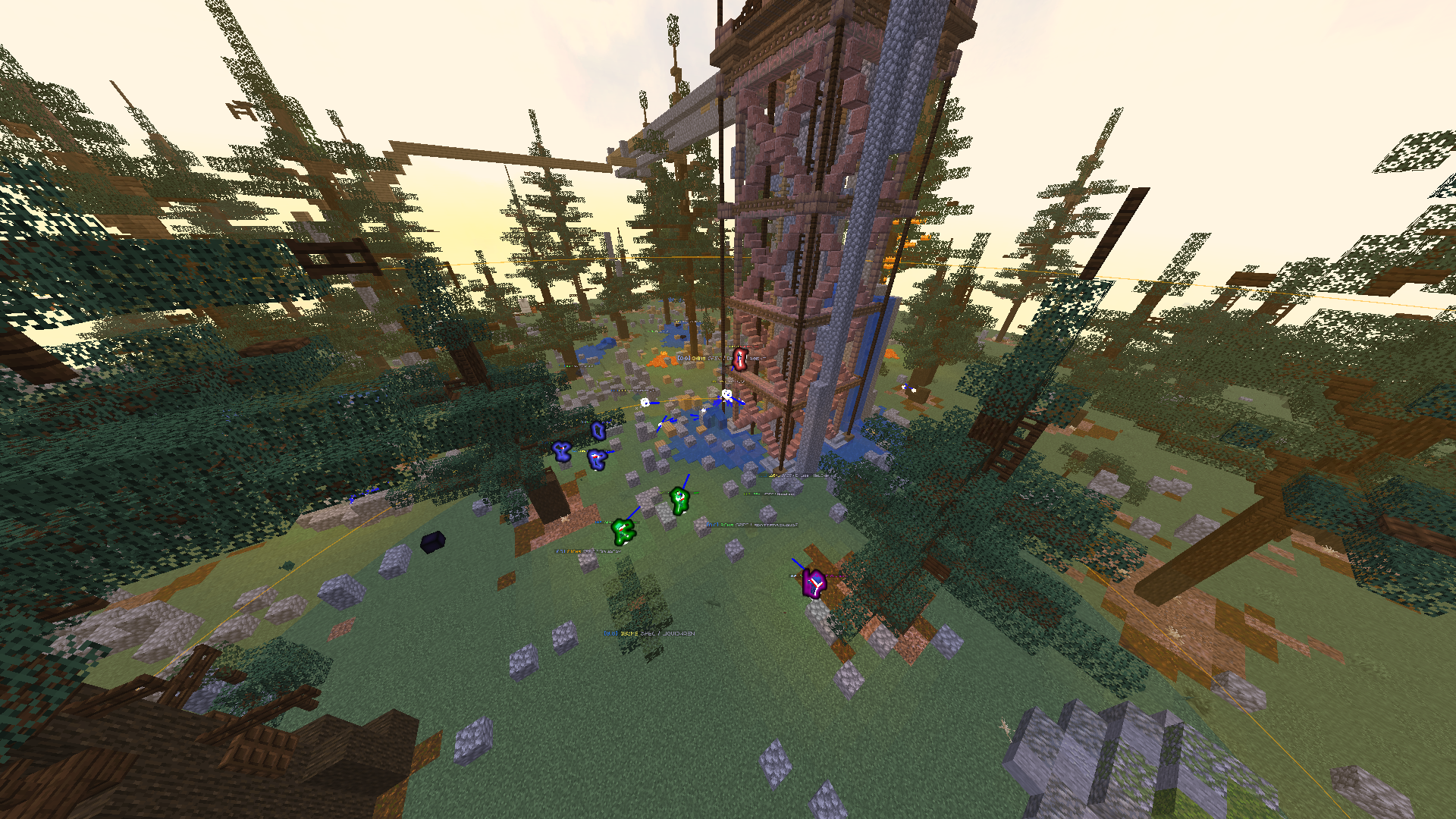
- Enemy highlights
- Quip Outlines
- Dynamic highlight opacity
- Spectator team-colored outlines
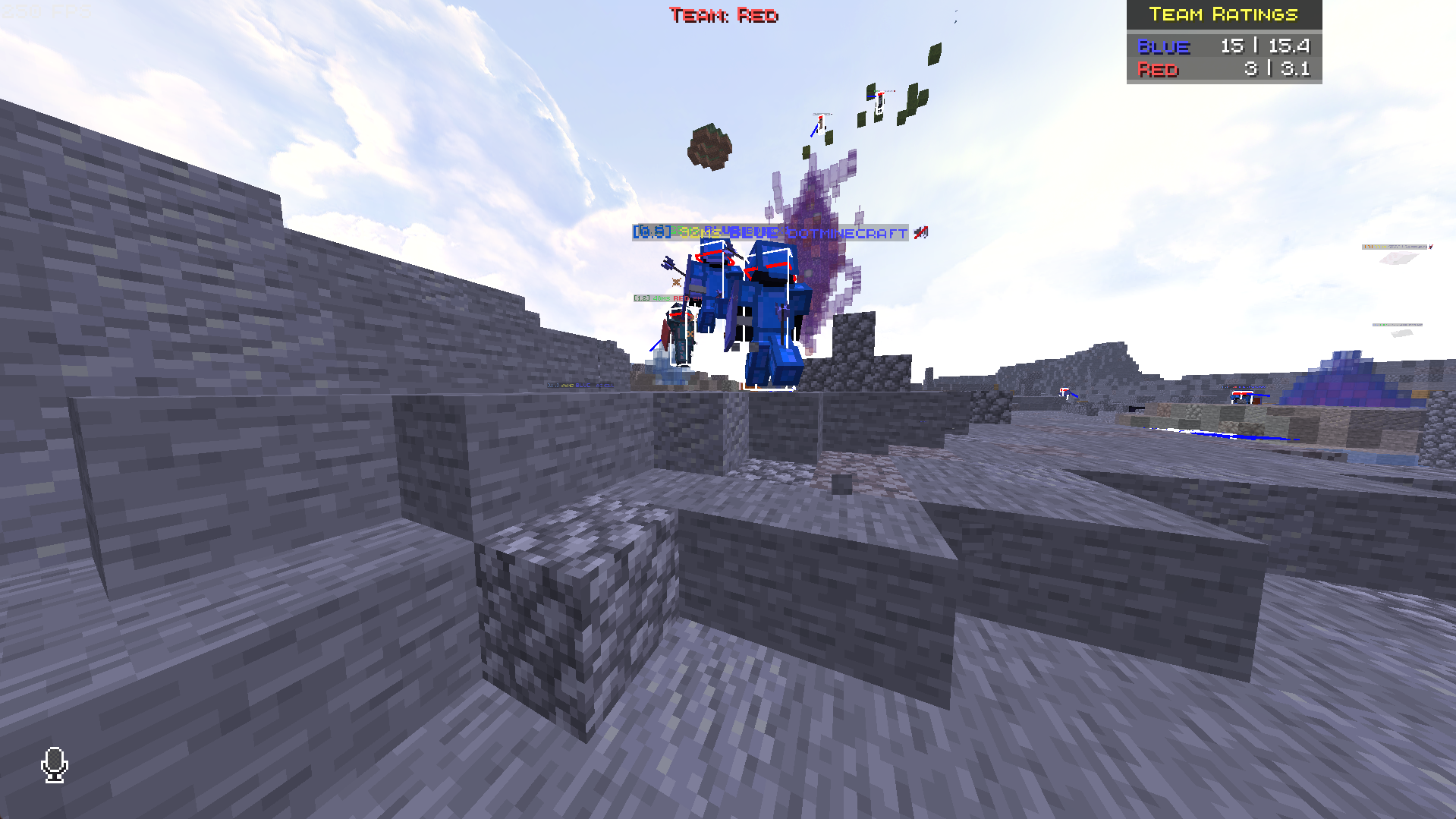
- Team HUD
- Team Count overlay
- Team Rating Totals overlay
- Custom team ping rows
- Player pings
- Block/location pings
- Self pings
- Last-attacker and last-attacked pings
- Custom ping messages
- Custom ping colors
- Custom ping icons
- Visual ping audience settings
- Pinged player highlights
- Block outlines and distance labels
- Off-screen ping arrows
- Team Fight Detector
- Recent combat target tracking
- Opponent visibility limiting
- Player render optimization
- Adaptive performance options
- Optional teammate culling
- Custom world border visuals
- World border color and opacity settings
- Hide world border glitter particles
- Teammate attack warning
- Atomics Client compatibility
- Atomics Dual Spectate support
- ModMenu support
- Legacy config migration from
legions_client.json
Main Features
Rating Nametags and Tab List Ratings
Legions Utils shows Legions ratings on player nametags, such as [1.8] or [?].
It can also add missing rating tags directly to the tab list, making player ratings easier to check during matches.
When Atomics Client is installed, Legions Utils can replace Atomics tier text with Legions rating text so nametags do not show duplicate ranking info.
Enemy Highlights and Quip Outlines
Legions Utils adds team-based, ping-based, and rating-based player highlights.
Highlights can be used for:
- Pinged players
- Enemy players
- Spectator team colors
- Rating-colored Quip Outlines
Enemy highlights support dynamic opacity, custom min/max opacity settings, and armor-only rendering for cleaner visuals.
Quip Outlines are optional rating-colored outlines with adjustable width. They make player ratings easier to notice without needing to constantly check nametags or the tab list.
Team HUD
The Team HUD shows your current scoreboard team on screen.
It is enabled by default, can be moved with the layout editor, and supports the mod’s UI scale setting.
Team Count and Team Ratings Overlay
Legions Utils adds a movable team overlay with two display modes.
Teams Left: shows active teams and player countsTeam Ratings: shows each team’s player count and combined rating total
The overlay ignores spectator teams, uses team colors when possible, and avoids duplicate team count displays when Atomics Client is installed.
Custom Team Pings
Legions Utils includes a configurable team ping system with multiple custom ping rows.
Ping rows can use:
- Keyboard or mouse inputs
- Single press or multi-press triggers
- Player, block, self, last-attacker, or last-attacked targets
- Teammate-only, enemy-only, or all-player targeting
- Custom messages
- Custom colors
- Custom icons
- Visual audience settings
Default controls:
- Press
Gonce to ping the player you are looking at - Press
Gtwice to ping the block/location you are looking at
Default messages include:
Focus PlayerNamePlayerName NEEDS HELP!Go to x y z
Ping Messages and Visuals
Ping messages stay readable in normal chat, even for players without Legions Utils.
Legions Utils users also receive extra ping data so the correct player, block, color, icon, and label can be shown visually.
Ping visuals can include:
- Player highlights
- Block outlines
- Ping particles
- Distance labels
- Off-screen arrows
Visual pings can be shown to teammates, opponents, or everyone depending on the ping row. Spectators can see all valid visual pings.
Off-Screen Ping Arrows
Off-screen arrows point toward active pings or fight markers that are outside your screen.
They can point toward:
- Player pings
- Block/location pings
- Detected fights
Arrows use ping colors and icons when available. They also support distance fading, scale settings, opacity settings, and screen visibility checks so arrows do not appear for targets already on screen.
Team Fight Detector
The Team Fight Detector automatically detects active fights when multiple players from multiple teams are grouped together.
Fight markers prioritize the best active fight based on:
- Number of players
- Number of teams
- Cluster tightness
- Distance from you
Fight markers can appear on-screen and through off-screen arrows. Options include spectator-only mode, custom fight color, smoothing, and fade-out time.
Recent Target Pings
Custom ping rows can target recent combat interactions.
Supported recent targets:
- Last player who attacked you
- Last player you attacked
This makes it easier to quickly call out someone who hit you or someone you were just fighting.
Player Visibility and Adaptive Performance
Legions Utils can reduce clutter in large fights.
It can:
- Keep important players visible
- Limit visible opponents to the nearest players
- Keep pinged players visible while highlighted
- Hide far-away players past a configurable render distance
- Optionally cull teammates
- Use adaptive performance settings during heavier fights
These options help keep fights easier to read and can reduce rendering load in crowded matches.
Custom World Border
Legions Utils replaces the old warning-particle system with a cleaner custom world border display.
World border options include:
- Custom border color
- Custom border opacity
- Hide glitter particles
- Smoother border rendering
This makes the world border easier to see without being as distracting.
Teammate Attack Warning
Legions Utils can show a warning when you hit someone on your own team.
This helps prevent accidental team hits during messy fights, while avoiding free-for-all style teams where teammate warnings would not make sense.
Atomics Client Compatibility
When Atomics Client is installed, Legions Utils appears inside the Atomics-style module screen instead of using a separate config keybind.
Compatibility includes:
- Atomics-style Legions settings section
- Legions rating replacement for Atomics nametag tiers
- Duplicate team count prevention
- Team Rating Totals support
- Atomics Dual Spectate lock support
- Atomics keybind category support
Without Atomics Client, Legions Utils uses its own config menu.
Atomics Dual Spectate Support
When Atomics Client is installed, Legions Utils adds extra Dual Spectate controls.
It can:
- Add lock controls to Dual Spectate player fields
- Lock the camera to a selected player
- Help choose a useful second spectate target
- Restore Atomics Dual Spectate settings when unlocked
This makes spectating Legions matches smoother and easier to follow.
Config
Legions Utils includes ModMenu support and saves settings to legions_utils.json.
Old legions_client.json configs are migrated automatically when possible.
Main config options include:
- Server IPs
- UI Scale
- Rating Nametags
- Nametags Any Server
- Quip Outlines
- Quip Outline Width
- Enemy Highlights
- Dynamic Highlight Opacity
- Highlight Min/Max Opacity
- Teammate Attack Warning
- Spectator Glow
- Custom World Border
- Team Ping Rows
- Ping Duration
- Recent Target Timeout
- Off-Screen Arrows
- Team Fight Detector
- Team HUD
- Team Count Overlay
- Team Rating Totals
- Adaptive Performance
- Opponent Limiting
- Cull Teammates
- Player Render Optimization
Keybinds
Default controls:
- Open Legions Utils:
Owhen Atomics Client is not installed - Player ping:
G - Block/location ping: double press
G
Ping inputs can be changed in the Team Ping Rows menu.
Requirements
- Minecraft
1.21.11 - Fabric Loader
0.18.1+ - Fabric API
- Java
21+
Notes
Legions Utils is fully client-side. It does not add server-side mechanics, automation, or gameplay-changing abilities.
Most features only run on configured Legions server addresses. By default, the allowed server list matches servers containing legions.
Related
常见问题
Legions Utils 支持哪些 Minecraft 版本?
Legions Utils 支持 Minecraft Java 版 1.21.11–26.2,共 2 个版本,可用的加载器:Fabric。下载时注意选择和你游戏版本一致的文件。
Legions Utils 怎么安装?
先用 PCL2 或 HMCL 启动器安装对应版本的 Fabric,再把下载的 .jar 文件放进游戏目录的 mods 文件夹,重新启动游戏即可。开启了版本隔离的,mods 文件夹在 versions/版本名 下面。运行环境:仅客户端。
Atomics 的其他作品
查看全部 →
Duels
Ranked PvP system for Minecraft. Track ELO, climb leaderboards, and compete across multiple kits.

Atomics Client
Atomics Client is a customizable Fabric PvP client that adds clean visuals, totem pop customization, combat overlays, stats tracking, and useful quality-of-life tools.
Atomics Client
Atomics Client is a customizable Fabric PvP client that adds clean visuals, totem pop customization, combat overlays, stats tracking, and useful quality-of-life tools.

Vanilla Chess Datapack
This adds chess into Minecraft using just one simple command and your ready to play!
评论
登录后评论和评分