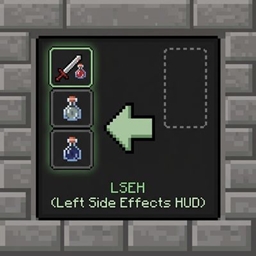
Left Side Effects HUD Placement
Moves status effect icons and timers to the left side of your screen and repositions them neatly outside the inventory window, replacing the default right-side layout.
介绍
This lightweight mod repositions your active status effect icons and timers away from the cluttered right side of the screen, moving them neatly to the left edge during gameplay and seamlessly adjusting them next to your inventory screen when open.
In-Game HUD Repositioning: Moves all status effect icons to a clean, vertically-centered column on the left side of the screen.
Smart Inventory Integration: Automatically hides the intrusive default right-side inventory panel and shifts effects cleanly just outside the top-left corner of the open inventory window.
Clear Timers: Displays precise remaining time text directly under each effect icon (including infinite and flashing low-duration effects).
Grouped Layout: Separates beneficial and harmful effects into distinct, organized columns.
常见问题
Left Side Effects HUD Placement 支持哪些 Minecraft 版本?
Left Side Effects HUD Placement 支持 Minecraft Java 版 1.20.1,可用的加载器:Forge。下载时注意选择和你游戏版本一致的文件。
Left Side Effects HUD Placement 怎么安装?
先用 PCL2 或 HMCL 启动器安装对应版本的 Forge,再把下载的 .jar 文件放进游戏目录的 mods 文件夹,重新启动游戏即可。开启了版本隔离的,mods 文件夹在 versions/版本名 下面。

评论
登录后评论和评分