
介绍
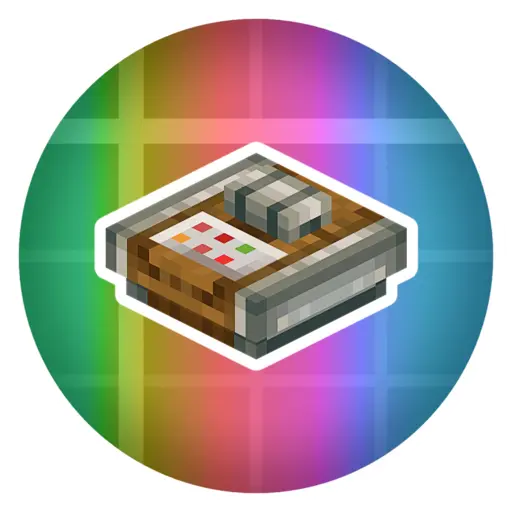
LED RGB
Supported Versions
- NeoForge 1.21.1
- Forge 1.20.1
About
LED RGB adds simple, compact, and configurable colored lighting powered by redstone.
The mod was designed with Create builds in mind, making it easy to create indicators, status lights, displays, and automation feedback systems. However, Create is not required and the mod works perfectly in any vanilla or modded world.
Included Content
- LED Block
- Power Adjuster
- Command Panel
How It Works
LED Block
The LED changes color based on the redstone signal strength it receives.
| Signal Strength | Color |
|---|---|
| 1 | White |
| 2 | Red |
| 3 | Orange |
| 4 | Yellow |
| 5 | Green |
| 6 | Turquoise |
| 7 | Light Blue |
| 8 | Blue |
| 9 | Dark Blue |
| 10 | Lavender |
| 11 | Purple |
| 12 | Pink |
| 13 | Hot Pink |
| 14 | Brown |
| 15 | Black |
Simply provide a redstone signal from 1–15 and the LED will display the corresponding color.
Power Adjuster
The Power Adjuster allows you to lock an LED to a specific color.
- Place a Power Adjuster directly on an LED.
- Right-click the Power Adjuster to select a color.
- Power the LED.
Once configured, the LED will always display the selected color, regardless of the incoming redstone signal strength.
Create colorful indicators, machine status lights, control panels, and decorative lighting with a simple redstone-powered system.
常见问题
LED RGB 支持哪些 Minecraft 版本?
LED RGB 支持 Minecraft Java 版 1.20.1–1.21.1,共 2 个版本,可用的加载器:Forge / NeoForge。下载时注意选择和你游戏版本一致的文件。
LED RGB 怎么安装?
先用 PCL2 或 HMCL 启动器安装对应版本的 Forge / NeoForge,再把下载的 .jar 文件放进游戏目录的 mods 文件夹,重新启动游戏即可。开启了版本隔离的,mods 文件夹在 versions/版本名 下面。
Ri0t69 的其他作品
查看全部 →
Arbitrary Delight
A Farmer's Delight Add-on that adds Arbitrary additions :)

Geometry Craft
Geometry Craft adds a ton of new blocks and items with special abilitys

Create Arbitrary
A Create Add-on that adds Arbitrary additions
Frutiger UI
Makes the GUI Frutiger Aero style!
评论
登录后评论和评分