
介绍
Mods that use LazyModder:
M’Ore Seeds (Grow ores) – 1.12.1
LazyModder:
Don’t let the name fool you, LazyModder is anything but lazy. It provides tools for easy creation of items, blocks, tools, entities, living entities, crops, and more. While trying too keep the number of lines to add things in game as close to one line of code, while still providing easy extensibility to give full control of your creations (even how they are registered). The goal of LazyModder is to reduce time of development for mods and time between updates for mods to new versions. It does this by handling all the registration in the background so the codder can focus on the functionality of their mod.
LazyModder is still in development and is not fully documented and sometimes may need to change it structure. Documentation and a website are under development with no eta at this time. Donations will continue to drive this project and decrease development time,
I have some modders tell me (when I show them my code), how easy it seems and one not believing me because it was “too easy” and “why hasn’t it been done before.”
Mods that use LazyModder:
For Modders:
1.12.1 Videos
Adding items, blocks, recipes, tile entities and living entities
Lazy Modder will make life as a modder easier. Modders who use this can expect faster project development and updating easier. How? Lazy Modder contains a number of easy to use classes that extend the Minecraft Item class and runs with it. Creating and registering an item is as easy as typing new EasyItem(“EasyItem”). Here is an example I created for my mod Blood Baubles.

All the items were not only created extending the EasyItem but also compatible with other mods (in this case baubles.
Now here some coding examples. Creating a class can be as simple as:
public class BasicRing extends EasyItem {
  public BasicRing() {
    super("BasicRing");
  }
}
Looks simple, but there is a lot being done. The item registered it’s unlocalized name, registered itself to the game registry, etc.
In my case I created a base class and extended easy item and some other interfaces, but you can find the source if you want to take a look.
The core mod also adds a number of class for easy creation (blocks, food, potions, armor, tools, etc).
It just makes life easier. Blood Baubles was created for 1.9.4, but I updated it to 1.11 in two days. And most of that time was me changing how my original code was organised. Very little was needed to make them show up in game.
常见问题
LazyModder 支持哪些 Minecraft 版本?
LazyModder 支持 Minecraft Java 版 1.11.2–1.12.1,共 2 个版本,可用的加载器:Forge。下载时注意选择和你游戏版本一致的文件。
LazyModder 怎么安装?
先用 PCL2 或 HMCL 启动器安装对应版本的 Forge,再把下载的 .jar 文件放进游戏目录的 mods 文件夹,重新启动游戏即可。开启了版本隔离的,mods 文件夹在 versions/版本名 下面。
Z_Doctor 的其他作品
查看全部 →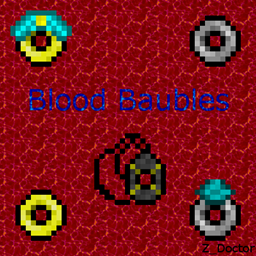
Blood Baubles
Blood Baubles is an add-on for Blood Magic that adds Blood Magic themed Baubles to the game.
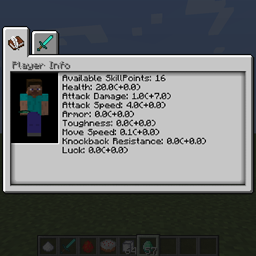
Skill Tree Mod
A mod that adds skill trees to Minecraft

M’Ore Seeds
Adds a number of crops to minecraft
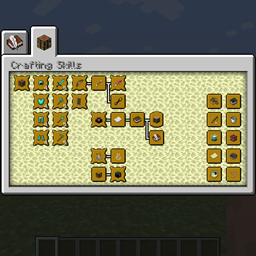
The Skill Tree Mod
Adds a skill tree to Minecraft
评论
登录后评论和评分