
介绍
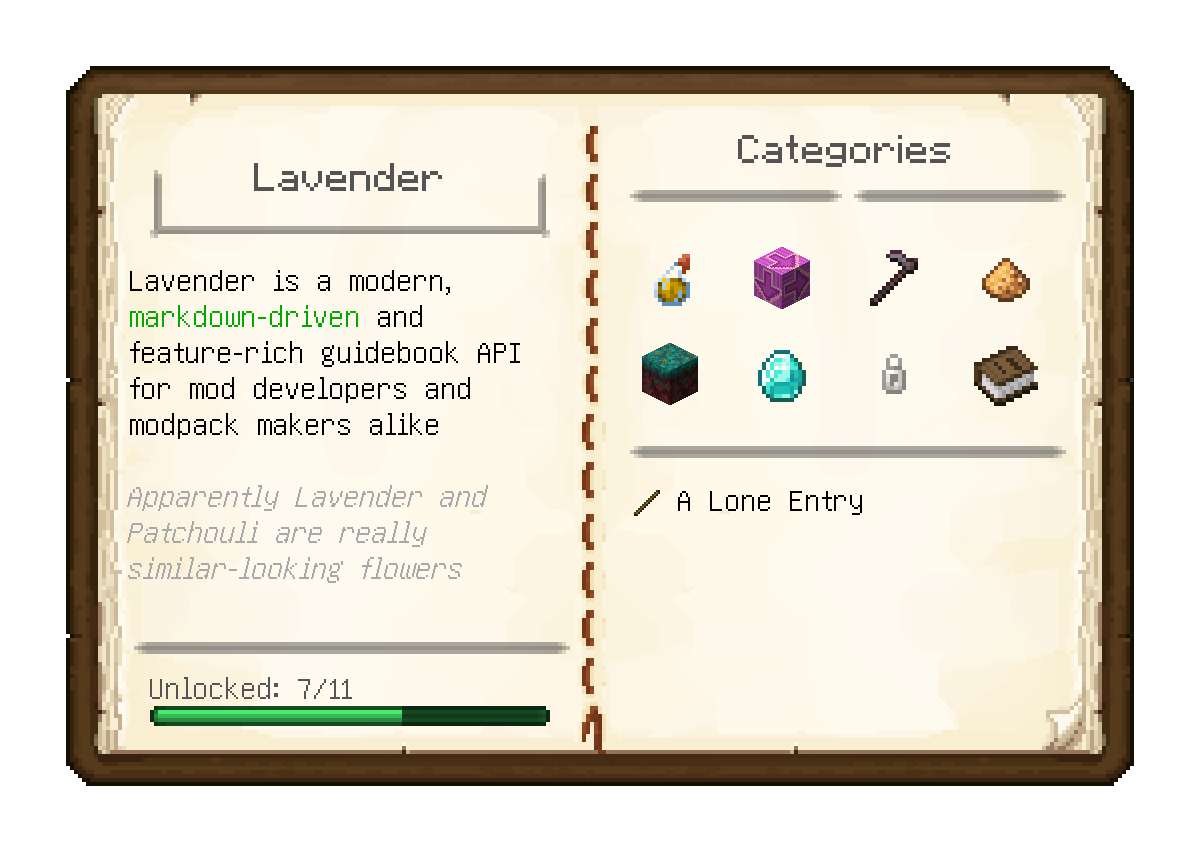
Lavender is tool allowing modders, modpack makers and everybody else to create player guides and other in-game documentation in the form of easy-to-read, intuitive guide books.
Everything is written using easy to learn, familiar and, most importantly, readable markdown with a bunch of special syntax to seamlessly integrate with the game. This is augmented with support for powerful macros and the entirety of the owo-ui framework at your fingertips
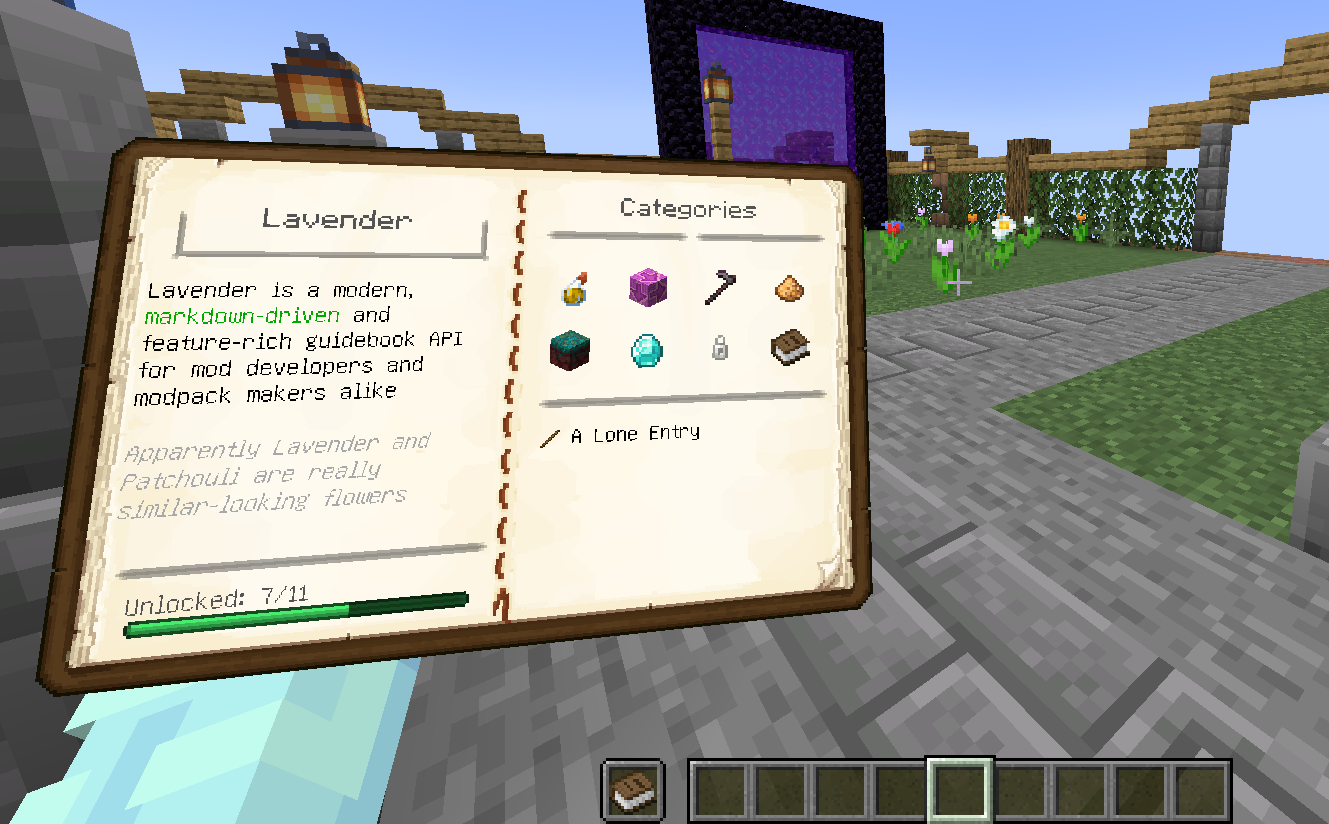
Further, for the first time in any guidebook mod (we believe), all books can be viewed in-game when placed in the offhand – extremely useful for referencing an entry while carrying out its instructions
Features
- Fully data-driven book authoring with near-instant hot reloading
- Optional grouping of entries into categories for easy discovery
- Deep linking between entries and categories
- Structure/Multiblock visualization and building assistance
- Gradual content unlocking, backed by the game’s advancement system
- Built-in support for visualizing all vanilla recipe types and an easy framework for implementing custom ones
- Localization support
- Individual bookmarks for each save
- Support for extending another mod’s books, extremely useful for seamlessly integrating your addon’s documentation
Getting started
To start making your own Lavender book right now, complete the setup and then follow Getting Started in the comprehensive documentation over at https://docs.wispforest.io.
For reference, it might be helpful to check out Affinity’s Wispen Testament as a solid example book made using Lavender
Credits
- The Patchouli team for making the original mod that inspired Lavender
- chyzman for inspiring a range of features, notably offhand viewing
常见问题
Lavender API 支持哪些 Minecraft 版本?
Lavender API 支持 Minecraft Java 版 1.20–1.21.4,共 11 个版本,可用的加载器:Fabric / Quilt。下载时注意选择和你游戏版本一致的文件。
Lavender API 怎么安装?
先用 PCL2 或 HMCL 启动器安装对应版本的 Fabric / Quilt,再把下载的 .jar 文件放进游戏目录的 mods 文件夹,重新启动游戏即可。开启了版本隔离的,mods 文件夹在 versions/版本名 下面。
gliscowo 的其他作品
查看全部 →
Things [Fabric]
增强休闲体验的饰品与实用工具

Affinity
A magic mod themed around natural tech

Mass Inscriber
Allows usage of entire stacks in the AE2 Inscriber

The One Probe Fabric
More immersive alternative for WAILA for Fabric
评论
登录后评论和评分