
截图

介绍


Make waterloggable blocks also be able to be lavalogged!
🤔 What is Lavalogged?
Lavalogged allows all vanilla Blocks that can be waterlogged to also be lavalogged, meaning that Lava can be put inside a Block just like Water for Waterloggable Blocks!
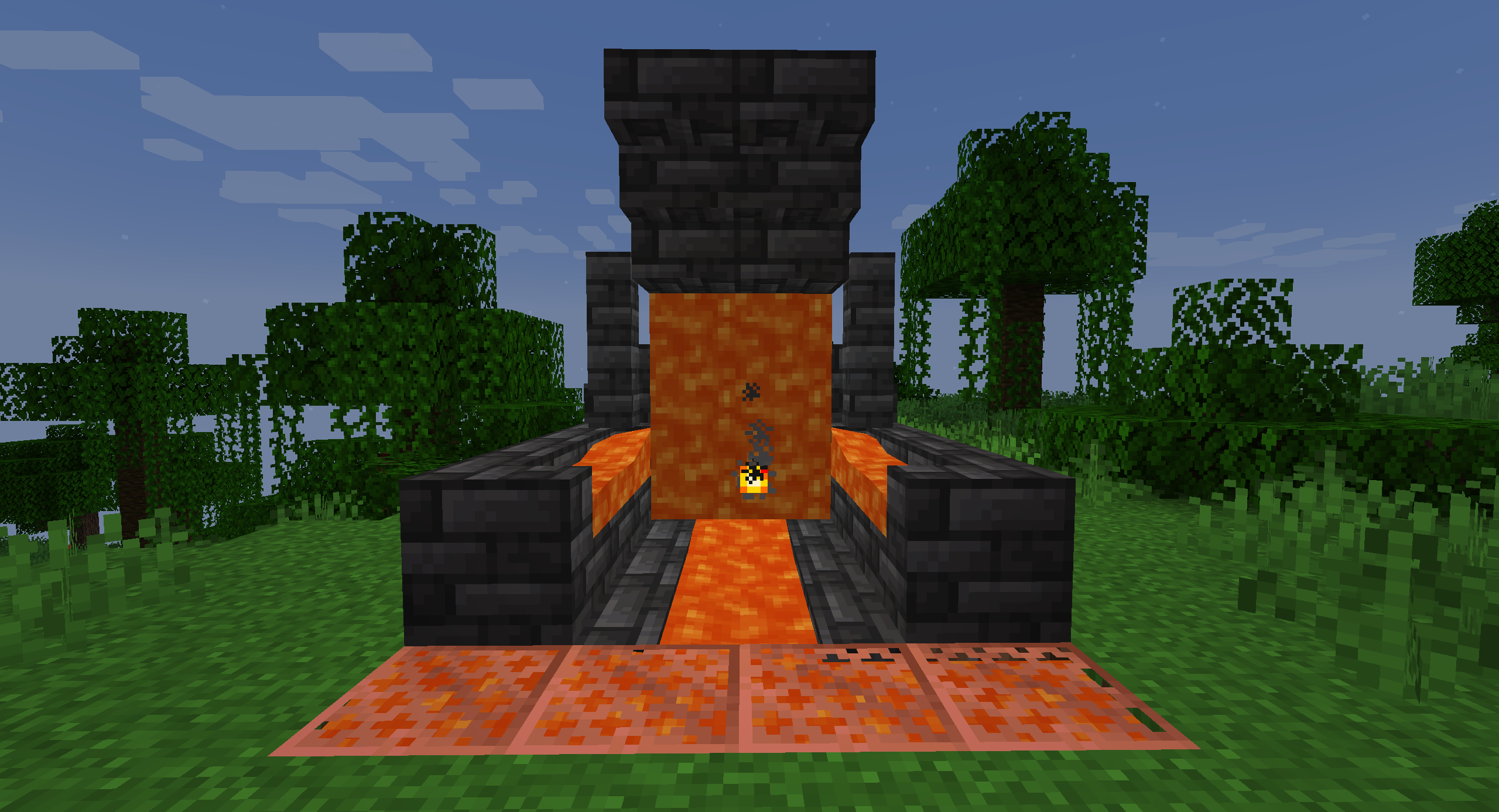
Just put the Block inside a Lava source or use a Lava Bucket on it to put Lava inside!
👨🏼💻 How to contribute
Anyone can contribute to Lavalogged, suggesting their ideas using the Feature Request module
⚙ Requirements
Lavalogged requires the Statement API Library Mod to work.
This is a necessary requirement for adding custom properties to existing Blocks, and is also the reason why
the mod has not been update to 1.21.1 yet.
📜 Future Updates
Future Updates may include, but not guaranteed:
- Removal of the Statement API Library Mod dependency
- Update to Minecraft 1.21.1
- Support for modded Blocks
- Support for Forge and NeoForge
🍺 Support the project
Developing and maintaining Lavalogged requires a lot of time and effort,
but after all I really enjoy doing this ❤
Lavalogged is, and always will be, FREE TO USE.
If someone asked you some money to download Lavalogged, I am afraid to tell you that you got scammed! 😥
But if you really want to financially support the project (or just buy me some beer to produce more code), these are the only ways:


Any other website asking you money for this project is a scam, and you should immediately report it to your local authorities as well! 😡
🙏🏼 Credits
This mod was inspired by the More Waterlogging Mod. Check out this awesome mod too! 😁
😁 Conclusion
Lavalogging is a feature that many players dreams to be part of the game someday. With Lavalogged you can have this feature right now in your game!
I hope you enjoy Lavalogged as much as I enjoy develop new ideas and content for it,
and let me know if there are any issues on the issue tracker.
Have a nice day! 😁
常见问题
Lavalogged Blocks 支持哪些 Minecraft 版本?
Lavalogged Blocks 支持 Minecraft Java 版 1.20.4,可用的加载器:Fabric。下载时注意选择和你游戏版本一致的文件。
Lavalogged Blocks 怎么安装?
先用 PCL2 或 HMCL 启动器安装对应版本的 Fabric,再把下载的 .jar 文件放进游戏目录的 mods 文件夹,重新启动游戏即可。开启了版本隔离的,mods 文件夹在 versions/版本名 下面。运行环境:客户端和服务端都要装。
Minehendrix 的其他作品
查看全部 →
Bundles!
Pack your stuff and go on an adventure with the new bundles!

coEBLmon
The modpack needed to play the "cobblemon" mode in ErenBlaze's Minecraft server.

Mine World Mod
Mine World Mod

Minepedia
Bring the Bedrock edition Encyclopedia to Minecraft: Java Edition
评论
登录后评论和评分