Laser Assembly
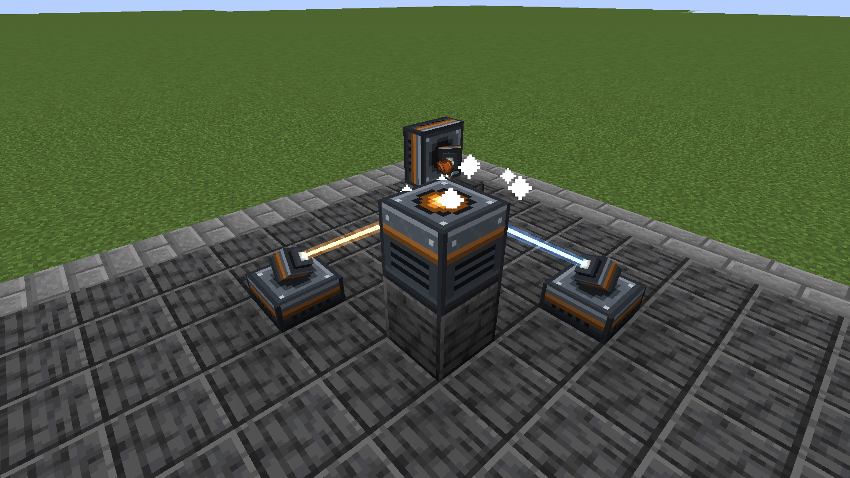
An assembly table fed by lasers. Fit them with lenses to cut, weld and engrave, run recipes in steps, tune each beam's intensity and keep the table cool. BuildCraft's idea, redesigned, all in datapacks.
截图



介绍
A workshop of lasers.
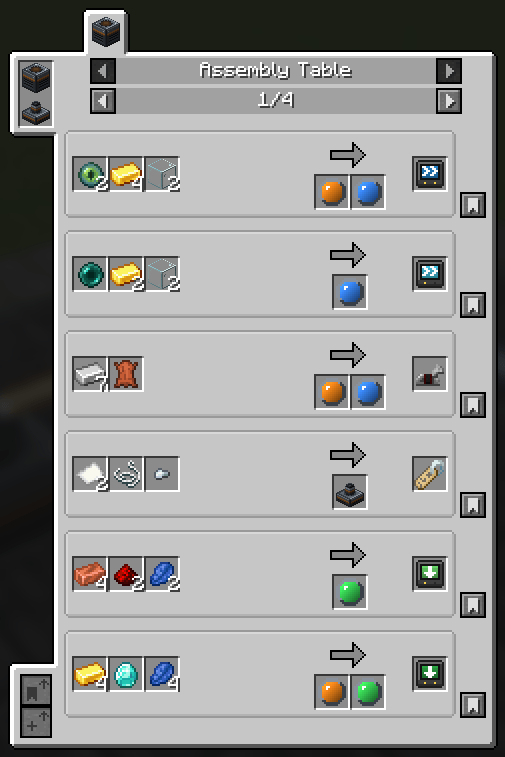
Build an Assembly Table, aim lasers at it, and it makes what no crafting grid can: saddles,
tridents, chainmail, horse armour, and the lenses and augments that make the lasers better. The
table takes no power of its own; every bit of work is a beam arriving at it. The lasers run on Forge
Energy: play it with a mod that makes some.
It is BuildCraft’s Assembly Table, redesigned rather than copied: lasers carry lenses, recipes come
in steps, beams have an intensity, and pushing them too hard heats the table.

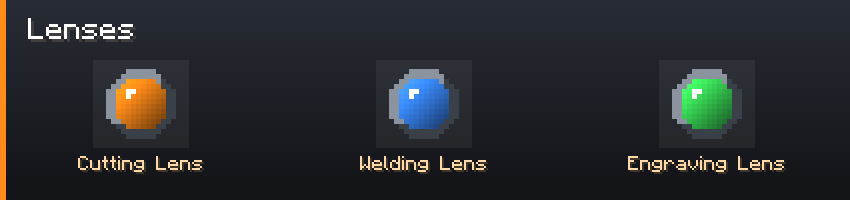
- Three lenses: cutting, welding, engraving. A lens gives its laser’s beam a type.
- Most recipes take any beam. Some go through up to three steps in order, a trident is cut,
then welded, and only the lasers with the right lens fire on each step. - No lens? The raw beam still works on any step, at a tenth of the speed. Servers can make
lenses mandatory. - A Barrel augment lets one laser carry three more lenses and fire whichever the step needs.
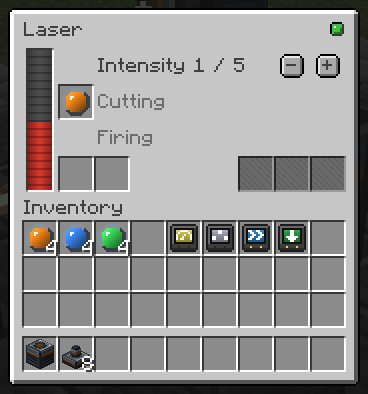
- Each laser has an intensity, judged on its own against the step: too weak does nothing, above
the threshold heats the table, above the maximum overloads. - More lasers, faster, each counting for 70 % of the one before. Nine lasers are quicker than
one, never nine times. - Heat slows the table past half and stops it at the top. It cools on its own; water and ice
around it cool it faster. - A Regulator augment sets its laser’s intensity by itself: as high as the step allows without
heating.

- Tick the recipes the table may run; it takes them in turn.
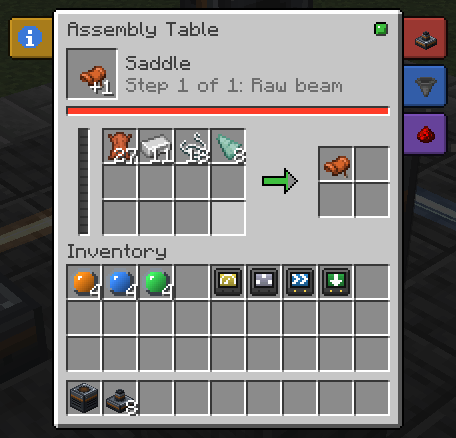
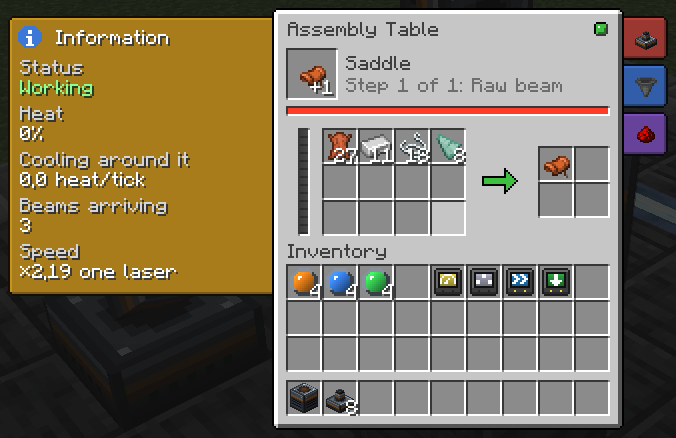
- See the step, its progress and the heat at a glance, with a status light.
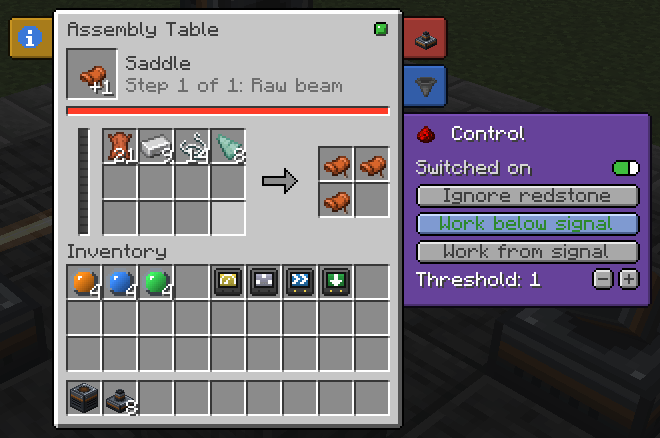
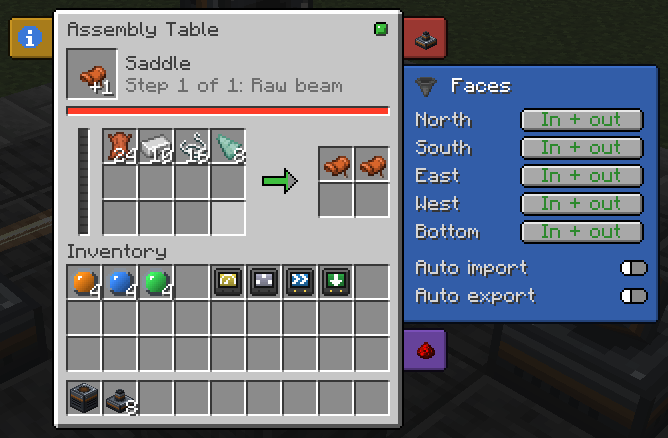
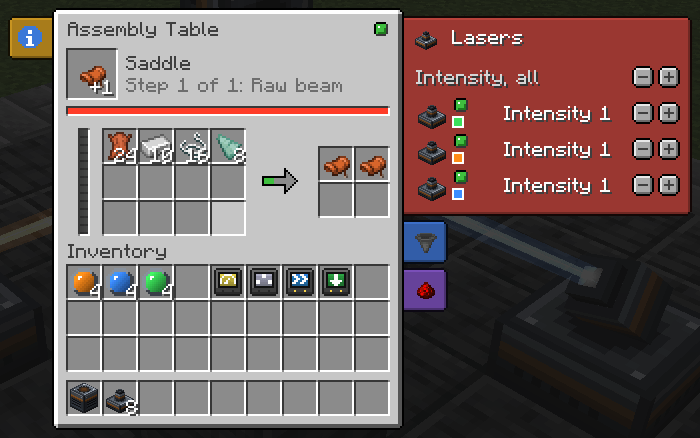
- Side tabs: every linked laser and its intensity, set one by one or all at once; each face’s
input and output with auto import and export; a switch and redstone control. - The item being made turns over the table while it works, and each laser turns its head to it.
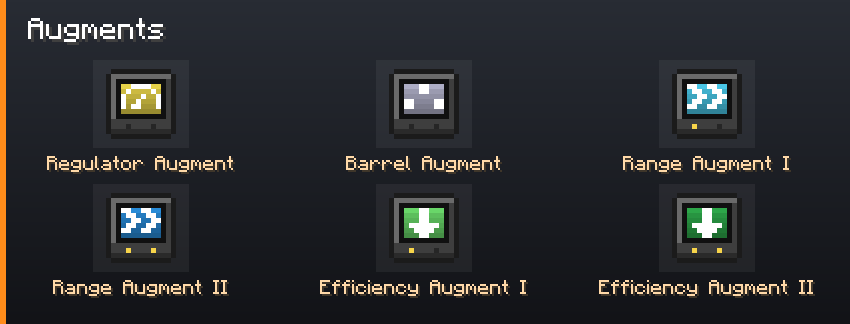
- Per-face input and output, auto import and export.
- Only what the ticked recipes use goes in: a pipe fills at most one stack of each ingredient,
so it never clogs the table. - A comparator reads the craft’s progress.
Recipes, beam types, augments and coolants are datapack files. Each lens and augment is its own
item, so tags, KubeJS, CraftTweaker and JEI see plain item ids. The vanilla recipes sit in a
built-in datapack you can turn off. The server config sets thresholds, the raw beam, stacking, heat
and range.
Compatibility
| Loader | NeoForge |
| An energy mod (required) | anything that makes Forge Energy: the lasers run on it |
| JEI (optional) | every recipe, with the lens each step needs |
| Jade (optional) | what a table makes, its step and its heat |
Needed on both the client and the server.
FAQ
Does the table need power? No. Power the lasers with Forge Energy from any mod; they bring the
work.
Can I add recipes, beams or augments? Yes, with datapack files. A new beam or augment needs an
item to stand for it, from KubeJS or another mod.
Fabric? No.
Can I put it in my modpack? Yes. No need to ask.
Permissions
Modpacks: yes. No permission needed, no message required, public or private, monetised or not,
on any platform or launcher.
Credit is appreciated and never required.
Forks and addons: yes, under the MIT terms. Please do not publish a fork under the name
Laser Assembly: the name is not covered by the licence.
Assets (textures, GUI artwork, logo) are the one exception: redistribute them with the mod
freely, but do not lift them into another project.
常见问题
Laser Assembly 支持哪些 Minecraft 版本?
Laser Assembly 支持 Minecraft Java 版 1.21–1.21.1,共 2 个版本,可用的加载器:NeoForge。下载时注意选择和你游戏版本一致的文件。
Laser Assembly 怎么安装?
先用 PCL2 或 HMCL 启动器安装对应版本的 NeoForge,再把下载的 .jar 文件放进游戏目录的 mods 文件夹,重新启动游戏即可。开启了版本隔离的,mods 文件夹在 versions/版本名 下面。
DrimoZ 的其他作品
查看全部 →
Immaterial Drawers – A Functional Storage Addon
Functional Storage drawers for what isn't an item or a fluid: Energy (2 billion FE), Mekanism chemicals and Ars Nouveau Source. Same upgrades, same Storage Controller, framed variants for all.

PunchThemAll
Punch different blocks to obtain the ressources you need !
Factor’I/O
Factorio's inserters, transport belts and assembling machines, in Minecraft. Seven inserters, three belt tiers with ramps, three tiers of crafters, modules, and the Factorio component chain to build them.

Material Nexus – Ore Unifier and more
One copper ingot, not five. Unify duplicate ingots, ores and dusts in your modpack: pick the one to keep from an in-game screen, and tags, recipes and items follow. No scripts, full preview before anything changes.
评论
登录后评论和评分