
LagSense
In-game Minecraft performance profiler with world visualisation, automatic lag detection, player-accessible reports, profiling history, comparisons and Discord integration.
截图
介绍
LagSense
Find what’s slowing down your Minecraft server, directly in-game.
LagSense is a performance profiler for Minecraft NeoForge, inspired by LagGoggles, Spark and Observable. It combines detailed server profiling with world visualisation to help locate and investigate performance problems.
Features
Help players investigate their own bases
Players can inspect reports captured by server admins or automatic captures. Optional FTB Teams / FTB Chunks and Open Parties and Claims integrations restrict player results to their permitted claims. Admins can also define public profiling areas. Players cannot start server captures or change server settings.
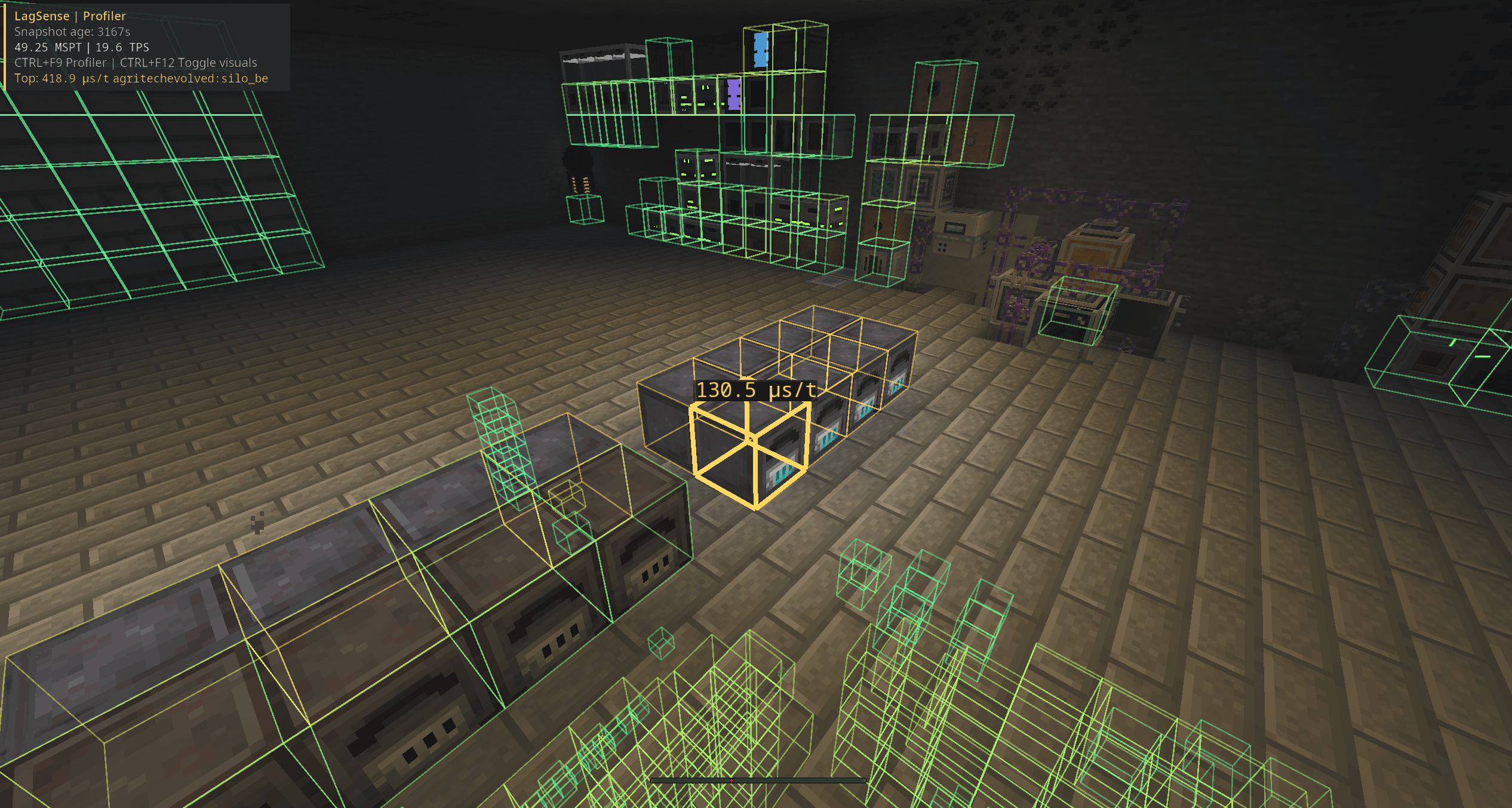
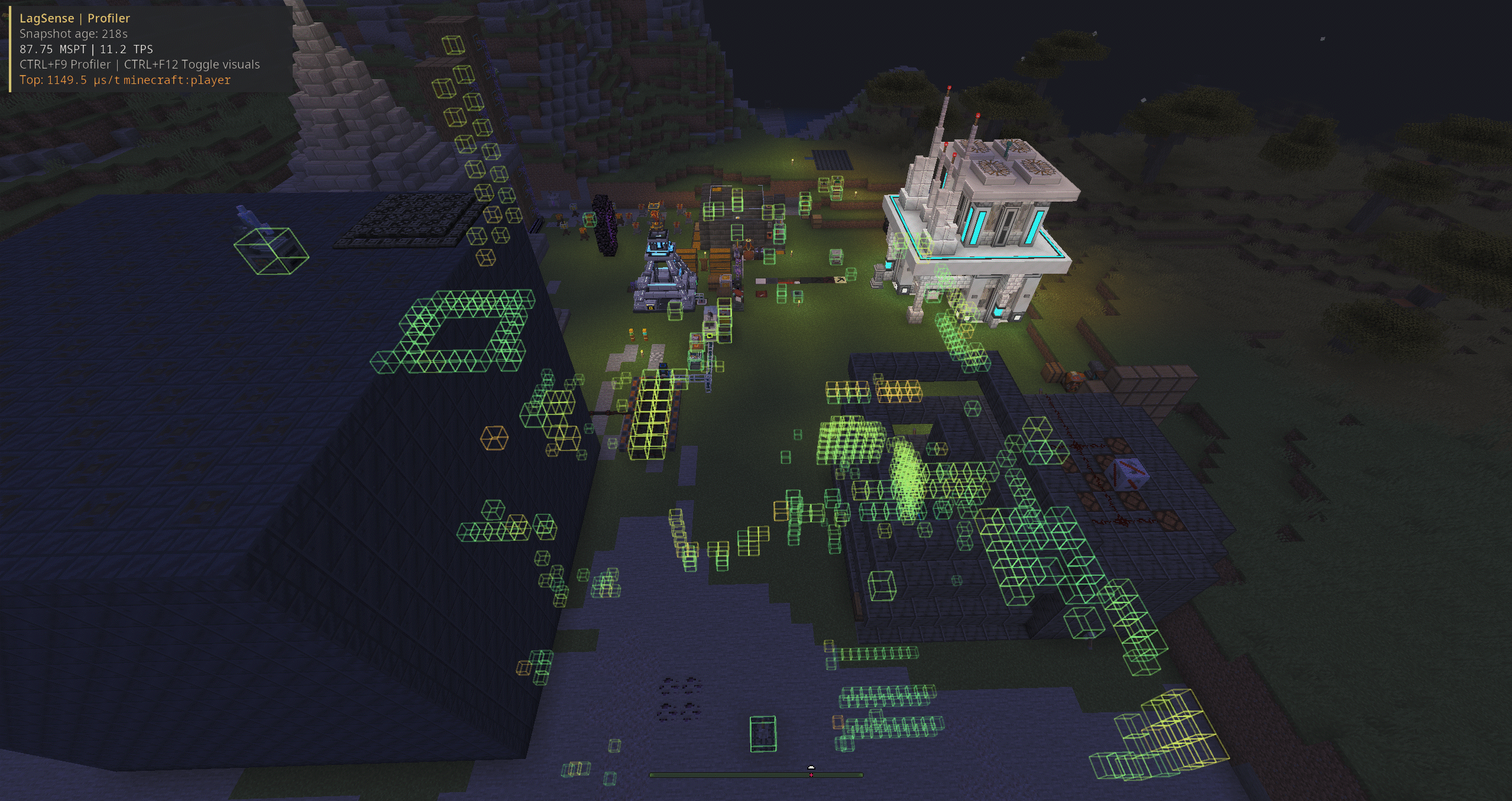
Visualise lag directly in-game
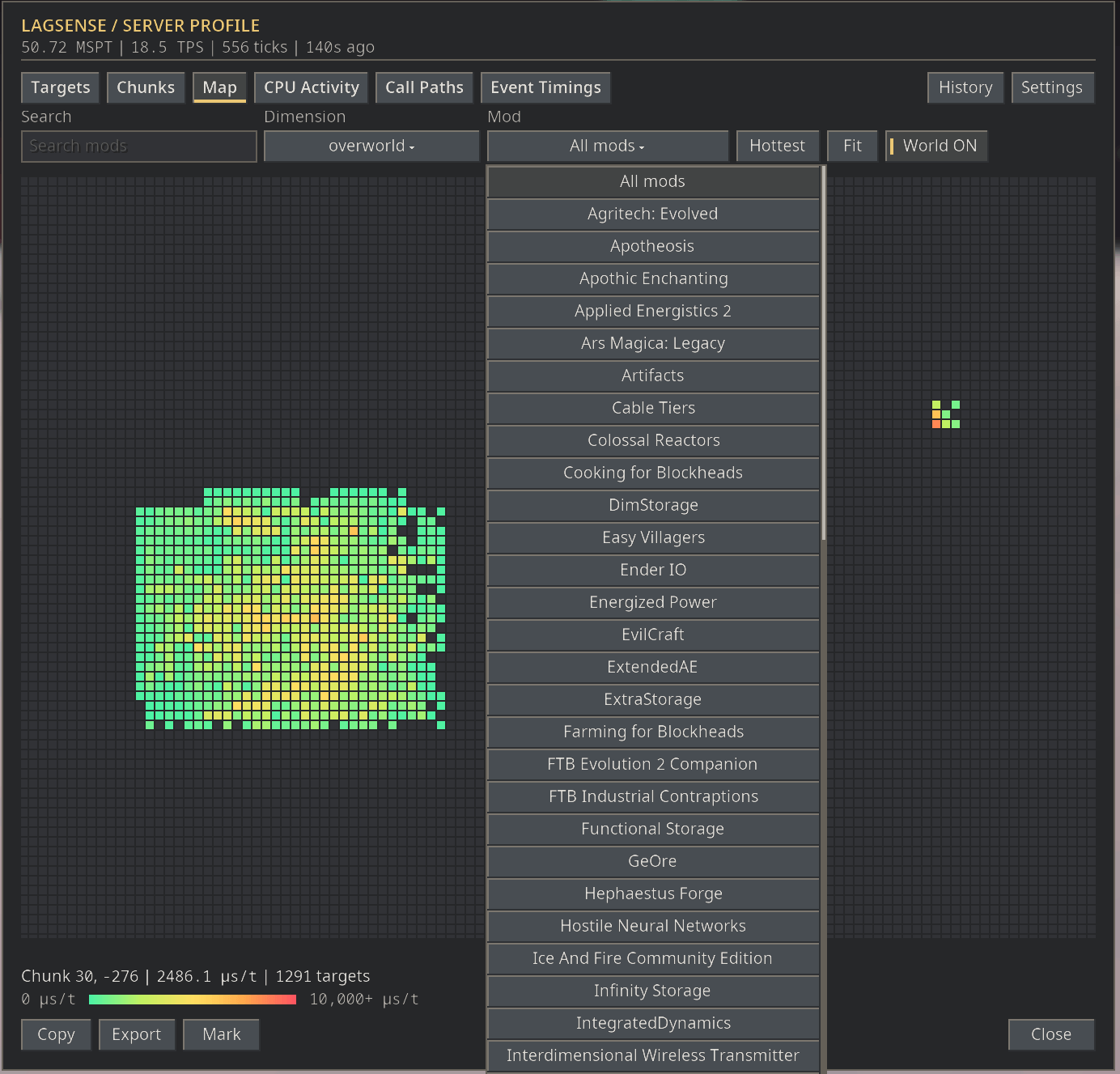
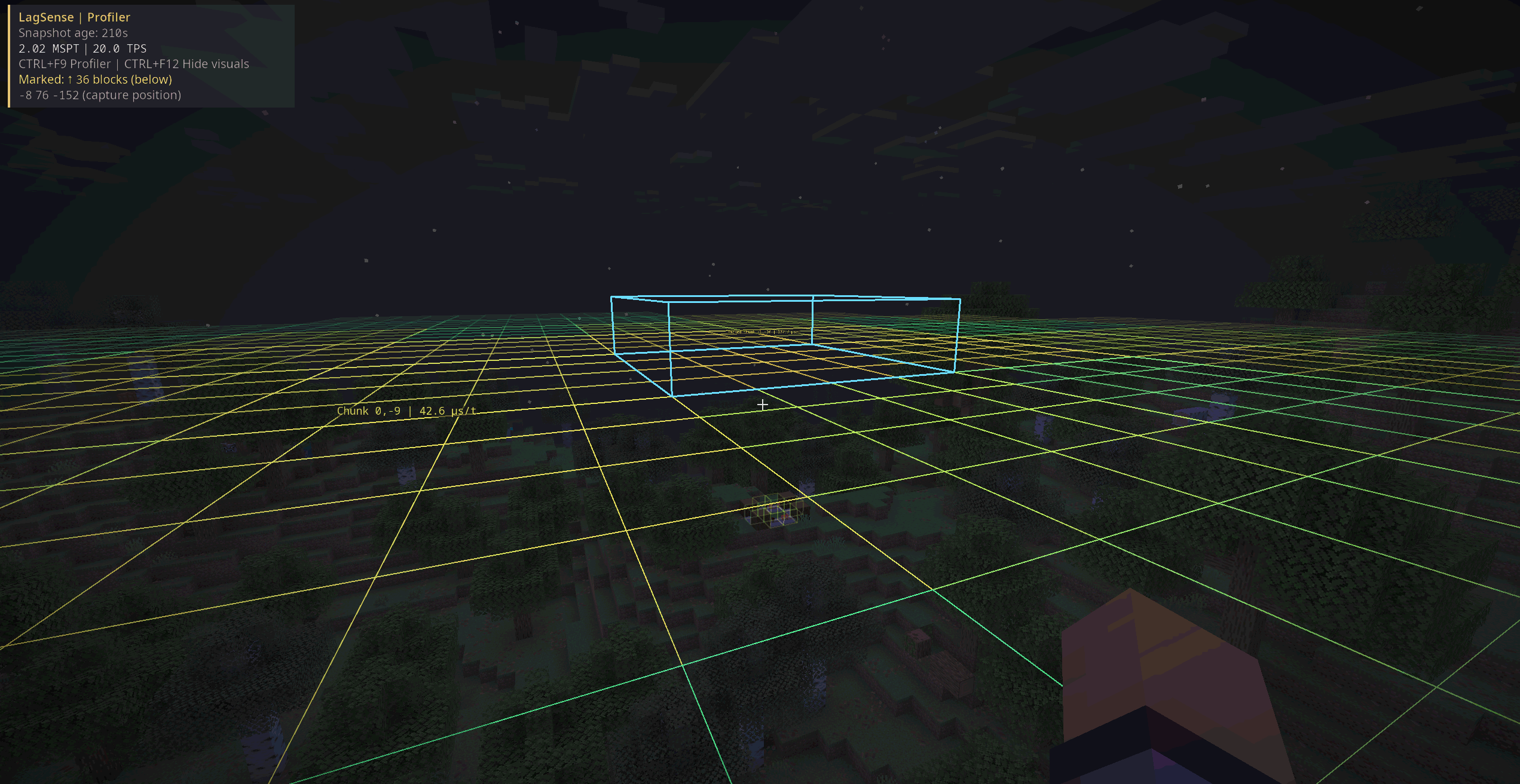
View measured entities, blocks and chunks in the world, including through walls. Inspect timings, follow moving entities and explore hotspots using the chunk heatmap. Captured timings remain fixed until another profile is taken.
More than ticking entities
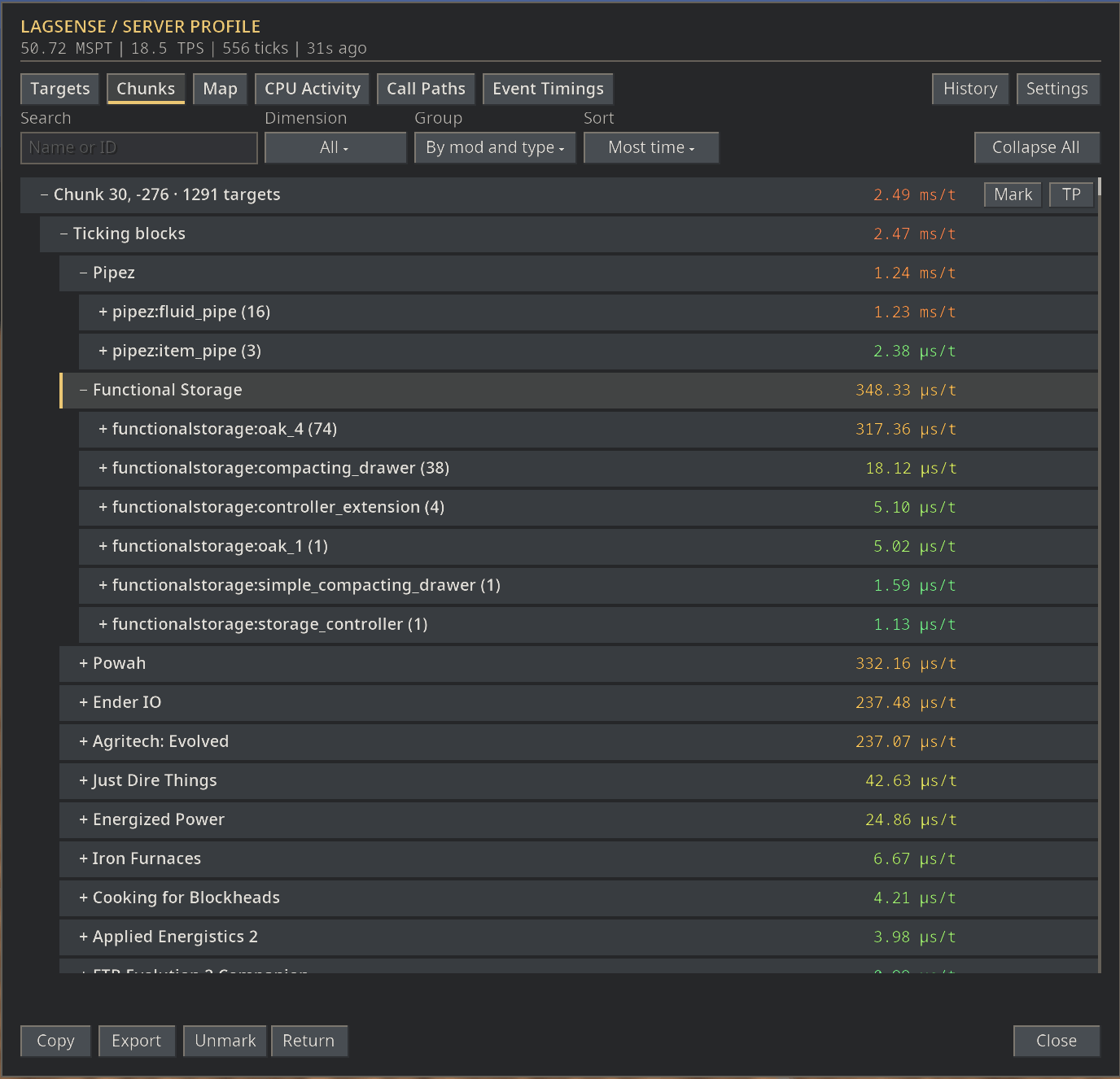
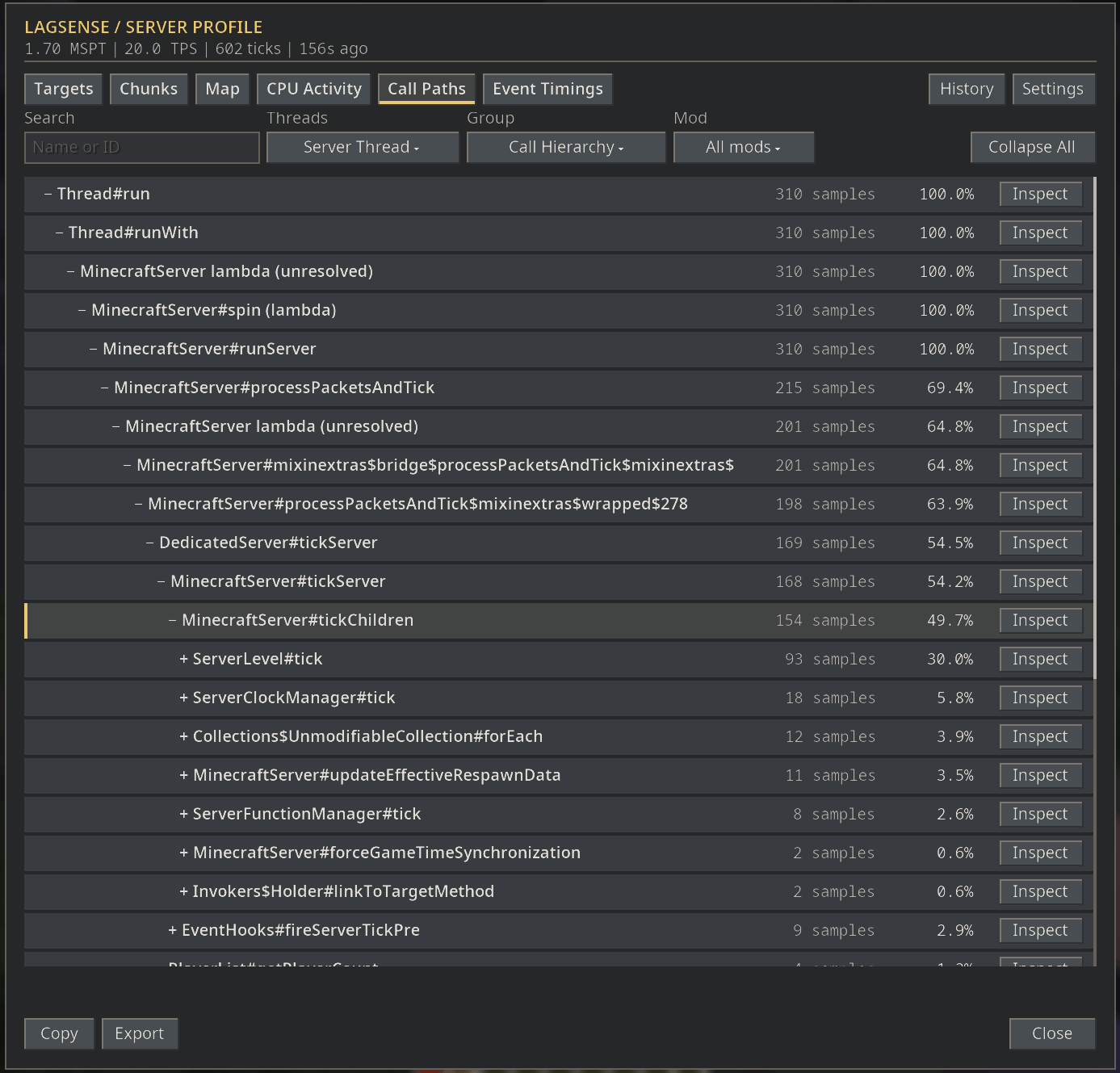
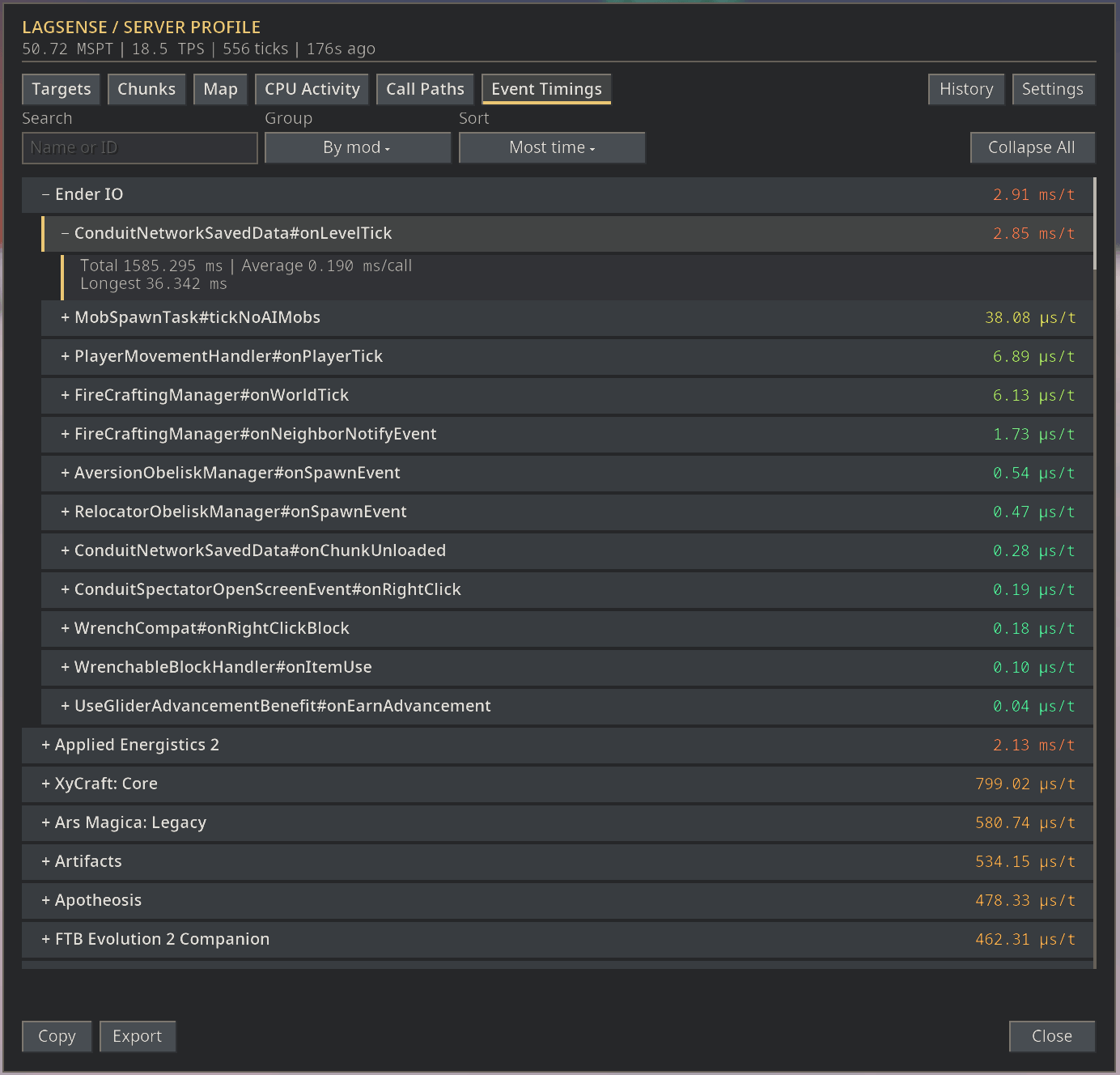
Investigate directly measured entity, block entity, scheduled tick, random tick and NeoForge event-handler timings. Explore sampled CPU activity and Java call paths on the server thread and background threads. Group results by mod, type or individual target.
Capture, save and compare
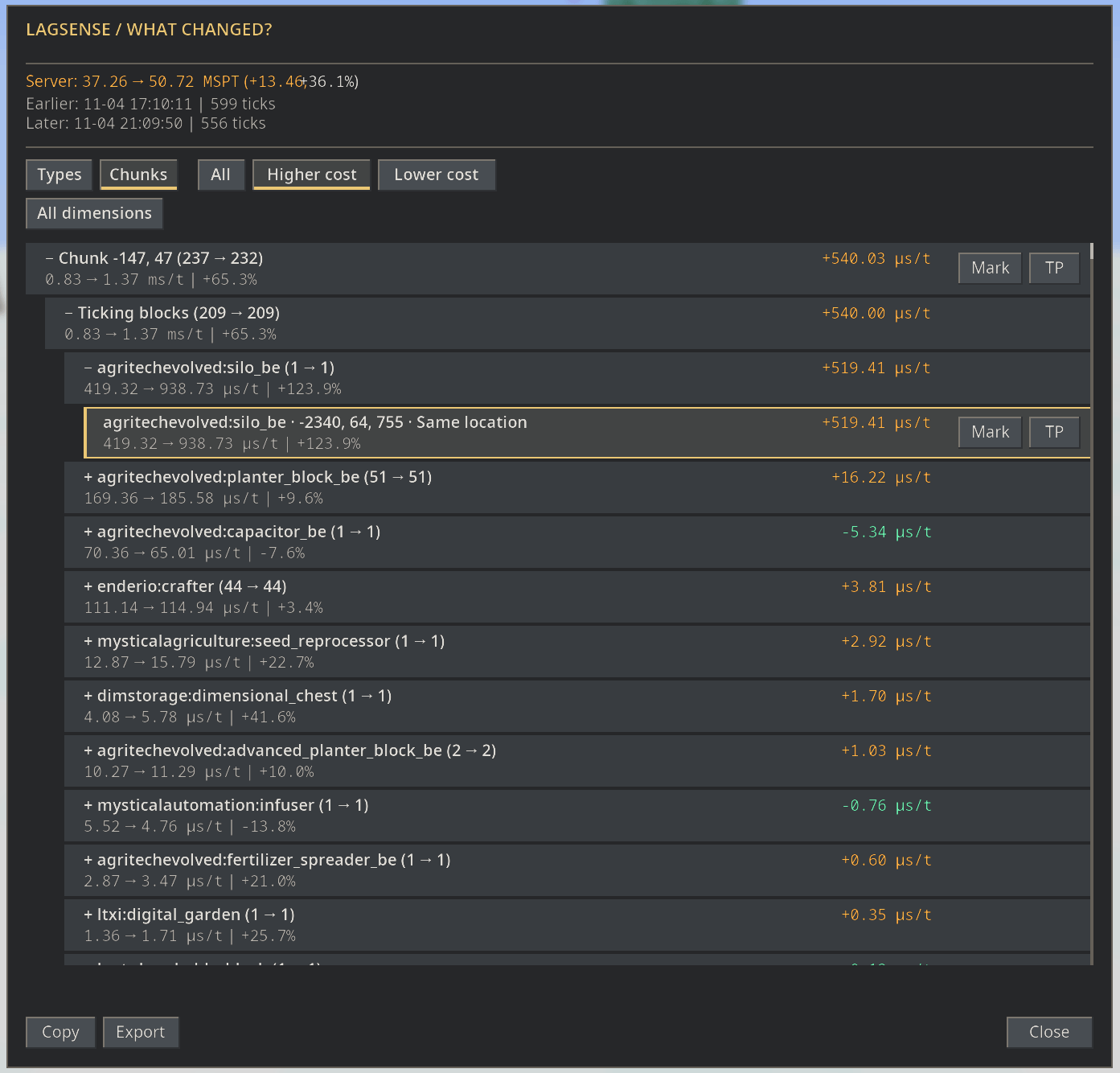
Run profiles manually, schedule them or trigger captures after sustained lag spikes. Optionally save profile history and compare captures to investigate improvements and slowdowns. Saved reports remain available after server restarts when history is enabled.
Discord reporting
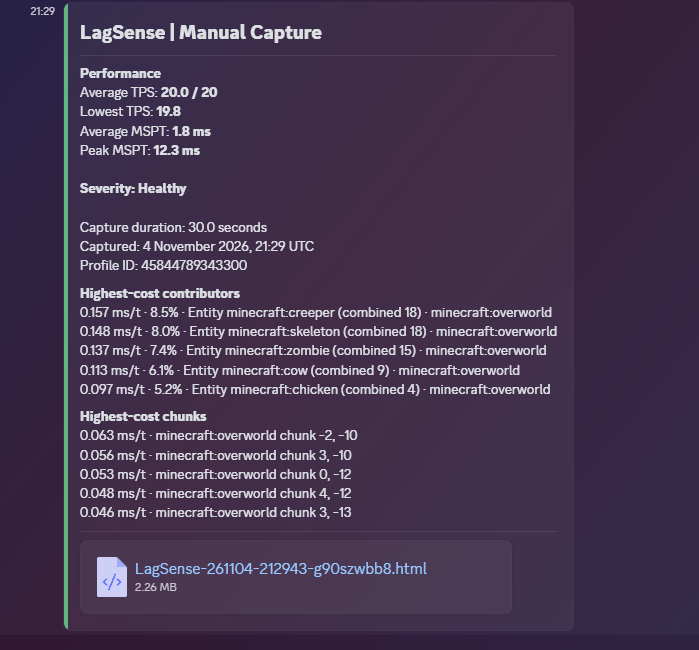
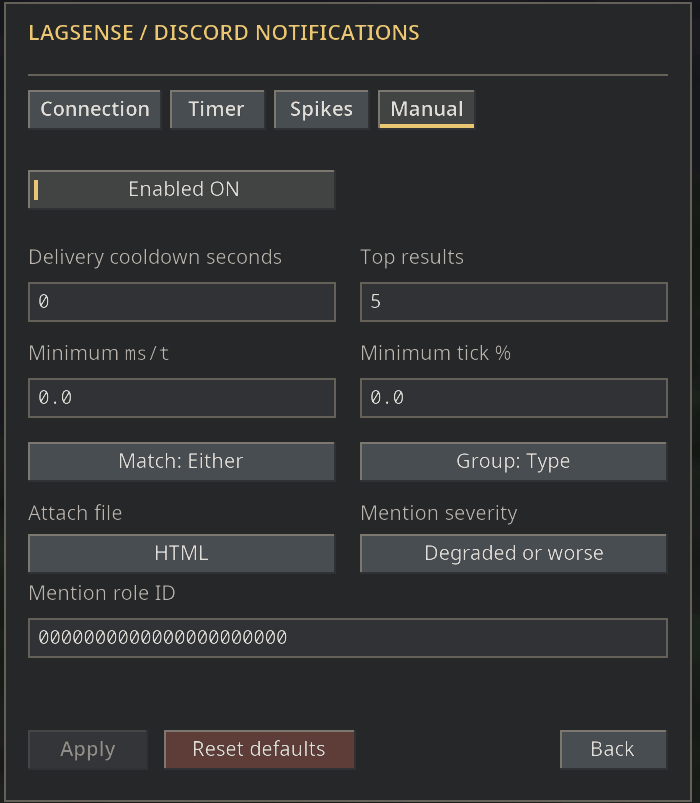
Send performance summaries containing TPS, MSPT, severity, expensive contributors and chunks. Configure role mentions by severity and optionally attach one complete HTML, JSON or CSV report. Attachments default to None.
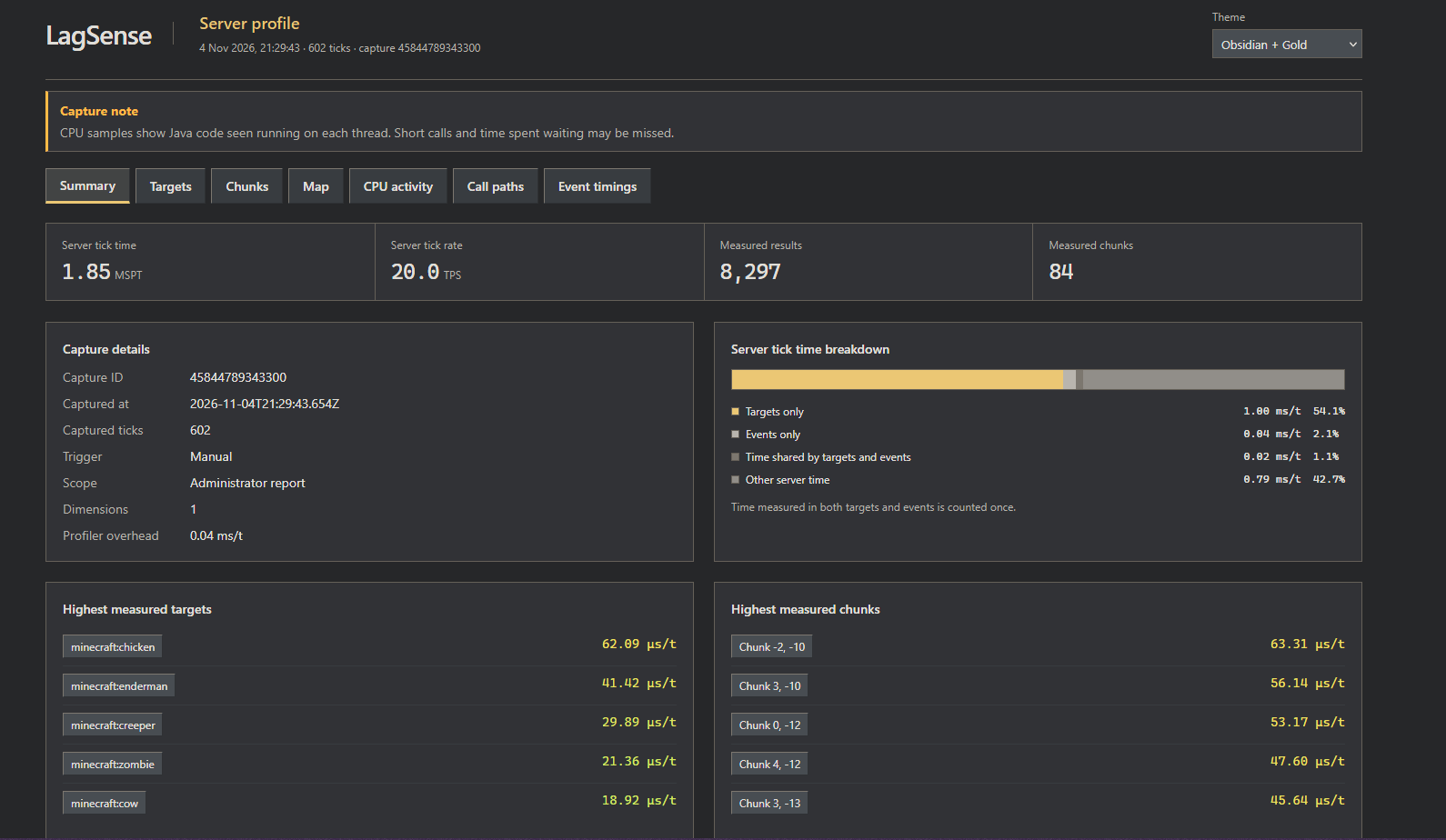
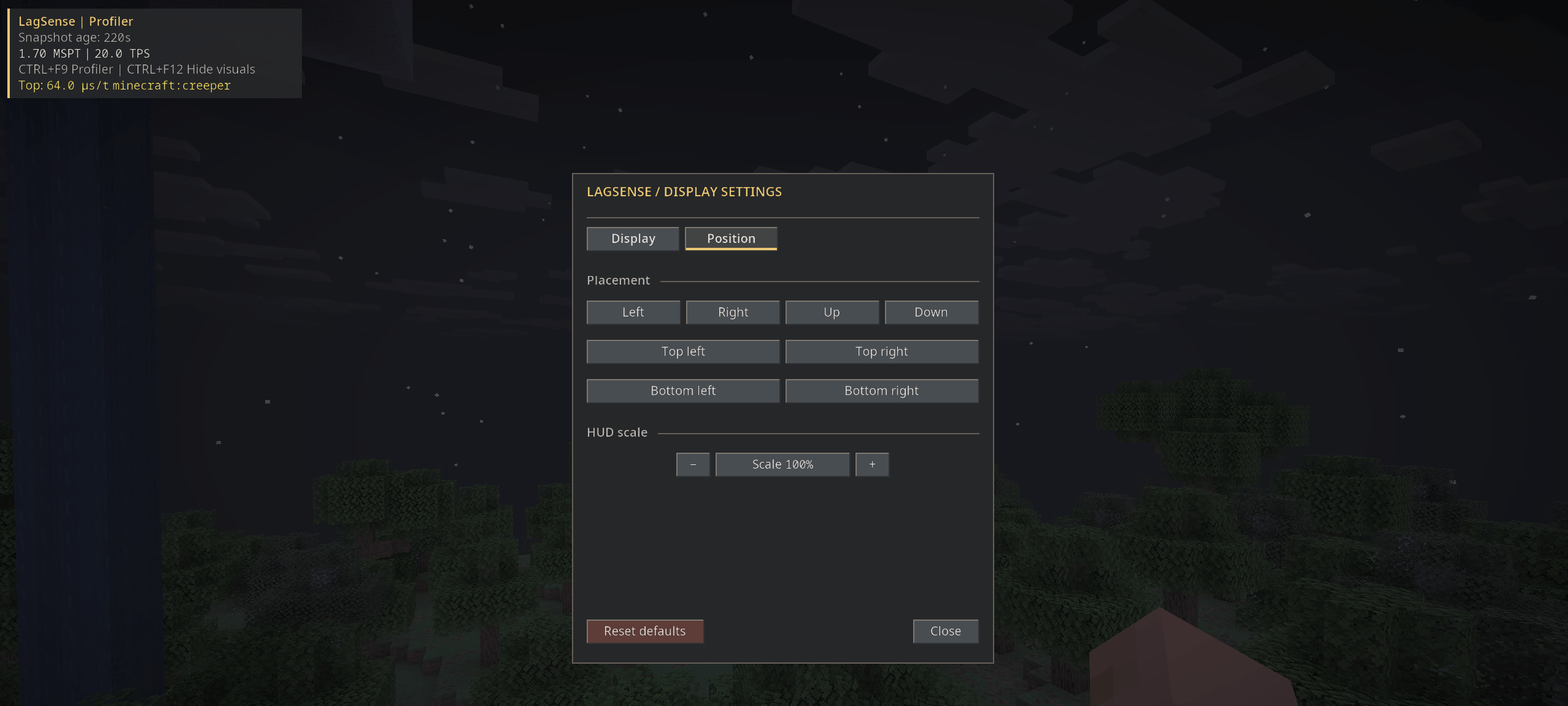
Reports can also be exported as standalone interactive HTML files that work offline, without an external website or account. In-game reports include search, grouping, historical comparisons, hotspot markers and operator-only teleport tools. Three UI themes and configurable HUD positioning are included.
Compatibility
| Requirement | Version |
|---|---|
| Minecraft | 26.1.2 |
| NeoForge | 26.1.2.121 or a compatible later 26.1.2 build |
| Java | 25 |
| Optional FTB Chunks | 26.1.2.9+; tested with 26.1.2.9 and 26.1.2.10 |
| Optional FTB Teams | 26.1.2.5 |
| Optional Open Parties and Claims | 0.33.0 |
Install LagSense on the server for profiling and on clients for report screens and overlays. Use the same LagSense version on both sides. Single-player requires one installation. Claim integrations are optional.
Getting Started
- Install LagSense and start Minecraft or the server.
- As an operator, run
/lagsense profileto capture 30 seconds of server activity. - Open
/lagsense reportto investigate results. Other players receive only the results they are permitted to view. - Open Settings to configure captures, Discord delivery and profiling options. Server settings are restricted to operators.
Keyboard Shortcuts
| Default shortcut | Action |
|---|---|
| Ctrl+F9 | Open the profiler and restore temporarily hidden visuals |
| Ctrl+F10 | Start or stop profiling as an operator; open permitted results otherwise |
| Ctrl+F11 | Open settings |
| Ctrl+F12 | Toggle performance visuals |
Shortcuts can be remapped in Minecraft Controls. Hiding visuals preserves each individual display preference. Public-area creation helpers remain visible.
Commands
| Command | Purpose |
|---|---|
/lagsense report |
Open the latest permitted results, using saved history if needed |
/lagsense profile [seconds] |
Start an operator capture, from 5 to 120 seconds |
/lagsense stop |
Finish a running capture early |
/lagsense status |
Show capture and automation status |
/lagsense reload |
Reload the server configuration |
/lagsense schedule every <minutes> [seconds] |
Configure scheduled captures |
/lagsense schedule off |
Disable scheduled captures |
/lagsense spikes on |
Enable configured spike detection |
/lagsense spikes off |
Disable spike detection |
/lagsense discord test |
Send a test notification to the configured webhook |
/lagsense discord send |
Send the latest capture using manual-delivery settings |
/lagsense return |
Return to the position before the last profiler teleport |
Capture, automation, configuration, Discord and teleport commands require operator access. Opening a report does not start a capture.
Public Areas
Operators can share captured results from an area with every player:
/lagsense area pos1
/lagsense area pos2
/lagsense area create area1
Stand at opposite corners when setting pos1 and pos2. Areas cover the selected X/Z footprint across the dimension’s full build height. Use /lagsense area show or /lagsense area hide to inspect boundaries. /lagsense area delete removes the area you are standing in; overlapping areas require a name.
Public areas grant permission to view results, not to run captures or teleport. Claim ownership and membership are checked when results are requested. Where claim providers overlap, all claiming providers must permit access unless the area has been explicitly shared by an administrator.
Configuration and Measurements
Server settings are stored in config/lagsense-server.toml. Client display preferences are stored in config/lagsense-client.json. Operator settings can be edited in-game. Use /lagsense reload after editing server configuration on disk.
Scheduled captures, spike detection, history and Discord delivery are opt-in. Spike captures measure activity after detection, so they cannot recover a hitch that has already finished. Timers skip captures while another capture is running.
Direct timings cover supported calls across all ticking loaded chunks and loaded dimensions. Non-ticking chunks produce no measurements. CPU activity and call paths are execution samples, not exact timings. Event-handler timings are inclusive; the separate coverage calculation counts overlapping execution once. Background-thread samples do not contribute to server MSPT.
Capture and transfer budgets protect server and client memory. Reports identify incomplete captures, and oversized transfers or exports fail explicitly rather than silently removing results. HTML, JSON and CSV exports include all available retained data and can contain coordinates, entity UUIDs and server diagnostics.
License
LagSense is licensed under the MIT License.
Bundled Noto fonts retain their SIL Open Font License.
Font sources are listed in SOURCES.txt.
常见问题
LagSense 支持哪些 Minecraft 版本?
LagSense 支持 Minecraft Java 版 26.1.2,可用的加载器:NeoForge。下载时注意选择和你游戏版本一致的文件。
LagSense 怎么安装?
先用 PCL2 或 HMCL 启动器安装对应版本的 NeoForge,再把下载的 .jar 文件放进游戏目录的 mods 文件夹,重新启动游戏即可。开启了版本隔离的,mods 文件夹在 versions/版本名 下面。
SprocketGames 的其他作品
查看全部 →
Better Phantoms
将幻翼移出主世界并迁至末地,让它们加入末影龙战斗;同时通过改进其行为,提升末地城周边的危险程度。

Arcane Factory
一个以乐趣为目标的Minecraft整合包,没有太多限制或强制玩法,并包含新的科技和魔法模组。

Architects
一个以全服进度和社区为核心的建筑整合包
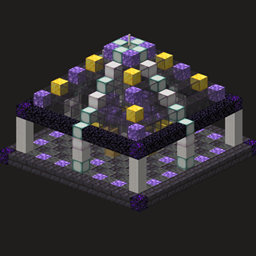
Universal Multiblock Viewer (JEI/EMI)
A JSON-powered 3D multiblock viewer for JEI and EMI. Create interactive building guides for multiblocks from any Minecraft mod.
评论
登录后评论和评分