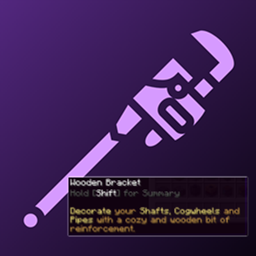
KubeJS: Create Tooltips
A KubeJS addon for Create that lets you register Create's rich, palette-styled tooltips on any item using a single startup script.
介绍
KubeJS: Create Tooltips
A KubeJS addon for Create that lets you register Create’s rich, palette-styled tooltips on any item using a single startup script.
No Java code, no separate lang files – just KubeJS.
Disclaimer:
This Mod and description was made with the help of AI.
Getting Started
Drop the mod JAR into your mods/ folder alongside Create and KubeJS.
Create a startup script at kubejs/startup_scripts/tooltips.js:
CreateTooltipEvents.register(event => {
  event.add('minecraft:stick', 'STANDARD_CREATE', {
    tooltip: '',
    summary: 'A simple _wooden_ stick. Very sticky.'
  })
})
Launch the game and hover over a stick while holding Shift to see the tooltip.
API
event.add(itemId, palette, text)
Registers a Create tooltip for the given item. The lang key base is derived from the item’s translation key automatically.
event.addWithKey(itemId, palette, langKeyBase, text)
Same as add(), but lets you specify a custom lang key base instead of using the item’s default.
Palettes
The palette parameter controls the tooltip color scheme. Valid values:
STANDARD_CREATE, BLUE, GREEN, YELLOW, RED, PURPLE, GRAY, ALL_GRAY, GRAY_AND_BLUE, GRAY_AND_WHITE, GRAY_AND_GOLD, GRAY_AND_RED
Palette names are case-insensitive.
Text Object
The text parameter is an object with the following fields. All fields are optional, but summary is required for the tooltip to display.
| Field | Shown | Description |
|---|---|---|
tooltip |
– | Detection key (required for Create to recognize the item, value not displayed) |
summary |
Hold Shift | Main description text |
condition1…conditionN |
Hold Shift | Condition labels (rendered in gray) |
behaviour1…behaviourN |
Hold Shift | Paired with conditions (supports highlight formatting) |
control1…controlN |
Hold Ctrl | Control labels (rendered in gray) |
action1…actionN |
Hold Ctrl | Paired with controls (supports highlight formatting) |
Conditions/behaviours and controls/actions are numbered sequentially starting from 1. No gaps allowed.
Highlight Formatting
Use underscores to toggle highlight color in behaviour and action text:
behaviour1: '_Burns_ for 100 ticks'
This renders "Burns" in the palette’s highlight color and "for 100 ticks" in the primary color.
Full Example
CreateTooltipEvents.register(event => {
  event.add('minecraft:stick', 'STANDARD_CREATE', {
    tooltip: '',
    summary: 'A simple wooden stick with _many_ uses.',
    condition1: 'When used as fuel',
    behaviour1: '_Burns_ for 100 ticks',
    condition2: 'When crafted with flint',
    behaviour2: 'Creates _arrows_',
    control1: 'Right Click',
    action1: '_Poke_ things with it'
  })
})
VS Code Intellisense
Run /kubejs generate_typings in-game to generate TypeScript definitions. This gives you autocomplete and hover docs for CreateTooltipEvents and its methods in VS Code.
常见问题
KubeJS: Create Tooltips 支持哪些 Minecraft 版本?
KubeJS: Create Tooltips 支持 Minecraft Java 版 1.21.1,可用的加载器:NeoForge。下载时注意选择和你游戏版本一致的文件。
KubeJS: Create Tooltips 怎么安装?
先用 PCL2 或 HMCL 启动器安装对应版本的 NeoForge,再把下载的 .jar 文件放进游戏目录的 mods 文件夹,重新启动游戏即可。开启了版本隔离的,mods 文件夹在 versions/版本名 下面。
agent772 的其他作品
查看全部 →
Create: Shuffle Filter
本模组新增了一个“乱序过滤器”物品,将其用于机械动力的部署器上时,放置方块会带有随机性(类似玩家的乱序模组)。

Create: Shuffle Filter
本模组新增了一个“乱序过滤器”物品,在机械动力的部署器上使用时,可以让放置方块时产生随机性(类似玩家的乱序模组)。

Create: More Girder
为 Create 模组生态增添 8 种独特的桁架变体。

Create: More Girder
为机械动力模组生态增添 8 种独特的桁架变体。
评论
登录后评论和评分