
介绍
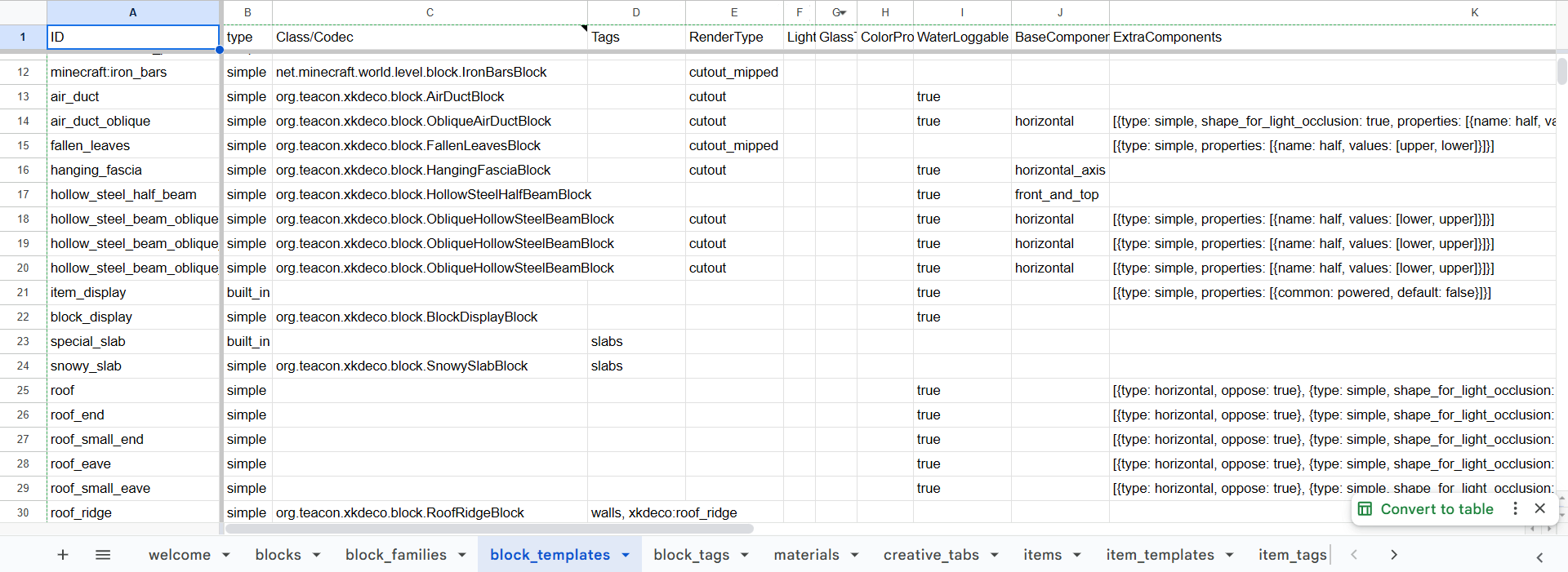
Kiwi Customization is a tool for creating game content (mainly blocks and items) from Excel/Google Sheets/YAML.
Currently, you can use this mod to create:
- Block
- Item
- VoxelShape
- Sound Type
- Sound Event
- Creative Tab
- Tool Tier
Here you can check out a real mod project based on this mod. Table template can be found here.
Kiwi Customization is not designed to replace the use of code. Instead, it focuses primarily on providing development team members with a more user-friendly and scalable content management workflow, even if they have no experience in programming. And non-programmers can easily edit certain properties and see the effects in the game, without having to compile the mod. But with the combination of Lychee/Polytone/KubeJS/other mods, you can already create many fun things without coding.
Typically, after modifying the table, you should run the Python script, which will generate YAML files recognizable by Kiwi to create content. Then run the data generation task to generate the necessary resources. As a result, the corresponding changes will be reflected in the game.
Plus, this mod provides some useful systems to make end users way easier to use blocks. For example, a block can change it’s state based on the surroundings, completely data-driven! The example mod, XK’s Decoration, takes full advantage of this system. You can find more details in the example and source code.
You don’t have to use this mod as a dependency. You can directly use Kiwi as a dependency and add a custom key in your mod file, just like this mod does.
Please understand that due to my limited energy, there is no documentation available for now. I made this because I need it in my projects. I feel that someone may be interested in it, so I made it more visible.
Finally, I would like to thank SettingDust and 3TUSK for their help on this project.
常见问题
Kiwi Customization 支持哪些 Minecraft 版本?
Kiwi Customization 支持 Minecraft Java 版 1.21.1–26.1.2,共 4 个版本,可用的加载器:Fabric / NeoForge / Quilt。下载时注意选择和你游戏版本一致的文件。
Kiwi Customization 怎么安装?
先用 PCL2 或 HMCL 启动器安装对应版本的 Fabric / NeoForge / Quilt,再把下载的 .jar 文件放进游戏目录的 mods 文件夹,重新启动游戏即可。开启了版本隔离的,mods 文件夹在 versions/版本名 下面。运行环境:客户端和服务端都要装。
Snownee 的其他作品
查看全部 →
Jade 🔍
显示你所注视方块的信息。(Hwyla/Waila 的 Minecraft 1.16+ 分支)
Kiwi 🥝 (Neo/Forge)
Minecraft 模组开发库

Jade Addons (Neo/Forge)
Jade 🔍 的 Neo/Forge 额外模组支持

Snow! Real Magic! ⛄ (Neo/Forge)
不是魔法模组。| 雪的重力与堆积 | 积雪方块 | 调整雪的行为
评论
登录后评论和评分